Replace Laptop battery in NZ

Author: admin

  • Top Quality Battery 30107108 4600MAH/17.02WH For Acer Iconia Tab 8 8inch A1-840 A1-840FHD

    Shopping Acer 30107108 Battery 3.7V 4600MAH/17.02WH at www.notebookbattery.co.nz. You could get a brand new 100% and compatible with battery for Acer Iconia Tab 8 8inch A1-840 A1-840FHD. Fast shipping!. 1-year warranty, 30-day money-back guarantee. 

    Acer 30107108 4600MAH/17.02WH 3.7V tablet battery
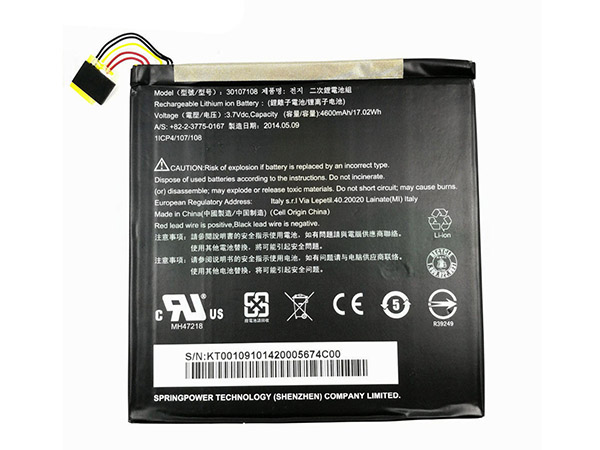
    Acer 30107108 battery

      Product details:

    • Brand: Acer 30107108 Tablet batteries

    • Type: Li-ion battery

    • Voltage: 3.7V

    • Capacity: 4600MAH/17.02WH

    Replace the following batteries:

    30107108

    Compatible with the following models:

    For Acer Iconia Tab 8 8inch A1-840 A1-840FHD

    http://www.notebookbattery.co.nz/laptop-batteies-acer/replace-battery-30107108-b179842.htm

    How to extend the battery life of your tablet?

    1. Carry a spare charger that does not require an outlet

    For the best charging, use an approved wall charger for your device, but if you can't connect to a power outlet, you can still charge your tablet with the brand's charging treasure.

    2. Cherish your battery

    Keep the battery inserted into the device's port clean. Do not let the temperature of the device exceed 95 degrees Fahrenheit and limit your use in cold weather. In order to get extra guarantees or take a break from your hot battery, you might consider carrying a spare battery so you can replace it when you encounter a red alarm.

    3. save electricity

    Turn off Wi-Fi when not in use. Wi-Fi consumes a lot of power on all devices because it is always looking for signals. If you happen to have no strong signal, you can also turn off 4G LTE. Keep the screen as concealed as possible and close the application when you are done to prevent them from running in the background. Extend app refresh time: Set your email to get new mail every 15 minutes (or even longer). Put your device to sleep whenever possible.

    4. Turn off push notifications

    The push services that are immediately known are running in the background, but these notifications are often expensive. Turn it off when you need to save energy and disable location-based services when not in use.

    5. Change your settings

    Change the display settings on your phone so that the screen timeout is shorter. Make sure Bluetooth is turned off when not in use, so your device won't try to pair with an out-of-the-box accessory. Turn off your GPS options. Live wallpaper applications also affect battery performance. When you are in the setup, see if you have the latest software, if not, update it! Also, make sure you have enough battery life to complete the software update. Please note that it will take at least three days after the software update to see the battery improvements.

    Why you buy a 30107108 battery in our store

    1. 30107108 battery will be tested repeatedly before leaving the factory to ensure that it is compatible with the original model and finally packaged.

    2. We are committed to providing quality services. All replace batteries, adapters and other electronic products have quality assurance and discount up to 35%.

    3. All products are 1-year warranty and 30-days money-back guarantee.

    4. All products are acknowledged by CE.

    5. Here you can enjoy more services and experiences, happy shopping and happy life! 

    These may be you want to look for :

    AC14B13J battery replacement for Acer Aspire AC14B13J ES1-131 ES1-331 ES1-512 ES1-520 ES1-521

    JAGUAR battery replacement for LENOVO I2000 Flex 3 1470 Edge2 1580 m51-80

    AJ02XL battery replacement for HP Jacket Elitepad 900

    BL-45F1F battery replacement for LG 2017 Version K8 K4 Aristo M210

    BTY-M6F battery replacement for MSI GS60
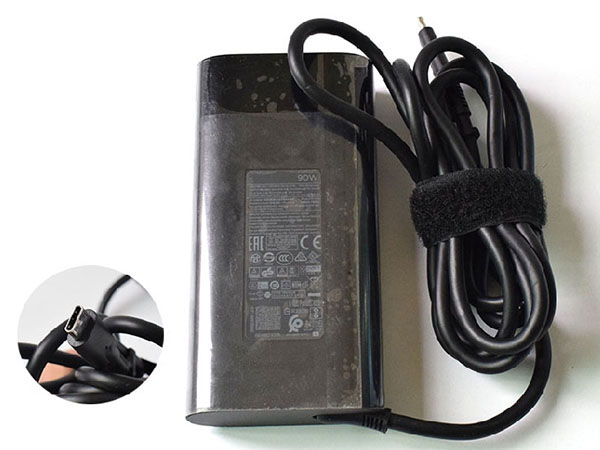
  • Cheap and High Quality AC Adapter for HP 904144-850

    HP 904144-850 laptop adapter 100% compatible +100% stable. Meet original or exceed original specifications. High quality material, cheaper than original, low power consumption, strict safety test and performance test to ensure your computer is safely charged. We are committed to a one-year, 30-day unconditional refund for all notebook adapters.

    HP 904144-850 laptop adapter 5V/3.0A 9V/3.0A 10V/5.0A 12V/5.0A 15V/5.0A 20V/4.5A, 90W (for worldwide use)100-240V 50-60Hz (for worldwide use)

    HP 904144-850 adapter
    AC Input:100-240V 50-60Hz (for worldwide use)
    DC Output: 5V/3.0A 9V/3.0A 10V/5.0A 12V/5.0A 15V/5.0A 20V/4.5A, 90W
    Connection:
    Model: 904144-850

    Adapter Part Numbers:
    TPN-DA08 904082-003 ADP-90FE_B
    Adapter Fit Models:
    For HP Spectre x360 15-BL112DX 4K i7-8550U 15.6inch 

    http://www.notebookbattery.co.nz/hp-laptop-power-adapter/904144-850-a180488.htm 

    Here,buy it now
    ES:HP 904144-850 Adaptador
    IT:HP 904144-850 Adattatore prodotto nuovo
    JP:HP 904144-850
    DE:904144-850 Notebook-Netzteile.

    What should I pay attention to when using HP 904144-850 laptop adapter?

    1. You should create a good cooling environment. 
    When using the in a high temperature environment, place the HP 904144-850 power adapter in a place that is not exposed to direct sunlight and ventilation; do not place the power adapter near the cooling air outlet of the notebook; at the same time, we can put the adapter on the side to make the heat better distributed.
    2. If the voltage is unstable, it needs to be stopped in time.
    Although the HP 904144-850 adapter is a wide-band operating voltage, it can be marked from 100V to 240V, but if it is used under extremely unstable voltage, it will also cause serious heat or damage to the power adapter. If you need to temporarily borrow power from other brands, try to choose an adapter with the same or larger output current.
    3. If an abnormality occurs, stop using it in time.
    When you are not using the HP 904144-850 adapter, unplug the power cord. Prolonged power-up will keep the adapter working and will affect the end of life. When the power adapter emits large working noise or even smoke, it is often damaged or has a fault. It should be stopped immediately and can be used again after being repaired by professional engineers.

    Finding the Right Model of Adapter :

    · Get the laptop's model number. This is usually printed on a small sticker affixed to the underside of the laptop.

    · Get the power requirements for the laptop. This is also printed on a small sticker affixed to the underside of the laptop. It may also be printed near the laptop power port. Look for the amperage and the voltage required.

    · Look up the model number online to find if there are compatible adapters available. The voltage and amperage of the adapter need to match the requirements of the laptop.

    · Compare the connector type of the laptop adapter to any available adapters found online. They need to match to ensure that the adapter can plug into the laptop.

    ABOUT US

    NotebookBattery.co.nz is professional selling the highest quality notebook batteries and laptop power adapters for the lowest price with the highest level of service in NewZeland, all in a secure and convenient platform. Our product range includes replacement laptop batteries for most major laptop brands, including Dell, Apple, Compaq/HP, IBM/Lenovo, Fujitsu, Gateway, Sony and Toshiba. We ship to the Laptop adapter around Globe [USA, Canada, UK, NZ and Ireland, Australia]. View more laptop adapter. Contact with us if any problem on selecting power adapter.

    Power Adapter Fast Shipping

    Adapter for 904144-850 For HP Spectre x360 15-BL112DX 4K i7-8550U 15.6inch

    Adapter for 904082-003 HP TPN-DA08 904082-003 904144-850 ADP-90FE B AC ADAPTER

    Adapter for ADP-90FE_B HP Spectre x360 15-b1000 15-b1099 15t-b1000 AC Adapter

    Adapter for TPN-DA08 HP Spectre X360 15-BL018CA TPN-DA08 904144-850

    Adapter for 19.5V HP ZBook 17 G5

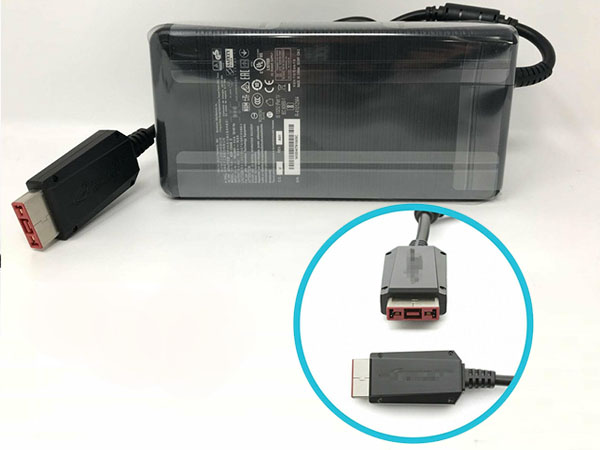
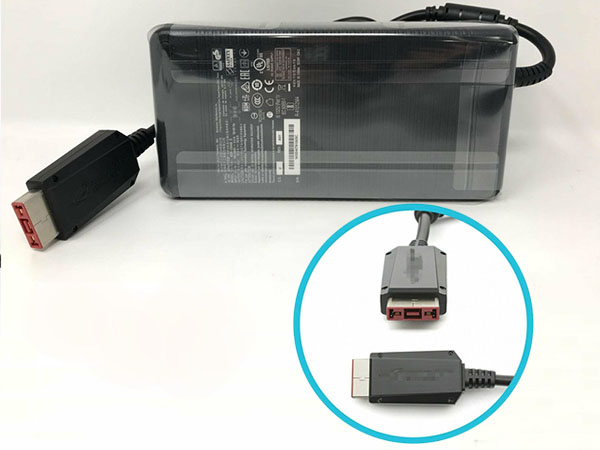
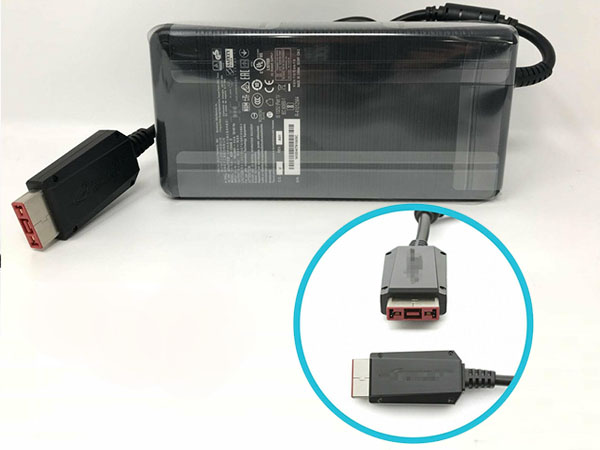
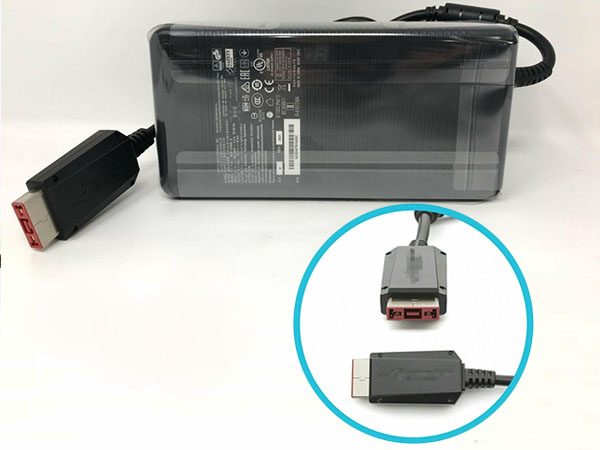
  • ASUS ADP-330AB compatible with ASUS GX800VH G701VI G703VI GL702VI W/GTX1080 SLI GTX1080 AC Charger power adapter

    ASUS ADP-330AB laptop adapter 100% compatible +100% stable. Meet original or exceed original specifications. High quality material, cheaper than original, low power consumption, strict safety test and performance test to ensure your computer is safely charged. We are committed to a one-year, 30-day unconditional refund for all notebook adapters.

    ASUS ADP-330AB laptop adapter 19.5V 16.9A 330W (for worldwide use)100-240V~4.4A 50-60Hz (for worldwide use)

    ASUS ADP-330AB adapter
    AC Input:100-240V~4.4A 50-60Hz (for worldwide use)
    DC Output: 19.5V 16.9A 330W
    Connection:
    Model: ADP-330AB

    Adapter Part Numbers:
    ADP-330AB_D ADP-330AB DF(C14)A02 ADP-330AB DJ (C14) ADP-330AB DP(C14) ADP-330AB DP(C14)A03 ADP-330AB DU(C14)
    Adapter Fit Models:
    ASUS GX800VH G701VI G703VI GL702VI W/GTX1080 SLI GTX1080 AC Charger 

    http://www.notebookbattery.co.nz/asus-laptop-power-adapter/adp-330ab-a180489.htm 

    Here,buy it now
    ES:ASUS ADP-330AB Adaptador
    IT:ASUS ADP-330AB Adattatore prodotto nuovo
    JP:ASUS ADP-330AB
    DE:ADP-330AB Notebook-Netzteile.

    What should I pay attention to when using ASUS ADP-330AB laptop adapter?

    1. You should create a good cooling environment. 
    When using the in a high temperature environment, place the ASUS ADP-330AB power adapter in a place that is not exposed to direct sunlight and ventilation; do not place the power adapter near the cooling air outlet of the notebook; at the same time, we can put the adapter on the side to make the heat better distributed.
    2. If the voltage is unstable, it needs to be stopped in time.
    Although the ASUS ADP-330AB adapter is a wide-band operating voltage, it can be marked from 100V to 240V, but if it is used under extremely unstable voltage, it will also cause serious heat or damage to the power adapter. If you need to temporarily borrow power from other brands, try to choose an adapter with the same or larger output current.
    3. If an abnormality occurs, stop using it in time.
    When you are not using the ASUS ADP-330AB adapter, unplug the power cord. Prolonged power-up will keep the adapter working and will affect the end of life. When the power adapter emits large working noise or even smoke, it is often damaged or has a fault. It should be stopped immediately and can be used again after being repaired by professional engineers.

    Finding the Right Model of Adapter :

    · Get the laptop's model number. This is usually printed on a small sticker affixed to the underside of the laptop.

    · Get the power requirements for the laptop. This is also printed on a small sticker affixed to the underside of the laptop. It may also be printed near the laptop power port. Look for the amperage and the voltage required.

    · Look up the model number online to find if there are compatible adapters available. The voltage and amperage of the adapter need to match the requirements of the laptop.

    · Compare the connector type of the laptop adapter to any available adapters found online. They need to match to ensure that the adapter can plug into the laptop.

    ABOUT US

    NotebookBattery.co.nz is professional selling the highest quality notebook batteries and laptop power adapters for the lowest price with the highest level of service in NewZeland, all in a secure and convenient platform. Our product range includes replacement laptop batteries for most major laptop brands, including Dell, Apple, Compaq/HP, IBM/Lenovo, Fujitsu, Gateway, Sony and Toshiba. We ship to the Laptop adapter around Globe [USA, Canada, UK, NZ and Ireland, Australia]. View more laptop adapter. Contact with us if any problem on selecting power adapter.

    Power Adapter Fast Shipping

    Adapter for ADP-330AB ASUS GX800VH G701VI G703VI GL702VI W/GTX1080 charger

    Adapter for ADP-330AB ASUS G800VI GL702VI GX800VH

    Adapter for ADP-330AB For ASUS ROG G701VI G701VIK

    Adapter for ADP-330AB ASUS GX800VH G701VI G703VI GL702VI W/GTX1080 SLI GTX1080 AC Charger

    Adapter for 280W ASUS G703GI-XS74 G703GI-XS71 G703GI-E5097R

  • Long Lasting ASUS ADP-330AB Replacement AC adapter

    ASUS ADP-330AB laptop adapter 100% compatible +100% stable. Meet original or exceed original specifications. High quality material, cheaper than original, low power consumption, strict safety test and performance test to ensure your computer is safely charged. We are committed to a one-year, 30-day unconditional refund for all notebook adapters.

    ASUS ADP-330AB laptop adapter 19.5V 16.9A 330W (for worldwide use)100-240V~4.4A 50-60Hz (for worldwide use)

    ASUS ADP-330AB adapter
    AC Input:100-240V~4.4A 50-60Hz (for worldwide use)
    DC Output: 19.5V 16.9A 330W
    Connection:
    Model: ADP-330AB

    Adapter Part Numbers:
    ADP-330AB_D DF(C14)A02 ADP-330AB DJ (C14) ADP-330AB DP(C14) ADP-330AB DP(C14)A03 ADP-330AB DU(C14)
    Adapter Fit Models:
    For ASUS ROG G701VI G701VIK 

    http://www.notebookbattery.co.nz/asus-laptop-power-adapter/adp-330ab-a180490.htm 

    Here,buy it now
    ES:ASUS ADP-330AB Adaptador
    IT:ASUS ADP-330AB Adattatore prodotto nuovo
    JP:ASUS ADP-330AB
    DE:ADP-330AB Notebook-Netzteile.

    What should I pay attention to when using ASUS ADP-330AB laptop adapter?

    1. You should create a good cooling environment. 
    When using the in a high temperature environment, place the ASUS ADP-330AB power adapter in a place that is not exposed to direct sunlight and ventilation; do not place the power adapter near the cooling air outlet of the notebook; at the same time, we can put the adapter on the side to make the heat better distributed.
    2. If the voltage is unstable, it needs to be stopped in time.
    Although the ASUS ADP-330AB adapter is a wide-band operating voltage, it can be marked from 100V to 240V, but if it is used under extremely unstable voltage, it will also cause serious heat or damage to the power adapter. If you need to temporarily borrow power from other brands, try to choose an adapter with the same or larger output current.
    3. If an abnormality occurs, stop using it in time.
    When you are not using the ASUS ADP-330AB adapter, unplug the power cord. Prolonged power-up will keep the adapter working and will affect the end of life. When the power adapter emits large working noise or even smoke, it is often damaged or has a fault. It should be stopped immediately and can be used again after being repaired by professional engineers.

    Finding the Right Model of Adapter :

    · Get the laptop's model number. This is usually printed on a small sticker affixed to the underside of the laptop.

    · Get the power requirements for the laptop. This is also printed on a small sticker affixed to the underside of the laptop. It may also be printed near the laptop power port. Look for the amperage and the voltage required.

    · Look up the model number online to find if there are compatible adapters available. The voltage and amperage of the adapter need to match the requirements of the laptop.

    · Compare the connector type of the laptop adapter to any available adapters found online. They need to match to ensure that the adapter can plug into the laptop.

    ABOUT US

    NotebookBattery.co.nz is professional selling the highest quality notebook batteries and laptop power adapters for the lowest price with the highest level of service in NewZeland, all in a secure and convenient platform. Our product range includes replacement laptop batteries for most major laptop brands, including Dell, Apple, Compaq/HP, IBM/Lenovo, Fujitsu, Gateway, Sony and Toshiba. We ship to the Laptop adapter around Globe [USA, Canada, UK, NZ and Ireland, Australia]. View more laptop adapter. Contact with us if any problem on selecting power adapter.

    Power Adapter Fast Shipping

    Adapter for ADP-330AB ASUS GX800VH G701VI G703VI GL702VI W/GTX1080 charger

    Adapter for ADP-330AB ASUS G800VI GL702VI GX800VH

    Adapter for ADP-330AB For ASUS ROG G701VI G701VIK

    Adapter for ADP-330AB ASUS GX800VH G701VI G703VI GL702VI W/GTX1080 SLI GTX1080 AC Charger

    Adapter for 280W ASUS G703GI-XS74 G703GI-XS71 G703GI-E5097R

  • High quality ASUS ADP-330AB AC adapter

    ASUS ADP-330AB laptop adapter 100% compatible +100% stable. Meet original or exceed original specifications. High quality material, cheaper than original, low power consumption, strict safety test and performance test to ensure your computer is safely charged. We are committed to a one-year, 30-day unconditional refund for all notebook adapters.

    ASUS ADP-330AB laptop adapter 19.5V 16.9A 330W (for worldwide use)100-240V~4.4A 50-60Hz (for worldwide use)

    ASUS ADP-330AB adapter
    AC Input:100-240V~4.4A 50-60Hz (for worldwide use)
    DC Output: 19.5V 16.9A 330W
    Connection:
    Model: ADP-330AB

    Adapter Part Numbers:
    ADP-330AB_D ADP-330AB DF(C14)A02 DJ (C14) ADP-330AB DP(C14) ADP-330AB DP(C14)A03 ADP-330AB DU(C14)
    Adapter Fit Models:
    ASUS G800VI GL702VI GX800VH 

    http://www.notebookbattery.co.nz/asus-laptop-power-adapter/adp-330ab-a180491.htm 

    Here,buy it now
    ES:ASUS ADP-330AB Adaptador
    IT:ASUS ADP-330AB Adattatore prodotto nuovo
    JP:ASUS ADP-330AB
    DE:ADP-330AB Notebook-Netzteile.

    What should I pay attention to when using ASUS ADP-330AB laptop adapter?

    1. You should create a good cooling environment. 
    When using the in a high temperature environment, place the ASUS ADP-330AB power adapter in a place that is not exposed to direct sunlight and ventilation; do not place the power adapter near the cooling air outlet of the notebook; at the same time, we can put the adapter on the side to make the heat better distributed.
    2. If the voltage is unstable, it needs to be stopped in time.
    Although the ASUS ADP-330AB adapter is a wide-band operating voltage, it can be marked from 100V to 240V, but if it is used under extremely unstable voltage, it will also cause serious heat or damage to the power adapter. If you need to temporarily borrow power from other brands, try to choose an adapter with the same or larger output current.
    3. If an abnormality occurs, stop using it in time.
    When you are not using the ASUS ADP-330AB adapter, unplug the power cord. Prolonged power-up will keep the adapter working and will affect the end of life. When the power adapter emits large working noise or even smoke, it is often damaged or has a fault. It should be stopped immediately and can be used again after being repaired by professional engineers.

    Finding the Right Model of Adapter :

    · Get the laptop's model number. This is usually printed on a small sticker affixed to the underside of the laptop.

    · Get the power requirements for the laptop. This is also printed on a small sticker affixed to the underside of the laptop. It may also be printed near the laptop power port. Look for the amperage and the voltage required.

    · Look up the model number online to find if there are compatible adapters available. The voltage and amperage of the adapter need to match the requirements of the laptop.

    · Compare the connector type of the laptop adapter to any available adapters found online. They need to match to ensure that the adapter can plug into the laptop.

    ABOUT US

    NotebookBattery.co.nz is professional selling the highest quality notebook batteries and laptop power adapters for the lowest price with the highest level of service in NewZeland, all in a secure and convenient platform. Our product range includes replacement laptop batteries for most major laptop brands, including Dell, Apple, Compaq/HP, IBM/Lenovo, Fujitsu, Gateway, Sony and Toshiba. We ship to the Laptop adapter around Globe [USA, Canada, UK, NZ and Ireland, Australia]. View more laptop adapter. Contact with us if any problem on selecting power adapter.

    Power Adapter Fast Shipping

    Adapter for ADP-330AB ASUS GX800VH G701VI G703VI GL702VI W/GTX1080 charger

    Adapter for ADP-330AB ASUS G800VI GL702VI GX800VH

    Adapter for ADP-330AB For ASUS ROG G701VI G701VIK

    Adapter for ADP-330AB ASUS GX800VH G701VI G703VI GL702VI W/GTX1080 SLI GTX1080 AC Charger

    Adapter for 280W ASUS G703GI-XS74 G703GI-XS71 G703GI-E5097R

  • Replacement AC Adapter ASUS ADP-330AB

    ASUS ADP-330AB laptop adapter 100% compatible +100% stable. Meet original or exceed original specifications. High quality material, cheaper than original, low power consumption, strict safety test and performance test to ensure your computer is safely charged. We are committed to a one-year, 30-day unconditional refund for all notebook adapters.

    ASUS ADP-330AB laptop adapter 19.5V 16.9A 330W (for worldwide use)100-240V~4.4A 50-60Hz (for worldwide use)

    ASUS ADP-330AB adapter
    AC Input:100-240V~4.4A 50-60Hz (for worldwide use)
    DC Output: 19.5V 16.9A 330W
    Connection:
    Model: ADP-330AB

    Adapter Part Numbers:
    ADP-330AB_D ADP-330AB DF(C14)A02 ADP-330AB DJ (C14) ADP-330AB DP(C14) ADP-330AB DP(C14)A03 ADP-330AB DU(C14)
    Adapter Fit Models:
    ASUS GX800VH G701VI G703VI GL702VI W/GTX1080 charger 

    http://www.notebookbattery.co.nz/asus-laptop-power-adapter/adp-330ab-a180492.htm 

    Here,buy it now
    ES:ASUS ADP-330AB Adaptador
    IT:ASUS ADP-330AB Adattatore prodotto nuovo
    JP:ASUS ADP-330AB
    DE:ADP-330AB Notebook-Netzteile.

    What should I pay attention to when using ASUS ADP-330AB laptop adapter?

    1. You should create a good cooling environment. 
    When using the in a high temperature environment, place the ASUS ADP-330AB power adapter in a place that is not exposed to direct sunlight and ventilation; do not place the power adapter near the cooling air outlet of the notebook; at the same time, we can put the adapter on the side to make the heat better distributed.
    2. If the voltage is unstable, it needs to be stopped in time.
    Although the ASUS ADP-330AB adapter is a wide-band operating voltage, it can be marked from 100V to 240V, but if it is used under extremely unstable voltage, it will also cause serious heat or damage to the power adapter. If you need to temporarily borrow power from other brands, try to choose an adapter with the same or larger output current.
    3. If an abnormality occurs, stop using it in time.
    When you are not using the ASUS ADP-330AB adapter, unplug the power cord. Prolonged power-up will keep the adapter working and will affect the end of life. When the power adapter emits large working noise or even smoke, it is often damaged or has a fault. It should be stopped immediately and can be used again after being repaired by professional engineers.

    Finding the Right Model of Adapter :

    · Get the laptop's model number. This is usually printed on a small sticker affixed to the underside of the laptop.

    · Get the power requirements for the laptop. This is also printed on a small sticker affixed to the underside of the laptop. It may also be printed near the laptop power port. Look for the amperage and the voltage required.

    · Look up the model number online to find if there are compatible adapters available. The voltage and amperage of the adapter need to match the requirements of the laptop.

    · Compare the connector type of the laptop adapter to any available adapters found online. They need to match to ensure that the adapter can plug into the laptop.

    ABOUT US

    NotebookBattery.co.nz is professional selling the highest quality notebook batteries and laptop power adapters for the lowest price with the highest level of service in NewZeland, all in a secure and convenient platform. Our product range includes replacement laptop batteries for most major laptop brands, including Dell, Apple, Compaq/HP, IBM/Lenovo, Fujitsu, Gateway, Sony and Toshiba. We ship to the Laptop adapter around Globe [USA, Canada, UK, NZ and Ireland, Australia]. View more laptop adapter. Contact with us if any problem on selecting power adapter.

    Power Adapter Fast Shipping

    Adapter for ADP-330AB ASUS GX800VH G701VI G703VI GL702VI W/GTX1080 charger

    Adapter for ADP-330AB ASUS G800VI GL702VI GX800VH

    Adapter for ADP-330AB For ASUS ROG G701VI G701VIK

    Adapter for ADP-330AB ASUS GX800VH G701VI G703VI GL702VI W/GTX1080 SLI GTX1080 AC Charger

    Adapter for 280W ASUS G703GI-XS74 G703GI-XS71 G703GI-E5097R

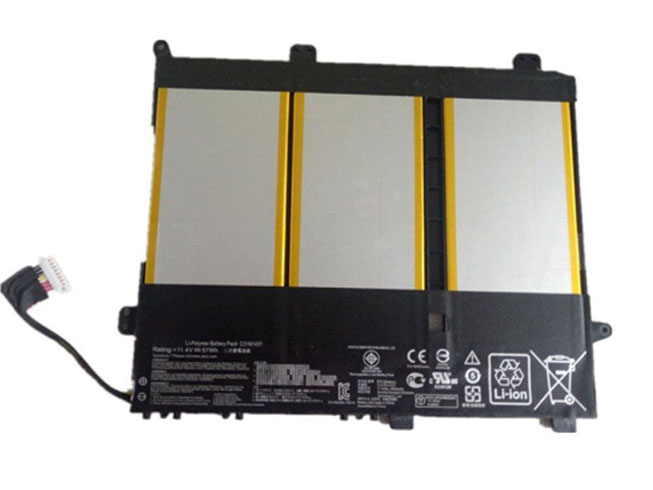
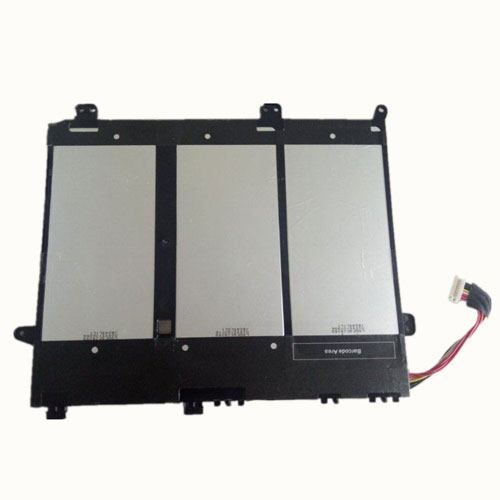
  • High-quality ASUS C31N1431 battery on sale

    This ASUS C31N1431 Battery has a capacity of 57Wh and a voltage of 11.4V. Suitable for battery ASUS EeeBook E403SA E403SA-WX0002H E403SA-WX0003H. 100% compatible and 100% safe. 1-year warranty, 30-day money back guarantee. 

    ASUS C31N1431 57Wh 11.4V Notebook Battery

    ASUS C31N1431 battery

      Product details:

    • Brand: ASUS C31N1431 Notebook batteries

    • Type: Li-ion battery

    • Voltage: 11.4V

    • Capacity: 57Wh

    Replace the following batteries:

    C31N1431

    Compatible with the following models:

    ASUS EeeBook E403SA E403SA-WX0002H E403SA-WX0003H

    http://www.notebookbattery.co.nz/laptop-batteies-asus/replace-battery-c31n1431-b179476.htm

    Laptop battery tips

    Newly bought notebooks, the first three charges do not need to reach 12 hours

    because the current laptop batteries have a management chip that can control the charging limit, when the battery is full, it will automatically cut off the charging function, thus protecting the battery life and avoiding overcharging.

    It is not necessary to discharge completely before each charge

    because this deep discharge will shorten the battery life. It is recommended to charge when the remaining 10% is left. In addition, when there is still more than 30% of the battery power, it is best not to charge, because the memory effect does exist. The power management software allows you to check the battery level at any time, and the ASUS EeeBook E403SA E403SA-WX0002H E403SA-WX0003H come with a battery indicator that allows you to check the remaining battery even without turning it on.

    When plugging in AC power (connecting the power adapter), you don't need to remove the battery

    because most laptop batteries need to be charged below 90%, and the battery naturally discharges to this capacity takes two weeks to a month, so use it every day. Notebooks don't have to worry about repeated charging and unloading, not to mention the fact that emergency power outages are more damaging to data.

    If you want to store unused batteries for a long time, you need to put them in a dry, low temperature environment while maintaining 40% of the remaining power in the battery. In addition, it is best to take out the battery once a month to ensure a good storage state and service life of the battery.

    Reducing the brightness of your notebook screen can extend the life of your notebook and reduce the number of times it is charged.

    Use some power management tools, such as the Power Assistant on the ASUS EeeBook E403SA E403SA-WX0002H E403SA-WX0003H, which can even monitor the energy consumption of each component in real time through the PMC circuit, and accurately summarize the company's status to the HP client Configuration Manager software, and optionally Turn off the specified parts to extend battery life.

    ABOUT US

    Wholesale and retail Notebook Battery in NZ. Replacement for Acer, Apple, Compaq, Dell, FUJITSU, IBM, Lenovo, Sony and so on.

    These may be you want to look for :

    AL15A32 battery replacement for Acer Aspire E5-522 E5-522G E5-532 E5-532T E5-573

    191YN battery replacement for DELL Alienware 15 (ALW15ED-1828)191YN ALW15ED

    H730 battery replacement for DELL POWEREDGE BLADE SERVER

    PMNN4071 battery replacement for Motorola Mag One BPR40 A8 A6

    C21N1418 battery replacement for Asus Transformer T300CHI Serie 12.5 0B200-00570400

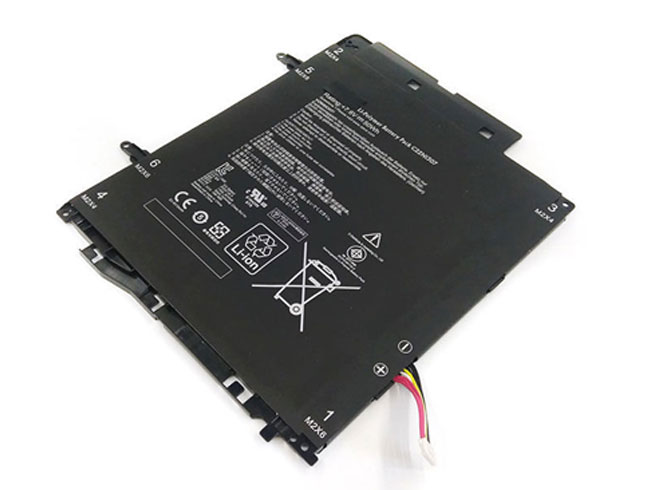
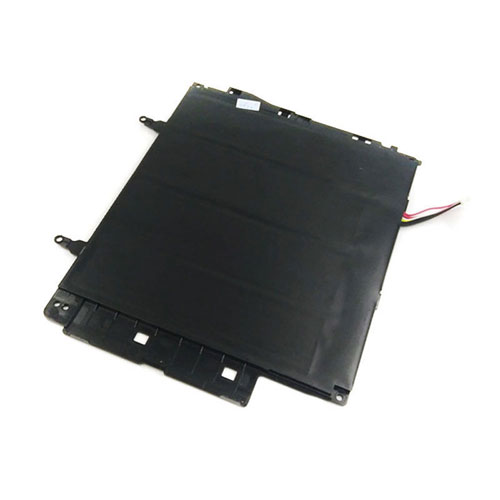
  • ASUS C22N1307 50Wh/4Cells 7.6V battery

    This ASUS C22N1307 Battery has a capacity of 50Wh/4Cells and a voltage of 7.6V. Suitable for battery ASUS Transformer Book T300LA T300LA-BB31T Series. 100% compatible and 100% safe. 1-year warranty, 30-day money back guarantee. 

    ASUS C22N1307 50Wh/4Cells 7.6V Notebook Battery

    ASUS C22N1307 battery

      Product details:

    • Brand: ASUS C22N1307 Notebook batteries

    • Type: Li-ion battery

    • Voltage: 7.6V

    • Capacity: 50Wh/4Cells

    Replace the following batteries:

    C22N1307

    Compatible with the following models:

    ASUS Transformer Book T300LA T300LA-BB31T

    http://www.notebookbattery.co.nz/laptop-batteies-asus/replace-battery-c22n1307-b179477.htm

    Laptop battery tips

    Newly bought notebooks, the first three charges do not need to reach 12 hours

    because the current laptop batteries have a management chip that can control the charging limit, when the battery is full, it will automatically cut off the charging function, thus protecting the battery life and avoiding overcharging.

    It is not necessary to discharge completely before each charge

    because this deep discharge will shorten the battery life. It is recommended to charge when the remaining 10% is left. In addition, when there is still more than 30% of the battery power, it is best not to charge, because the memory effect does exist. The power management software allows you to check the battery level at any time, and the ASUS Transformer Book T300LA T300LA-BB31T Series come with a battery indicator that allows you to check the remaining battery even without turning it on.

    When plugging in AC power (connecting the power adapter), you don't need to remove the battery

    because most laptop batteries need to be charged below 90%, and the battery naturally discharges to this capacity takes two weeks to a month, so use it every day. Notebooks don't have to worry about repeated charging and unloading, not to mention the fact that emergency power outages are more damaging to data.

    If you want to store unused batteries for a long time, you need to put them in a dry, low temperature environment while maintaining 40% of the remaining power in the battery. In addition, it is best to take out the battery once a month to ensure a good storage state and service life of the battery.

    Reducing the brightness of your notebook screen can extend the life of your notebook and reduce the number of times it is charged.

    Use some power management tools, such as the Power Assistant on the ASUS Transformer Book T300LA T300LA-BB31T Series, which can even monitor the energy consumption of each component in real time through the PMC circuit, and accurately summarize the company's status to the HP client Configuration Manager software, and optionally Turn off the specified parts to extend battery life.

    ABOUT US

    Wholesale and retail Notebook Battery in NZ. Replacement for Acer, Apple, Compaq, Dell, FUJITSU, IBM, Lenovo, Sony and so on.

    These may be you want to look for :

    HB366481ECW battery replacement for Huawei Honor 8 P9 EVA-AL00 AL10 TL00 P9 Lite

    W-1 battery replacement for Netgear Sierra Aircard 753S 754S 778S

    Q7BAT battery replacement for Mitsubishi Q series PLC?battery

    BL-53QH battery replacement for LG Optimus 4X HD & Optimus L9 P769

    01AV411 battery replacement for Lenovo Thinkpad E470 E470C E475 01AV412 SB10K97568

  • Best price for LG BL-44E1F cell phone battery

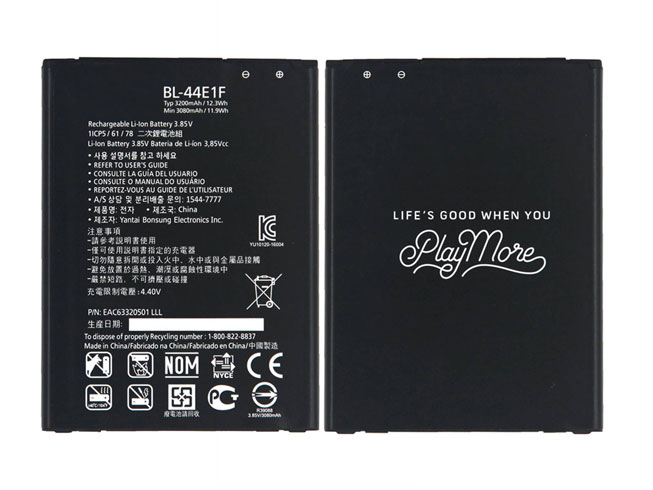
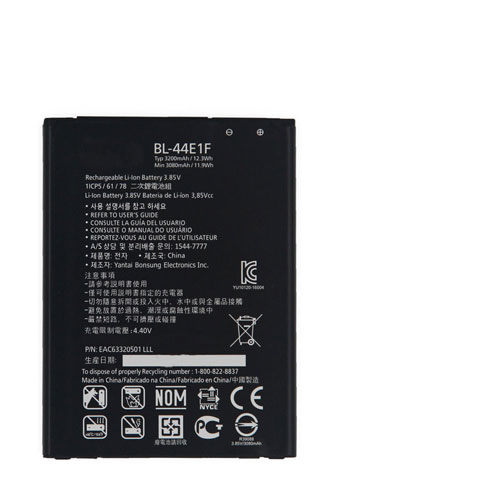
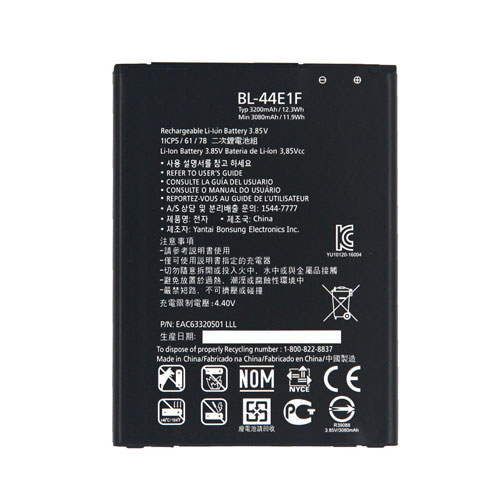
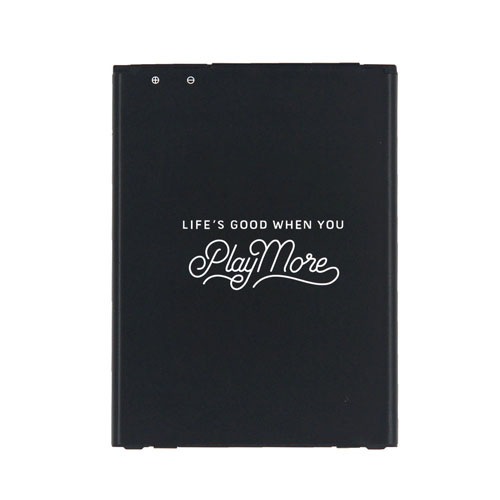
    This LG BL-44E1F Battery has a capacity of 3200MAH/12.3Wh and a voltage of 3.85V/4.40V. Suitable for battery LG V20 H910 H918 VS995 LS997 US996 H990N F800. 100% compatible and 100% safe. 1-year warranty, 30-day money back guarantee. 

    LG BL-44E1F 3200MAH/12.3Wh 3.85V/4.40V cell phone battery

    LG BL-44E1F battery

      Product details:

    • Brand: LG BL-44E1F Cell phone batteries

    • Type: Li-ion battery

    • Voltage: 3.85V/4.40V

    • Capacity: 3200MAH/12.3Wh

    Replace the following batteries:

    BL-44E1F

    Compatible with the following models:

    H910 (AT&T); H918 (T-Mobile; LS997 (Sprint) US996 (US Cellular) VS995 (Verizon)
    H990T (Mexico) H990N (Hong Kong) H990DS (Global Dual-SIM) ; F800


    http://www.notebookbattery.co.nz/laptop-batteies-lg/replace-battery-bl-44e1f-b179481.htm

    The correct charging method for the phone

    How is the battery life counted?

    The most accurate definition of battery life is the number of cycles of charging that determines battery life. The calculation method of the number of loops must be understood by many friends. In fact, it is a cycle of cumulative full charge + cumulative full discharge. For example, if your mobile phone is 5000mAH, then every accumulated charge to 5000mAH is a complete charging process. When the charging is 500mAH, then a total of 10 such charges are required to be a full charging procedure. The same is true for the discharge. The actual situation is that you have to cycle once after multiple charge and discharge operations.

    The average number of cell phone cycles is about 500, which is actually quite durable. When the phone runs out of cycles, it means that your battery has only 80% of the previous capacity, and the subsequent charging process will consume battery capacity faster, but the battery operation is still normal. You only need to consider replacing the battery or the phone when there is a real reduction in battery life or a shutdown.

    Mobile phone battery is used up and refilled?

    When the battery is used up and refilled, it can be regarded as a historical problem. The commonly used nickel-cadmium rechargeable battery has a "memory effect". If you don't use up the battery, the battery will mistakenly think that this battery is completely exhausted. The operation is likely to make the remaining power not continue to be used. This is caused by the nature of the battery material and should indeed be fully recharged with optoelectronics.

    However, the current mobile phone battery is a lithium battery, and the material itself does not have a memory effect, and there is no need to follow the charging method of the old battery. On the contrary, the most feared lithium battery is to use up the battery, the damage to the battery itself is great, so the best way is to reverse, try not to use the battery too low to charge, do not pity the battery, about 50% can Charging, with the charge is a better charging posture.

    Is it good to play while charging?

    From a technical point of view, during charging, the charging and discharging are performed separately. The external circuit will supply power to the mobile phone. It is not just the battery power, so playing with it will not directly lead to a reduction in the life of the mobile phone. What really affects the battery life of the mobile phone is the battery operating environment. The charging of the mobile phone itself will bring heat. At this time, if the user is running a large program at the same time, the heat will be greatly increased, and the high amount of heat will also accelerate the battery consumption.

    Can I charge for a long time?

    From a technical point of view, after the current mobile phone is fully charged, the charging circuit will be automatically cut off. Although the mobile phone is still in the charging mode, the actual power is not charged, and the power supply of the mobile phone will switch to the external circuit without using the battery power. Only when the phone's power consumption reaches the specified value will it start charging again. In this case, the battery consumption is very slow. The normal battery will not activate the charging again all night, so it is no unnecessary to worry about charging all night. If the battery consumption of the mobile phone is serious, or the quality of the mobile phone is faulty, the charging may enter the overcharge state for a long time, which will greatly damage the battery life. If the battery is deformed or burned, the battery may not be damaged. If you have a good mobile phone, don't charge it for a long time.

    ABOUT US

    Wholesale and retail Notebook Battery in NZ. Replacement for Acer, Apple, Compaq, Dell, FUJITSU, IBM, Lenovo, Sony and so on.

    These may be you want to look for :

    694864-851 battery replacement for HP SLEEKBOOK 15-B100 Pavilion 14 14t 14z 15 15t 15z Series

    FNB-80LI battery replacement for YAESU VX-5R VX-7R VX-5E VX-7E VXA-710 1500mAh

    Y07HK battery replacement for Dell Chromebook 11 3180 3189 Laptop

    BL-4U battery replacement for Nokia 3120 5330 5530 6212 6216 6600 Asha 206 210

    YU-19F battery replacement for Yusun A8 A7

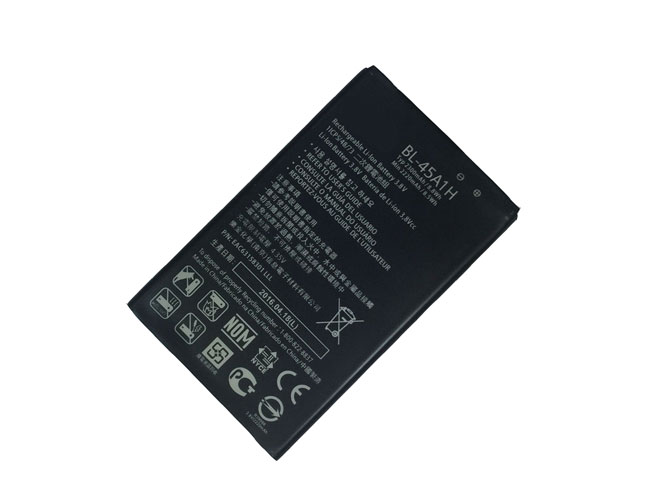
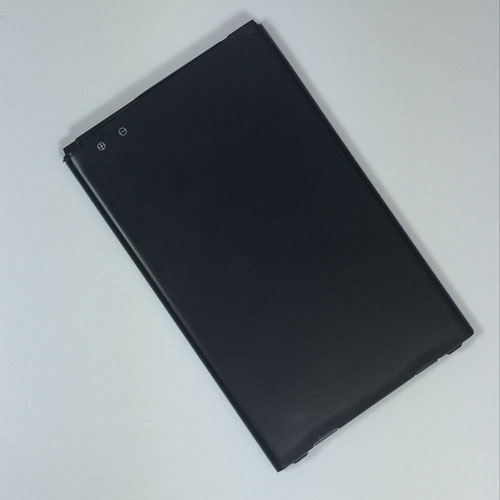
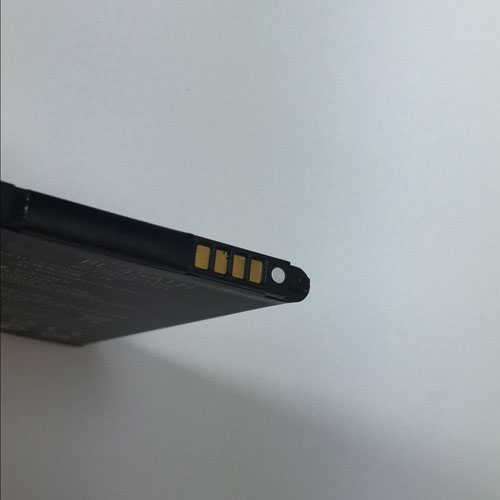
  • LG BL-45A1H battery replacement LG K10 BL-45A1H K425 K428 MS428 F670

    This LG BL-45A1H Battery has a capacity of 2300MAH/8.8Wh and a voltage of 3.8V/4.35V. Suitable for battery LG K10 BL-45A1H K425 K428 MS428 F670. 100% compatible and 100% safe. 1-year warranty, 30-day money back guarantee. 

    LG BL-45A1H 2300MAH/8.8Wh 3.8V/4.35V cell phone battery

    LG BL-45A1H battery

      Product details:

    • Brand: LG BL-45A1H Cell phone batteries

    • Type: Li-ion battery

    • Voltage: 3.8V/4.35V

    • Capacity: 2300MAH/8.8Wh

    Replace the following batteries:

    BL-45A1H

    Compatible with the following models:

    LG K10 BL-45A1H K425 K428 MS428 F670

    http://www.notebookbattery.co.nz/laptop-batteies-lg/replace-battery-bl-45a1h-b179482.htm

    The correct charging method for the phone

    How is the battery life counted?

    The most accurate definition of battery life is the number of cycles of charging that determines battery life. The calculation method of the number of loops must be understood by many friends. In fact, it is a cycle of cumulative full charge + cumulative full discharge. For example, if your mobile phone is 5000mAH, then every accumulated charge to 5000mAH is a complete charging process. When the charging is 500mAH, then a total of 10 such charges are required to be a full charging procedure. The same is true for the discharge. The actual situation is that you have to cycle once after multiple charge and discharge operations.

    The average number of cell phone cycles is about 500, which is actually quite durable. When the phone runs out of cycles, it means that your battery has only 80% of the previous capacity, and the subsequent charging process will consume battery capacity faster, but the battery operation is still normal. You only need to consider replacing the battery or the phone when there is a real reduction in battery life or a shutdown.

    Mobile phone battery is used up and refilled?

    When the battery is used up and refilled, it can be regarded as a historical problem. The commonly used nickel-cadmium rechargeable battery has a "memory effect". If you don't use up the battery, the battery will mistakenly think that this battery is completely exhausted. The operation is likely to make the remaining power not continue to be used. This is caused by the nature of the battery material and should indeed be fully recharged with optoelectronics.

    However, the current mobile phone battery is a lithium battery, and the material itself does not have a memory effect, and there is no need to follow the charging method of the old battery. On the contrary, the most feared lithium battery is to use up the battery, the damage to the battery itself is great, so the best way is to reverse, try not to use the battery too low to charge, do not pity the battery, about 50% can Charging, with the charge is a better charging posture.

    Is it good to play while charging?

    From a technical point of view, during charging, the charging and discharging are performed separately. The external circuit will supply power to the mobile phone. It is not just the battery power, so playing with it will not directly lead to a reduction in the life of the mobile phone. What really affects the battery life of the mobile phone is the battery operating environment. The charging of the mobile phone itself will bring heat. At this time, if the user is running a large program at the same time, the heat will be greatly increased, and the high amount of heat will also accelerate the battery consumption.

    Can I charge for a long time?

    From a technical point of view, after the current mobile phone is fully charged, the charging circuit will be automatically cut off. Although the mobile phone is still in the charging mode, the actual power is not charged, and the power supply of the mobile phone will switch to the external circuit without using the battery power. Only when the phone's power consumption reaches the specified value will it start charging again. In this case, the battery consumption is very slow. The normal battery will not activate the charging again all night, so it is no unnecessary to worry about charging all night. If the battery consumption of the mobile phone is serious, or the quality of the mobile phone is faulty, the charging may enter the overcharge state for a long time, which will greatly damage the battery life. If the battery is deformed or burned, the battery may not be damaged. If you have a good mobile phone, don't charge it for a long time.

    ABOUT US

    Wholesale and retail Notebook Battery in NZ. Replacement for Acer, Apple, Compaq, Dell, FUJITSU, IBM, Lenovo, Sony and so on.

    These may be you want to look for :

    AP1503K battery replacement for Acer Aspire S13 S5-371 Series

    B31N1427 battery replacement for Asus Eeebook E502M E502MA Series

    L14D1P31 battery replacement for Lenovo PB1-770N PHAB Plus

    L12L4E55 battery replacement for lenovo B50-70 B40-70 B50-30 B50-45 B40-30 B50 M4450

    EB-BT810ABE battery replacement for Samsung Galaxy TAB S2 9.7inch T810 T815