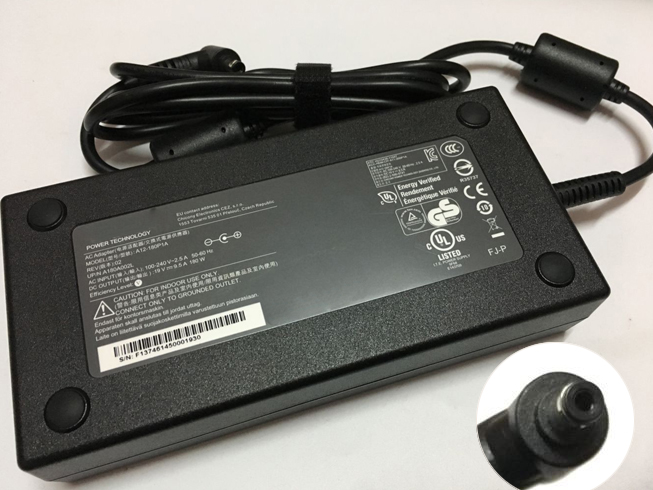
Replace Laptop battery in NZ

Author: admin

  • Toshiba Satellite M60 M65 Series Notebook Battery

    This Toshiba PA3431U-1BAS Battery has a capacity of 4300mah and a voltage of 14.8V. Suitable for Toshiba Satellite M60 M65 Series. 100% compatible and 100% safe. 1-year warranty, 30-day money back guarantee. 

    Toshiba PA3431U-1BAS 4300mah 14.8V Notebook Battery
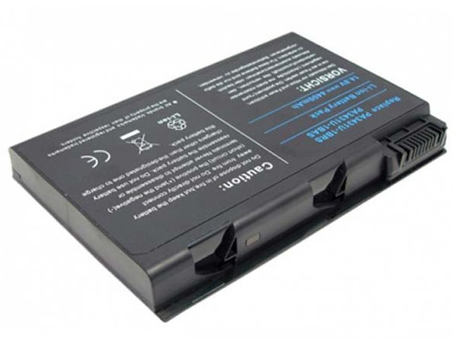
    Toshiba PA3431U-1BAS battery


    (product code: PA3431U-1BAS) 

    (Usually ships the same business day!)

      Product details:

    • Brand: Toshiba PA3431U-1BAS Notebook batteries

    • Type: Li-ion battery

    • Voltage: 14.8V

    • Capacity: 4300mah

    • SKU: TOS2946

    Replace the following batteries:

    PA3431U-1BAS,PA3431U-1BRS

    Compatible with the following models:

    Toshiba Satellite M60 Series
    Satellite M60-132, Satellite M60-134, 
    Satellite M60-135, Satellite M60-139, 
    Satellite M60-161, Satellite M60-167, 
    Satellite M60-169, Satellite M60-182, 
    Satellite M60-183, Satellite M60-184, 
    Satellite M60-188, Satellite M60-189, 
    Satellite M60-191, Satellite M60-S6111TD, 
    Satellite M60-S8112ST, Satellite M60-S8112TD, 
    Satellite M60-S811TD
    Toshiba Satellite M65 Series
    Satellite M65-821, Satellite M65-S809,
    Satellite M65-S8091, Satellite M65-S8211,
    Satellite M65-S909, Satellite M65-S9091,
    Satellite M65-SP811

    http://www.notebookbattery.co.nz/laptop-batteies-toshiba/replace-battery-pa3431u-1bas-b2946.htm

    Laptop battery tips

    Newly bought notebooks, the first three charges do not need to reach 12 hours, because the current laptop batteries have a management chip that can control the charging limit, when the battery is full, it will automatically cut off the charging function, thus protecting the battery life and avoiding overcharging.

    It is not necessary to discharge completely before each charge, because this deep discharge will shorten the battery life. It is recommended to charge when the remaining 10% is left. In addition, when there is still more than 30% of the battery power, it is best not to charge, because the memory effect does exist. The power management software allows you to check the battery level at any time, and the HP EliteBook P-series notebooks come with a battery indicator that allows you to check the remaining battery even without turning it on.

    When plugging in AC power (connecting the power adapter), you don't need to remove the battery

    , because most laptop batteries need to be charged below 90%, and the battery naturally discharges to this capacity takes two weeks to a month, so use it every day. Notebooks don't have to worry about repeated charging and unloading, not to mention the fact that emergency power outages are more damaging to data.

    If you want to store unused batteries for a long time, you need to put them in a dry, low temperature environment while maintaining 40% of the remaining power in the battery. In addition, it is best to take out the battery once a month to ensure a good storage state and service life of the battery.

    Reducing the brightness of your notebook screen can extend the life of your notebook and reduce the number of times it is charged.

    Use some power management tools, such as the Power Assistant on the HP EliteBook P Series, which can even monitor the energy consumption of each component in real time through the PMC circuit, and accurately summarize the company's status to the HPclient Configuration Manager software, and optionally Turn off the specified parts to extend battery life.

    ABOUT US

    Wholesale and retail Notebook Battery in NZ. Replacement for Acer, Apple, Compaq, Dell, FUJITSU, IBM,Lenovo,Sony and so on.

    These may be you want to look for :

    GNS-I60 battery replacement for Gigabyte P35N P35W P35X P37K P37X P57X P35G P57W

    P750BAT-8 battery replacement for Clevo P750ZM P771ZM NP9772 NP9773

    DC-NU2-BAT_3S1P battery replacement for DC-NU2-BAT 3S1P

    SB10K97595 battery replacement for Lenovo SB10K97595 01AV442 01AV443

    TLP018B2 battery replacement for Alcatel ONETOUCH Fierce 7024 7024w 7024n Ot-6030a 6030 S820
  • Dell YFOF9 5800mah/66Wh 11.1V Notebook Battery

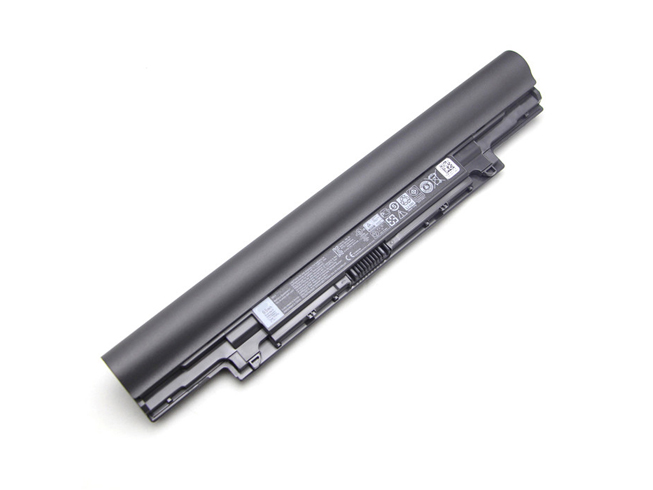
    This Dell YFOF9 Battery has a capacity of 5800mah/66Wh and a voltage of 11.1V. Suitable for Dell V131 2 Series Latitude 3340. 100% compatible and 100% safe. 1-year warranty, 30-day money back guarantee. 

    Dell YFOF9 5800mah/66Wh 11.1V Notebook Battery

    Dell YFOF9 battery


    (product code: YFOF9) 

    (Usually ships the same business day!)

      Product details:

    • Brand: Dell YFOF9 Notebook batteries

    • Type: Li-ion battery

    • Voltage: 11.1V

    • Capacity: 5800mah/66Wh

    • SKU: DEL2342_1

    Replace the following batteries:

    YFDF9 YFOF9 5MTD8 HGJW8

    Compatible with the following models:

    DELL V131 2 Series
    Latitude 3340 3350

    http://www.notebookbattery.co.nz/laptop-batteies-dell/replace-battery-yfof9-b178881.htm

    Laptop battery tips

    Newly bought notebooks, the first three charges do not need to reach 12 hours, because the current laptop batteries have a management chip that can control the charging limit, when the battery is full, it will automatically cut off the charging function, thus protecting the battery life and avoiding overcharging.

    It is not necessary to discharge completely before each charge, because this deep discharge will shorten the battery life. It is recommended to charge when the remaining 10% is left. In addition, when there is still more than 30% of the battery power, it is best not to charge, because the memory effect does exist. The power management software allows you to check the battery level at any time, and the HP EliteBook P-series notebooks come with a battery indicator that allows you to check the remaining battery even without turning it on.

    When plugging in AC power (connecting the power adapter), you don't need to remove the battery

    , because most laptop batteries need to be charged below 90%, and the battery naturally discharges to this capacity takes two weeks to a month, so use it every day. Notebooks don't have to worry about repeated charging and unloading, not to mention the fact that emergency power outages are more damaging to data.

    If you want to store unused batteries for a long time, you need to put them in a dry, low temperature environment while maintaining 40% of the remaining power in the battery. In addition, it is best to take out the battery once a month to ensure a good storage state and service life of the battery.

    Reducing the brightness of your notebook screen can extend the life of your notebook and reduce the number of times it is charged.

    Use some power management tools, such as the Power Assistant on the HP EliteBook P Series, which can even monitor the energy consumption of each component in real time through the PMC circuit, and accurately summarize the company's status to the HPclient Configuration Manager software, and optionally Turn off the specified parts to extend battery life.

    ABOUT US

    Wholesale and retail Notebook Battery in NZ. Replacement for Acer, Apple, Compaq, Dell, FUJITSU, IBM,Lenovo,Sony and so on.

    These may be you want to look for :

    C11N1541 battery replacement for ASUS W1502QF ZenWatch 2 0B200-01760100

    HD04XL battery replacement for HP Envy Spectre XT 13-2120tu 13-2021tu 13-2000eg

    VGP-BPS33 battery replacement for SONY VAIO T VAIO T14 T15

    FMVNBP189 battery replacement for Fujitsu LifeBook A530 A531 AH530 AH531 LH520 LH522 PH521 FPCBP250

    TLp030JC battery replacement for Alcatel A3 XL 9008j

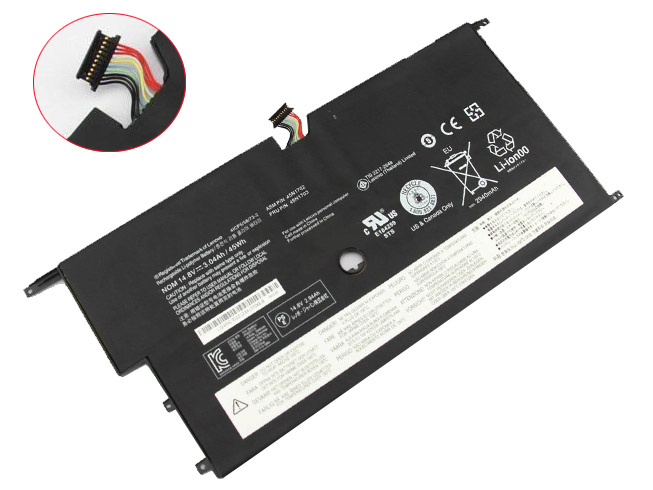
  • 3.04AH/45WH 14.8V Li-ion Lenovo Notebook Battery for Lenovo Portege, Lenovo ThinkPad New X1 Carbon 14 Series

    This Lenovo 45N1702 Battery has a capacity of 3.04AH/45WH and a voltage of 14.8V. Suitable for Lenovo ThinkPad New X1 Carbon 14 Series. 100% compatible and 100% safe. 1-year warranty, 30-day money back guarantee. 

    Lenovo 45N1702 3.04AH/45WH 14.8V Notebook Battery

    Lenovo 45N1702 battery


    (product code: 45N1702) 

    (Usually ships the same business day!)

      Product details:

    • Brand: Lenovo 45N1702 Notebook batteries

    • Type: Li-ion battery

    • Voltage: 14.8V

    • Capacity: 3.04AH/45WH

    • SKU: LEN2345

    Replace the following batteries:

    45N1701 45N1702 45N1703 4ICP5/58/73-2

    Compatible with the following models:

    Lenovo ThinkPad X1 Carbon Gen 2 20A7, 20A8 (ThinkPad New X1 Carbon 20A7A04ACD 14-Inch)
    20A8 Version 2014 Series
    Lenovo ThinkPad New X1 Carbon 14

    http://www.notebookbattery.co.nz/laptop-batteies-lenovo/replace-battery-45n1702-b178882.htm

    Laptop battery tips

    Newly bought notebooks, the first three charges do not need to reach 12 hours, because the current laptop batteries have a management chip that can control the charging limit, when the battery is full, it will automatically cut off the charging function, thus protecting the battery life and avoiding overcharging.

    It is not necessary to discharge completely before each charge, because this deep discharge will shorten the battery life. It is recommended to charge when the remaining 10% is left. In addition, when there is still more than 30% of the battery power, it is best not to charge, because the memory effect does exist. The power management software allows you to check the battery level at any time, and the HP EliteBook P-series notebooks come with a battery indicator that allows you to check the remaining battery even without turning it on.

    When plugging in AC power (connecting the power adapter), you don't need to remove the battery

    , because most laptop batteries need to be charged below 90%, and the battery naturally discharges to this capacity takes two weeks to a month, so use it every day. Notebooks don't have to worry about repeated charging and unloading, not to mention the fact that emergency power outages are more damaging to data.

    If you want to store unused batteries for a long time, you need to put them in a dry, low temperature environment while maintaining 40% of the remaining power in the battery. In addition, it is best to take out the battery once a month to ensure a good storage state and service life of the battery.

    Reducing the brightness of your notebook screen can extend the life of your notebook and reduce the number of times it is charged.

    Use some power management tools, such as the Power Assistant on the HP EliteBook P Series, which can even monitor the energy consumption of each component in real time through the PMC circuit, and accurately summarize the company's status to the HPclient Configuration Manager software, and optionally Turn off the specified parts to extend battery life.

    ABOUT US

    Wholesale and retail Notebook Battery in NZ. Replacement for Acer, Apple, Compaq, Dell, FUJITSU, IBM,Lenovo,Sony and so on.

    These may be you want to look for :

    VV09XL battery replacement for HP ZBook 15 17 G3

    776622-001 battery replacement for HP 14-Y 15-F

    0G33TT battery replacement for DELL Alienware 17 18 17x 18x 86WH

    SNN5958A battery replacement for Motorola XT1585 Droid Turbo 2 XT1581 +Tool

    C31N1610 battery replacement for ASUS ZenBook UX330CA

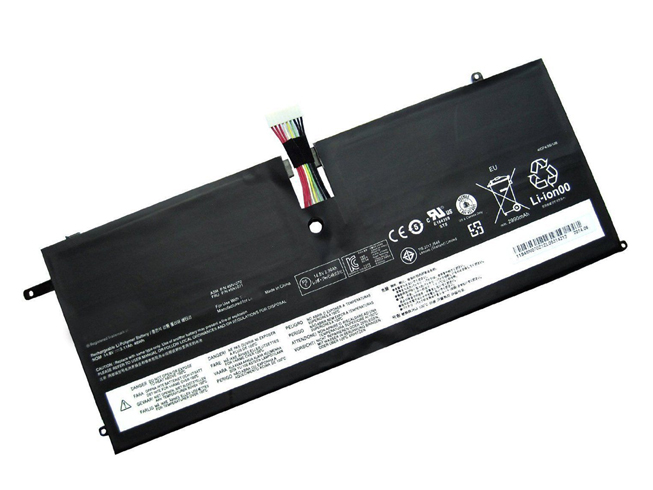
  • Battery Replacement For Lenovo 45N1070 Notebook Battery

    This Lenovo 45N1070 Battery has a capacity of 46wh and a voltage of 14.8V. Suitable for Lenovo ThinkPad X1 Carbon 3444 3448 3460. 100% compatible and 100% safe. 1-year warranty, 30-day money back guarantee. 

    Lenovo 45N1070 46wh 14.8V Notebook Battery

    Lenovo 45N1070 battery


    (product code: 45N1070) 

    (Usually ships the same business day!)

      Product details:

    • Brand: Lenovo 45N1070 Notebook batteries

    • Type: Li-ion battery

    • Voltage: 14.8V

    • Capacity: 46wh

    • SKU: LEN1070

    Replace the following batteries:

    45N1070 45N1071 4ICP4/51/95

    Compatible with the following models:

    Lenovo ThinkPad X1 Carbon Series
    ThinkPad X1 Carbon (3444)
    ThinkPad X1 Carbon 3444-54U 3444-53U 3444-52U 3444-4ZU 3444-2KU 3444-2HU 3444-2GU 3444-2DU 3444-28U 3444-25U
    ThinkPad X1 Carbon (3448)
    ThinkPad X1 Carbon 3448-3AU 3448-39U 3448-34U 3448-2MU 3448-35U 3448-25U 3448-24U 3448-23U 3448-22U
    ThinkPad X1 Carbon (3460)
    ThinkPad X1 Carbon 3460-37U 3460-36U 3460-35U 3460-34U 3460-25U 3460-24U 3460-23U3460-22U 
    Lenovo ThinkPad X1 Carbon with win8
    Lenovo ThinkPad X1 Carbon (3444) Series win8
    ThinkPad X1 Carbon 3444-BFU 3444-BEU 3444-BDU 3444-BCU 3444-B9U 3444-B8U 3444-B7U 3444-AZU 3444-59U 3444-55U 3444-FGU 3444-FFU 3444-FEU 3444-FDU 3444-FCU 3444-FBU 3444-FAU 3444-F9U 3444-F8U 3444-F7U 3444-BBU 3444-BAU 3444-AWU 3444-5AU 3444-56U
    Lenovo ThinkPad X1 Carbon 3448 Series win8
    ThinkPad X1 Carbon 3448-5DU 3448-5CU 3448-5BU 3448-5AU 3448-59U 3448-58U 3448-95U 3448-94U 3448-AYU 3448-AXU 3448-AWU 3448-AVU
    Lenovo ThinkPad X1 Carbon 3460 Series win8 ThinkPad X1 Carbon3460-5CU 3460-5DU 3460-5BU 3460-5AU 3460-59U 3460-58U 3460-B2U 3460-AZU 3460-AYU 3460-AXU 3460-AWU 3460-AVU
    Lenovo ThinkPad X1 Carbon win8 MultiTouch Series
    Lenovo ThinkPad X1 Carbon (3460)Series
    ThinkPad X1 Carbo 3460-AMU 3460-ALU 3460-9WU 3460-9VU 3460-9UU 3460-9TU 3460-9SU 3460-9RU 3460-BQU 3460-BPU 3460-BNU 3460-BGU 3460-BFU 3460-BEU 3460-BDU 3460-BRU
    Lenovo ThinkPad X1 Carbon (3448) Series ThinkPad X1 Carbo 3448-8SU 3448-8RU 3448-7PU 3448-7NU 3448-7MU 3448-7FU 3448-BBU 3448-B8U 3448-B6U 3448-B4U 3448-B3U 3448-B2U 3448-AZU
    Lenovo ThinkPad X1 Carbon (3444) ThinkPad X1 Carbo 3444-CYU 3444-CXU 3444-CWU 3444-CUU

    http://www.notebookbattery.co.nz/laptop-batteies-lenovo/replace-battery-45n1070-b178883.htm

    Laptop battery tips

    Newly bought notebooks, the first three charges do not need to reach 12 hours, because the current laptop batteries have a management chip that can control the charging limit, when the battery is full, it will automatically cut off the charging function, thus protecting the battery life and avoiding overcharging.

    It is not necessary to discharge completely before each charge, because this deep discharge will shorten the battery life. It is recommended to charge when the remaining 10% is left. In addition, when there is still more than 30% of the battery power, it is best not to charge, because the memory effect does exist. The power management software allows you to check the battery level at any time, and the HP EliteBook P-series notebooks come with a battery indicator that allows you to check the remaining battery even without turning it on.

    When plugging in AC power (connecting the power adapter), you don't need to remove the battery

    , because most laptop batteries need to be charged below 90%, and the battery naturally discharges to this capacity takes two weeks to a month, so use it every day. Notebooks don't have to worry about repeated charging and unloading, not to mention the fact that emergency power outages are more damaging to data.

    If you want to store unused batteries for a long time, you need to put them in a dry, low temperature environment while maintaining 40% of the remaining power in the battery. In addition, it is best to take out the battery once a month to ensure a good storage state and service life of the battery.

    Reducing the brightness of your notebook screen can extend the life of your notebook and reduce the number of times it is charged.

    Use some power management tools, such as the Power Assistant on the HP EliteBook P Series, which can even monitor the energy consumption of each component in real time through the PMC circuit, and accurately summarize the company's status to the HPclient Configuration Manager software, and optionally Turn off the specified parts to extend battery life.

    ABOUT US

    Wholesale and retail Notebook Battery in NZ. Replacement for Acer, Apple, Compaq, Dell, FUJITSU, IBM,Lenovo,Sony and so on.

    These may be you want to look for :

    L13M2P22 battery replacement for Lenovo MIIX2 3 10 Series

    PC-VP-WP136 battery replacement for NEC WP136 LS550MSR LS350MSR LS150MSR series

    BL204 battery replacement for Lenovo A670T A586 A630T A765E A696

    L13M4P21 battery replacement for Lenovo Yoga 2 11

    191YN battery replacement for DELL Alienware 15 (ALW15ED-1828)191YN ALW15ED

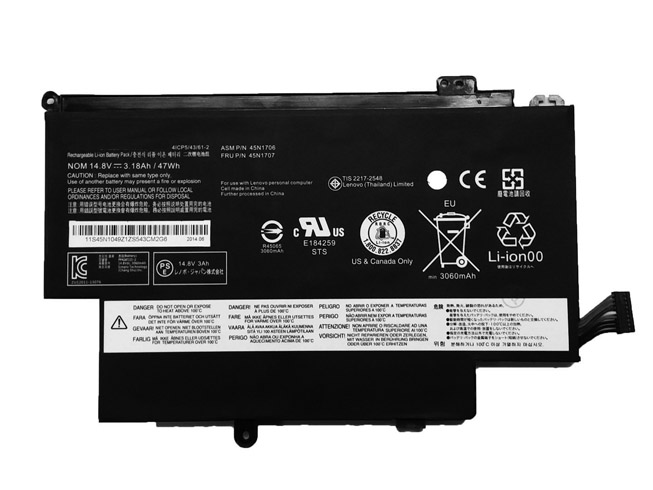
  • Lenovo Thinkpad 12.5inch S1 Yoga replacement for 45N1704 battery

    This Lenovo 45N1704 Battery has a capacity of 3180mAh/47WH and a voltage of 14.8V. Suitable for Lenovo Thinkpad 12.5inch S1 Yoga. 100% compatible and 100% safe. 1-year warranty, 30-day money back guarantee. 

    Lenovo 45N1704 3180mAh/47WH 14.8V Notebook Battery

    Lenovo 45N1704 battery


    (product code: 45N1704) 

    (Usually ships the same business day!)

      Product details:

    • Brand: Lenovo 45N1704 Notebook batteries

    • Type: Li-ion battery

    • Voltage: 14.8V

    • Capacity: 3180mAh/47WH

    • SKU: LEN2348

    Replace the following batteries:

    45N1705 45N1707 45N1704 45N1706

    Compatible with the following models:

    Lenovo Thinkpad 12.5inch S1 Yoga 20cds00800 20cds00700 20cds00500 Laptop

    http://www.notebookbattery.co.nz/laptop-batteies-lenovo/replace-battery-45n1704-b178884.htm

    Laptop battery tips

    Newly bought notebooks, the first three charges do not need to reach 12 hours, because the current laptop batteries have a management chip that can control the charging limit, when the battery is full, it will automatically cut off the charging function, thus protecting the battery life and avoiding overcharging.

    It is not necessary to discharge completely before each charge, because this deep discharge will shorten the battery life. It is recommended to charge when the remaining 10% is left. In addition, when there is still more than 30% of the battery power, it is best not to charge, because the memory effect does exist. The power management software allows you to check the battery level at any time, and the HP EliteBook P-series notebooks come with a battery indicator that allows you to check the remaining battery even without turning it on.

    When plugging in AC power (connecting the power adapter), you don't need to remove the battery

    , because most laptop batteries need to be charged below 90%, and the battery naturally discharges to this capacity takes two weeks to a month, so use it every day. Notebooks don't have to worry about repeated charging and unloading, not to mention the fact that emergency power outages are more damaging to data.

    If you want to store unused batteries for a long time, you need to put them in a dry, low temperature environment while maintaining 40% of the remaining power in the battery. In addition, it is best to take out the battery once a month to ensure a good storage state and service life of the battery.

    Reducing the brightness of your notebook screen can extend the life of your notebook and reduce the number of times it is charged.

    Use some power management tools, such as the Power Assistant on the HP EliteBook P Series, which can even monitor the energy consumption of each component in real time through the PMC circuit, and accurately summarize the company's status to the HPclient Configuration Manager software, and optionally Turn off the specified parts to extend battery life.

    ABOUT US

    Wholesale and retail Notebook Battery in NZ. Replacement for Acer, Apple, Compaq, Dell, FUJITSU, IBM,Lenovo,Sony and so on.

    These may be you want to look for :

    9KGF8 battery replacement for Dell Latitude E6430U 6 Cell Extended Life

    AA06XL battery replacement for HP ZBook 17 G4-2ZC18ES Z3R03UT

    L12S4Z51 battery replacement for Lenovo M490S M490SA K4350 K2450 K4250 B490S M4400S

    PABAS213 battery replacement for Toshiba Qosmio T750 T751 T851 F60 F750 F755 V65

    SP3496A8H battery replacement for Samsung Google Nexus 10 GT-P8110 HA32ARB Tab

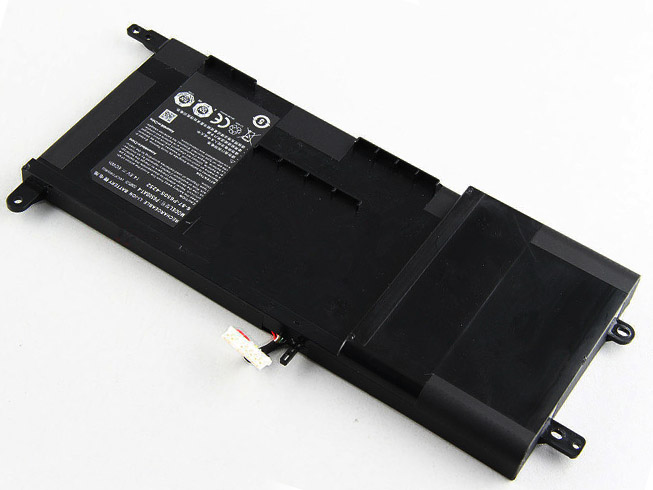
  • Clevo P650SA P650SE P650SG Sager NP8650 NP8651 NP8652 Notebook Battery

    This Clevo P650BAT-4 Battery has a capacity of 60WH and a voltage of 14.8V. Suitable for Clevo P650SA P650SE P650SG Sager NP8650 NP8651 NP8652 . 100% compatible and 100% safe. 1-year warranty, 30-day money back guarantee. 

    Clevo P650BAT-4 60WH 14.8V Notebook Battery

    Clevo P650BAT-4 battery


    (product code: P650BAT-4) 

    (Usually ships the same business day!)

      Product details:

    • Brand: Clevo P650BAT-4 Notebook batteries

    • Type: Li-ion battery

    • Voltage: 14.8V

    • Capacity: 60WH

    • SKU: CLE2349

    Replace the following batteries:

    P650BAT-4 6-87-P650S-4252

    Compatible with the following models:

    Clevo P650SA
    Clevo P650SE
    Clevo P650SG
    Sager NP8650
    Sager NP8651
    Sager NP8652
    Hasee Z7m

    http://www.notebookbattery.co.nz/laptop-batteies-clevo/replace-battery-p650bat-4-b178885.htm

    Laptop battery tips

    Newly bought notebooks, the first three charges do not need to reach 12 hours, because the current laptop batteries have a management chip that can control the charging limit, when the battery is full, it will automatically cut off the charging function, thus protecting the battery life and avoiding overcharging.

    It is not necessary to discharge completely before each charge, because this deep discharge will shorten the battery life. It is recommended to charge when the remaining 10% is left. In addition, when there is still more than 30% of the battery power, it is best not to charge, because the memory effect does exist. The power management software allows you to check the battery level at any time, and the HP EliteBook P-series notebooks come with a battery indicator that allows you to check the remaining battery even without turning it on.

    When plugging in AC power (connecting the power adapter), you don't need to remove the battery

    , because most laptop batteries need to be charged below 90%, and the battery naturally discharges to this capacity takes two weeks to a month, so use it every day. Notebooks don't have to worry about repeated charging and unloading, not to mention the fact that emergency power outages are more damaging to data.

    If you want to store unused batteries for a long time, you need to put them in a dry, low temperature environment while maintaining 40% of the remaining power in the battery. In addition, it is best to take out the battery once a month to ensure a good storage state and service life of the battery.

    Reducing the brightness of your notebook screen can extend the life of your notebook and reduce the number of times it is charged.

    Use some power management tools, such as the Power Assistant on the HP EliteBook P Series, which can even monitor the energy consumption of each component in real time through the PMC circuit, and accurately summarize the company's status to the HPclient Configuration Manager software, and optionally Turn off the specified parts to extend battery life.

    ABOUT US

    Wholesale and retail Notebook Battery in NZ. Replacement for Acer, Apple, Compaq, Dell, FUJITSU, IBM,Lenovo,Sony and so on.

    These may be you want to look for :

    GX-17S battery replacement for Gigabyte Aorus X3 Plus X5 X5S X7 V2 V3 V4 V5 V6

    Li3821T44P6h3342A5 battery replacement for ZTE Nubia My Prague NX513J M5M

    K81RP battery replacement for Dell Venue 8 7840 WIFI 16GB venue 8 7000(7840) 5PD40

    C21N1409 battery replacement for ASUS VM490 VM490L Tablet Series

    LIS1525ERPC battery replacement for Sony Xperia Z1 C6902 C6903 C6906 L39h

  • Chicony ADP-180EB Laptop AC Adapter on sale

    • Chicony ADP-180EB laptop adapter 100% compatible +100% stable. Meet original or exceed original specifications. High quality material, cheaper than original, low power consumption, strict safety test and performance test to ensure your computer is safely charged. We are committed to a one-year, 30-day unconditional refund for all notebook adapters.

      Chicony ADP-180EB laptop adapter 19V 9.5A, 180W (for worldwide use)100-240V  50-60Hz (worldwide u

      Chicony ADP-180EB adapter
      AC Input:100-240V  50-60Hz (worldwide u
      DC Output: 19V 9.5A, 180W
      Connection:5.5mm *2.5mm, Barrel tip
      Model: ADP-180EB

      Adapter Part Numbers:
      Power LED indicator
      Outlet: 3-prong 
      Cord Cable: US/ UK/ EU/ AU plug
      Warranty:12 months

      Package includes:
      1 X AC Adapter
      1 X Free Power cord
      Adapter Fit Models:
      Chicony MSI GT60 GT70 

      Here,buy it now
      ES:Chicony ADP-180EB Adaptador
      IT:Chicony ADP-180EB Adattatore prodotto nuovo
      JP:Chicony ADP-180EB
      DE:ADP-180EB Notebook-Netzteile.
      http://www.notebookbattery.co.nz/chicony-laptop-power-adapter/adp-180eb-a178955.htm,

      What should I pay attention to when using Chicony ADP-180EB laptop adapter?

      1. You should create a good cooling environment. 
      When using the in a high temperature environment, place the Chicony ADP-180EB power adapter in a place that is not exposed to direct sunlight and ventilation; do not place the power adapter near the cooling air outlet of the notebook; at the same time, we can put the adapter on the side to make the heat better distributed.
      2. If the voltage is unstable, it needs to be stopped in time.
      Although the Chicony ADP-180EB adapter is a wide-band operating voltage, it can be marked from 100V to 240V, but if it is used under extremely unstable voltage, it will also cause serious heat or damage to the power adapter. If you need to temporarily borrow power from other brands, try to choose an adapter with the same or larger output current.
      3. If an abnormality occurs, stop using it in time.
      When you are not using the Chicony ADP-180EB adapter, unplug the power cord. Prolonged power-up will keep the adapter working and will affect the end of life. When the power adapter emits large working noise or even smoke, it is often damaged or has a fault. It should be stopped immediately and can be used again after being repaired by professional engineers.

      Finding the Right Model of Adapter :

      · Get the laptop's model number. This is usually printed on a small sticker affixed to the underside of the laptop.

      · Get the power requirements for the laptop. This is also printed on a small sticker affixed to the underside of the laptop. It may also be printed near the laptop power port. Look for the amperage and the voltage required.

      · Look up the model number online to find if there are compatible adapters available. The voltage and amperage of the adapter need to match the requirements of the laptop.

      · Compare the connector type of the laptop adapter to any available adapters found online. They need to match to ensure that the adapter can plug into the laptop.

      ABOUT US

      NotebookBattery.co.nz is professional selling the highest quality notebook batteries and laptop power adapters for the lowest price with the highest level of service in NewZeland, all in a secure and convenient platform. Our product range includes replacement laptop batteries for most major laptop brands, including Dell, Apple, Compaq/HP, IBM/Lenovo, Fujitsu, Gateway, Sony and Toshiba. We ship to the Laptop adapter around Globe [USA, Canada, UK, NZ and Ireland, Australia]. View more laptop adapter. Contact with us if any problem on selecting power adapter.

      Power Adapter Fast Shipping

      Adapter for ADP-330AB_D Chicony Clevo X7200 A330A002A A300A001L

      Adapter for A12-120P1A Chicony Hasee K560 K590S i7

      Adapter for A120A007L Chicony MSI Ultra GE60 GE62 GE70 GE72 Series

      Adapter for A11-200P1A Chicony Clevo K790S G7 Z7-S2SP2

      Adapter for 180W Chicony MSI GT70 0NC-011US

  • Asus 180W compatible with Asus G46 G55 G73 G75VW G75VX power adapter

    Asus 180W laptop adapter 100% compatible +100% stable. Meet original or exceed original specifications. High quality material, cheaper than original, low power consumption, strict safety test and performance test to ensure your computer is safely charged. We are committed to a one-year, 30-day unconditional refund for all notebook adapters.

    Asus 180W laptop adapter 19V 9.5A, 180W (for worldwide use)100-240V  50-60Hz (worldwide u

    Asus 180W adapter
    AC Input:100-240V  50-60Hz (worldwide u
    DC Output: 19V 9.5A, 180W
    Connection:5.5mm *2.5mm, Barrel tip
    Model: 180W

    Adapter Part Numbers:
    Power LED indicator
    Outlet: 3-prong 
    Cord Cable: US/ UK/ EU/ AU plug
    Warranty:12 months

    Package includes:
    1 X AC Adapter
    1 X Free Power cord
    Adapter Fit Models:
    Asus G46 G55 G73 G75VW G75VX 

    Here,buy it now
    ES:Asus 180W Adaptador
    IT:Asus 180W Adattatore prodotto nuovo
    JP:Asus 180W
    DE:180W Notebook-Netzteile.
    http://www.notebookbattery.co.nz/asus-laptop-power-adapter/180w-a178956.htm,

    What should I pay attention to when using Asus 180W laptop adapter?

    1. You should create a good cooling environment. 
    When using the in a high temperature environment, place the Asus 180W power adapter in a place that is not exposed to direct sunlight and ventilation; do not place the power adapter near the cooling air outlet of the notebook; at the same time, we can put the adapter on the side to make the heat better distributed.
    2. If the voltage is unstable, it needs to be stopped in time.
    Although the Asus 180W adapter is a wide-band operating voltage, it can be marked from 100V to 240V, but if it is used under extremely unstable voltage, it will also cause serious heat or damage to the power adapter. If you need to temporarily borrow power from other brands, try to choose an adapter with the same or larger output current.
    3. If an abnormality occurs, stop using it in time.
    When you are not using the Asus 180W adapter, unplug the power cord. Prolonged power-up will keep the adapter working and will affect the end of life. When the power adapter emits large working noise or even smoke, it is often damaged or has a fault. It should be stopped immediately and can be used again after being repaired by professional engineers.

    Finding the Right Model of Adapter :

    · Get the laptop's model number. This is usually printed on a small sticker affixed to the underside of the laptop.

    · Get the power requirements for the laptop. This is also printed on a small sticker affixed to the underside of the laptop. It may also be printed near the laptop power port. Look for the amperage and the voltage required.

    · Look up the model number online to find if there are compatible adapters available. The voltage and amperage of the adapter need to match the requirements of the laptop.

    · Compare the connector type of the laptop adapter to any available adapters found online. They need to match to ensure that the adapter can plug into the laptop.

    ABOUT US

    NotebookBattery.co.nz is professional selling the highest quality notebook batteries and laptop power adapters for the lowest price with the highest level of service in NewZeland, all in a secure and convenient platform. Our product range includes replacement laptop batteries for most major laptop brands, including Dell, Apple, Compaq/HP, IBM/Lenovo, Fujitsu, Gateway, Sony and Toshiba. We ship to the Laptop adapter around Globe [USA, Canada, UK, NZ and Ireland, Australia]. View more laptop adapter. Contact with us if any problem on selecting power adapter.

    Power Adapter Fast Shipping

    Adapter for ADP-230GB_B ASUS ROG Zephyrus GX501VI-GZ028T GX501GI-XS7

    Adapter for 90XB03UN-MPW020 XiaoMi Lenovo HP

    Adapter for UX390UA-DH51-GR 45W ASUS ZenBook 3

    Adapter for ADP-45XE ASUS ZenBook 3 UX390 UX390U UX390UA

    Adapter for 180W ASUS G55 G70 G71 G72 G73 G74 G75

  • Laptop Adapter for Chicony 180W

    Chicony 180W laptop adapter 100% compatible +100% stable. Meet original or exceed original specifications. High quality material, cheaper than original, low power consumption, strict safety test and performance test to ensure your computer is safely charged. We are committed to a one-year, 30-day unconditional refund for all notebook adapters.

    Chicony 180W laptop adapter 19V 9.5A, 180W (for worldwide use)100-240V  50-60Hz (worldwide u

    Chicony 180W adapter
    AC Input:100-240V  50-60Hz (worldwide u
    DC Output: 19V 9.5A, 180W
    Connection:5.5mm *2.5mm, Barrel tip
    Model: 180W

    Adapter Part Numbers:
    Power LED indicator
    Outlet: 3-prong 
    Cord Cable: US/ UK/ EU/ AU plug
    Warranty:12 months

    Package includes:
    1 X AC Adapter
    1 X Free Power cord
    Adapter Fit Models:
    Chicony MSI GT70 0NC-011US 

    Here,buy it now
    ES:Chicony 180W Adaptador
    IT:Chicony 180W Adattatore prodotto nuovo
    JP:Chicony 180W
    DE:180W Notebook-Netzteile.
    http://www.notebookbattery.co.nz/chicony-laptop-power-adapter/180w-a178957.htm,

    What should I pay attention to when using Chicony 180W laptop adapter?

    1. You should create a good cooling environment. 
    When using the in a high temperature environment, place the Chicony 180W power adapter in a place that is not exposed to direct sunlight and ventilation; do not place the power adapter near the cooling air outlet of the notebook; at the same time, we can put the adapter on the side to make the heat better distributed.
    2. If the voltage is unstable, it needs to be stopped in time.
    Although the Chicony 180W adapter is a wide-band operating voltage, it can be marked from 100V to 240V, but if it is used under extremely unstable voltage, it will also cause serious heat or damage to the power adapter. If you need to temporarily borrow power from other brands, try to choose an adapter with the same or larger output current.
    3. If an abnormality occurs, stop using it in time.
    When you are not using the Chicony 180W adapter, unplug the power cord. Prolonged power-up will keep the adapter working and will affect the end of life. When the power adapter emits large working noise or even smoke, it is often damaged or has a fault. It should be stopped immediately and can be used again after being repaired by professional engineers.

    Finding the Right Model of Adapter :

    · Get the laptop's model number. This is usually printed on a small sticker affixed to the underside of the laptop.

    · Get the power requirements for the laptop. This is also printed on a small sticker affixed to the underside of the laptop. It may also be printed near the laptop power port. Look for the amperage and the voltage required.

    · Look up the model number online to find if there are compatible adapters available. The voltage and amperage of the adapter need to match the requirements of the laptop.

    · Compare the connector type of the laptop adapter to any available adapters found online. They need to match to ensure that the adapter can plug into the laptop.

    ABOUT US

    NotebookBattery.co.nz is professional selling the highest quality notebook batteries and laptop power adapters for the lowest price with the highest level of service in NewZeland, all in a secure and convenient platform. Our product range includes replacement laptop batteries for most major laptop brands, including Dell, Apple, Compaq/HP, IBM/Lenovo, Fujitsu, Gateway, Sony and Toshiba. We ship to the Laptop adapter around Globe [USA, Canada, UK, NZ and Ireland, Australia]. View more laptop adapter. Contact with us if any problem on selecting power adapter.

    Power Adapter Fast Shipping

    Adapter for ADP-330AB_D Chicony Clevo X7200 A330A002A A300A001L

    Adapter for A12-120P1A Chicony Hasee K560 K590S i7

    Adapter for A120A007L Chicony MSI Ultra GE60 GE62 GE70 GE72 Series

    Adapter for A11-200P1A Chicony Clevo K790S G7 Z7-S2SP2

    Adapter for 180W Chicony MSI GT70 0NC-011US

  • Long Lasting ASUS 180W Replacement AC adapter

    ASUS 180W laptop adapter 100% compatible +100% stable. Meet original or exceed original specifications. High quality material, cheaper than original, low power consumption, strict safety test and performance test to ensure your computer is safely charged. We are committed to a one-year, 30-day unconditional refund for all notebook adapters.

    ASUS 180W laptop adapter 19V 9.5A, 180W (for worldwide use)100-240V  50-60Hz (worldwide u

    ASUS 180W adapter
    AC Input:100-240V  50-60Hz (worldwide u
    DC Output: 19V 9.5A, 180W
    Connection:5.5mm *2.5mm, Barrel tip
    Model: 180W

    Adapter Part Numbers:
    Power LED indicator
    Outlet: 3-prong 
    Cord Cable: US/ UK/ EU/ AU plug
    Warranty:12 months

    Package includes:
    1 X AC Adapter
    1 X Free Power cord
    Adapter Fit Models:
    ASUS G55 G70 G71 G72 G73 G74 G75 

    Here,buy it now
    ES:ASUS 180W Adaptador
    IT:ASUS 180W Adattatore prodotto nuovo
    JP:ASUS 180W
    DE:180W Notebook-Netzteile.
    http://www.notebookbattery.co.nz/asus-laptop-power-adapter/180w-a178958.htm,

    What should I pay attention to when using ASUS 180W laptop adapter?

    1. You should create a good cooling environment. 
    When using the in a high temperature environment, place the ASUS 180W power adapter in a place that is not exposed to direct sunlight and ventilation; do not place the power adapter near the cooling air outlet of the notebook; at the same time, we can put the adapter on the side to make the heat better distributed.
    2. If the voltage is unstable, it needs to be stopped in time.
    Although the ASUS 180W adapter is a wide-band operating voltage, it can be marked from 100V to 240V, but if it is used under extremely unstable voltage, it will also cause serious heat or damage to the power adapter. If you need to temporarily borrow power from other brands, try to choose an adapter with the same or larger output current.
    3. If an abnormality occurs, stop using it in time.
    When you are not using the ASUS 180W adapter, unplug the power cord. Prolonged power-up will keep the adapter working and will affect the end of life. When the power adapter emits large working noise or even smoke, it is often damaged or has a fault. It should be stopped immediately and can be used again after being repaired by professional engineers.

    Finding the Right Model of Adapter :

    · Get the laptop's model number. This is usually printed on a small sticker affixed to the underside of the laptop.

    · Get the power requirements for the laptop. This is also printed on a small sticker affixed to the underside of the laptop. It may also be printed near the laptop power port. Look for the amperage and the voltage required.

    · Look up the model number online to find if there are compatible adapters available. The voltage and amperage of the adapter need to match the requirements of the laptop.

    · Compare the connector type of the laptop adapter to any available adapters found online. They need to match to ensure that the adapter can plug into the laptop.

    ABOUT US

    NotebookBattery.co.nz is professional selling the highest quality notebook batteries and laptop power adapters for the lowest price with the highest level of service in NewZeland, all in a secure and convenient platform. Our product range includes replacement laptop batteries for most major laptop brands, including Dell, Apple, Compaq/HP, IBM/Lenovo, Fujitsu, Gateway, Sony and Toshiba. We ship to the Laptop adapter around Globe [USA, Canada, UK, NZ and Ireland, Australia]. View more laptop adapter. Contact with us if any problem on selecting power adapter.

    Power Adapter Fast Shipping

    Adapter for ADP-230GB_B ASUS ROG Zephyrus GX501VI-GZ028T GX501GI-XS7

    Adapter for 90XB03UN-MPW020 XiaoMi Lenovo HP

    Adapter for UX390UA-DH51-GR 45W ASUS ZenBook 3

    Adapter for ADP-45XE ASUS ZenBook 3 UX390 UX390U UX390UA

    Adapter for 180W ASUS G55 G70 G71 G72 G73 G74 G75