Replace Laptop battery in NZ

Author: admin

  • Change power plan to meet performance needs

    A power plan is a combination of hardware and system settings that manage how your computer uses power. Choose from a preset power plan that can consume less energy, maximize performance, or balance. You can even create custom plans based on specific performance needs.

    In Windows, search for and open the Control Panel.

    Find the power supply and click Power Options.

    Turn on the power option in Windows

    Select an option in Select or Customize Power Plan.

    Choose energy-saving combination

    To customize the selected schedule, click Change Plan Settings and select Show and Pause settings when using the battery and connecting the power.

    Note: To set up a custom schedule, click Create Power Scheme in the list on the left side of the Power Options window and follow the instructions on the screen. This combination is displayed in the list of available energy savings combinations.

    To change other energy settings, click Change Advanced Power Settings.

     Change advanced power settings for more options

    Click the plus sign next to a component or feature to change the available settings, click Apply, and then click OK.

    Change advanced settings

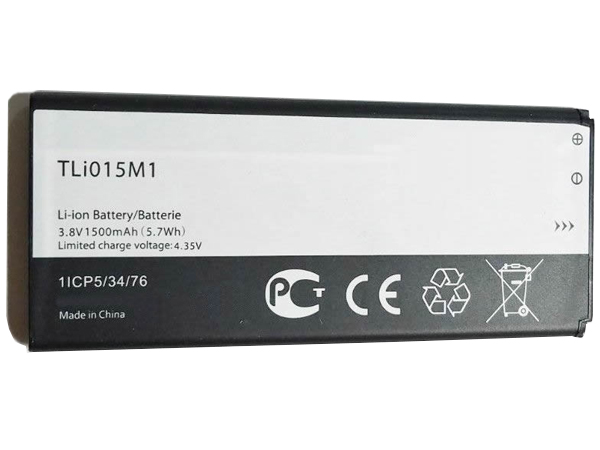
  • Alcatel TLi015M1 compatible with Alcatel One Touch Pixi 4 4034A Christmas Special!

    Jingle Bells! Jingle Bells!Merry Christmas!Alcatel TLi015M1 cell-phone battery 1500MAH/5.7Wh 3.8V Li-ion-battery.

    Strict quality control, safe and stable!↘

    Low price, affordable and reliable! 100% compatible with the original battery and perfectly used for the original power adapter. 1-year warranty and 30 days money back guarantee!

    ALCATEL TLi015M1 cell phone battery

    Alcatel TLi015M1 battery


    (product code: TLi015M1) 

    (Usually ships the same business day!)

      Product details:

    • Brand: Alcatel TLi015M1 Cell phone batteries

    • Type: Li-ion battery

    • Voltage: 3.8V

    • Capacity: 1500MAH/5.7Wh

    • SKU: ECN10367_Te

    Replace the following batteries:

    TLi015M1

    Compatible with the following models:

    Charge limit voltage: 4.35V
    Alcatel One Touch Pixi 4 4034A

    We ship to the cell phone battery around Globe [USA, Canada, UK, NZ and Ireland, Australia]. View more cell phone battery. Contact with us if any problem on selecting power cell phone battery.

    Alcatel TLi015M1 Features:
    All our high quality Alcatel TLi015M1 replacement cell phone battery have been tested and proven to match and / or match the performance of the original Alcatel cell phone battery and are 100% compatible with the original manufacturer's specifications. This Alcatel TLi015M1 cell phone battery comes with a 1-year limited warranty.
    Thank you for purchasing this high quality Alcatel TLi015M1 replacement cell phone battery. We have a rigorous testing process to ensure that your ordered products (like this cell phone battery for Alcatel TLi015M1) are functionally correct before being packaged and sent to you. And before placing an order, make sure that your old original part number of the Alcatel TLi015M1 cell phone battery is listed below and that the shape is identical to the images in our cell phone battery.

    Wholesale and retail cell phone battery in NZ. Replacement for Acer,Apple, Compaq,Dell, FUJITSU, IBM,Lenovo,Sony and so on.

    Extend cell phone battery Alcatel TLi015M1 Service life

    1. Charge the battery! Consider keeping it plugged in for 12 hours before you unplug.
    2. Switch on the optimized battery or power feature. You'll find this option — sometimes referred to as max battery mode — in your laptop system's built-in power management control panel. You can select the option to reduce the amount of time your inactive laptop stays on before powering itself down and going to sleep.
    3. Remove the battery and clean the metal contacts. Wipe them with alcohol, ideally every two months, to ensure that the power transfer between the laptop and its battery is as efficient as possible. Allow the battery to dry thoroughly before replacing it! 
    4. Unplug any laptop accessories you aren't using. Even if they're not in use, accessories drain power from the battery.

    ABOUT US

    www.notebookbattery.co.nz was established to serve the needs of laptop users, and today we are one of the top e-retailers. Get a great deal on electronics when you shop on www.notebookbattery.co.nz. Choose an iPad, TV or laptop, headphones, PS4, Xbox One and more. Offers on mobile phones and cameras.

    Warm reminder!

    Before using the Alcatel TLi015M1 battery, be sure to read the instructions to avoid danger during use. Here, we provide you with some tips for using this product.

      Top tips for extending the DELL T2JX4 battery life of your laptop:

    • 1. Dim your screen

    • 2. Change power settings

    • 3. Switch off Wi-Fi

    • 4. Turn off peripherals

    • 5. Eject your disc drives

    • 6. Invest in some hardware

    • 7. Disable features

    • 8. Battery care

    http://www.notebookbattery.co.nz/laptop-batteies-alcatel/replace-battery-tli015m1-b179438.htm 

    These may be you want to look for :

    A41N1421 battery replace for ASUS P2520LJ PU551LA ZX50JX4200 ZX50JX4720

    ZN08XL battery replace for HP 907584-850 907428-2C1

    BP3S3P2900-2 battery replace for Getac BP3S3P2900-2 cIndustrial grade

    BP-3L battery replace for NOKIA BP3L LUMIA 710 T-MOBILE 900 ATT 303 ASHA 603

    C31N1339 battery replace for Asus ZenBook UX303L Q302L

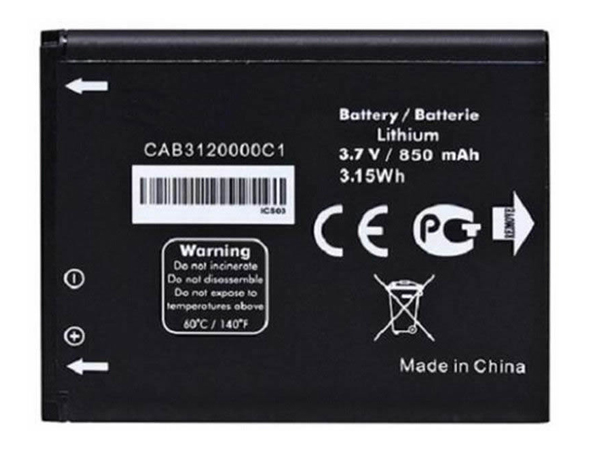
  • ALCATEL – Christmas Cheap Smartphone battery Replacement for CAB3120000C1

    Jingle Bells! Jingle Bells!Merry Christmas!ALCATEL CAB3120000C1 cell-phone battery 850mah/3.15Wh 3.7V Li-ion-battery.

    Strict quality control, safe and stable!↘

    Low price, affordable and reliable! 100% compatible with the original battery and perfectly used for the original power adapter. 1-year warranty and 30 days money back guarantee!

    ALCATEL CAB3120000C1 cell phone battery

    ALCATEL CAB3120000C1 battery


    (product code: CAB3120000C1) 

    (Usually ships the same business day!)

      Product details:

    • Brand: ALCATEL CAB3120000C1 Cell phone batteries

    • Type: Li-ion battery

    • Voltage: 3.7V

    • Capacity: 850mah/3.15Wh

    • SKU: ECN10368_Te

    Replace the following batteries:

    CAB3120000C1

    Compatible with the following models:

    ALCATEL 510A OT-800 OT-880a OT-710D 768T

    We ship to the cell phone battery around Globe [USA, Canada, UK, NZ and Ireland, Australia]. View more cell phone battery. Contact with us if any problem on selecting power cell phone battery.

    ALCATEL CAB3120000C1 Features:
    All our high quality ALCATEL CAB3120000C1 replacement cell phone battery have been tested and proven to match and / or match the performance of the original ALCATEL cell phone battery and are 100% compatible with the original manufacturer's specifications. This ALCATEL CAB3120000C1 cell phone battery comes with a 1-year limited warranty.
    Thank you for purchasing this high quality ALCATEL CAB3120000C1 replacement cell phone battery. We have a rigorous testing process to ensure that your ordered products (like this cell phone battery for ALCATEL CAB3120000C1) are functionally correct before being packaged and sent to you. And before placing an order, make sure that your old original part number of the ALCATEL CAB3120000C1 cell phone battery is listed below and that the shape is identical to the images in our cell phone battery.

    Wholesale and retail cell phone battery in NZ. Replacement for Acer,Apple, Compaq,Dell, FUJITSU, IBM,Lenovo,Sony and so on.

    Extend cell phone battery ALCATEL CAB3120000C1 Service life

    1. Charge the battery! Consider keeping it plugged in for 12 hours before you unplug.
    2. Switch on the optimized battery or power feature. You'll find this option — sometimes referred to as max battery mode — in your laptop system's built-in power management control panel. You can select the option to reduce the amount of time your inactive laptop stays on before powering itself down and going to sleep.
    3. Remove the battery and clean the metal contacts. Wipe them with alcohol, ideally every two months, to ensure that the power transfer between the laptop and its battery is as efficient as possible. Allow the battery to dry thoroughly before replacing it! 
    4. Unplug any laptop accessories you aren't using. Even if they're not in use, accessories drain power from the battery.

    ABOUT US

    www.notebookbattery.co.nz was established to serve the needs of laptop users, and today we are one of the top e-retailers. Get a great deal on electronics when you shop on www.notebookbattery.co.nz. Choose an iPad, TV or laptop, headphones, PS4, Xbox One and more. Offers on mobile phones and cameras.

    Warm reminder!

    Before using the ALCATEL CAB3120000C1 battery, be sure to read the instructions to avoid danger during use. Here, we provide you with some tips for using this product.

      Top tips for extending the DELL T2JX4 battery life of your laptop:

    • 1. Dim your screen

    • 2. Change power settings

    • 3. Switch off Wi-Fi

    • 4. Turn off peripherals

    • 5. Eject your disc drives

    • 6. Invest in some hardware

    • 7. Disable features

    • 8. Battery care

    http://www.notebookbattery.co.nz/laptop-batteies-alcatel/replace-battery-cab3120000c1-b179439.htm 

    These may be you want to look for :

    BP14-001180 battery replace for EIT 450-BTSC 143900055 Series

    0A36317 battery replace for Thinkpad X220 Tablet X220i Tablet X230 Tablet

    WX30 battery replace for Motorola Moto 360 1st Gen 2014 SNN5951A

    BL01100 battery replace for HTC A320 Desire C Golf One V a320e

    BR04XL battery replace for HP EliteBook 1020 G1

  • Discount Getac BP3S1P2100-S Notebook Battery [2100mAh/24Wh 11.1V ] Replacement

    Jingle Bells! Jingle Bells!Merry Christmas!Getac BP3S1P2100-S notebook batteries 2100mAh/24Wh 11.1V Li-ion-battery.

    Strict quality control, safe and stable!↘

    Low price, affordable and reliable! 100% compatible with the original battery and perfectly used for the original power adapter. 1-year warranty and 30 days money back guarantee!

    GETAC BP3S1P2100-S Notebook Battery
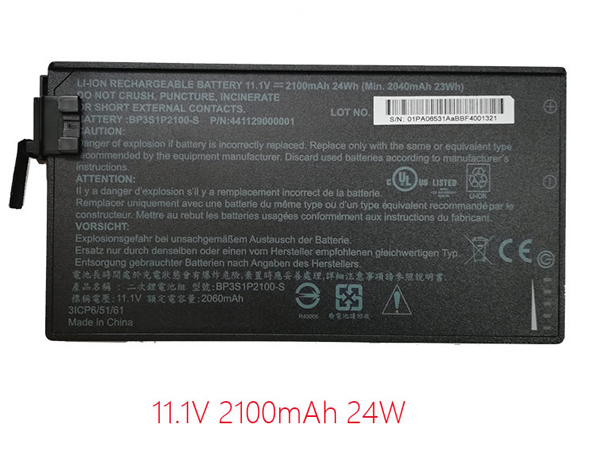
    Getac BP3S1P2100-S battery


    (product code: BP3S1P2100-S) 

    (Usually ships the same business day!)

      Product details:

    • Brand: Getac BP3S1P2100-S Notebook batteries

    • Type: Li-ion battery

    • Voltage: 11.1V

    • Capacity: 2100mAh/24Wh

    • SKU: GET3X006

    Replace the following batteries:

    BP3S1P2100-S BP3S1P2100 441129000001

    Compatible with the following models:

    Getac V110 Rugged Notebook

    We ship to the Notebook Battery around Globe [USA, Canada, UK, NZ and Ireland, Australia]. View more Notebook Battery. Contact with us if any problem on selecting power Notebook Battery.

    Getac BP3S1P2100-S Features:
    All our high quality Getac BP3S1P2100-S replacement Notebook Battery have been tested and proven to match and / or match the performance of the original Getac Notebook Battery and are 100% compatible with the original manufacturer's specifications. This Getac BP3S1P2100-S Notebook Battery comes with a 1-year limited warranty.
    Thank you for purchasing this high quality Getac BP3S1P2100-S replacement Notebook Battery. We have a rigorous testing process to ensure that your ordered products (like this Notebook Battery for Getac BP3S1P2100-S) are functionally correct before being packaged and sent to you. And before placing an order, make sure that your old original part number of the Getac BP3S1P2100-S Notebook Battery is listed below and that the shape is identical to the images in our Notebook Battery.

    Wholesale and retail Notebook Battery in NZ. Replacement for Acer,Apple, Compaq,Dell, FUJITSU, IBM,Lenovo,Sony and so on.

    Extend Notebook Battery Getac BP3S1P2100-S Service life

    1. Charge the battery! Consider keeping it plugged in for 12 hours before you unplug.
    2. Switch on the optimized battery or power feature. You'll find this option — sometimes referred to as max battery mode — in your laptop system's built-in power management control panel. You can select the option to reduce the amount of time your inactive laptop stays on before powering itself down and going to sleep.
    3. Remove the battery and clean the metal contacts. Wipe them with alcohol, ideally every two months, to ensure that the power transfer between the laptop and its battery is as efficient as possible. Allow the battery to dry thoroughly before replacing it! 
    4. Unplug any laptop accessories you aren't using. Even if they're not in use, accessories drain power from the battery.

    ABOUT US

    www.notebookbattery.co.nz was established to serve the needs of laptop users, and today we are one of the top e-retailers. Get a great deal on electronics when you shop on www.notebookbattery.co.nz. Choose an iPad, TV or laptop, headphones, PS4, Xbox One and more. Offers on mobile phones and cameras.

    Warm reminder!

    Before using the Getac BP3S1P2100-S battery, be sure to read the instructions to avoid danger during use. Here, we provide you with some tips for using this product.

      Top tips for extending the DELL T2JX4 battery life of your laptop:

    • 1. Dim your screen

    • 2. Change power settings

    • 3. Switch off Wi-Fi

    • 4. Turn off peripherals

    • 5. Eject your disc drives

    • 6. Invest in some hardware

    • 7. Disable features

    • 8. Battery care

    http://www.notebookbattery.co.nz/laptop-batteies-getac/replace-battery-bp3s1p2100-s-b179440.htm 

    These may be you want to look for :

    BTY-M47 battery replace for MSI GS40 GS43VR 6RE GS40 6QE

    BL-47TH battery replace for LG Optimus G Pro 2 LG-F350K F350S F350L D837

    HB442528EBC battery replace for Huawei Watch 1ICP5/25/28

    UM09A51 battery replace for Acer Aspire One ZA3 ZG8 751h AO751 531

    L12M4P21 battery replace for Lenovo Yoga 2 Pro 13 Y50-70AS-ISE 21CP5/57/128-2
  • Laptop battery loss repair method

    1, we can directly discharge the laptop battery, and then re-install it to repair the laptop battery, but the degree of repair is partial, cannot be repaired. First unplug the notebook, stop charging, and then use up the remaining power on the laptop until it can not be turned on, then connect the power supply, so that the battery is used up and down twice, then the laptop battery is detected. The degree of loss, it is found that the degree of loss is reduced.

    2, of course, you can also restore the laptop battery's discharge time through the notebook refresh program, repair the loss of the notebook. The notebook refresh program can be downloaded through the official website of the notebook corresponding brand, and then press and hold F8 to enter the DOS system to perform the battery refresh program. The completion of the refresh program is also a certain repair effect on the loss of the notebook.

    3. Many lithium battery failures are caused by the failure of a certain battery cell in the battery pack. This phenomenon cannot be avoided. Because the cell properties of each cell are not completely consistent, some of the poor quality begins to age after a long time, and the overall (after series) discharge curve is destroyed. Readers with the interest and ability can try to open the battery pack, and with the help of the multimeter, you can quickly find the damaged battery (voltage abnormality). If the conditions permit, replace the qualified product according to the corresponding parameters of the battery core.

  • The reason for laptop battery loss

    1, the battery itself is of poor quality

    2, use inferior charger

    3, long time operation in high temperature or low temperature environment

    4. The battery is connected to high-load peripherals, and the plugging and unplugging is not standardized.

    5, excessive charge and discharge (the battery used to the remaining power is less than 3%). The circuit is protected, but it happens occasionally.

    6, not fully charged and discharged (not used up and refill, but want to use it, want to charge it)

    7. Long-term use of batteries in strong electromagnetic radiation (which will interfere with the conductivity of the metal inside the battery)

    8. Use the battery under wet conditions for a long time (the wet battery will have lower performance)

  • How to avoid the potential danger of lithium battery products?

    First, the charging voltage must not be higher than the maximum charging voltage, and the discharge voltage must not be lower than the minimum operating voltage. Lithium-ion batteries must be kept above the minimum operating voltage at any time. Low-voltage over-discharge or self-discharge reactions can cause decomposition and destruction of lithium-ion active substances, and may not be reproducible—in other words, it is best not to mix transformers.

    Second, any form of overcharging of a lithium-ion battery may cause serious damage to the battery performance or even explosion, so it is necessary to avoid overcharging the battery during the charging process.

    Third, avoid high temperatures, have the risk of shortening the life and causing an explosion. The reason why laptops were recommended to remove lithium-ion batteries is this, so as not to be affected by the heat generated by the computer (but now the laptop batteries are basically built into the fuselage). This is naturally not feasible. However, the high-temperature heat source is still far away. The "small sun" like winter heating is obviously the object that the notebook should be far away from.

    Fourth, avoid freezing. If you go out to a colder place, if your laptop or other electronic products are not specially protected against the environment, consider that there may be product quality problems, or don't bring them (but Most lithium-ion battery electrolyte solutions have a freezing point of -40 ° C, and the product quality is guaranteed, there will be no problem).

  • Past life of lithium-ion battery

    The lithium-ion battery is a rechargeable battery that relies on lithium ions to move between the positive and negative electrodes to work. Lithium-ion batteries use an embedded lithium compound as an electrode material. Currently used as positive electrode materials for lithium-ion batteries are lithium cobalt oxide (LiCoO2), lithium manganate (LiMn2O4), lithium nickelate (LiNiO2) and lithium iron phosphate (LiFePO4).

    The first to propose the concept of lithium-ion batteries was M.S. Whittingham, who worked at Exxon in the 1970s and now works at Binghamton University. He used titanium sulphide as the cathode material and lithium metal as the anode material to make the first lithium-ion battery, and the safety risk has been accompanied by lithium-ion batteries at this time – just under normal atmospheric conditions. As long as there are water and oxygen, the fiery character of lithium will be revealed, and the chemical reaction will follow.

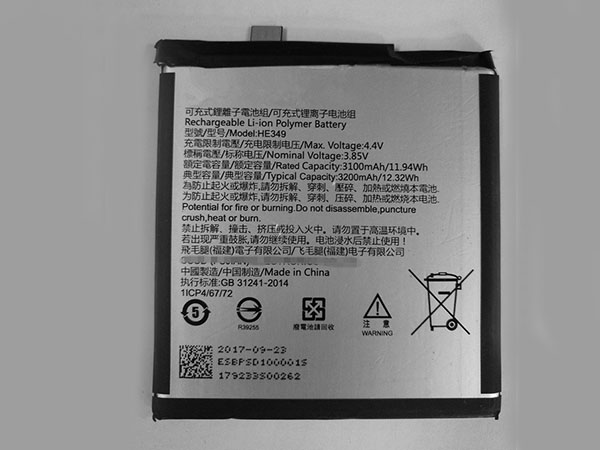
  • Christmas Sale Sharp HE349 Smartphone battery – 3200MAH/12.32WH 4.4V/3.85V

    Jingle Bells! Jingle Bells!Merry Christmas!Sharp HE349 cell-phone battery 3200MAH/12.32WH 4.4V/3.85V Li-ion-battery.

    Strict quality control, safe and stable!↘

    Low price, affordable and reliable! 100% compatible with the original battery and perfectly used for the original power adapter. 1-year warranty and 30 days money back guarantee!

    SHARP HE349 cell phone battery

    Sharp HE349 battery


    (product code: HE349) 

    (Usually ships the same business day!)

      Product details:

    • Brand: Sharp HE349 Cell phone batteries

    • Type: Li-ion battery

    • Voltage: 4.4V/3.85V

    • Capacity: 3200MAH/12.32WH

    • SKU: ECN10632_Te

    We ship to the cell phone battery around Globe [USA, Canada, UK, NZ and Ireland, Australia]. View more cell phone battery. Contact with us if any problem on selecting power cell phone battery.

    Sharp HE349 Features:
    All our high quality Sharp HE349 replacement cell phone battery have been tested and proven to match and / or match the performance of the original Sharp cell phone battery and are 100% compatible with the original manufacturer's specifications. This Sharp HE349 cell phone battery comes with a 1-year limited warranty.
    Thank you for purchasing this high quality Sharp HE349 replacement cell phone battery. We have a rigorous testing process to ensure that your ordered products (like this cell phone battery for Sharp HE349) are functionally correct before being packaged and sent to you. And before placing an order, make sure that your old original part number of the Sharp HE349 cell phone battery is listed below and that the shape is identical to the images in our cell phone battery.

    Wholesale and retail cell phone battery in NZ. Replacement for Acer,Apple, Compaq,Dell, FUJITSU, IBM,Lenovo,Sony and so on.

    Extend cell phone battery Sharp HE349 Service life

    1. Charge the battery! Consider keeping it plugged in for 12 hours before you unplug.
    2. Switch on the optimized battery or power feature. You'll find this option — sometimes referred to as max battery mode — in your laptop system's built-in power management control panel. You can select the option to reduce the amount of time your inactive laptop stays on before powering itself down and going to sleep.
    3. Remove the battery and clean the metal contacts. Wipe them with alcohol, ideally every two months, to ensure that the power transfer between the laptop and its battery is as efficient as possible. Allow the battery to dry thoroughly before replacing it! 
    4. Unplug any laptop accessories you aren't using. Even if they're not in use, accessories drain power from the battery.

    ABOUT US

    www.notebookbattery.co.nz was established to serve the needs of laptop users, and today we are one of the top e-retailers. Get a great deal on electronics when you shop on www.notebookbattery.co.nz. Choose an iPad, TV or laptop, headphones, PS4, Xbox One and more. Offers on mobile phones and cameras.

    Warm reminder!

    Before using the Sharp HE349 battery, be sure to read the instructions to avoid danger during use. Here, we provide you with some tips for using this product.

      Top tips for extending the DELL T2JX4 battery life of your laptop:

    • 1. Dim your screen

    • 2. Change power settings

    • 3. Switch off Wi-Fi

    • 4. Turn off peripherals

    • 5. Eject your disc drives

    • 6. Invest in some hardware

    • 7. Disable features

    • 8. Battery care

    http://www.notebookbattery.co.nz/laptop-batteies-sharp/replace-battery-he349-b179896.htm 

    These may be you want to look for :

    EB-BE700ABE battery replace for Samsung Galaxy E7 E7000 E700F

    LIS1532ERPC battery replace for Sony Xperia Z1s 4G version(L39t L39u L39W C6916)

    BP-231 battery replace for Icom IC-A14 IC-F14 IC-F15 IC-F16S IC-F3061

    EB20 battery replace for Motorola Droid Razr XT910 XT912 + Tools

    IX270-M battery replace for Itronix GoBook XR-1 IX270 IX270-010 GD8000

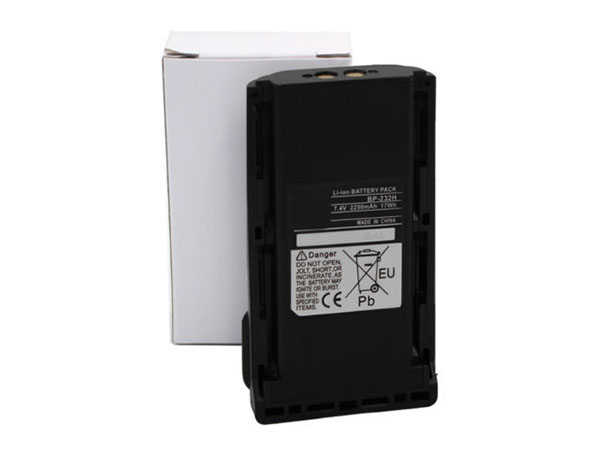
  • ICOM BP-232 Economic battery Replacement

    Jingle Bells! Jingle Bells!Merry Christmas!ICOM BP-232 batteries 2000MAH 7.4V Li-ion-battery.

    Strict quality control, safe and stable!↘

    Low price, affordable and reliable! 100% compatible with the original battery and perfectly used for the original power adapter. 1-year warranty and 30 days money back guarantee!

    ICOM BP-232 BP-231 BP-230 Economic battery

    ICOM BP-232 battery


    (product code: BP-232) 

    (Usually ships the same business day!)

      Product details:

    • Brand: ICOM BP-232 Economic batteries

    • Type: Li-ion battery

    • Voltage: 7.4V

    • Capacity: 2000MAH

    • SKU: ECN10631_Ca_Oth_1

    We ship to the Economic battery around Globe [USA, Canada, UK, NZ and Ireland, Australia]. View more Economic battery. Contact with us if any problem on selecting power Economic battery.

    ICOM BP-232 Features:
    All our high quality ICOM BP-232 replacement Economic battery have been tested and proven to match and / or match the performance of the original ICOM Economic battery and are 100% compatible with the original manufacturer's specifications. This ICOM BP-232 Economic battery comes with a 1-year limited warranty.
    Thank you for purchasing this high quality ICOM BP-232 replacement Economic battery. We have a rigorous testing process to ensure that your ordered products (like this Economic battery for ICOM BP-232) are functionally correct before being packaged and sent to you. And before placing an order, make sure that your old original part number of the ICOM BP-232 Economic battery is listed below and that the shape is identical to the images in our Economic battery.

    Wholesale and retail Economic battery in NZ. Replacement for Acer,Apple, Compaq,Dell, FUJITSU, IBM,Lenovo,Sony and so on.

    Extend Economic battery ICOM BP-232 Service life

    1. Charge the battery! Consider keeping it plugged in for 12 hours before you unplug.
    2. Switch on the optimized battery or power feature. You'll find this option — sometimes referred to as max battery mode — in your laptop system's built-in power management control panel. You can select the option to reduce the amount of time your inactive laptop stays on before powering itself down and going to sleep.
    3. Remove the battery and clean the metal contacts. Wipe them with alcohol, ideally every two months, to ensure that the power transfer between the laptop and its battery is as efficient as possible. Allow the battery to dry thoroughly before replacing it! 
    4. Unplug any laptop accessories you aren't using. Even if they're not in use, accessories drain power from the battery.

    ABOUT US

    www.notebookbattery.co.nz was established to serve the needs of laptop users, and today we are one of the top e-retailers. Get a great deal on electronics when you shop on www.notebookbattery.co.nz. Choose an iPad, TV or laptop, headphones, PS4, Xbox One and more. Offers on mobile phones and cameras.

    Warm reminder!

    Before using the ICOM BP-232 battery, be sure to read the instructions to avoid danger during use. Here, we provide you with some tips for using this product.

      Top tips for extending the DELL T2JX4 battery life of your laptop:

    • 1. Dim your screen

    • 2. Change power settings

    • 3. Switch off Wi-Fi

    • 4. Turn off peripherals

    • 5. Eject your disc drives

    • 6. Invest in some hardware

    • 7. Disable features

    • 8. Battery care

    http://www.notebookbattery.co.nz/laptop-batteies-icom/replace-battery-bp-232-b179897.htm 

    These may be you want to look for :

    L15L3PB0 battery replace for Lenovo Flex 4-1470

    HSTNN-IB1W battery replace for HP Mini 100e

    BL-5CT battery replace for NOKIA 5220XM 6730 C5-00 C6-01 C3-01 6303C

    NP12-2.3Ah battery replace for Yuasa NP2.3-12FR Fire Retardant SLA Battery

    AL15A32 battery replace for Acer Aspire E5-522 E5-522G E5-532 E5-532T E5-573