Replace Laptop battery in NZ

Author: admin

  • Selling hot MOTOROLA WX30 battery

    High Quality MOTOROLA WX30 battery, secure and stable! 100% Quality Assurance and Rigorous Testing! 100% Compatible with Original Model & Completely Chargered by Original adapter. Ordering and gettiing a 30% discount!“The shortest answer is doing”! 1year warranty and 30 days money back guarantee. 

    MOTOROLA WX30 battery
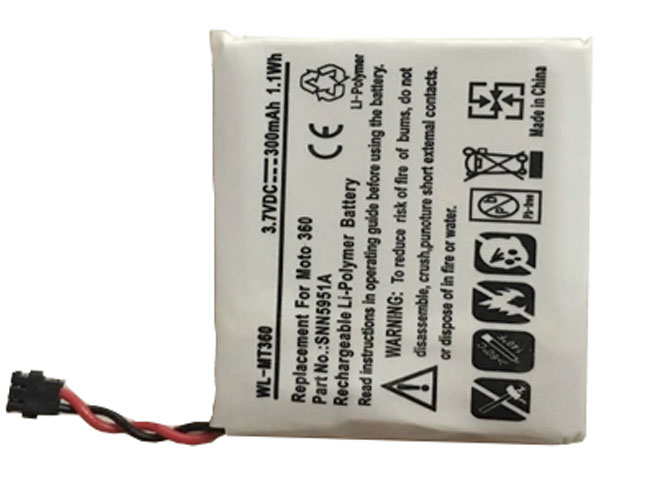
    MOTOROLA WX30 battery

    Current:300mAh
    Voltage: 3.8V
    WX30 battery
    battery Part Numbers:
    WX30
    battery Fit Models:
    Motorola Moto 360 1st Gen 2014 SNN5951A

    Here,buy it now
    ES: MOTOROLA WX30 Batería
    NL: MOTOROLA WX30 ACCU
    IT: MOTOROLA WX30 batteria
    DE: WX30 Akku

    We ship to the battery around Globe [USA, Canada, UK, NZ and Ireland, Australia]. View more battery. Contact with us if any problem on selecting power battery.

    MOTOROLA WX30 Features:
    All our high quality MOTOROLA WX30 replacement battery have been tested and proven to match and / or match the performance of the original MOTOROLA battery and are 100% compatible with the original manufacturer's specifications. This MOTOROLA WX30 battery comes with a 1-year limited warranty.
    Thank you for purchasing this high quality MOTOROLA WX30 replacement battery. We have a rigorous testing process to ensure that your ordered products (like this battery for MOTOROLA WX30) are functionally correct before being packaged and sent to you. And before placing an order, make sure that your old original part number of the MOTOROLA WX30 battery is listed below and that the shape is identical to the images in our battery.

    Wholesale and retail battery in NZ. Replacement for Acer,Apple, Compaq,Dell, FUJITSU, IBM,Lenovo,Sony and so on.

    Extend battery MOTOROLA WX30 Service life

    1. Charge the battery! Consider keeping it plugged in for 12 hours before you unplug.
    2. Switch on the optimized battery or power feature. You'll find this option — sometimes referred to as max battery mode — in your laptop system's built-in power management control panel. You can select the option to reduce the amount of time your inactive laptop stays on before powering itself down and going to sleep.
    3. Remove the battery and clean the metal contacts. Wipe them with alcohol, ideally every two months, to ensure that the power transfer between the laptop and its battery is as efficient as possible. Allow the battery to dry thoroughly before replacing it! 
    4. Unplug any laptop accessories you aren't using. Even if they're not in use, accessories drain power from the battery.

    http://www.notebookbattery.co.nz/laptop-batteies-motorola/replace-battery-wx30-b179617.htm

    These may be you want to look for :

    W-7 battery replace for Netgear AirCard 790S 790SP 810S

    BL253 battery replace for Lenovo A2010 A2800-D A3600d a2580 a2860 A3800d

    PC-VP-BP38 battery replace for NEC Series

    AC13C34 battery replace for Acer Aspire V5-122P E3-111

    45N1099 battery replace for Lenovo Thinkpad X1 45N1098 2ICP5/67/90
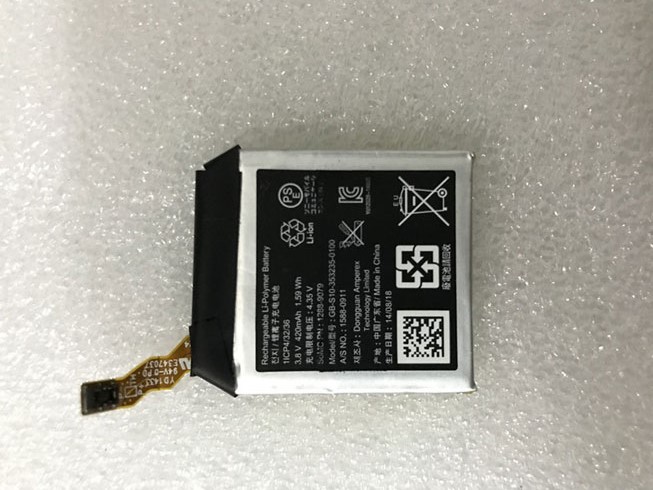
  • Long Lasting Sony GB-S10-353235-0100 Replacement battery

    High Quality Sony GB-S10-353235-0100 battery, secure and stable! 100% Quality Assurance and Rigorous Testing! 100% Compatible with Original Model & Completely Chargered by Original adapter. Ordering and gettiing a 30% discount!“The shortest answer is doing”! 1year warranty and 30 days money back guarantee. 

    SONY GB-S10-353235-0100 battery

    Sony GB-S10-353235-0100 battery

    Current:420mAh/1.59Wh
    Voltage: 3.8V
    GB-S10-353235-0100 battery
    battery Part Numbers:
    GB-S10-353235-0100
    battery Fit Models:
    Sony SmartWatch 3 SWR50

    Here,buy it now
    ES: Sony GB-S10-353235-0100 Batería
    NL: Sony GB-S10-353235-0100 ACCU
    IT: Sony GB-S10-353235-0100 batteria
    DE: GB-S10-353235-0100 Akku

    We ship to the battery around Globe [USA, Canada, UK, NZ and Ireland, Australia]. View more battery. Contact with us if any problem on selecting power battery.

    Sony GB-S10-353235-0100 Features:
    All our high quality Sony GB-S10-353235-0100 replacement battery have been tested and proven to match and / or match the performance of the original Sony battery and are 100% compatible with the original manufacturer's specifications. This Sony GB-S10-353235-0100 battery comes with a 1-year limited warranty.
    Thank you for purchasing this high quality Sony GB-S10-353235-0100 replacement battery. We have a rigorous testing process to ensure that your ordered products (like this battery for Sony GB-S10-353235-0100) are functionally correct before being packaged and sent to you. And before placing an order, make sure that your old original part number of the Sony GB-S10-353235-0100 battery is listed below and that the shape is identical to the images in our battery.

    Wholesale and retail battery in NZ. Replacement for Acer,Apple, Compaq,Dell, FUJITSU, IBM,Lenovo,Sony and so on.

    Extend battery Sony GB-S10-353235-0100 Service life

    1. Charge the battery! Consider keeping it plugged in for 12 hours before you unplug.
    2. Switch on the optimized battery or power feature. You'll find this option — sometimes referred to as max battery mode — in your laptop system's built-in power management control panel. You can select the option to reduce the amount of time your inactive laptop stays on before powering itself down and going to sleep.
    3. Remove the battery and clean the metal contacts. Wipe them with alcohol, ideally every two months, to ensure that the power transfer between the laptop and its battery is as efficient as possible. Allow the battery to dry thoroughly before replacing it! 
    4. Unplug any laptop accessories you aren't using. Even if they're not in use, accessories drain power from the battery.

    http://www.notebookbattery.co.nz/laptop-batteies-sony/replace-battery-gb-s10-353235-0100-b179618.htm

    These may be you want to look for :

    MC55 battery replace for Motorola Symbol MC55/MC5590/MC55A0

    AGPB012- A001 battery replace for Sony Xperia T2 Ultra XM50h D5303 D5306 3000mAh

    170-1012-00 battery replace for Amazon Kindle 2 & Kindle DX D00511 D00701 D00801

    0G33TT battery replace for DELL Alienware 17 18 17x 18x 86WH

    DMW-BLC12E battery replace for Panasonic G6 FZ200

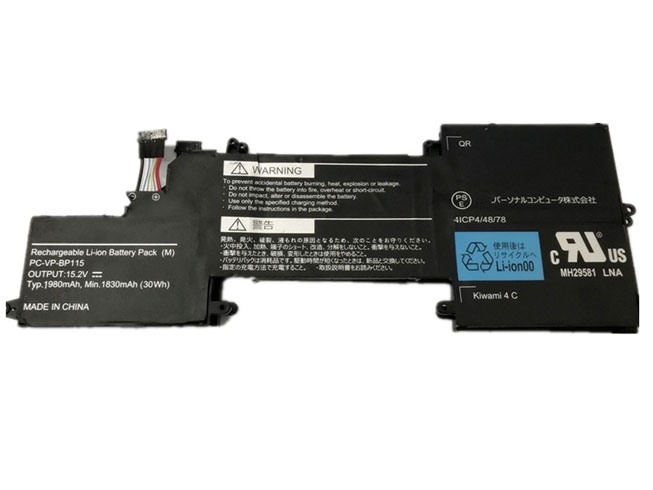
  • Discount NEC PC-VP-BP115 Notebook Battery [1830mAh/30Wh 15.2V ] Replacement

    High Quality NEC PC-VP-BP115 Notebook Battery, secure and stable! 100% Quality Assurance and Rigorous Testing! 100% Compatible with Original Model & Completely Chargered by Original adapter. Ordering and gettiing a 30% discount!“The shortest answer is doing”! 1year warranty and 30 days money back guarantee. 

    NEC PC-VP-BP115 Notebook Battery

    NEC PC-VP-BP115 battery

    Current:1830mAh/30Wh
    Voltage: 15.2V
    PC-VP-BP115 Notebook Battery
    battery Part Numbers:
    PC-VP-BP115
    battery Fit Models:
    NEC 4ICP4/48/78

    Here,buy it now
    ES: NEC PC-VP-BP115 Batería
    NL: NEC PC-VP-BP115 ACCU
    IT: NEC PC-VP-BP115 batteria
    DE: PC-VP-BP115 Akku

    We ship to the Notebook Battery around Globe [USA, Canada, UK, NZ and Ireland, Australia]. View more Notebook Battery. Contact with us if any problem on selecting power Notebook Battery.

    NEC PC-VP-BP115 Features:
    All our high quality NEC PC-VP-BP115 replacement Notebook Battery have been tested and proven to match and / or match the performance of the original NEC Notebook Battery and are 100% compatible with the original manufacturer's specifications. This NEC PC-VP-BP115 Notebook Battery comes with a 1-year limited warranty.
    Thank you for purchasing this high quality NEC PC-VP-BP115 replacement Notebook Battery. We have a rigorous testing process to ensure that your ordered products (like this Notebook Battery for NEC PC-VP-BP115) are functionally correct before being packaged and sent to you. And before placing an order, make sure that your old original part number of the NEC PC-VP-BP115 Notebook Battery is listed below and that the shape is identical to the images in our Notebook Battery.

    Wholesale and retail Notebook Battery in NZ. Replacement for Acer,Apple, Compaq,Dell, FUJITSU, IBM,Lenovo,Sony and so on.

    Extend Notebook Battery NEC PC-VP-BP115 Service life

    1. Charge the battery! Consider keeping it plugged in for 12 hours before you unplug.
    2. Switch on the optimized battery or power feature. You'll find this option — sometimes referred to as max battery mode — in your laptop system's built-in power management control panel. You can select the option to reduce the amount of time your inactive laptop stays on before powering itself down and going to sleep.
    3. Remove the battery and clean the metal contacts. Wipe them with alcohol, ideally every two months, to ensure that the power transfer between the laptop and its battery is as efficient as possible. Allow the battery to dry thoroughly before replacing it! 
    4. Unplug any laptop accessories you aren't using. Even if they're not in use, accessories drain power from the battery.

    http://www.notebookbattery.co.nz/laptop-batteies-nec/replace-battery-pc-vp-bp115-b179619.htm

    These may be you want to look for :

    BAT_1S3P battery replace for Dell Powervault MD3000i Raid Back-Up

    PA70BAT-4 battery replace for Clevo PA70HP6-G PA70HS-G PA71HP6-G 4ICP6/66/83 Series

    BP3S1P2160-S battery replace for Getac F110

    MC7XEAB0H battery replace for Motorola Symbol MC70 MC75 MC75A Extended

    BR04XL battery replace for HP EliteBook 1020 G1

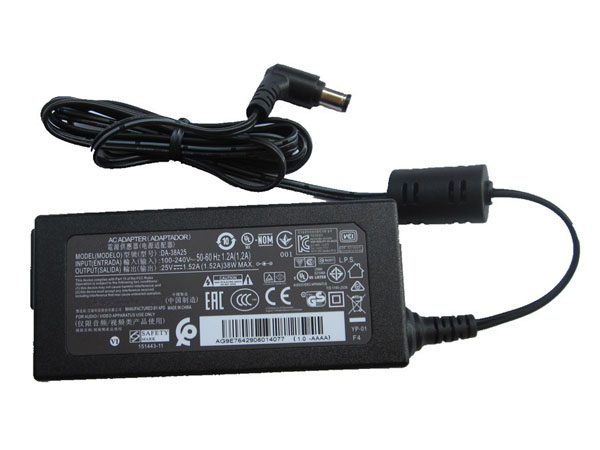
  • LG AC Adapter DA-38A25

    100-240V 50-60Hz (for worldwi 25V 1.52A 38W, LG DA-38A25, adapter 1 year warranty, 30 days money back, 100% new. 30% off all products! Warranty: 12 months! Short circuit protection Meets the environment according to RoHS European Standards. All our products are certified to CE Certificate CE Approval Certificate – Approved Safety. 
    LG DA-38A25 adapter

    LG DA-38A25 AC Power Adapter Charger

    AC Input:100-240V 50-60Hz (for worldwi
    DC Output: 25V 1.52A 38W
    DA-38A25 Power Adapter
    Adapter Part Numbers:
    DA-38A25
    Adapter Fit Models:
    LG SH7 SH7B SH78 Soundbar Power Supply
    Here,buy it now
    ES:LG DA-38A25 AC adapter NL:LG DA-38A25 Laptop adapter IT:LG DA-38A25
    DE:DA-38A25 Notebook-Netzteile.Das richtige LG Laptop Netzteil finden. 

    We ship to the Laptop adapter around Globe [USA, Canada, UK, NZ and Ireland, Australia]. View more laptop adapter. Contact with us if any problem on selecting power adapter.

    NotebookBattery.co.nz is professional selling the highest quality notebook batteries and laptop power adapters for the lowest price with the highest level of service in NewZeland, all in a secure and convenient platform. Our product range include replacement laptop batteries for most major laptop brands, including Dell, Apple, Compaq/HP, IBM/Lenovo, Fujitsu, Gateway, Sony and Toshiba.

    Quality: Quality is our number one priority! All LG DA-38A25 adapters are New! Our own quality assurance ensures a high quality standard. All LG DA-38A25 laptop power adapters are 100% compatible with the original product, in most cases our batteries have even more powerful performance than the original product thanks to the advanced technologies and cell standards.
    Safety: Safety is a key feature of our products. Our own safety controls guarantee the highest level of safety standards. 
    Guaranty: All LG DA-38A25 products have a warranty of at least 1 year. For many products, e.g. LG DA-38A25 adapter, we are so confident of the quality so outstanding, due to excessive loads, can not work. In case of doubt please contact us. The statutory warranty period remains unaffected.We will be happy to answer all your questions about their respective products and all other warranties. 
    What should I pay attention to when using LG DA-38A25 laptop adapter?
    1. You should create a good cooling environment.
    When using the LG DA-38A25 in a high temperature environment, place the power adapter in a place that is not exposed to direct sunlight and ventilation; do not place the power adapter near the cooling air outlet of the notebook; at the same time, we can put the adapter on the side to make the heat more Well distributed. 2. If the voltage is unstable, it needs to be stopped in time.
    Although the LG DA-38A25 adapter is a wide-band operating voltage, it can be marked from 100V to 240V, but if it is used under extremely unstable voltage, it will also cause serious heat or damage to the power adapter. If you need to temporarily borrow power from other brands, try to choose adapter with the same or larger output current. 3. If an abnormality occurs, stop using it in time.
    When you are not using the LG DA-38A25 adapter, unplug the power cord. Prolonged power-up will keep the LG DA-38A25 adapter working and will affect the end of life. When the power adapter emits large working noise or even smoke, it is often damaged or has a fault. It should be stopped immediately and can be used again after being repaired by professional engineers.
    LG DA-38A25 Features:

    All our high quality LG DA-38A25 replacement laptop adapter have been tested and proven to match and / or match the performance of the original LG power adapter and are 100% compatible with the original manufacturer's specifications. 
    Thank you for purchasing this high quality LG DA-38A25 replacement laptop adapter. We have a rigorous testing process to ensure that your ordered products (like this laptop adapter for LG DA-38A25) are functionally correct before being packaged and sent to you. And before placing an order, make sure that your old original part number of the LG DA-38A25 power adapter is listed below and that the shape is identical to the images in our laptop adapter.

    Finding the Right Model of Adapter :

    · Get the laptop's model number. This is usually printed on a small sticker affixed to the underside of the laptop.

    · Get the power requirements for the laptop. This is also printed on a small sticker affixed to the underside of the laptop. It may also be printed near the laptop power port. Look for the amperage and the voltage required.

    · Look up the model number online to find if there are compatible adapters available. The voltage and amperage of the adapter need to match the requirements of the laptop.

    · Compare the connector type of the laptop adapter to any available adapters found online. They need to match to ensure that the adapter can plug into the laptop.

    http://www.notebookbattery.co.nz/lg-laptop-power-adapter/da-38a25-a179713.htm

    Power Adapter Fast Shipping

    Adapter for DA-38A25 LG SH7 SH7B SH78 Soundbar Power Supply

    Adapter for EAY63070101 LG ADS-40MSG-19 19040GPK

    Adapter for EAY63128601 LG Gram 15ZD960-GX7TK

    Adapter for AD-48F19 LG 29inch LED HD TV Power Supply Charger

    Adapter for EAY64449302 LG DA-180C19 EAY64449302 Power Supply

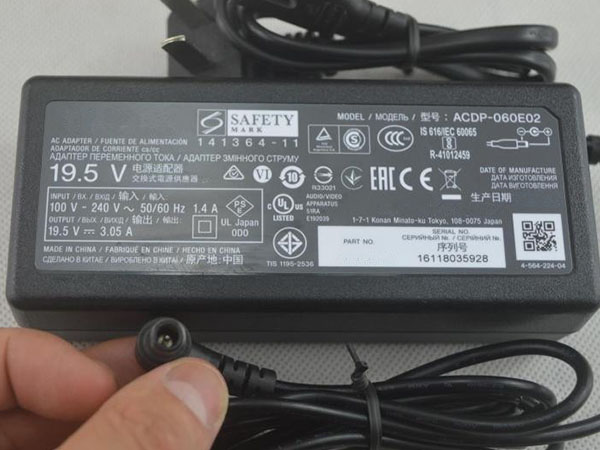
  • Notebook adapter for Sony ACDP-045S02

    Sony ACDP-045S02 laptop adapter 100% compatible +100% stable. Meet original or exceed original specifications. High quality material, cheaper than original, low power consumption, strict safety test and performance test to ensure your computer is safely charged. We are committed to a one-year, 30-day unconditional refund for all notebook adapters.

    High quality Sony ACDP-045S02 adapter on sale,Save up to 30%! We sell Sony ACDP-045S02 adapter Replacement at the best price! with 1 Year Warranty! The Sony adapter is a replacement adapter for original Sony ACDP-045S02 laptop computer. 
    Sony ACDP-045S02 adapter

    SONY ACDP-045S02 AC Power Adapter Charger

    AC Input:100-240V 50/60Hz (for worldwid
    DC Output: 19.5V 2.35A 45W
    ACDP-045S02 Power Adapter
    Adapter Part Numbers:
    ACDP-045S02
    Adapter Fit Models:
    Sony ACDP LCD LED HDTV
    Here,buy it now
    ES:Sony ACDP-045S02 AC adapter NL:Sony ACDP-045S02 Laptop adapter IT:Sony ACDP-045S02
    DE:ACDP-045S02 Notebook-Netzteile.Das richtige SONY Laptop Netzteil finden. 

    We ship to the Laptop adapter around Globe [USA, Canada, UK, NZ and Ireland, Australia]. View more laptop adapter. Contact with us if any problem on selecting power adapter.

    NotebookBattery.co.nz is professional selling the highest quality notebook batteries and laptop power adapters for the lowest price with the highest level of service in NewZeland, all in a secure and convenient platform. Our product range include replacement laptop batteries for most major laptop brands, including Dell, Apple, Compaq/HP, IBM/Lenovo, Fujitsu, Gateway, Sony and Toshiba.

    Quality: Quality is our number one priority! All Sony ACDP-045S02 adapters are New! Our own quality assurance ensures a high quality standard. All Sony ACDP-045S02 laptop power adapters are 100% compatible with the original product, in most cases our batteries have even more powerful performance than the original product thanks to the advanced technologies and cell standards.
    Safety: Safety is a key feature of our products. Our own safety controls guarantee the highest level of safety standards. 
    Guaranty: All Sony ACDP-045S02 products have a warranty of at least 1 year. For many products, e.g. Sony ACDP-045S02 adapter, we are so confident of the quality so outstanding, due to excessive loads, can not work. In case of doubt please contact us. The statutory warranty period remains unaffected.We will be happy to answer all your questions about their respective products and all other warranties. 
    What should I pay attention to when using Sony ACDP-045S02 laptop adapter?
    1. You should create a good cooling environment.
    When using the Sony ACDP-045S02 in a high temperature environment, place the power adapter in a place that is not exposed to direct sunlight and ventilation; do not place the power adapter near the cooling air outlet of the notebook; at the same time, we can put the adapter on the side to make the heat more Well distributed. 2. If the voltage is unstable, it needs to be stopped in time.
    Although the Sony ACDP-045S02 adapter is a wide-band operating voltage, it can be marked from 100V to 240V, but if it is used under extremely unstable voltage, it will also cause serious heat or damage to the power adapter. If you need to temporarily borrow power from other brands, try to choose adapter with the same or larger output current. 3. If an abnormality occurs, stop using it in time.
    When you are not using the Sony ACDP-045S02 adapter, unplug the power cord. Prolonged power-up will keep the Sony ACDP-045S02 adapter working and will affect the end of life. When the power adapter emits large working noise or even smoke, it is often damaged or has a fault. It should be stopped immediately and can be used again after being repaired by professional engineers.
    Sony ACDP-045S02 Features:

    All our high quality Sony ACDP-045S02 replacement laptop adapter have been tested and proven to match and / or match the performance of the original Sony power adapter and are 100% compatible with the original manufacturer's specifications. 
    Thank you for purchasing this high quality Sony ACDP-045S02 replacement laptop adapter. We have a rigorous testing process to ensure that your ordered products (like this laptop adapter for Sony ACDP-045S02) are functionally correct before being packaged and sent to you. And before placing an order, make sure that your old original part number of the Sony ACDP-045S02 power adapter is listed below and that the shape is identical to the images in our laptop adapter.

    Finding the Right Model of Adapter :

    · Get the laptop's model number. This is usually printed on a small sticker affixed to the underside of the laptop.

    · Get the power requirements for the laptop. This is also printed on a small sticker affixed to the underside of the laptop. It may also be printed near the laptop power port. Look for the amperage and the voltage required.

    · Look up the model number online to find if there are compatible adapters available. The voltage and amperage of the adapter need to match the requirements of the laptop.

    · Compare the connector type of the laptop adapter to any available adapters found online. They need to match to ensure that the adapter can plug into the laptop.

    http://www.notebookbattery.co.nz/sony-laptop-power-adapter/acdp-045s02-a179720.htm

    Power Adapter Fast Shipping

    Adapter for ACDP-045S02 Sony ACDP LCD LED HDTV

    Adapter for ACDP-240E01 Sony LED TV XBR65X930D 65-Inch 4K Ultra HD 3D Smart TV 

    Adapter for ACDP-160E01 Sony TV XBR-55X850D

    Adapter for ACDP-160D01 Sony TV XBR-49X800D KD-49XD8588

    Adapter for ACDP-240E02 Sony Smart LED 3D 4K Ultra HD TV Power Su

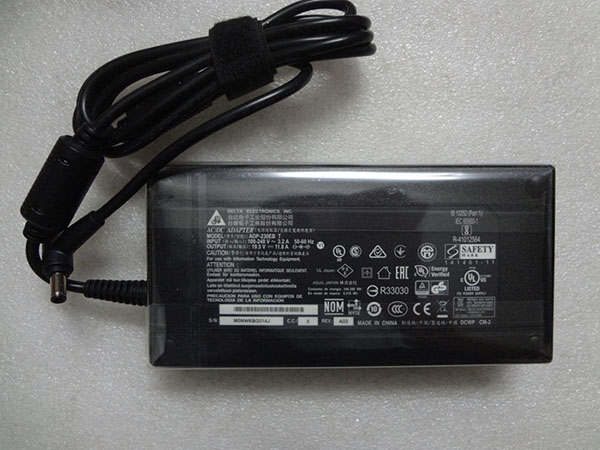
  • Replacement laptop charger ASUS ADP-230GB_B

    100-240V, 50-60Hz (for worldwi 19.5V 11.8A 230W, ASUS ADP-230GB_B, adapter 1 year warranty, 30 days money back, 100% new. 30% off all products! Warranty: 12 months! Short circuit protection Meets the environment according to RoHS European Standards. All our products are certified to CE Certificate CE Approval Certificate – Approved Safety. 
    ASUS ADP-230GB_B adapter

    ASUS ADP-230GB_B AC Power Adapter Charger

    AC Input:100-240V, 50-60Hz (for worldwi
    DC Output: 19.5V 11.8A 230W
    ADP-230GB_B Power Adapter
    Adapter Part Numbers:
    ADP-230EB_T,ADP-230GB_B
    Adapter Fit Models:
    ASUS ROG Zephyrus GX501VI-GZ028T GX501GI-XS7
    Here,buy it now
    ES:ASUS ADP-230GB_B AC adapter NL:ASUS ADP-230GB_B Laptop adapter IT:ASUS ADP-230GB_B
    DE:ADP-230GB_B Notebook-Netzteile.Das richtige ASUS Laptop Netzteil finden. 

    We ship to the Laptop adapter around Globe [USA, Canada, UK, NZ and Ireland, Australia]. View more laptop adapter. Contact with us if any problem on selecting power adapter.

    NotebookBattery.co.nz is professional selling the highest quality notebook batteries and laptop power adapters for the lowest price with the highest level of service in NewZeland, all in a secure and convenient platform. Our product range include replacement laptop batteries for most major laptop brands, including Dell, Apple, Compaq/HP, IBM/Lenovo, Fujitsu, Gateway, Sony and Toshiba.

    Quality: Quality is our number one priority! All ASUS ADP-230GB_B adapters are New! Our own quality assurance ensures a high quality standard. All ASUS ADP-230GB_B laptop power adapters are 100% compatible with the original product, in most cases our batteries have even more powerful performance than the original product thanks to the advanced technologies and cell standards.
    Safety: Safety is a key feature of our products. Our own safety controls guarantee the highest level of safety standards. 
    Guaranty: All ASUS ADP-230GB_B products have a warranty of at least 1 year. For many products, e.g. ASUS ADP-230GB_B adapter, we are so confident of the quality so outstanding, due to excessive loads, can not work. In case of doubt please contact us. The statutory warranty period remains unaffected.We will be happy to answer all your questions about their respective products and all other warranties. 
    What should I pay attention to when using ASUS ADP-230GB_B laptop adapter?
    1. You should create a good cooling environment.
    When using the ASUS ADP-230GB_B in a high temperature environment, place the power adapter in a place that is not exposed to direct sunlight and ventilation; do not place the power adapter near the cooling air outlet of the notebook; at the same time, we can put the adapter on the side to make the heat more Well distributed. 2. If the voltage is unstable, it needs to be stopped in time.
    Although the ASUS ADP-230GB_B adapter is a wide-band operating voltage, it can be marked from 100V to 240V, but if it is used under extremely unstable voltage, it will also cause serious heat or damage to the power adapter. If you need to temporarily borrow power from other brands, try to choose adapter with the same or larger output current. 3. If an abnormality occurs, stop using it in time.
    When you are not using the ASUS ADP-230GB_B adapter, unplug the power cord. Prolonged power-up will keep the ASUS ADP-230GB_B adapter working and will affect the end of life. When the power adapter emits large working noise or even smoke, it is often damaged or has a fault. It should be stopped immediately and can be used again after being repaired by professional engineers.
    ASUS ADP-230GB_B Features:

    All our high quality ASUS ADP-230GB_B replacement laptop adapter have been tested and proven to match and / or match the performance of the original ASUS power adapter and are 100% compatible with the original manufacturer's specifications. 
    Thank you for purchasing this high quality ASUS ADP-230GB_B replacement laptop adapter. We have a rigorous testing process to ensure that your ordered products (like this laptop adapter for ASUS ADP-230GB_B) are functionally correct before being packaged and sent to you. And before placing an order, make sure that your old original part number of the ASUS ADP-230GB_B power adapter is listed below and that the shape is identical to the images in our laptop adapter.

    Finding the Right Model of Adapter :

    · Get the laptop's model number. This is usually printed on a small sticker affixed to the underside of the laptop.

    · Get the power requirements for the laptop. This is also printed on a small sticker affixed to the underside of the laptop. It may also be printed near the laptop power port. Look for the amperage and the voltage required.

    · Look up the model number online to find if there are compatible adapters available. The voltage and amperage of the adapter need to match the requirements of the laptop.

    · Compare the connector type of the laptop adapter to any available adapters found online. They need to match to ensure that the adapter can plug into the laptop.

    http://www.notebookbattery.co.nz/asus-laptop-power-adapter/adp-230gb_b-a179738.htm

    Power Adapter Fast Shipping

    Adapter for ADP-230GB_B ASUS ROG Zephyrus GX501VI-GZ028T GX501GI-XS7

    Adapter for 90XB03UN-MPW020 XiaoMi Lenovo HP

    Adapter for UX390UA-DH51-GR 45W ASUS ZenBook 3

    Adapter for ADP-45XE ASUS ZenBook 3 UX390 UX390U UX390UA

    Adapter for 180W ASUS G55 G70 G71 G72 G73 G74 G75

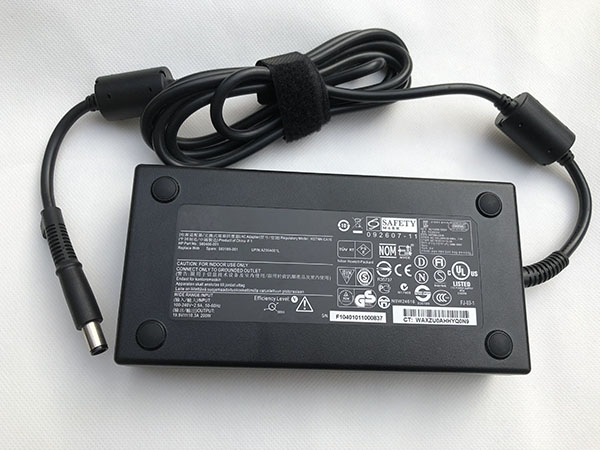
  • Replacement AC Adapter HP HSTNN-CA24

    HP HSTNN-CA24 laptop adapter 100% compatible +100% stable. Meet original or exceed original specifications. High quality material, cheaper than original, low power consumption, strict safety test and performance test to ensure your computer is safely charged. We are committed to a one-year, 30-day unconditional refund for all notebook adapters.

    High quality HP HSTNN-CA24 adapter on sale,Save up to 30%! We sell HP HSTNN-CA24 adapter Replacement at the best price! with 1 Year Warranty! The HP adapter is a replacement adapter for original HP HSTNN-CA24 laptop computer. 
    HP HSTNN-CA24 adapter

    HP HSTNN-CA24 AC Power Adapter Charger

    AC Input:100-240V, 50-60Hz
    DC Output: 19.5V 10.5A
    HSTNN-CA24 Power Adapter
    Adapter Part Numbers:
    608431-002, 609945-001,HSTNN-CA16, HSTNN-DA16, ADP-200CB BA, 608431-001, 677764-002 693708-001 644698-002 645154-001 
    Adapter Fit Models:
    HP Zbook 15 17 608431-002 609945-001
    Here,buy it now
    ES:HP HSTNN-CA24 AC adapter NL:HP HSTNN-CA24 Laptop adapter IT:HP HSTNN-CA24
    DE:HSTNN-CA24 Notebook-Netzteile.Das richtige HP Laptop Netzteil finden. 

    We ship to the Laptop adapter around Globe [USA, Canada, UK, NZ and Ireland, Australia]. View more laptop adapter. Contact with us if any problem on selecting power adapter.

    NotebookBattery.co.nz is professional selling the highest quality notebook batteries and laptop power adapters for the lowest price with the highest level of service in NewZeland, all in a secure and convenient platform. Our product range include replacement laptop batteries for most major laptop brands, including Dell, Apple, Compaq/HP, IBM/Lenovo, Fujitsu, Gateway, Sony and Toshiba.

    Quality: Quality is our number one priority! All HP HSTNN-CA24 adapters are New! Our own quality assurance ensures a high quality standard. All HP HSTNN-CA24 laptop power adapters are 100% compatible with the original product, in most cases our batteries have even more powerful performance than the original product thanks to the advanced technologies and cell standards.
    Safety: Safety is a key feature of our products. Our own safety controls guarantee the highest level of safety standards. 
    Guaranty: All HP HSTNN-CA24 products have a warranty of at least 1 year. For many products, e.g. HP HSTNN-CA24 adapter, we are so confident of the quality so outstanding, due to excessive loads, can not work. In case of doubt please contact us. The statutory warranty period remains unaffected.We will be happy to answer all your questions about their respective products and all other warranties. 
    What should I pay attention to when using HP HSTNN-CA24 laptop adapter?
    1. You should create a good cooling environment.
    When using the HP HSTNN-CA24 in a high temperature environment, place the power adapter in a place that is not exposed to direct sunlight and ventilation; do not place the power adapter near the cooling air outlet of the notebook; at the same time, we can put the adapter on the side to make the heat more Well distributed. 2. If the voltage is unstable, it needs to be stopped in time.
    Although the HP HSTNN-CA24 adapter is a wide-band operating voltage, it can be marked from 100V to 240V, but if it is used under extremely unstable voltage, it will also cause serious heat or damage to the power adapter. If you need to temporarily borrow power from other brands, try to choose adapter with the same or larger output current. 3. If an abnormality occurs, stop using it in time.
    When you are not using the HP HSTNN-CA24 adapter, unplug the power cord. Prolonged power-up will keep the HP HSTNN-CA24 adapter working and will affect the end of life. When the power adapter emits large working noise or even smoke, it is often damaged or has a fault. It should be stopped immediately and can be used again after being repaired by professional engineers.
    HP HSTNN-CA24 Features:

    All our high quality HP HSTNN-CA24 replacement laptop adapter have been tested and proven to match and / or match the performance of the original HP power adapter and are 100% compatible with the original manufacturer's specifications. 
    Thank you for purchasing this high quality HP HSTNN-CA24 replacement laptop adapter. We have a rigorous testing process to ensure that your ordered products (like this laptop adapter for HP HSTNN-CA24) are functionally correct before being packaged and sent to you. And before placing an order, make sure that your old original part number of the HP HSTNN-CA24 power adapter is listed below and that the shape is identical to the images in our laptop adapter.

    Finding the Right Model of Adapter :

    · Get the laptop's model number. This is usually printed on a small sticker affixed to the underside of the laptop.

    · Get the power requirements for the laptop. This is also printed on a small sticker affixed to the underside of the laptop. It may also be printed near the laptop power port. Look for the amperage and the voltage required.

    · Look up the model number online to find if there are compatible adapters available. The voltage and amperage of the adapter need to match the requirements of the laptop.

    · Compare the connector type of the laptop adapter to any available adapters found online. They need to match to ensure that the adapter can plug into the laptop.

    http://www.notebookbattery.co.nz/hp-laptop-power-adapter/hstnn-ca24-a179744.htm

    Power Adapter Fast Shipping

    Adapter for HSTNN-CA24 HP Zbook 15 17 608431-002 609945-001

    Adapter for 508149-001 WORKSTATION Z800

    Adapter for PA-1900-2P2 Hp Officeconnect SWITCH 1920S 1820 8G 2530-8-POE J9774

    Adapter for TPN-CA06 925740-002 HP spectre X2 X360

    Adapter for HP-D3201E0 HP 503378-001 508154-001 6000 Pro Elite 8000 MT

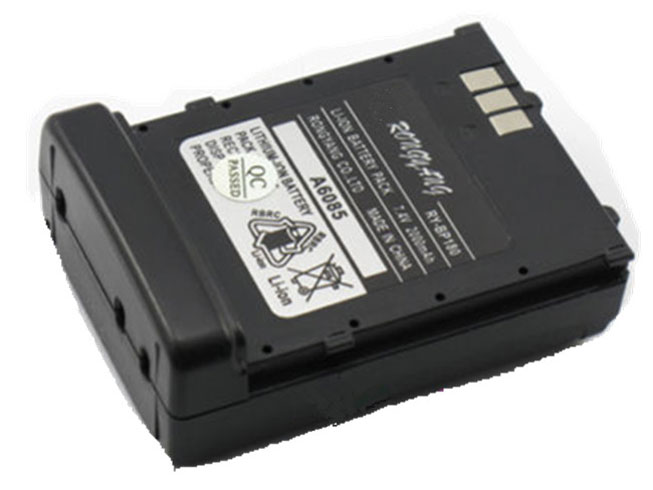
  • Icom BP-173 battery Replacement

    High Quality Icom BP-173 battery, secure and stable! 100% Quality Assurance and Rigorous Testing! 100% Compatible with Original Model & Completely Chargered by Original adapter. Ordering and gettiing a 30% discount!“The shortest answer is doing”! 1year warranty and 30 days money back guarantee. 

    ICOM BP-173 battery

    Icom BP-173 battery

    Current:2000mAh
    Voltage: 7.4 V
    BP-173 battery
    battery Part Numbers:
    BP-173
    battery Fit Models:
    Icom IC-T7 IC-T7A IC-T7H IC-T70 IC-T22

    Here,buy it now
    ES: Icom BP-173 Batería
    NL: Icom BP-173 ACCU
    IT: Icom BP-173 batteria
    DE: BP-173 Akku

    We ship to the battery around Globe [USA, Canada, UK, NZ and Ireland, Australia]. View more battery. Contact with us if any problem on selecting power battery.

    Icom BP-173 Features:
    All our high quality Icom BP-173 replacement battery have been tested and proven to match and / or match the performance of the original Icom battery and are 100% compatible with the original manufacturer's specifications. This Icom BP-173 battery comes with a 1-year limited warranty.
    Thank you for purchasing this high quality Icom BP-173 replacement battery. We have a rigorous testing process to ensure that your ordered products (like this battery for Icom BP-173) are functionally correct before being packaged and sent to you. And before placing an order, make sure that your old original part number of the Icom BP-173 battery is listed below and that the shape is identical to the images in our battery.

    Wholesale and retail battery in NZ. Replacement for Acer,Apple, Compaq,Dell, FUJITSU, IBM,Lenovo,Sony and so on.

    Extend battery Icom BP-173 Service life

    1. Charge the battery! Consider keeping it plugged in for 12 hours before you unplug.
    2. Switch on the optimized battery or power feature. You'll find this option — sometimes referred to as max battery mode — in your laptop system's built-in power management control panel. You can select the option to reduce the amount of time your inactive laptop stays on before powering itself down and going to sleep.
    3. Remove the battery and clean the metal contacts. Wipe them with alcohol, ideally every two months, to ensure that the power transfer between the laptop and its battery is as efficient as possible. Allow the battery to dry thoroughly before replacing it! 
    4. Unplug any laptop accessories you aren't using. Even if they're not in use, accessories drain power from the battery.

    http://www.notebookbattery.co.nz/laptop-batteies-icom/replace-battery-bp-173-b179634.htm

    These may be you want to look for :

    GX-17S battery replace for Gigabyte Aorus X3 Plus X5 X5S X7 V2 V3 V4 V5 V6

    BP290 battery replace for Fluke 123B/124B/125B 120B series

    TDW5P battery replace for Dell Alienware TDW5P Series ALW13CR ALW13C

    BP3S1P2160-S battery replace for Getac F110

    EB-BT367ABA battery replace for Samsung Galaxy Tab A2S 8.0 T385 T380

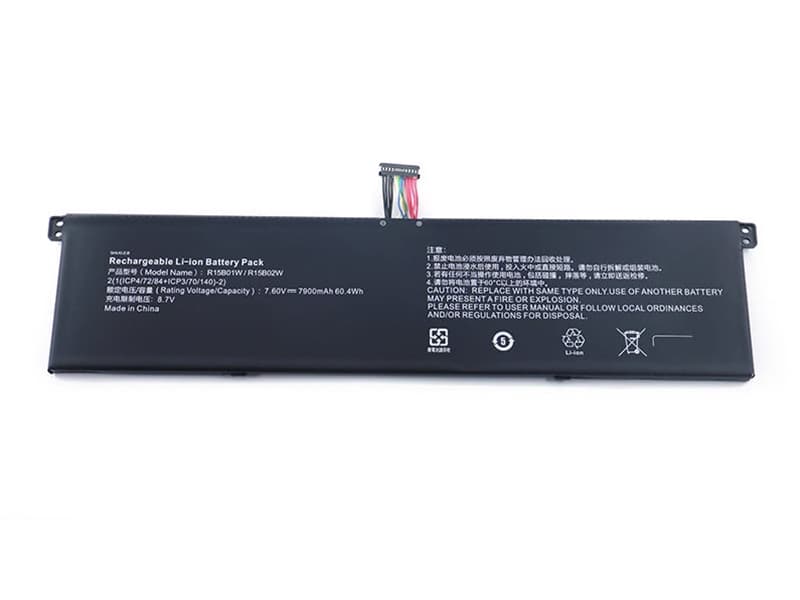
  • Replacement Notebook Battery Xiaomi R15B01W

    High Quality Xiaomi R15B01W Notebook Battery, secure and stable! 100% Quality Assurance and Rigorous Testing! 100% Compatible with Original Model & Completely Chargered by Original adapter. Ordering and gettiing a 30% discount!“The shortest answer is doing”! 1year warranty and 30 days money back guarantee. 

    XIAOMI R15B01W Notebook Battery

    Xiaomi R15B01W battery

    Current:7850mAh/60.2Wh
    Voltage: 7.68V
    R15B01W Notebook Battery
    battery Part Numbers:
    R15B01W
    battery Fit Models:
    Xiaomi Mi Pro i5

    Here,buy it now
    ES: Xiaomi R15B01W Batería
    NL: Xiaomi R15B01W ACCU
    IT: Xiaomi R15B01W batteria
    DE: R15B01W Akku

    We ship to the Notebook Battery around Globe [USA, Canada, UK, NZ and Ireland, Australia]. View more Notebook Battery. Contact with us if any problem on selecting power Notebook Battery.

    Xiaomi R15B01W Features:
    All our high quality Xiaomi R15B01W replacement Notebook Battery have been tested and proven to match and / or match the performance of the original Xiaomi Notebook Battery and are 100% compatible with the original manufacturer's specifications. This Xiaomi R15B01W Notebook Battery comes with a 1-year limited warranty.
    Thank you for purchasing this high quality Xiaomi R15B01W replacement Notebook Battery. We have a rigorous testing process to ensure that your ordered products (like this Notebook Battery for Xiaomi R15B01W) are functionally correct before being packaged and sent to you. And before placing an order, make sure that your old original part number of the Xiaomi R15B01W Notebook Battery is listed below and that the shape is identical to the images in our Notebook Battery.

    Wholesale and retail Notebook Battery in NZ. Replacement for Acer,Apple, Compaq,Dell, FUJITSU, IBM,Lenovo,Sony and so on.

    Extend Notebook Battery Xiaomi R15B01W Service life

    1. Charge the battery! Consider keeping it plugged in for 12 hours before you unplug.
    2. Switch on the optimized battery or power feature. You'll find this option — sometimes referred to as max battery mode — in your laptop system's built-in power management control panel. You can select the option to reduce the amount of time your inactive laptop stays on before powering itself down and going to sleep.
    3. Remove the battery and clean the metal contacts. Wipe them with alcohol, ideally every two months, to ensure that the power transfer between the laptop and its battery is as efficient as possible. Allow the battery to dry thoroughly before replacing it! 
    4. Unplug any laptop accessories you aren't using. Even if they're not in use, accessories drain power from the battery.

    http://www.notebookbattery.co.nz/laptop-batteies-xiaomi/replace-battery-r15b01w-b179635.htm

    These may be you want to look for :

    N750BAT-4 battery replace for Clevo N750S Series

    BP-3L battery replace for NOKIA BP3L LUMIA 710 T-MOBILE 900 ATT 303 ASHA 603

    TLp031C2 battery replace for Alcatel One Touch Hero 2 OT-8030 OT-8030B

    BL211 battery replace for Lenovo P780

    PC-VP-BP67 battery replace for NEC PC-VP-BP67 PC-VP-BP68

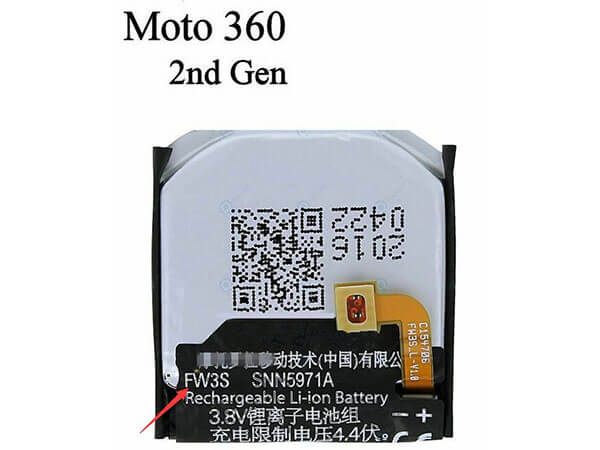
  • Long Lasting Motorola SNN5971A Replacement battery

    High Quality Motorola SNN5971A battery, secure and stable! 100% Quality Assurance and Rigorous Testing! 100% Compatible with Original Model & Completely Chargered by Original adapter. Ordering and gettiing a 30% discount!“The shortest answer is doing”! 1year warranty and 30 days money back guarantee. 

    MOTOROLA SNN5971A battery

    Motorola SNN5971A battery

    Current:300mAh
    Voltage: 3.8V/4.4V
    SNN5971A battery
    battery Part Numbers:
    SNN5971A FW3S
    battery Fit Models:
    Moto 360 2nd-Gen 2015 Smart Watch FW3S

    Here,buy it now
    ES: Motorola SNN5971A Batería
    NL: Motorola SNN5971A ACCU
    IT: Motorola SNN5971A batteria
    DE: SNN5971A Akku

    We ship to the battery around Globe [USA, Canada, UK, NZ and Ireland, Australia]. View more battery. Contact with us if any problem on selecting power battery.

    Motorola SNN5971A Features:
    All our high quality Motorola SNN5971A replacement battery have been tested and proven to match and / or match the performance of the original Motorola battery and are 100% compatible with the original manufacturer's specifications. This Motorola SNN5971A battery comes with a 1-year limited warranty.
    Thank you for purchasing this high quality Motorola SNN5971A replacement battery. We have a rigorous testing process to ensure that your ordered products (like this battery for Motorola SNN5971A) are functionally correct before being packaged and sent to you. And before placing an order, make sure that your old original part number of the Motorola SNN5971A battery is listed below and that the shape is identical to the images in our battery.

    Wholesale and retail battery in NZ. Replacement for Acer,Apple, Compaq,Dell, FUJITSU, IBM,Lenovo,Sony and so on.

    Extend battery Motorola SNN5971A Service life

    1. Charge the battery! Consider keeping it plugged in for 12 hours before you unplug.
    2. Switch on the optimized battery or power feature. You'll find this option — sometimes referred to as max battery mode — in your laptop system's built-in power management control panel. You can select the option to reduce the amount of time your inactive laptop stays on before powering itself down and going to sleep.
    3. Remove the battery and clean the metal contacts. Wipe them with alcohol, ideally every two months, to ensure that the power transfer between the laptop and its battery is as efficient as possible. Allow the battery to dry thoroughly before replacing it! 
    4. Unplug any laptop accessories you aren't using. Even if they're not in use, accessories drain power from the battery.

    http://www.notebookbattery.co.nz/laptop-batteies-motorola/replace-battery-snn5971a-b179636.htm

    These may be you want to look for :

    D2VF9 battery replace for Dell Inspiron 15 7547

    G3HTA003H battery replace for MICROSOFT SURFACE 3 1645 Table

    SM-R750 battery replace for Samsung Gear S SM-R750

    T2JX4 battery replace for Dell Inspiron 15-5568 13-7368 Series

    AP13J4K battery replace for Acer Chromebook C720 C720P C740