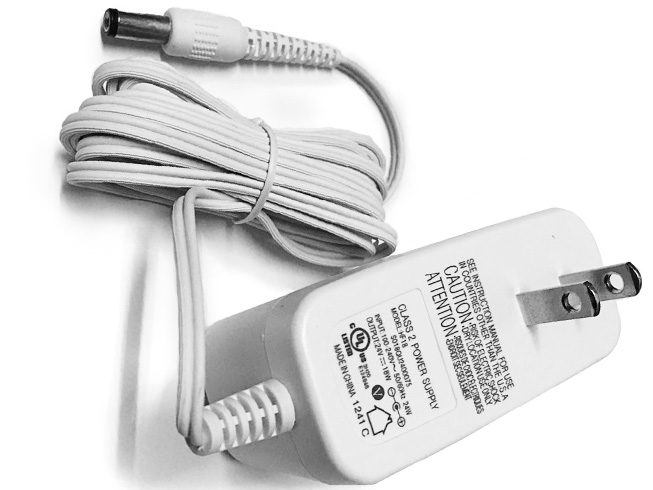
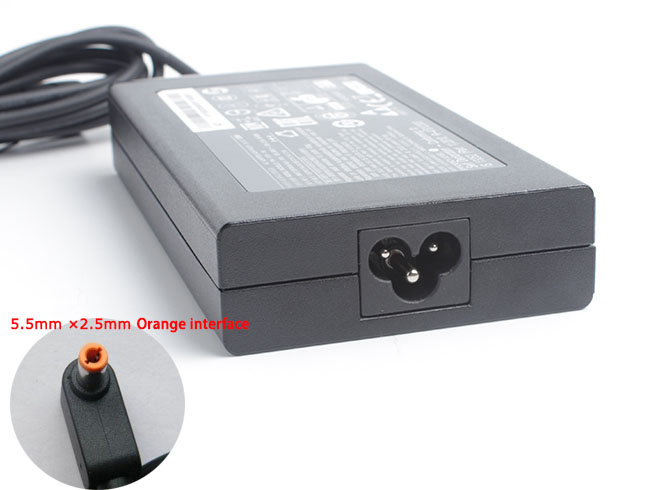
Replace Laptop battery in NZ

Category: adapter

  • High quality Samsung BN44-00865A AC adapter

    Samsung BN44-00865A laptop adapter 100% compatible +100% stable. Meet original or exceed original specifications. High quality material, cheaper than original, low power consumption, strict safety test and performance test to ensure your computer is safely charged. We are committed to a one-year, 30-day unconditional refund for all notebook adapters.

    Samsung BN44-00865A laptop adapter 1.79A/1.786A, 25W (for worldwide use)100-240V 50-60Hz (for worldwi
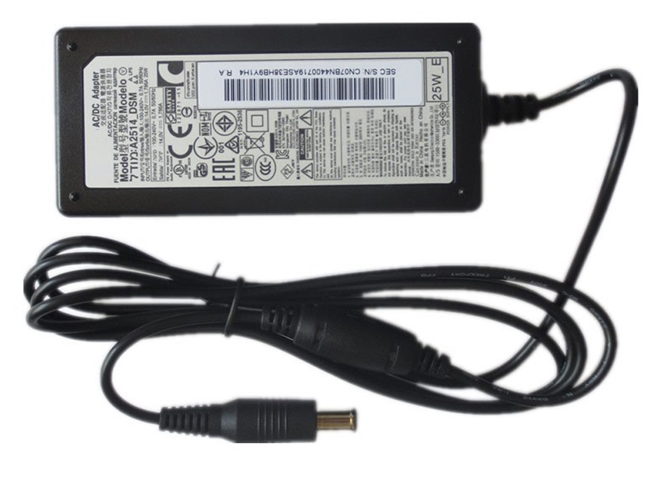
    Samsung BN44-00865A adapter
    AC Input:100-240V 50-60Hz (for worldwi
    DC Output: 1.79A/1.786A, 25W
    Connection:6.5 mm??4.4 mm, with central pin inside (ref to th
    Model: BN44-00865A

    Adapter Part Numbers:
    BN44-00865A A2514_KSM
    Adapter Fit Models:
    Samsung Led Monitor Power Supply Charger 

    Here,buy it now
    ES:Samsung BN44-00865A AC adapter
    NL:Samsung BN44-00865A Laptop adapter
    IT:Samsung BN44-00865A
    DE:BN44-00865A Notebook-Netzteile

    http://www.notebookbattery.co.nz/samsung-laptop-power-adapter/bn44-00865a-a179141.htm

    What should I pay attention to when using laptop adapter?

    1. You should create a good cooling environment. 
    When using the in a high temperature environment, place the power adapter in a place that is not exposed to direct sunlight and ventilation; do not place the power adapter near the cooling air outlet of the notebook; at the same time, we can put the adapter on the side to make the heat better distributed.
    2. If the voltage is unstable, it needs to be stopped in time.
    Although the adapter is a wide-band operating voltage, it can be marked from 100V to 240V, but if it is used under extremely unstable voltage, it will also cause serious heat or damage to the power adapter. If you need to temporarily borrow power from other brands, try to choose an adapter with the same or larger output current.
    3. If an abnormality occurs, stop using it in time.
    When you are not using the adapter, unplug the power cord. Prolonged power-up will keep the adapter working and will affect the end of life. When the power adapter emits large working noise or even smoke, it is often damaged or has a fault. It should be stopped immediately and can be used again after being repaired by professional engineers.

    Finding the Right Model of Adapter :

    · Get the laptop's model number. This is usually printed on a small sticker affixed to the underside of the laptop.

    · Get the power requirements for the laptop. This is also printed on a small sticker affixed to the underside of the laptop. It may also be printed near the laptop power port. Look for the amperage and the voltage required.

    · Look up the model number online to find if there are compatible adapters available. The voltage and amperage of the adapter need to match the requirements of the laptop.

    · Compare the connector type of the laptop adapter to any available adapters found online. They need to match to ensure that the adapter can plug into the laptop.

    ABOUT US

    NotebookBattery.co.nz is professional selling the highest quality notebook batteries and laptop power adapters for the lowest price with the highest level of service in NewZeland, all in a secure and convenient platform. Our product range includes replacement laptop batteries for most major laptop brands, including Dell, Apple, Compaq/HP, IBM/Lenovo, Fujitsu, Gateway, Sony and Toshiba. We ship to the Laptop adapter around Globe [USA, Canada, UK, NZ and Ireland, Australia]. View more laptop adapter. Contact with us if any problem on selecting power adapter.

    Power Adapter Fast Shipping

    Adapter for A13-090P3A Samsung NP700Z5C-S02US,AD-9019S

    Adapter for BA44-00215A Samsung NP700Z5B-S01UB,BA44-00215A

    Adapter for A13-090P3A Samsung NP700Z5B-W01UB,AA-PA1N90W NP700Z7C-S01US Notebook

    Adapter for LTM1555 SAMSUNG SAD04914F-UV LTN1565 BN44-00129C Monitor

    Adapter for PA1181-96 Samsung 19.5V 9.23A PSCV181101 AD-18019A
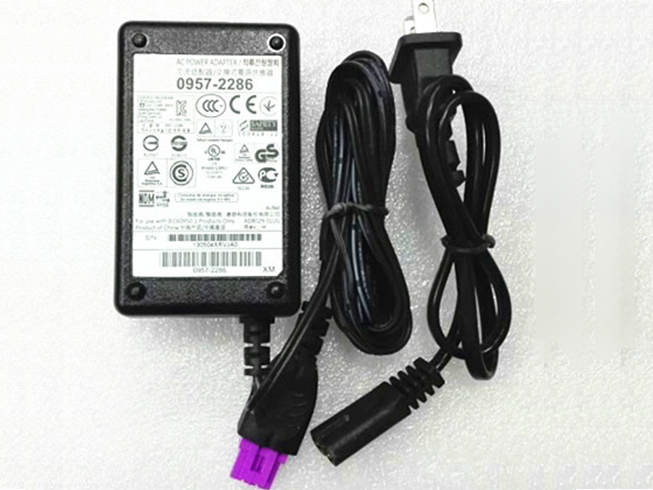
  • Replacement AC Adapter HP LH-03333

    HP LH-03333 laptop adapter 100% compatible +100% stable. Meet original or exceed original specifications. High quality material, cheaper than original, low power consumption, strict safety test and performance test to ensure your computer is safely charged. We are committed to a one-year, 30-day unconditional refund for all notebook adapters.

    HP LH-03333 laptop adapter 30V 333mA (for worldwide use)AC 110–240V 50/60Hz

    HP LH-03333 adapter
    AC Input:AC 110–240V 50/60Hz
    DC Output: 30V 333mA
    Connection:120x70x60mm
    Model: LH-03333

    Adapter Part Numbers:
    LH-03333 0957-2286
    Adapter Fit Models:
    HP Deskjet 0957-2286 1000 2000 

    Here,buy it now
    ES:HP LH-03333 AC adapter
    NL:HP LH-03333 Laptop adapter
    IT:HP LH-03333
    DE:LH-03333 Notebook-Netzteile

    http://www.notebookbattery.co.nz/hp-laptop-power-adapter/lh-03333-a179142.htm

    What should I pay attention to when using laptop adapter?

    1. You should create a good cooling environment. 
    When using the in a high temperature environment, place the power adapter in a place that is not exposed to direct sunlight and ventilation; do not place the power adapter near the cooling air outlet of the notebook; at the same time, we can put the adapter on the side to make the heat better distributed.
    2. If the voltage is unstable, it needs to be stopped in time.
    Although the adapter is a wide-band operating voltage, it can be marked from 100V to 240V, but if it is used under extremely unstable voltage, it will also cause serious heat or damage to the power adapter. If you need to temporarily borrow power from other brands, try to choose an adapter with the same or larger output current.
    3. If an abnormality occurs, stop using it in time.
    When you are not using the adapter, unplug the power cord. Prolonged power-up will keep the adapter working and will affect the end of life. When the power adapter emits large working noise or even smoke, it is often damaged or has a fault. It should be stopped immediately and can be used again after being repaired by professional engineers.

    Finding the Right Model of Adapter :

    · Get the laptop's model number. This is usually printed on a small sticker affixed to the underside of the laptop.

    · Get the power requirements for the laptop. This is also printed on a small sticker affixed to the underside of the laptop. It may also be printed near the laptop power port. Look for the amperage and the voltage required.

    · Look up the model number online to find if there are compatible adapters available. The voltage and amperage of the adapter need to match the requirements of the laptop.

    · Compare the connector type of the laptop adapter to any available adapters found online. They need to match to ensure that the adapter can plug into the laptop.

    ABOUT US

    NotebookBattery.co.nz is professional selling the highest quality notebook batteries and laptop power adapters for the lowest price with the highest level of service in NewZeland, all in a secure and convenient platform. Our product range includes replacement laptop batteries for most major laptop brands, including Dell, Apple, Compaq/HP, IBM/Lenovo, Fujitsu, Gateway, Sony and Toshiba. We ship to the Laptop adapter around Globe [USA, Canada, UK, NZ and Ireland, Australia]. View more laptop adapter. Contact with us if any problem on selecting power adapter.

    Power Adapter Fast Shipping

    Adapter for HSTNN-CA24 HP Zbook 15 17 608431-002 609945-001

    Adapter for 508149-001 WORKSTATION Z800

    Adapter for PA-1900-2P2 Hp Officeconnect SWITCH 1920S 1820 8G 2530-8-POE J9774

    Adapter for TPN-CA06 925740-002 HP spectre X2 X360

    Adapter for HP-D3201E0 HP 503378-001 508154-001 6000 Pro Elite 8000 MT

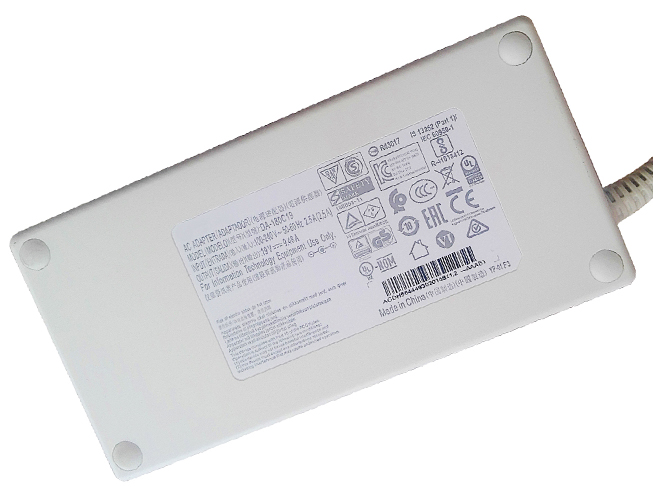
  • Laptop Adapter for LG EAY64449302

    LG EAY64449302 laptop adapter 100% compatible +100% stable. Meet original or exceed original specifications. High quality material, cheaper than original, low power consumption, strict safety test and performance test to ensure your computer is safely charged. We are committed to a one-year, 30-day unconditional refund for all notebook adapters.

    LG EAY64449302 laptop adapter 19V 9.48A 180W (for worldwide use)100-240V-50/60Hz 2.5A(2.5A)

    LG EAY64449302 adapter
    AC Input:100-240V-50/60Hz 2.5A(2.5A)
    DC Output: 19V 9.48A 180W
    Connection:6.0×4.0mm(ref to the picture)
    Model: EAY64449302

    Adapter Part Numbers:
    DA-180C19 EAY64449302
    Adapter Fit Models:
    LG DA-180C19 EAY64449302 Power Supply 

    Here,buy it now
    ES:LG EAY64449302 AC adapter
    NL:LG EAY64449302 Laptop adapter
    IT:LG EAY64449302
    DE:EAY64449302 Notebook-Netzteile

    http://www.notebookbattery.co.nz/lg-laptop-power-adapter/eay64449302-a179126.htm

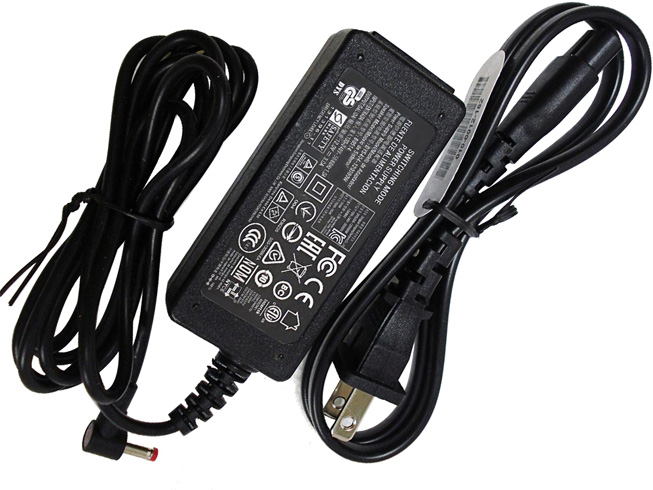
  • Beats B0514 compatible with Beats Pill XL Charger power adapter

    Beats B0514 laptop adapter 100% compatible +100% stable. Meet original or exceed original specifications. High quality material, cheaper than original, low power consumption, strict safety test and performance test to ensure your computer is safely charged. We are committed to a one-year, 30-day unconditional refund for all notebook adapters.

    Beats B0514 laptop adapter 12.0V 3.0A 36W (for worldwide use)110-240V 1.0A 50-60Hz

    Beats B0514 adapter
    AC Input:110-240V 1.0A 50-60Hz
    DC Output: 12.0V 3.0A 36W 
    Connection:4mm
    Model: B0514

    Adapter Part Numbers:
    B0514 DYS404-120300W
    Adapter Fit Models:
    Beats Pill XL Charger 

    Here,buy it now
    ES:Beats B0514 AC adapter
    NL:Beats B0514 Laptop adapter
    IT:Beats B0514
    DE:B0514 Notebook-Netzteile

    http://www.notebookbattery.co.nz/beats-laptop-power-adapter/b0514-a179127.htm

    What should I pay attention to when using laptop adapter?

    1. You should create a good cooling environment. 
    When using the in a high temperature environment, place the power adapter in a place that is not exposed to direct sunlight and ventilation; do not place the power adapter near the cooling air outlet of the notebook; at the same time, we can put the adapter on the side to make the heat better distributed.
    2. If the voltage is unstable, it needs to be stopped in time.
    Although the adapter is a wide-band operating voltage, it can be marked from 100V to 240V, but if it is used under extremely unstable voltage, it will also cause serious heat or damage to the power adapter. If you need to temporarily borrow power from other brands, try to choose an adapter with the same or larger output current.
    3. If an abnormality occurs, stop using it in time.
    When you are not using the adapter, unplug the power cord. Prolonged power-up will keep the adapter working and will affect the end of life. When the power adapter emits large working noise or even smoke, it is often damaged or has a fault. It should be stopped immediately and can be used again after being repaired by professional engineers.

    Finding the Right Model of Adapter :

    · Get the laptop's model number. This is usually printed on a small sticker affixed to the underside of the laptop.

    · Get the power requirements for the laptop. This is also printed on a small sticker affixed to the underside of the laptop. It may also be printed near the laptop power port. Look for the amperage and the voltage required.

    · Look up the model number online to find if there are compatible adapters available. The voltage and amperage of the adapter need to match the requirements of the laptop.

    · Compare the connector type of the laptop adapter to any available adapters found online. They need to match to ensure that the adapter can plug into the laptop.

    ABOUT US

    NotebookBattery.co.nz is professional selling the highest quality notebook batteries and laptop power adapters for the lowest price with the highest level of service in NewZeland, all in a secure and convenient platform. Our product range includes replacement laptop batteries for most major laptop brands, including Dell, Apple, Compaq/HP, IBM/Lenovo, Fujitsu, Gateway, Sony and Toshiba. We ship to the Laptop adapter around Globe [USA, Canada, UK, NZ and Ireland, Australia]. View more laptop adapter. Contact with us if any problem on selecting power adapter.

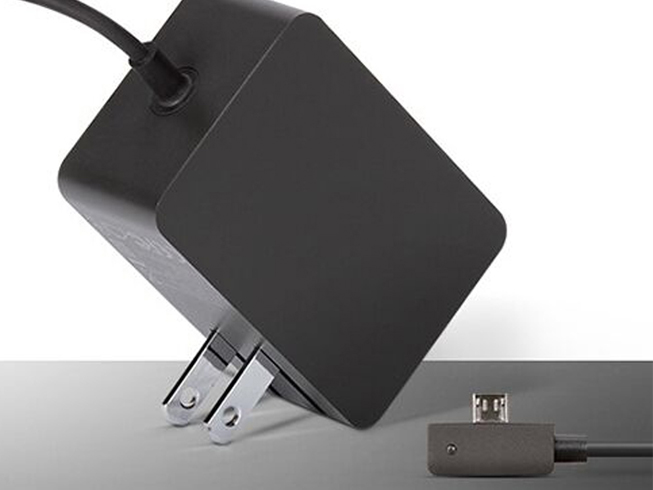
  • Laptop Adapter for Microsoft 1623

    Microsoft 1623 laptop adapter 100% compatible +100% stable. Meet original or exceed original specifications. High quality material, cheaper than original, low power consumption, strict safety test and performance test to ensure your computer is safely charged. We are committed to a one-year, 30-day unconditional refund for all notebook adapters.

    Microsoft 1623 laptop adapter 5.2V 2.5A 13W (for worldwide use)100V-240V 50-60Hz

    Microsoft 1623 adapter
    AC Input:100V-240V 50-60Hz
    DC Output: 5.2V 2.5A 13W
    Connection:
    Model: 1623

    Adapter Part Numbers:
    1623
    Adapter Fit Models:
    Microsoft Surface 3 

    Here,buy it now
    ES:Microsoft 1623 AC adapter
    NL:Microsoft 1623 Laptop adapter
    IT:Microsoft 1623
    DE:1623 Notebook-Netzteile

    http://www.notebookbattery.co.nz/microsoft-laptop-power-adapter/1623-a179128.htm

    What should I pay attention to when using laptop adapter?

    1. You should create a good cooling environment. 
    When using the in a high temperature environment, place the power adapter in a place that is not exposed to direct sunlight and ventilation; do not place the power adapter near the cooling air outlet of the notebook; at the same time, we can put the adapter on the side to make the heat better distributed.
    2. If the voltage is unstable, it needs to be stopped in time.
    Although the adapter is a wide-band operating voltage, it can be marked from 100V to 240V, but if it is used under extremely unstable voltage, it will also cause serious heat or damage to the power adapter. If you need to temporarily borrow power from other brands, try to choose an adapter with the same or larger output current.
    3. If an abnormality occurs, stop using it in time.
    When you are not using the adapter, unplug the power cord. Prolonged power-up will keep the adapter working and will affect the end of life. When the power adapter emits large working noise or even smoke, it is often damaged or has a fault. It should be stopped immediately and can be used again after being repaired by professional engineers.

    Finding the Right Model of Adapter :

    · Get the laptop's model number. This is usually printed on a small sticker affixed to the underside of the laptop.

    · Get the power requirements for the laptop. This is also printed on a small sticker affixed to the underside of the laptop. It may also be printed near the laptop power port. Look for the amperage and the voltage required.

    · Look up the model number online to find if there are compatible adapters available. The voltage and amperage of the adapter need to match the requirements of the laptop.

    · Compare the connector type of the laptop adapter to any available adapters found online. They need to match to ensure that the adapter can plug into the laptop.

    ABOUT US

    NotebookBattery.co.nz is professional selling the highest quality notebook batteries and laptop power adapters for the lowest price with the highest level of service in NewZeland, all in a secure and convenient platform. Our product range includes replacement laptop batteries for most major laptop brands, including Dell, Apple, Compaq/HP, IBM/Lenovo, Fujitsu, Gateway, Sony and Toshiba. We ship to the Laptop adapter around Globe [USA, Canada, UK, NZ and Ireland, Australia]. View more laptop adapter. Contact with us if any problem on selecting power adapter.

    Power Adapter Fast Shipping

    Adapter for 1432 Microsoft Xbox 360 Model 1429 KINECT AC USB Plug

    Adapter for 1448 Microsoft Xbox 360

    Adapter for 1429 Microsoft Xbox 360 Kinect Camera Sensor Bar

    Adapter for 15V Microsoft Surface Book 1798 Enhanced Edition i7

    Adapter for A1800 Microsoft Surface Pro 5 & Pro 4 Intel Core M3 i5 i7

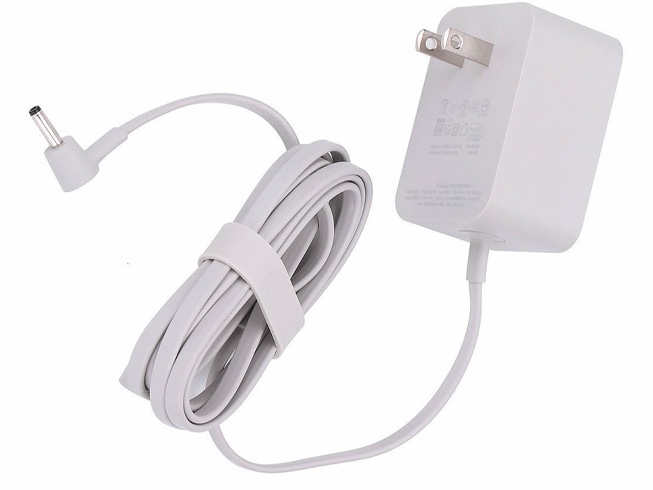
  • High quality Google W033R004H AC adapter

    • Google W033R004H laptop adapter 100% compatible +100% stable. Meet original or exceed original specifications. High quality material, cheaper than original, low power consumption, strict safety test and performance test to ensure your computer is safely charged. We are committed to a one-year, 30-day unconditional refund for all notebook adapters.

      Google W033R004H laptop adapter 16.5V 2A 33W (for worldwide use)100-240V, 50-60Hz

      Google W033R004H adapter
      AC Input:100-240V, 50-60Hz
      DC Output: 16.5V 2A 33W
      Connection:3.4mm*1.35MM
      Model: W033R004H

      Adapter Part Numbers:
      W033R004H W16-033N1A
      Adapter Fit Models:
      Google Home 

      Here,buy it now
      ES:Google W033R004H AC adapter
      NL:Google W033R004H Laptop adapter
      IT:Google W033R004H
      DE:W033R004H Notebook-Netzteile

      http://www.notebookbattery.co.nz/google-laptop-power-adapter/w033r004h-a179129.htm

      What should I pay attention to when using laptop adapter?

      1. You should create a good cooling environment. 
      When using the in a high temperature environment, place the power adapter in a place that is not exposed to direct sunlight and ventilation; do not place the power adapter near the cooling air outlet of the notebook; at the same time, we can put the adapter on the side to make the heat better distributed.
      2. If the voltage is unstable, it needs to be stopped in time.
      Although the adapter is a wide-band operating voltage, it can be marked from 100V to 240V, but if it is used under extremely unstable voltage, it will also cause serious heat or damage to the power adapter. If you need to temporarily borrow power from other brands, try to choose an adapter with the same or larger output current.
      3. If an abnormality occurs, stop using it in time.
      When you are not using the adapter, unplug the power cord. Prolonged power-up will keep the adapter working and will affect the end of life. When the power adapter emits large working noise or even smoke, it is often damaged or has a fault. It should be stopped immediately and can be used again after being repaired by professional engineers.

      Finding the Right Model of Adapter :

      · Get the laptop's model number. This is usually printed on a small sticker affixed to the underside of the laptop.

      · Get the power requirements for the laptop. This is also printed on a small sticker affixed to the underside of the laptop. It may also be printed near the laptop power port. Look for the amperage and the voltage required.

      · Look up the model number online to find if there are compatible adapters available. The voltage and amperage of the adapter need to match the requirements of the laptop.

      · Compare the connector type of the laptop adapter to any available adapters found online. They need to match to ensure that the adapter can plug into the laptop.

      ABOUT US

      NotebookBattery.co.nz is professional selling the highest quality notebook batteries and laptop power adapters for the lowest price with the highest level of service in NewZeland, all in a secure and convenient platform. Our product range includes replacement laptop batteries for most major laptop brands, including Dell, Apple, Compaq/HP, IBM/Lenovo, Fujitsu, Gateway, Sony and Toshiba. We ship to the Laptop adapter around Globe [USA, Canada, UK, NZ and Ireland, Australia]. View more laptop adapter. Contact with us if any problem on selecting power adapter.

      Power Adapter Fast Shipping

      Adapter for W033R004H Google Home

      Adapter for PA-1600-23 Google CHROMEBOOK Google Chrome PIXE

      Adapter for 60W Google chrome PA-1650-29 PA-1650-29 PA165029

  • Replacement AC Adapter Philips HF12

    Philips HF12 laptop adapter 100% compatible +100% stable. Meet original or exceed original specifications. High quality material, cheaper than original, low power consumption, strict safety test and performance test to ensure your computer is safely charged. We are committed to a one-year, 30-day unconditional refund for all notebook adapters.

    Philips HF12 laptop adapter 24V–18W (for worldwide use)100-240V 50/60Hz 16.5w

    Philips HF12 adapter
    AC Input:100-240V 50/60Hz 16.5w
    DC Output: 24V–18W
    Connection:5.5*2.5mm
    Model: HF12

    Adapter Part Numbers:
    HF12 HF18
    Adapter Fit Models:
    Philips HF3520/3485/3480/3471/3470 Wake-Up Light EXCELLENT 

    Here,buy it now
    ES:Philips HF12 AC adapter
    NL:Philips HF12 Laptop adapter
    IT:Philips HF12
    DE:HF12 Notebook-Netzteile

    http://www.notebookbattery.co.nz/philips-laptop-power-adapter/hf12-a179130.htm

    What should I pay attention to when using laptop adapter?

    1. You should create a good cooling environment. 
    When using the in a high temperature environment, place the power adapter in a place that is not exposed to direct sunlight and ventilation; do not place the power adapter near the cooling air outlet of the notebook; at the same time, we can put the adapter on the side to make the heat better distributed.
    2. If the voltage is unstable, it needs to be stopped in time.
    Although the adapter is a wide-band operating voltage, it can be marked from 100V to 240V, but if it is used under extremely unstable voltage, it will also cause serious heat or damage to the power adapter. If you need to temporarily borrow power from other brands, try to choose an adapter with the same or larger output current.
    3. If an abnormality occurs, stop using it in time.
    When you are not using the adapter, unplug the power cord. Prolonged power-up will keep the adapter working and will affect the end of life. When the power adapter emits large working noise or even smoke, it is often damaged or has a fault. It should be stopped immediately and can be used again after being repaired by professional engineers.

    Finding the Right Model of Adapter :

    · Get the laptop's model number. This is usually printed on a small sticker affixed to the underside of the laptop.

    · Get the power requirements for the laptop. This is also printed on a small sticker affixed to the underside of the laptop. It may also be printed near the laptop power port. Look for the amperage and the voltage required.

    · Look up the model number online to find if there are compatible adapters available. The voltage and amperage of the adapter need to match the requirements of the laptop.

    · Compare the connector type of the laptop adapter to any available adapters found online. They need to match to ensure that the adapter can plug into the laptop.

    ABOUT US

    NotebookBattery.co.nz is professional selling the highest quality notebook batteries and laptop power adapters for the lowest price with the highest level of service in NewZeland, all in a secure and convenient platform. Our product range includes replacement laptop batteries for most major laptop brands, including Dell, Apple, Compaq/HP, IBM/Lenovo, Fujitsu, Gateway, Sony and Toshiba. We ship to the Laptop adapter around Globe [USA, Canada, UK, NZ and Ireland, Australia]. View more laptop adapter. Contact with us if any problem on selecting power adapter.

    Power Adapter Fast Shipping

    Adapter for HQ8505 PHILIPS Norelco HQ8500 HQ6070 HQ6073 HQ6076 PT860 HQ8

    Adapter for HQ8505 PHILIPS Shaver HQ8505 HS8020 HQ8875 RS

    Adapter for HQ8505 PHILIPS Norelco HQ8500 HQ6070 HQ6073 HQ6076 PT860 HQ8

    Adapter for 19035GPCN philips Monitor Power Supply

    Adapter for ADS-40FSG-19 philips ADS-40FSG-19 19035GPCN Monitor Power Supply

  • Replacement AC Adapter Acer PA-1131-05

    Acer PA-1131-05 laptop adapter 100% compatible +100% stable. Meet original or exceed original specifications. High quality material, cheaper than original, low power consumption, strict safety test and performance test to ensure your computer is safely charged. We are committed to a one-year, 30-day unconditional refund for all notebook adapters.

    Acer PA-1131-05 laptop adapter 19V 7.1A, 135W (for worldwide use)100-240V 50-60Hz

    Acer PA-1131-05 adapter
    AC Input:100-240V 50-60Hz
    DC Output: 19V 7.1A, 135W
    Connection:5.5mm*2.5mm(Orange connector is not compatible wit
    Model: PA-1131-05

    Adapter Part Numbers:
    Please Note: Incompatible interface 5.5*1.7MM
    Outlet: 3-prong
    Cord Cable: US/ UK/ EU/ AU plug
    Warranty: 12 months
    Package includes:
    1 X AC Adapter
    1 X Free Power cord
    Adapter Fit Models:
    Acer Aspire VN7-591G-74LK 

    Here,buy it now
    ES:Acer PA-1131-05 AC adapter
    NL:Acer PA-1131-05 Laptop adapter
    IT:Acer PA-1131-05
    DE:PA-1131-05 Notebook-Netzteile

    http://www.notebookbattery.co.nz/acer-laptop-power-adapter/pa-1131-05-a178941.htm

    What should I pay attention to when using laptop adapter?

    1. You should create a good cooling environment. 
    When using the in a high temperature environment, place the power adapter in a place that is not exposed to direct sunlight and ventilation; do not place the power adapter near the cooling air outlet of the notebook; at the same time, we can put the adapter on the side to make the heat better distributed.
    2. If the voltage is unstable, it needs to be stopped in time.
    Although the adapter is a wide-band operating voltage, it can be marked from 100V to 240V, but if it is used under extremely unstable voltage, it will also cause serious heat or damage to the power adapter. If you need to temporarily borrow power from other brands, try to choose an adapter with the same or larger output current.
    3. If an abnormality occurs, stop using it in time.
    When you are not using the adapter, unplug the power cord. Prolonged power-up will keep the adapter working and will affect the end of life. When the power adapter emits large working noise or even smoke, it is often damaged or has a fault. It should be stopped immediately and can be used again after being repaired by professional engineers.

    Finding the Right Model of Adapter :

    · Get the laptop's model number. This is usually printed on a small sticker affixed to the underside of the laptop.

    · Get the power requirements for the laptop. This is also printed on a small sticker affixed to the underside of the laptop. It may also be printed near the laptop power port. Look for the amperage and the voltage required.

    · Look up the model number online to find if there are compatible adapters available. The voltage and amperage of the adapter need to match the requirements of the laptop.

    · Compare the connector type of the laptop adapter to any available adapters found online. They need to match to ensure that the adapter can plug into the laptop.

    ABOUT US

    NotebookBattery.co.nz is professional selling the highest quality notebook batteries and laptop power adapters for the lowest price with the highest level of service in NewZeland, all in a secure and convenient platform. Our product range includes replacement laptop batteries for most major laptop brands, including Dell, Apple, Compaq/HP, IBM/Lenovo, Fujitsu, Gateway, Sony and Toshiba. We ship to the Laptop adapter around Globe [USA, Canada, UK, NZ and Ireland, Australia]. View more laptop adapter. Contact with us if any problem on selecting power adapter.

    Power Adapter Fast Shipping

    Adapter for ADP-180MB Acer Predator 17 G9-791 G9-791G,ADP-180MB K

    Adapter for ADP-180MB Acer PREDATOR 15 G9-591-71DQ

    Adapter for ADP-180MB Acer Predator G9-791-735A

    Adapter for H0OW59H0085 Acer Predator 15 G9-591-74KN

    Adapter for R33030 Acer Predator 17 G9-791-79W7

  • Acer ADP-135KB Laptop AC Adapter on sale

    Acer ADP-135KB laptop adapter 100% compatible +100% stable. Meet original or exceed original specifications. High quality material, cheaper than original, low power consumption, strict safety test and performance test to ensure your computer is safely charged. We are committed to a one-year, 30-day unconditional refund for all notebook adapters.

    Acer ADP-135KB laptop adapter 19V 7.1A, 135W (for worldwide use)100-240V 50-60Hz

    Acer ADP-135KB adapter
    AC Input:100-240V 50-60Hz
    DC Output: 19V 7.1A, 135W
    Connection:5.5mm*2.5mm(Orange connector is not compatible wit
    Model: ADP-135KB

    Adapter Part Numbers:
    Please Note: Incompatible interface 5.5*1.7MM
    Outlet: 3-prong
    Cord Cable: US/ UK/ EU/ AU plug
    Warranty: 12 months
    Package includes:
    1 X AC Adapter
    1 X Free Power cord
    Adapter Fit Models:
    Aspire VN7-591G-73MJ,VN7-591G-75H9/796V 

    Here,buy it now
    ES:Acer ADP-135KB AC adapter
    NL:Acer ADP-135KB Laptop adapter
    IT:Acer ADP-135KB
    DE:ADP-135KB Notebook-Netzteile

    http://www.notebookbattery.co.nz/acer-laptop-power-adapter/adp-135kb-a178942.htm

    What should I pay attention to when using laptop adapter?

    1. You should create a good cooling environment. 
    When using the in a high temperature environment, place the power adapter in a place that is not exposed to direct sunlight and ventilation; do not place the power adapter near the cooling air outlet of the notebook; at the same time, we can put the adapter on the side to make the heat better distributed.
    2. If the voltage is unstable, it needs to be stopped in time.
    Although the adapter is a wide-band operating voltage, it can be marked from 100V to 240V, but if it is used under extremely unstable voltage, it will also cause serious heat or damage to the power adapter. If you need to temporarily borrow power from other brands, try to choose an adapter with the same or larger output current.
    3. If an abnormality occurs, stop using it in time.
    When you are not using the adapter, unplug the power cord. Prolonged power-up will keep the adapter working and will affect the end of life. When the power adapter emits large working noise or even smoke, it is often damaged or has a fault. It should be stopped immediately and can be used again after being repaired by professional engineers.

    Finding the Right Model of Adapter :

    · Get the laptop's model number. This is usually printed on a small sticker affixed to the underside of the laptop.

    · Get the power requirements for the laptop. This is also printed on a small sticker affixed to the underside of the laptop. It may also be printed near the laptop power port. Look for the amperage and the voltage required.

    · Look up the model number online to find if there are compatible adapters available. The voltage and amperage of the adapter need to match the requirements of the laptop.

    · Compare the connector type of the laptop adapter to any available adapters found online. They need to match to ensure that the adapter can plug into the laptop.

    ABOUT US

    NotebookBattery.co.nz is professional selling the highest quality notebook batteries and laptop power adapters for the lowest price with the highest level of service in NewZeland, all in a secure and convenient platform. Our product range includes replacement laptop batteries for most major laptop brands, including Dell, Apple, Compaq/HP, IBM/Lenovo, Fujitsu, Gateway, Sony and Toshiba. We ship to the Laptop adapter around Globe [USA, Canada, UK, NZ and Ireland, Australia]. View more laptop adapter. Contact with us if any problem on selecting power adapter.

    Power Adapter Fast Shipping

    Adapter for ADP-180MB Acer Predator 17 G9-791 G9-791G,ADP-180MB K

    Adapter for ADP-180MB Acer PREDATOR 15 G9-591-71DQ

    Adapter for ADP-180MB Acer Predator G9-791-735A

    Adapter for H0OW59H0085 Acer Predator 15 G9-591-74KN

    Adapter for R33030 Acer Predator 17 G9-791-79W7

  • Acer ADP-135KB compatible with ACER Aspire VN7-791-7939,VN7-791G-73AW power adapter

    Acer ADP-135KB laptop adapter 100% compatible +100% stable. Meet original or exceed original specifications. High quality material, cheaper than original, low power consumption, strict safety test and performance test to ensure your computer is safely charged. We are committed to a one-year, 30-day unconditional refund for all notebook adapters.

    Acer ADP-135KB laptop adapter 19V 7.1A, 135W (for worldwide use)100-240V 50-60Hz

    Acer ADP-135KB adapter
    AC Input:100-240V 50-60Hz
    DC Output: 19V 7.1A, 135W
    Connection:5.5mm*2.5mm(Orange connector is not compatible wit
    Model: ADP-135KB

    Adapter Part Numbers:
    Please Note: Incompatible interface 5.5*1.7MM
    Outlet: 3-prong
    Cord Cable: US/ UK/ EU/ AU plug
    Warranty: 12 months
    Package includes:
    1 X AC Adapter
    1 X Free Power cord
    Adapter Fit Models:
    ACER Aspire VN7-791-7939,VN7-791G-73AW 

    Here,buy it now
    ES:Acer ADP-135KB AC adapter
    NL:Acer ADP-135KB Laptop adapter
    IT:Acer ADP-135KB
    DE:ADP-135KB Notebook-Netzteile

    http://www.notebookbattery.co.nz/acer-laptop-power-adapter/adp-135kb-a178943.htm

    What should I pay attention to when using laptop adapter?

    1. You should create a good cooling environment. 
    When using the in a high temperature environment, place the power adapter in a place that is not exposed to direct sunlight and ventilation; do not place the power adapter near the cooling air outlet of the notebook; at the same time, we can put the adapter on the side to make the heat better distributed.
    2. If the voltage is unstable, it needs to be stopped in time.
    Although the adapter is a wide-band operating voltage, it can be marked from 100V to 240V, but if it is used under extremely unstable voltage, it will also cause serious heat or damage to the power adapter. If you need to temporarily borrow power from other brands, try to choose an adapter with the same or larger output current.
    3. If an abnormality occurs, stop using it in time.
    When you are not using the adapter, unplug the power cord. Prolonged power-up will keep the adapter working and will affect the end of life. When the power adapter emits large working noise or even smoke, it is often damaged or has a fault. It should be stopped immediately and can be used again after being repaired by professional engineers.

    Finding the Right Model of Adapter :

    · Get the laptop's model number. This is usually printed on a small sticker affixed to the underside of the laptop.

    · Get the power requirements for the laptop. This is also printed on a small sticker affixed to the underside of the laptop. It may also be printed near the laptop power port. Look for the amperage and the voltage required.

    · Look up the model number online to find if there are compatible adapters available. The voltage and amperage of the adapter need to match the requirements of the laptop.

    · Compare the connector type of the laptop adapter to any available adapters found online. They need to match to ensure that the adapter can plug into the laptop.

    ABOUT US

    NotebookBattery.co.nz is professional selling the highest quality notebook batteries and laptop power adapters for the lowest price with the highest level of service in NewZeland, all in a secure and convenient platform. Our product range includes replacement laptop batteries for most major laptop brands, including Dell, Apple, Compaq/HP, IBM/Lenovo, Fujitsu, Gateway, Sony and Toshiba. We ship to the Laptop adapter around Globe [USA, Canada, UK, NZ and Ireland, Australia]. View more laptop adapter. Contact with us if any problem on selecting power adapter.

    Power Adapter Fast Shipping

    Adapter for ADP-180MB Acer Predator 17 G9-791 G9-791G,ADP-180MB K

    Adapter for ADP-180MB Acer PREDATOR 15 G9-591-71DQ

    Adapter for ADP-180MB Acer Predator G9-791-735A

    Adapter for H0OW59H0085 Acer Predator 15 G9-591-74KN

    Adapter for R33030 Acer Predator 17 G9-791-79W7