Replace Laptop battery in NZ

Category: Battery Tips

Useful laptop battery of common sense

  • Battery Replacement For lenovo 43R9255 Notebook Battery

    This lenovo 43R9255 Battery has a capacity of 5200mAh/57Wh and a voltage of 10.8V/6Cell. Suitable for Lenovo ThinkPad X200 ThinkPad X201s. 100% compatible and 100% safe. 1-year warranty, 30-day money back guarantee. 

    lenovo 43R9255 5200mAh/57Wh 10.8V/6Cell Notebook Battery
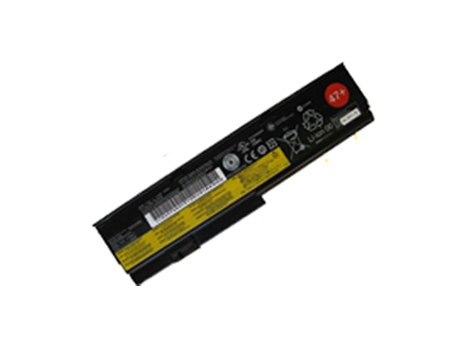
    lenovo 43R9255 battery


    (product code: 43R9255) 

    (Usually ships the same business day!)

      Product details:

    • Brand: lenovo 43R9255 Notebook batteries

    • Type: Li-ion battery

    • Voltage: 10.8V/6Cell

    • Capacity: 5200mAh/57Wh

    • SKU: LEN2943

    Replace the following batteries:

    42T4534,42T4536,42T4537,42T4538,42T4540,42T4543,42T4646,42T4647,42T4648,42T4649,42T4650,42T4694,42T4696,42T4823,42T4825,42T4542,43R9253,43R9254,43R9255

    Compatible with the following models:

    Lenovo ThinkPad X200 Series
    Lenovo ThinkPad X200s Series
    Lenovo ThinkPad X201 Series
    Lenovo ThinkPad X201s Series

    http://www.notebookbattery.co.nz/laptop-batteies-lenovo/replace-battery-43r9255-b2943.htm

    Laptop battery tips

    Newly bought notebooks, the first three charges do not need to reach 12 hours, because the current laptop batteries have a management chip that can control the charging limit, when the battery is full, it will automatically cut off the charging function, thus protecting the battery life and avoiding overcharging.

    It is not necessary to discharge completely before each charge, because this deep discharge will shorten the battery life. It is recommended to charge when the remaining 10% is left. In addition, when there is still more than 30% of the battery power, it is best not to charge, because the memory effect does exist. The power management software allows you to check the battery level at any time, and the HP EliteBook P-series notebooks come with a battery indicator that allows you to check the remaining battery even without turning it on.

    When plugging in AC power (connecting the power adapter), you don't need to remove the battery

    , because most laptop batteries need to be charged below 90%, and the battery naturally discharges to this capacity takes two weeks to a month, so use it every day. Notebooks don't have to worry about repeated charging and unloading, not to mention the fact that emergency power outages are more damaging to data.

    If you want to store unused batteries for a long time, you need to put them in a dry, low temperature environment while maintaining 40% of the remaining power in the battery. In addition, it is best to take out the battery once a month to ensure a good storage state and service life of the battery.

    Reducing the brightness of your notebook screen can extend the life of your notebook and reduce the number of times it is charged.

    Use some power management tools, such as the Power Assistant on the HP EliteBook P Series, which can even monitor the energy consumption of each component in real time through the PMC circuit, and accurately summarize the company's status to the HPclient Configuration Manager software, and optionally Turn off the specified parts to extend battery life.

    ABOUT US

    Wholesale and retail Notebook Battery in NZ. Replacement for Acer, Apple, Compaq, Dell, FUJITSU, IBM,Lenovo,Sony and so on.

    These may be you want to look for :

    B31N1536 battery replacement for ASUS TP201SA TP201SA-3K

    C41N1533 battery replacement for ASUS Q534U Q534UX-B UX560UQ UX560UX UX560UQ-1 GRADE A

    N240BAT-4 battery replacement for CLEVO N240/N241/BU/JU/LU/PU

    58-000130 battery replacement for Amazon Kindle 58-000130 26s1012 26s1012-A

    C11P1314 battery replacement for Asus Memo Pad ME102A 10.1 tablet
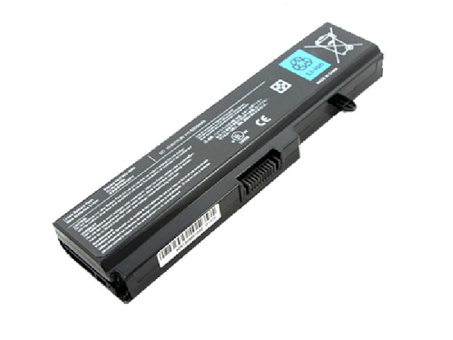
  • Toshiba Satellite A660 C645D T130 T135 Series replacement for PA3780U-1BRS battery

    This TOSHIBA PA3780U-1BRS Battery has a capacity of 47WH and a voltage of 10.8V. Suitable for Toshiba Satellite A660 C645D T130 T135 Series. 100% compatible and 100% safe. 1-year warranty, 30-day money back guarantee. 

    TOSHIBA PA3780U-1BRS 47WH 10.8V Notebook Battery

    TOSHIBA PA3780U-1BRS battery


    (product code: PA3780U-1BRS) 

    (Usually ships the same business day!)

      Product details:

    • Brand: TOSHIBA PA3780U-1BRS Notebook batteries

    • Type: Li-ion battery

    • Voltage: 10.8V

    • Capacity: 47WH

    • SKU: TOS2945

    Replace the following batteries:

    PA3634U-1BAS,PA3634U-1BRS,PA3635U-1BAM,PA3635U-1BAS,PA3635U-1BRM,PA3635U-1BRS,PA3636U-1BAL,PA3636U-1BAR,PA3636U-1BRL,PA3636U-1BRS,PA3638U-1BAP,PA3638U-1BRS,PA3728U-1BAS,PA3728U-1BRS,PA3816U-1BRS,PA3817U-1BAS,PA3817U-1BRS,PA3818U-1BAS,PA3818U-1BRS,PA3819U-1BAS,PA3819U-1BRS,PABAS117,PABAS118,PABAS227,PABAS228,PABAS229,PABAS230,PA3780U-1BRS

    Compatible with the following models:

    TOSHIBA

    Portege M800 Portege M800 Series Satellite A500 
    Satellite A500 Series Satellite A660 Satellite A660 Series 
    Satellite A660D Satellite A660D Series Satellite A665 
    Satellite A665 Series Satellite A665D Satellite A665D Series 
    Satellite C640 Satellite C640 Series Satellite C640D 
    Satellite C640D Series Satellite C645D Satellite C645D Series 
    Satellite C650 Satellite C650 Series Satellite C650D 
    Satellite C650D Satellite C650D Series Satellite C655 
    Satellite C655 Series Satellite C655D Satellite C655D Series 
    Satellite C660 Satellite C660 Series Satellite C660D 
    Satellite C660D Series Satellite L510 Satellite L510 Series 
    Satellite L515 Satellite L515 Series Satellite L515D 
    Satellite L515D Series Satellite L600 Satellite L600 Series 
    Satellite L600D Satellite L600D Series Satellite L630 
    Satellite L630 Series Satellite L630D Satellite L630D Series 
    Satellite L635 Satellite L635 Series Satellite L640 
    Satellite L640 Series Satellite L640D Satellite L640D Series 
    Satellite L645 Satellite L645 Series Satellite L645D 
    Satellite L645D Series Satellite L650 Satellite L650 Series 
    Satellite L650D Satellite L650D Series Satellite L655 
    Satellite L655 Series Satellite L655D Satellite L655D Series 
    Satellite L670 Satellite L670 Series Satellite L670D 
    Satellite L670D Series Satellite L675 Satellite L675 Series 
    Satellite L675D Satellite L675D Series Satellite M100 
    Satellite M100 Series Satellite M500 Satellite M500 Series 
    Satellite M505 Satellite M505 Series Satellite M505D 
    Satellite M505D Series Satellite M640 Satellite M640 Series 
    Satellite M645 Satellite M645 Series Satellite P500 
    Satellite P500 Series Satellite P740 Satellite P740 Series 
    Satellite P740D Satellite P740D Series Satellite P745 
    Satellite P745 Series Satellite P745D Satellite P745D Series 
    Satellite P775 Satellite P775 Series Satellite P775D 
    Satellite P775D Series Satellite Pro 3000 Satellite Pro 3000 Series 
    Satellite Pro C650 Satellite Pro C650 Series Satellite Pro C650D 
    Satellite Pro C650D Series Satellite Pro C660 Satellite Pro C660 Series 
    Satellite Pro C660D Satellite Pro C660D Series Satellite Pro L510 
    Satellite Pro L510 Series Satellite Pro L600 Satellite Pro L600 Series 
    Satellite Pro L630 Satellite Pro L630 Series Satellite Pro L640 
    Satellite Pro L640 Series Satellite Pro L650 Satellite Pro L650 Series 
    Satellite Pro L670 Satellite Pro L670 Series Satellite Pro PS300C 
    Satellite Pro PS300C Series Satellite Pro T110 Satellite Pro T110 Series 
    Satellite Pro T130 Satellite Pro T130 Series Satellite Pro U500 
    Satellite Pro U500 Series Satellite T110 Satellite T110 Series 
    Satellite T110D Satellite T110D Series Satellite T115 
    Satellite T115 Series Satellite T115D Satellite T115D Series 
    Satellite T130 Satellite T130 Series Satellite T135 
    Satellite T135 Series Satellite T135D Satellite T135D Series 
    Satellite U400 Satellite U400 Series Satellite U405 
    Satellite U405 Series Satellite U500 Satellite U500 Series

    http://www.notebookbattery.co.nz/laptop-batteies-toshiba/replace-battery-pa3780u-1brs-b2945.htm

    Laptop battery tips

    Newly bought notebooks, the first three charges do not need to reach 12 hours, because the current laptop batteries have a management chip that can control the charging limit, when the battery is full, it will automatically cut off the charging function, thus protecting the battery life and avoiding overcharging.

    It is not necessary to discharge completely before each charge, because this deep discharge will shorten the battery life. It is recommended to charge when the remaining 10% is left. In addition, when there is still more than 30% of the battery power, it is best not to charge, because the memory effect does exist. The power management software allows you to check the battery level at any time, and the HP EliteBook P-series notebooks come with a battery indicator that allows you to check the remaining battery even without turning it on.

    When plugging in AC power (connecting the power adapter), you don't need to remove the battery

    , because most laptop batteries need to be charged below 90%, and the battery naturally discharges to this capacity takes two weeks to a month, so use it every day. Notebooks don't have to worry about repeated charging and unloading, not to mention the fact that emergency power outages are more damaging to data.

    If you want to store unused batteries for a long time, you need to put them in a dry, low temperature environment while maintaining 40% of the remaining power in the battery. In addition, it is best to take out the battery once a month to ensure a good storage state and service life of the battery.

    Reducing the brightness of your notebook screen can extend the life of your notebook and reduce the number of times it is charged.

    Use some power management tools, such as the Power Assistant on the HP EliteBook P Series, which can even monitor the energy consumption of each component in real time through the PMC circuit, and accurately summarize the company's status to the HPclient Configuration Manager software, and optionally Turn off the specified parts to extend battery life.

    ABOUT US

    Wholesale and retail Notebook Battery in NZ. Replacement for Acer, Apple, Compaq, Dell, FUJITSU, IBM,Lenovo,Sony and so on.

    These may be you want to look for :

    L16C3K31 battery replacement for Lenovo Yoga Tab3 Plus YT-X703F X703L L16D3K31

    BL-4YW battery replacement for Nokia Lumia 925 BL-4YW 2000mAh + Tools

    42N1403 battery replacement for ASUS A42LM93 G751J-BHI7T25 GFX71JY4710 88WH

    NB02XL battery replacement for HP 726241-2C1 726596-001 HSTNN-DB5K

    BL-T7 battery replacement for LG Optimus G2 D800 D801 D802 D803 VS980 LS980 with tools

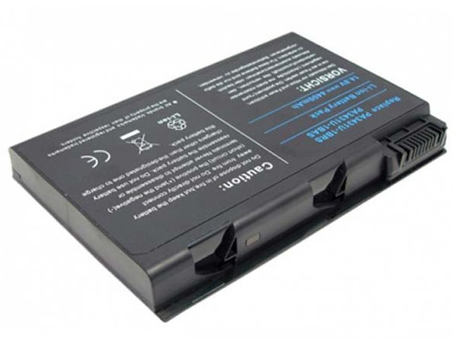
  • Toshiba Satellite M60 M65 Series Notebook Battery

    This Toshiba PA3431U-1BAS Battery has a capacity of 4300mah and a voltage of 14.8V. Suitable for Toshiba Satellite M60 M65 Series. 100% compatible and 100% safe. 1-year warranty, 30-day money back guarantee. 

    Toshiba PA3431U-1BAS 4300mah 14.8V Notebook Battery

    Toshiba PA3431U-1BAS battery


    (product code: PA3431U-1BAS) 

    (Usually ships the same business day!)

      Product details:

    • Brand: Toshiba PA3431U-1BAS Notebook batteries

    • Type: Li-ion battery

    • Voltage: 14.8V

    • Capacity: 4300mah

    • SKU: TOS2946

    Replace the following batteries:

    PA3431U-1BAS,PA3431U-1BRS

    Compatible with the following models:

    Toshiba Satellite M60 Series
    Satellite M60-132, Satellite M60-134, 
    Satellite M60-135, Satellite M60-139, 
    Satellite M60-161, Satellite M60-167, 
    Satellite M60-169, Satellite M60-182, 
    Satellite M60-183, Satellite M60-184, 
    Satellite M60-188, Satellite M60-189, 
    Satellite M60-191, Satellite M60-S6111TD, 
    Satellite M60-S8112ST, Satellite M60-S8112TD, 
    Satellite M60-S811TD
    Toshiba Satellite M65 Series
    Satellite M65-821, Satellite M65-S809,
    Satellite M65-S8091, Satellite M65-S8211,
    Satellite M65-S909, Satellite M65-S9091,
    Satellite M65-SP811

    http://www.notebookbattery.co.nz/laptop-batteies-toshiba/replace-battery-pa3431u-1bas-b2946.htm

    Laptop battery tips

    Newly bought notebooks, the first three charges do not need to reach 12 hours, because the current laptop batteries have a management chip that can control the charging limit, when the battery is full, it will automatically cut off the charging function, thus protecting the battery life and avoiding overcharging.

    It is not necessary to discharge completely before each charge, because this deep discharge will shorten the battery life. It is recommended to charge when the remaining 10% is left. In addition, when there is still more than 30% of the battery power, it is best not to charge, because the memory effect does exist. The power management software allows you to check the battery level at any time, and the HP EliteBook P-series notebooks come with a battery indicator that allows you to check the remaining battery even without turning it on.

    When plugging in AC power (connecting the power adapter), you don't need to remove the battery

    , because most laptop batteries need to be charged below 90%, and the battery naturally discharges to this capacity takes two weeks to a month, so use it every day. Notebooks don't have to worry about repeated charging and unloading, not to mention the fact that emergency power outages are more damaging to data.

    If you want to store unused batteries for a long time, you need to put them in a dry, low temperature environment while maintaining 40% of the remaining power in the battery. In addition, it is best to take out the battery once a month to ensure a good storage state and service life of the battery.

    Reducing the brightness of your notebook screen can extend the life of your notebook and reduce the number of times it is charged.

    Use some power management tools, such as the Power Assistant on the HP EliteBook P Series, which can even monitor the energy consumption of each component in real time through the PMC circuit, and accurately summarize the company's status to the HPclient Configuration Manager software, and optionally Turn off the specified parts to extend battery life.

    ABOUT US

    Wholesale and retail Notebook Battery in NZ. Replacement for Acer, Apple, Compaq, Dell, FUJITSU, IBM,Lenovo,Sony and so on.

    These may be you want to look for :

    GNS-I60 battery replacement for Gigabyte P35N P35W P35X P37K P37X P57X P35G P57W

    P750BAT-8 battery replacement for Clevo P750ZM P771ZM NP9772 NP9773

    DC-NU2-BAT_3S1P battery replacement for DC-NU2-BAT 3S1P

    SB10K97595 battery replacement for Lenovo SB10K97595 01AV442 01AV443

    TLP018B2 battery replacement for Alcatel ONETOUCH Fierce 7024 7024w 7024n Ot-6030a 6030 S820

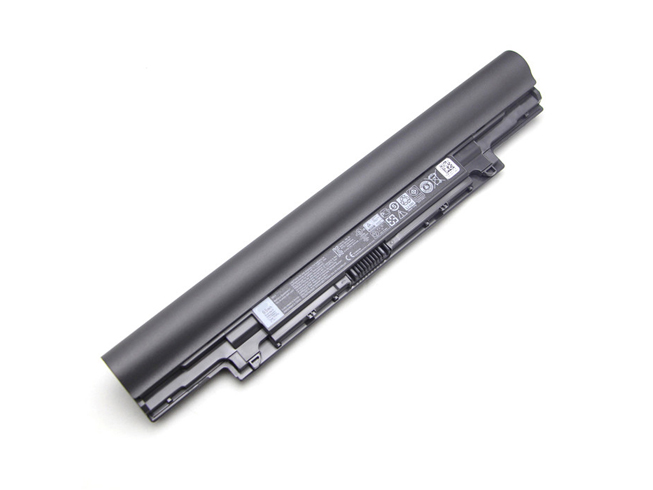
  • Dell YFOF9 5800mah/66Wh 11.1V Notebook Battery

    This Dell YFOF9 Battery has a capacity of 5800mah/66Wh and a voltage of 11.1V. Suitable for Dell V131 2 Series Latitude 3340. 100% compatible and 100% safe. 1-year warranty, 30-day money back guarantee. 

    Dell YFOF9 5800mah/66Wh 11.1V Notebook Battery

    Dell YFOF9 battery


    (product code: YFOF9) 

    (Usually ships the same business day!)

      Product details:

    • Brand: Dell YFOF9 Notebook batteries

    • Type: Li-ion battery

    • Voltage: 11.1V

    • Capacity: 5800mah/66Wh

    • SKU: DEL2342_1

    Replace the following batteries:

    YFDF9 YFOF9 5MTD8 HGJW8

    Compatible with the following models:

    DELL V131 2 Series
    Latitude 3340 3350

    http://www.notebookbattery.co.nz/laptop-batteies-dell/replace-battery-yfof9-b178881.htm

    Laptop battery tips

    Newly bought notebooks, the first three charges do not need to reach 12 hours, because the current laptop batteries have a management chip that can control the charging limit, when the battery is full, it will automatically cut off the charging function, thus protecting the battery life and avoiding overcharging.

    It is not necessary to discharge completely before each charge, because this deep discharge will shorten the battery life. It is recommended to charge when the remaining 10% is left. In addition, when there is still more than 30% of the battery power, it is best not to charge, because the memory effect does exist. The power management software allows you to check the battery level at any time, and the HP EliteBook P-series notebooks come with a battery indicator that allows you to check the remaining battery even without turning it on.

    When plugging in AC power (connecting the power adapter), you don't need to remove the battery

    , because most laptop batteries need to be charged below 90%, and the battery naturally discharges to this capacity takes two weeks to a month, so use it every day. Notebooks don't have to worry about repeated charging and unloading, not to mention the fact that emergency power outages are more damaging to data.

    If you want to store unused batteries for a long time, you need to put them in a dry, low temperature environment while maintaining 40% of the remaining power in the battery. In addition, it is best to take out the battery once a month to ensure a good storage state and service life of the battery.

    Reducing the brightness of your notebook screen can extend the life of your notebook and reduce the number of times it is charged.

    Use some power management tools, such as the Power Assistant on the HP EliteBook P Series, which can even monitor the energy consumption of each component in real time through the PMC circuit, and accurately summarize the company's status to the HPclient Configuration Manager software, and optionally Turn off the specified parts to extend battery life.

    ABOUT US

    Wholesale and retail Notebook Battery in NZ. Replacement for Acer, Apple, Compaq, Dell, FUJITSU, IBM,Lenovo,Sony and so on.

    These may be you want to look for :

    C11N1541 battery replacement for ASUS W1502QF ZenWatch 2 0B200-01760100

    HD04XL battery replacement for HP Envy Spectre XT 13-2120tu 13-2021tu 13-2000eg

    VGP-BPS33 battery replacement for SONY VAIO T VAIO T14 T15

    FMVNBP189 battery replacement for Fujitsu LifeBook A530 A531 AH530 AH531 LH520 LH522 PH521 FPCBP250

    TLp030JC battery replacement for Alcatel A3 XL 9008j

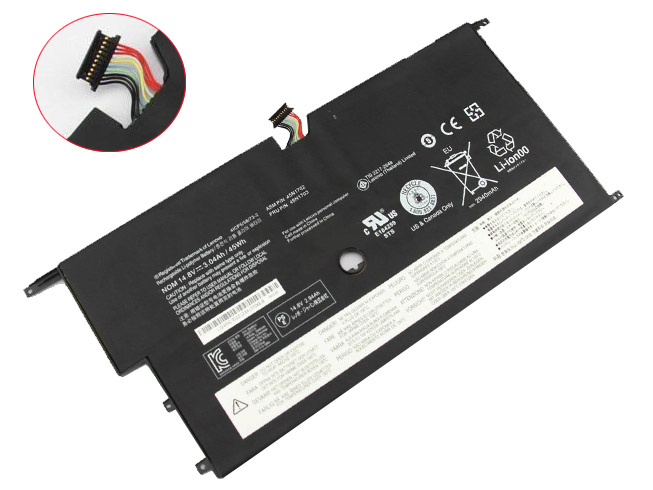
  • 3.04AH/45WH 14.8V Li-ion Lenovo Notebook Battery for Lenovo Portege, Lenovo ThinkPad New X1 Carbon 14 Series

    This Lenovo 45N1702 Battery has a capacity of 3.04AH/45WH and a voltage of 14.8V. Suitable for Lenovo ThinkPad New X1 Carbon 14 Series. 100% compatible and 100% safe. 1-year warranty, 30-day money back guarantee. 

    Lenovo 45N1702 3.04AH/45WH 14.8V Notebook Battery

    Lenovo 45N1702 battery


    (product code: 45N1702) 

    (Usually ships the same business day!)

      Product details:

    • Brand: Lenovo 45N1702 Notebook batteries

    • Type: Li-ion battery

    • Voltage: 14.8V

    • Capacity: 3.04AH/45WH

    • SKU: LEN2345

    Replace the following batteries:

    45N1701 45N1702 45N1703 4ICP5/58/73-2

    Compatible with the following models:

    Lenovo ThinkPad X1 Carbon Gen 2 20A7, 20A8 (ThinkPad New X1 Carbon 20A7A04ACD 14-Inch)
    20A8 Version 2014 Series
    Lenovo ThinkPad New X1 Carbon 14

    http://www.notebookbattery.co.nz/laptop-batteies-lenovo/replace-battery-45n1702-b178882.htm

    Laptop battery tips

    Newly bought notebooks, the first three charges do not need to reach 12 hours, because the current laptop batteries have a management chip that can control the charging limit, when the battery is full, it will automatically cut off the charging function, thus protecting the battery life and avoiding overcharging.

    It is not necessary to discharge completely before each charge, because this deep discharge will shorten the battery life. It is recommended to charge when the remaining 10% is left. In addition, when there is still more than 30% of the battery power, it is best not to charge, because the memory effect does exist. The power management software allows you to check the battery level at any time, and the HP EliteBook P-series notebooks come with a battery indicator that allows you to check the remaining battery even without turning it on.

    When plugging in AC power (connecting the power adapter), you don't need to remove the battery

    , because most laptop batteries need to be charged below 90%, and the battery naturally discharges to this capacity takes two weeks to a month, so use it every day. Notebooks don't have to worry about repeated charging and unloading, not to mention the fact that emergency power outages are more damaging to data.

    If you want to store unused batteries for a long time, you need to put them in a dry, low temperature environment while maintaining 40% of the remaining power in the battery. In addition, it is best to take out the battery once a month to ensure a good storage state and service life of the battery.

    Reducing the brightness of your notebook screen can extend the life of your notebook and reduce the number of times it is charged.

    Use some power management tools, such as the Power Assistant on the HP EliteBook P Series, which can even monitor the energy consumption of each component in real time through the PMC circuit, and accurately summarize the company's status to the HPclient Configuration Manager software, and optionally Turn off the specified parts to extend battery life.

    ABOUT US

    Wholesale and retail Notebook Battery in NZ. Replacement for Acer, Apple, Compaq, Dell, FUJITSU, IBM,Lenovo,Sony and so on.

    These may be you want to look for :

    VV09XL battery replacement for HP ZBook 15 17 G3

    776622-001 battery replacement for HP 14-Y 15-F

    0G33TT battery replacement for DELL Alienware 17 18 17x 18x 86WH

    SNN5958A battery replacement for Motorola XT1585 Droid Turbo 2 XT1581 +Tool

    C31N1610 battery replacement for ASUS ZenBook UX330CA

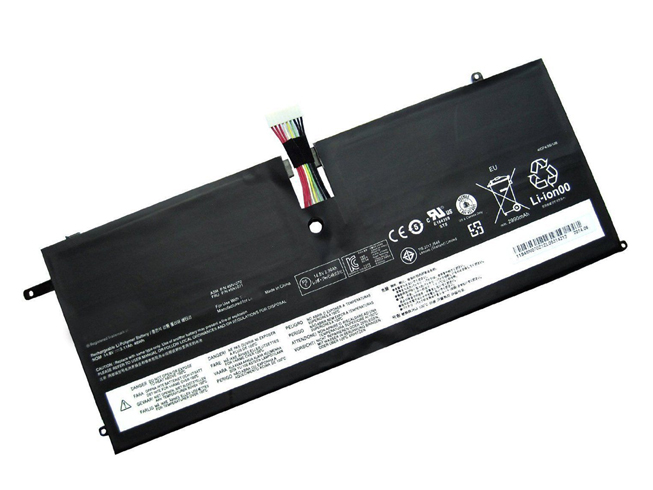
  • Battery Replacement For Lenovo 45N1070 Notebook Battery

    This Lenovo 45N1070 Battery has a capacity of 46wh and a voltage of 14.8V. Suitable for Lenovo ThinkPad X1 Carbon 3444 3448 3460. 100% compatible and 100% safe. 1-year warranty, 30-day money back guarantee. 

    Lenovo 45N1070 46wh 14.8V Notebook Battery

    Lenovo 45N1070 battery


    (product code: 45N1070) 

    (Usually ships the same business day!)

      Product details:

    • Brand: Lenovo 45N1070 Notebook batteries

    • Type: Li-ion battery

    • Voltage: 14.8V

    • Capacity: 46wh

    • SKU: LEN1070

    Replace the following batteries:

    45N1070 45N1071 4ICP4/51/95

    Compatible with the following models:

    Lenovo ThinkPad X1 Carbon Series
    ThinkPad X1 Carbon (3444)
    ThinkPad X1 Carbon 3444-54U 3444-53U 3444-52U 3444-4ZU 3444-2KU 3444-2HU 3444-2GU 3444-2DU 3444-28U 3444-25U
    ThinkPad X1 Carbon (3448)
    ThinkPad X1 Carbon 3448-3AU 3448-39U 3448-34U 3448-2MU 3448-35U 3448-25U 3448-24U 3448-23U 3448-22U
    ThinkPad X1 Carbon (3460)
    ThinkPad X1 Carbon 3460-37U 3460-36U 3460-35U 3460-34U 3460-25U 3460-24U 3460-23U3460-22U 
    Lenovo ThinkPad X1 Carbon with win8
    Lenovo ThinkPad X1 Carbon (3444) Series win8
    ThinkPad X1 Carbon 3444-BFU 3444-BEU 3444-BDU 3444-BCU 3444-B9U 3444-B8U 3444-B7U 3444-AZU 3444-59U 3444-55U 3444-FGU 3444-FFU 3444-FEU 3444-FDU 3444-FCU 3444-FBU 3444-FAU 3444-F9U 3444-F8U 3444-F7U 3444-BBU 3444-BAU 3444-AWU 3444-5AU 3444-56U
    Lenovo ThinkPad X1 Carbon 3448 Series win8
    ThinkPad X1 Carbon 3448-5DU 3448-5CU 3448-5BU 3448-5AU 3448-59U 3448-58U 3448-95U 3448-94U 3448-AYU 3448-AXU 3448-AWU 3448-AVU
    Lenovo ThinkPad X1 Carbon 3460 Series win8 ThinkPad X1 Carbon3460-5CU 3460-5DU 3460-5BU 3460-5AU 3460-59U 3460-58U 3460-B2U 3460-AZU 3460-AYU 3460-AXU 3460-AWU 3460-AVU
    Lenovo ThinkPad X1 Carbon win8 MultiTouch Series
    Lenovo ThinkPad X1 Carbon (3460)Series
    ThinkPad X1 Carbo 3460-AMU 3460-ALU 3460-9WU 3460-9VU 3460-9UU 3460-9TU 3460-9SU 3460-9RU 3460-BQU 3460-BPU 3460-BNU 3460-BGU 3460-BFU 3460-BEU 3460-BDU 3460-BRU
    Lenovo ThinkPad X1 Carbon (3448) Series ThinkPad X1 Carbo 3448-8SU 3448-8RU 3448-7PU 3448-7NU 3448-7MU 3448-7FU 3448-BBU 3448-B8U 3448-B6U 3448-B4U 3448-B3U 3448-B2U 3448-AZU
    Lenovo ThinkPad X1 Carbon (3444) ThinkPad X1 Carbo 3444-CYU 3444-CXU 3444-CWU 3444-CUU

    http://www.notebookbattery.co.nz/laptop-batteies-lenovo/replace-battery-45n1070-b178883.htm

    Laptop battery tips

    Newly bought notebooks, the first three charges do not need to reach 12 hours, because the current laptop batteries have a management chip that can control the charging limit, when the battery is full, it will automatically cut off the charging function, thus protecting the battery life and avoiding overcharging.

    It is not necessary to discharge completely before each charge, because this deep discharge will shorten the battery life. It is recommended to charge when the remaining 10% is left. In addition, when there is still more than 30% of the battery power, it is best not to charge, because the memory effect does exist. The power management software allows you to check the battery level at any time, and the HP EliteBook P-series notebooks come with a battery indicator that allows you to check the remaining battery even without turning it on.

    When plugging in AC power (connecting the power adapter), you don't need to remove the battery

    , because most laptop batteries need to be charged below 90%, and the battery naturally discharges to this capacity takes two weeks to a month, so use it every day. Notebooks don't have to worry about repeated charging and unloading, not to mention the fact that emergency power outages are more damaging to data.

    If you want to store unused batteries for a long time, you need to put them in a dry, low temperature environment while maintaining 40% of the remaining power in the battery. In addition, it is best to take out the battery once a month to ensure a good storage state and service life of the battery.

    Reducing the brightness of your notebook screen can extend the life of your notebook and reduce the number of times it is charged.

    Use some power management tools, such as the Power Assistant on the HP EliteBook P Series, which can even monitor the energy consumption of each component in real time through the PMC circuit, and accurately summarize the company's status to the HPclient Configuration Manager software, and optionally Turn off the specified parts to extend battery life.

    ABOUT US

    Wholesale and retail Notebook Battery in NZ. Replacement for Acer, Apple, Compaq, Dell, FUJITSU, IBM,Lenovo,Sony and so on.

    These may be you want to look for :

    L13M2P22 battery replacement for Lenovo MIIX2 3 10 Series

    PC-VP-WP136 battery replacement for NEC WP136 LS550MSR LS350MSR LS150MSR series

    BL204 battery replacement for Lenovo A670T A586 A630T A765E A696

    L13M4P21 battery replacement for Lenovo Yoga 2 11

    191YN battery replacement for DELL Alienware 15 (ALW15ED-1828)191YN ALW15ED

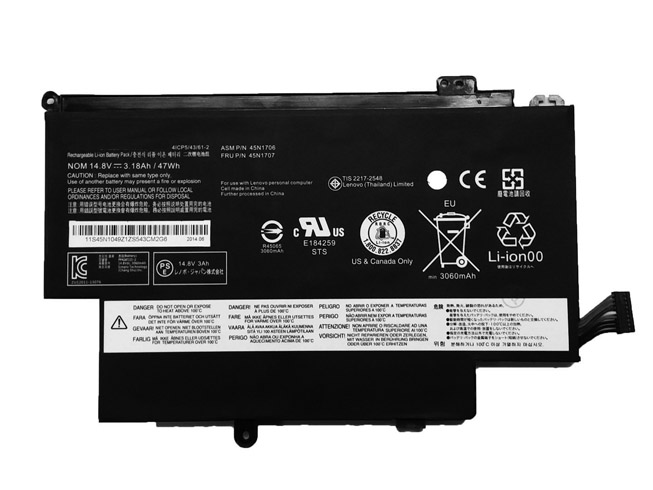
  • Lenovo Thinkpad 12.5inch S1 Yoga replacement for 45N1704 battery

    This Lenovo 45N1704 Battery has a capacity of 3180mAh/47WH and a voltage of 14.8V. Suitable for Lenovo Thinkpad 12.5inch S1 Yoga. 100% compatible and 100% safe. 1-year warranty, 30-day money back guarantee. 

    Lenovo 45N1704 3180mAh/47WH 14.8V Notebook Battery

    Lenovo 45N1704 battery


    (product code: 45N1704) 

    (Usually ships the same business day!)

      Product details:

    • Brand: Lenovo 45N1704 Notebook batteries

    • Type: Li-ion battery

    • Voltage: 14.8V

    • Capacity: 3180mAh/47WH

    • SKU: LEN2348

    Replace the following batteries:

    45N1705 45N1707 45N1704 45N1706

    Compatible with the following models:

    Lenovo Thinkpad 12.5inch S1 Yoga 20cds00800 20cds00700 20cds00500 Laptop

    http://www.notebookbattery.co.nz/laptop-batteies-lenovo/replace-battery-45n1704-b178884.htm

    Laptop battery tips

    Newly bought notebooks, the first three charges do not need to reach 12 hours, because the current laptop batteries have a management chip that can control the charging limit, when the battery is full, it will automatically cut off the charging function, thus protecting the battery life and avoiding overcharging.

    It is not necessary to discharge completely before each charge, because this deep discharge will shorten the battery life. It is recommended to charge when the remaining 10% is left. In addition, when there is still more than 30% of the battery power, it is best not to charge, because the memory effect does exist. The power management software allows you to check the battery level at any time, and the HP EliteBook P-series notebooks come with a battery indicator that allows you to check the remaining battery even without turning it on.

    When plugging in AC power (connecting the power adapter), you don't need to remove the battery

    , because most laptop batteries need to be charged below 90%, and the battery naturally discharges to this capacity takes two weeks to a month, so use it every day. Notebooks don't have to worry about repeated charging and unloading, not to mention the fact that emergency power outages are more damaging to data.

    If you want to store unused batteries for a long time, you need to put them in a dry, low temperature environment while maintaining 40% of the remaining power in the battery. In addition, it is best to take out the battery once a month to ensure a good storage state and service life of the battery.

    Reducing the brightness of your notebook screen can extend the life of your notebook and reduce the number of times it is charged.

    Use some power management tools, such as the Power Assistant on the HP EliteBook P Series, which can even monitor the energy consumption of each component in real time through the PMC circuit, and accurately summarize the company's status to the HPclient Configuration Manager software, and optionally Turn off the specified parts to extend battery life.

    ABOUT US

    Wholesale and retail Notebook Battery in NZ. Replacement for Acer, Apple, Compaq, Dell, FUJITSU, IBM,Lenovo,Sony and so on.

    These may be you want to look for :

    9KGF8 battery replacement for Dell Latitude E6430U 6 Cell Extended Life

    AA06XL battery replacement for HP ZBook 17 G4-2ZC18ES Z3R03UT

    L12S4Z51 battery replacement for Lenovo M490S M490SA K4350 K2450 K4250 B490S M4400S

    PABAS213 battery replacement for Toshiba Qosmio T750 T751 T851 F60 F750 F755 V65

    SP3496A8H battery replacement for Samsung Google Nexus 10 GT-P8110 HA32ARB Tab

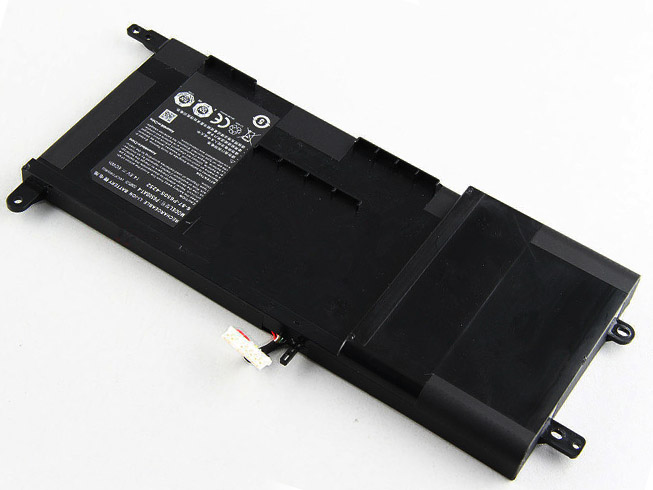
  • Clevo P650SA P650SE P650SG Sager NP8650 NP8651 NP8652 Notebook Battery

    This Clevo P650BAT-4 Battery has a capacity of 60WH and a voltage of 14.8V. Suitable for Clevo P650SA P650SE P650SG Sager NP8650 NP8651 NP8652 . 100% compatible and 100% safe. 1-year warranty, 30-day money back guarantee. 

    Clevo P650BAT-4 60WH 14.8V Notebook Battery

    Clevo P650BAT-4 battery


    (product code: P650BAT-4) 

    (Usually ships the same business day!)

      Product details:

    • Brand: Clevo P650BAT-4 Notebook batteries

    • Type: Li-ion battery

    • Voltage: 14.8V

    • Capacity: 60WH

    • SKU: CLE2349

    Replace the following batteries:

    P650BAT-4 6-87-P650S-4252

    Compatible with the following models:

    Clevo P650SA
    Clevo P650SE
    Clevo P650SG
    Sager NP8650
    Sager NP8651
    Sager NP8652
    Hasee Z7m

    http://www.notebookbattery.co.nz/laptop-batteies-clevo/replace-battery-p650bat-4-b178885.htm

    Laptop battery tips

    Newly bought notebooks, the first three charges do not need to reach 12 hours, because the current laptop batteries have a management chip that can control the charging limit, when the battery is full, it will automatically cut off the charging function, thus protecting the battery life and avoiding overcharging.

    It is not necessary to discharge completely before each charge, because this deep discharge will shorten the battery life. It is recommended to charge when the remaining 10% is left. In addition, when there is still more than 30% of the battery power, it is best not to charge, because the memory effect does exist. The power management software allows you to check the battery level at any time, and the HP EliteBook P-series notebooks come with a battery indicator that allows you to check the remaining battery even without turning it on.

    When plugging in AC power (connecting the power adapter), you don't need to remove the battery

    , because most laptop batteries need to be charged below 90%, and the battery naturally discharges to this capacity takes two weeks to a month, so use it every day. Notebooks don't have to worry about repeated charging and unloading, not to mention the fact that emergency power outages are more damaging to data.

    If you want to store unused batteries for a long time, you need to put them in a dry, low temperature environment while maintaining 40% of the remaining power in the battery. In addition, it is best to take out the battery once a month to ensure a good storage state and service life of the battery.

    Reducing the brightness of your notebook screen can extend the life of your notebook and reduce the number of times it is charged.

    Use some power management tools, such as the Power Assistant on the HP EliteBook P Series, which can even monitor the energy consumption of each component in real time through the PMC circuit, and accurately summarize the company's status to the HPclient Configuration Manager software, and optionally Turn off the specified parts to extend battery life.

    ABOUT US

    Wholesale and retail Notebook Battery in NZ. Replacement for Acer, Apple, Compaq, Dell, FUJITSU, IBM,Lenovo,Sony and so on.

    These may be you want to look for :

    GX-17S battery replacement for Gigabyte Aorus X3 Plus X5 X5S X7 V2 V3 V4 V5 V6

    Li3821T44P6h3342A5 battery replacement for ZTE Nubia My Prague NX513J M5M

    K81RP battery replacement for Dell Venue 8 7840 WIFI 16GB venue 8 7000(7840) 5PD40

    C21N1409 battery replacement for ASUS VM490 VM490L Tablet Series

    LIS1525ERPC battery replacement for Sony Xperia Z1 C6902 C6903 C6906 L39h

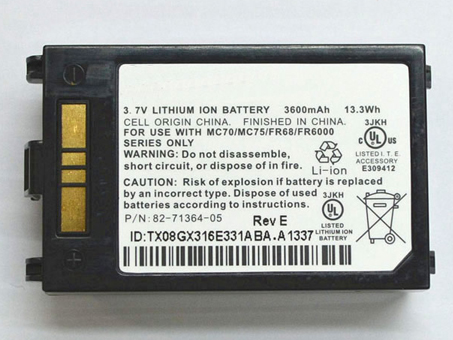
  • Symbol MOTOROLA MC70 MC75 FR68 MC7090 MC7004 battery-82-71364-03 battery

    This MOTOROLA 82-71364-03 Battery has a capacity of 3600mAh/13.3Wh and a voltage of 3.7V. Suitable for Symbol MOTOROLA MC70 MC75 FR68 MC7090 MC7004. 100% compatible and 100% safe. 1-year warranty, 30-day money back guarantee. 

    MOTOROLA 82-71364-03 3600mAh/13.3Wh 3.7V battery

    MOTOROLA 82-71364-03 battery


    (product code: 82-71364-03) 

    (Usually ships the same business day!)

      Product details:

    • Brand: MOTOROLA 82-71364-03 batteries

    • Type: Li-ion battery

    • Voltage: 3.7V

    • Capacity: 3600mAh/13.3Wh

    • SKU: ECNM1083_Oth

    Replace the following batteries:

    82-71364-03 82-71364-05

    Compatible with the following models:

    Symbol MOTOROLA MC70, MC75, FR68锛孧C7090, MC7094锛孧C7004

    http://www.notebookbattery.co.nz/laptop-batteies-motorola/replace-battery-82-71364-03-b178291.htm

    ABOUT US

    Wholesale and retail Notebook Battery in NZ. Replacement for Acer, Apple, Compaq, Dell, FUJITSU, IBM,Lenovo,Sony and so on.

    These may be you want to look for :

    RYXXH battery replacement for DELL Latitude 12 5000 E5250 Series

    B_22/2.6 battery replacement for Hilti B 22/2.6/2.1Ah Cordless tool

    24P8062 battery replacement for IBM CONTRLR CACHE DS4100/DS4300

    2116092 battery replacement for Hilti 2116092 B18/5.2

    EB-BG920ABE battery replacement for Samsung Galaxy S6 G9200

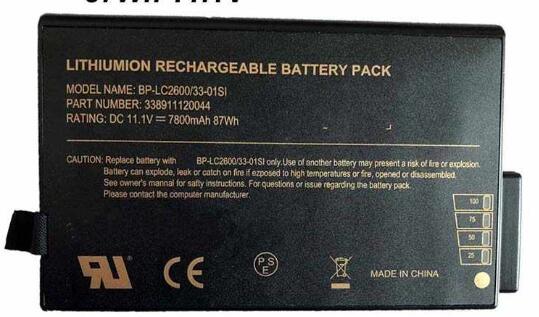
  • 7800mah 11.1V Li-ion Getac Notebook Battery for Getac Portege, Getac V100 V200 B300 X500 Getac S400 6-Cell Weight Saver

    This Getac BP-LC2600/33-0101SI Battery has a capacity of 7800mah and a voltage of 11.1V. Suitable for Getac V100 V200 B300 X500 Getac S400 6-Cell Weight Saver . 100% compatible and 100% safe. 1-year warranty, 30-day money back guarantee. 

    Getac BP-LC2600/33-0101SI 7800mah 11.1V Notebook Battery

    Getac BP-LC2600/33-0101SI battery


    (product code: BP-LC2600/33-0101SI) 

    (Usually ships the same business day!)

      Product details:

    • Brand: Getac BP-LC2600/33-0101SI Notebook batteries

    • Type: Li-ion battery

    • Voltage: 11.1V

    • Capacity: 7800mah

    • SKU: GET2684

    Replace the following batteries:

    338911120044 BP-LC2600/33-0101SI

    Compatible with the following models:

    Getac V100 V200 B300 X500 Getac S400

    http://www.notebookbattery.co.nz/laptop-batteies-getac/replace-battery-bp-lc2600/33-0101si-b178295.htm

    Laptop battery tips

    Newly bought notebooks, the first three charges do not need to reach 12 hours, because the current laptop batteries have a management chip that can control the charging limit, when the battery is full, it will automatically cut off the charging function, thus protecting the battery life and avoiding overcharging.

    It is not necessary to discharge completely before each charge, because this deep discharge will shorten the battery life. It is recommended to charge when the remaining 10% is left. In addition, when there is still more than 30% of the battery power, it is best not to charge, because the memory effect does exist. The power management software allows you to check the battery level at any time, and the HP EliteBook P-series notebooks come with a battery indicator that allows you to check the remaining battery even without turning it on.

    When plugging in AC power (connecting the power adapter), you don't need to remove the battery

    , because most laptop batteries need to be charged below 90%, and the battery naturally discharges to this capacity takes two weeks to a month, so use it every day. Notebooks don't have to worry about repeated charging and unloading, not to mention the fact that emergency power outages are more damaging to data.

    If you want to store unused batteries for a long time, you need to put them in a dry, low temperature environment while maintaining 40% of the remaining power in the battery. In addition, it is best to take out the battery once a month to ensure a good storage state and service life of the battery.

    Reducing the brightness of your notebook screen can extend the life of your notebook and reduce the number of times it is charged.

    Use some power management tools, such as the Power Assistant on the HP EliteBook P Series, which can even monitor the energy consumption of each component in real time through the PMC circuit, and accurately summarize the company's status to the HPclient Configuration Manager software, and optionally Turn off the specified parts to extend battery life.

    ABOUT US

    Wholesale and retail Notebook Battery in NZ. Replacement for Acer, Apple, Compaq, Dell, FUJITSU, IBM,Lenovo,Sony and so on.

    These may be you want to look for :

    rz09-0166 battery replacement for Razer Blade F1 Pro 17.3 4K i7-7820HK

    0PD19 battery replacement for Dell Inspiron 15 5445 5448

    HV02XL battery replacement for HP HSTNN-LB6P TPN-Q164 TPN-W112 796219-421

    PR-2570152 battery replacement for HP 827562-001 2570152

    C21N1334 battery replacement for ASUS Transformer Book T200TA