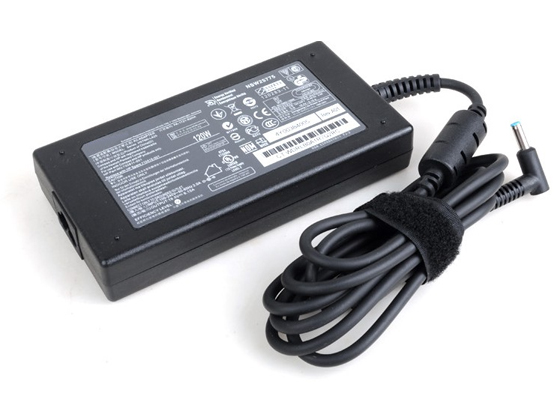
Replace Laptop battery in NZ

Category: Laptop Battery

Battery introduction about hp,acer,sony… in notebookbattery.co.nz

  • Buy 3950mAh 7.5V HP HSTNN-LB6G for HP Split x2 13-R010dx TPN-C118

    High Quality Replacement HP HSTNN-LB6G Battery. Buy Quality 3950mAh ,7.5V HP HSTNN-LB6G for HP Split x2 13-R010dx TPN-C118

    HP HSTNN-LB6G 756186-421 Replacement Battery [3950mAh, 7.5V]

    Laptop battery>> HP HSTNN-LB6G battery Replacement

    Replace the following part numbers:
    SK02XL HSTNN-LB6G 756186-421 756416-001
    Fits the Following Models:
    HP Split x2 13-R010dx 13.3inch TPN-C118 TPN-C119

    Tips to extend your HP HSTNN-LB6G 756186-421 battery life
    Sleep Is Good
    1.Use laptop's power management features to set targets for when the machine will slip into sleep mode(say,after 2 minutes of inactivity) and set the notebook to hibernate when you close the lip.This will help you save HP HSTNN-LB6G battery power during the business trip or vacation.
    Dim the Lights
    2.Turn down the brightness of the LCD panel or use function key (Fn), and the corresponding key to lower the resolution on your screen as low as you can.
    Banish Non-Essential Components
    3.When you aren't using the Bluetooth, Wi-Fi and IR devices,just turn them off.It's crucial when you're on HSTNN-LB6G battery power,especially when your aren't close to a power source.
    Turn Off the Autosave Function
    4.MS-Word’s and Excel’s autosave functions are great but because they keep saving regular intervals, they work your hard driver harder than it may have to.Disabling the autosave feature from these applications will help you save power and prolong the HP HSTNN-LB6G battery life.
    How long can a new HP HSTNN-LB6G computer battery drive the computer? It is difficult to determine the operation time of the laptop battery. The actual operation time depends on how much electricity is required by the device. The screen size, hard disk and other accessories may consume extra electricity and shorten the operation time. The total operation time of the HP HSTNN-LB6G computer battery also depends on the design of the device. Generally, a HP HSTNN-LB6G computer battery of a standard volume is designed to drive the computer for more than two hours. Long stand-by and conversation duration
    With the maximum capacity for this type of rechargeable battery!
    High quality battery cells with long service life
    Precision production
    Replacement for the original rechargeable batteries of the models listed above
    Can be charged using any charger suitable for the device
    No memory effect
    Protection from overloading/overheating/short circuiting
    Maximum possible safety!
     

    Panasonic DMW-BLC12E for Panasonic G6 FZ200

    ACER AL13B3K for Acer Aspire R7 R7-571

    REMS 571545 for REMS series

    Dell 9KGF8 for Dell Latitude 6430u Ultrabook

    MSI BTY-M6F for MSI GS60

    Generally, the charging of a battery begins only when the electricity volume is lower than 95%. Due to existence of natural consumption, the battery consumption is basically the same no matter whether you remove the battery or not while the computer is working. However, we recommend you not to remove the LENOVO Laptop Battery while operating the computer because this prevents the data loss in case of abrupt interruption of the AC supply. If you remove the battery, wrap it into a fresh keeping film and put in a dry and cool place. Remember to perform a complete charging and discharging cycle for the battery every month to prevent the battery from losing activity.

    Fast Delivery, Secure Shopping Guarantee – Cell Phone Batteries / Computer Power Supply Online Store(UK)

    Batterijen Sales Nederland / België HP HSTNN-LB6G ACCU >> HP BATTERIJEN
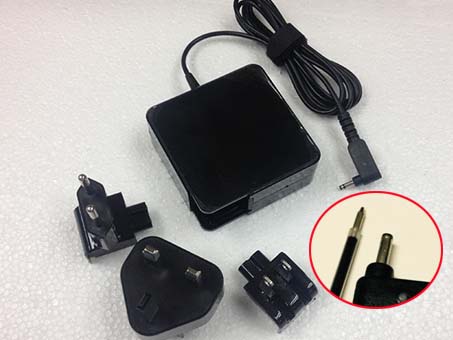
  • 38Wh 11.1V New Battery Dell RYXXH For DELL Latitude 12 5000 E5250

    UK Shop from the world's largest selection and best deals for ASUS C21N1313 Batteries. Wholesale and retail ASUS C21N1313 rechargeable laptop batteries. UK-online.co.uk offers an extensive selection of quality Ni-MH, Ni-CD, and Li-ion replacement batteries for laptops and notebooks. All battery models are manufactured following the strict ISO-900 quality standards, and are innovatively designed to be of high capacity and durability. For high quality rechargeable batteries at the right price, you need not look any further than UK-online.co.uk. 

    ASUS C21N1313 Replacement Battery [33Wh, 7.54V]

    Laptop battery>> ASUS C21N1313 battery Replacement

    Replace the following part numbers:
    C21N1313
    Fits the Following Models: 
    ASUS TX201 SERIES

    Tips to extend your ASUS C21N1313 battery life
    Sleep Is Good
    1.Use laptop's power management features to set targets for when the machine will slip into sleep mode(say,after 2 minutes of inactivity) and set the notebook to hibernate when you close the lip.This will help you save ASUS C21N1313 battery power during the business trip or vacation.
    Dim the Lights
    2.Turn down the brightness of the LCD panel or use function key (Fn), and the corresponding key to lower the resolution on your screen as low as you can.
    Banish Non-Essential Components
    3.When you aren't using the Bluetooth, Wi-Fi and IR devices,just turn them off.It's crucial when you're on C21N1313 battery power,especially when your aren't close to a power source.
    Turn Off the Autosave Function
    4.MS-Word’s and Excel’s autosave functions are great but because they keep saving regular intervals, they work your hard driver harder than it may have to.Disabling the autosave feature from these applications will help you save power and prolong the ASUS C21N1313 battery life. 
    How long can a new ASUS C21N1313 computer battery drive the computer? It is difficult to determine the operation time of the laptop battery. The actual operation time depends on how much electricity is required by the device. The screen size, hard disk and other accessories may consume extra electricity and shorten the operation time. The total operation time of the ASUS C21N1313 computer battery also depends on the design of the device. Generally, a ASUS C21N1313 computer battery of a standard volume is designed to drive the computer for more than two hours. Long stand-by and conversation duration
    With the maximum capacity for this type of rechargeable battery!
    High quality battery cells with long service life
    Precision production
    Replacement for the original rechargeable batteries of the models listed above
    Can be charged using any charger suitable for the device
    No memory effect
    Protection from overloading/overheating/short circuiting
    Maximum possible safety!
     

    Apple 616-0805 for Li-Ion Battery w/ Flex Cable For Apple iPhone 6 4.7inch + Tools

    SAMSUNG AA-PBPN8NP for Samsung NP700Z3A NP700Z Series

    fujitsu FPCBP160 for FUJITSU A3120 A3130 A3210 A6025 A6030 A6110 A6120 Series

    Dell 191YN for DELL Alienware 15 (ALW15ED-1828)191YN ALW15ED 

    Dell TKN25 for Dell Vostro 3360 Series

    Generally, the charging of a battery begins only when the electricity volume is lower than 95%. Due to existence of natural consumption, the battery consumption is basically the same no matter whether you remove the battery or not while the computer is working. However, we recommend you not to remove the LENOVO Laptop Battery while operating the computer because this prevents the data loss in case of abrupt interruption of the AC supply. If you remove the battery, wrap it into a fresh keeping film and put in a dry and cool place. Remember to perform a complete charging and discharging cycle for the battery every month to prevent the battery from losing activity.

    Fast Delivery, Secure Shopping Guarantee – Cell Phone Batteries / Computer Power Supply Online Store(UK)

    Batterijen Sales Nederland / België ASUS C21N1313 ACCU >> ASUS BATTERIJEN

  • SAMSUNG NP900X4C Replacement Battery

    High Quality Replacement Samsung NP900X4C Battery. Buy Quality 8400mAh/62Wh ,7.4V Samsung NP900X4C for 900X4 900X4B 900X4D

    SAMSUNG NP900X4C Replacement Battery [8400mAh/62Wh, 7.4V]

    Laptop battery>> Samsung NP900X4C battery Replacement

    Replace the following part numbers:
    AA-PBXN8AR
    Fits the Following Models:
    Samsung 900X4, 900X46, 900X4B-A01DE, 900X4B-A01FR, 900X4B-A02, 900X4B-A02US, 900X4B-A03, 900X4C-A01, 900X4C-A04DE, 900X4D-A01, NP900X4, NP900X4C-A01CN

    Tips to extend your SAMSUNG battery life
    Sleep Is Good
    1.Use laptop's power management features to set targets for when the machine will slip into sleep mode(say,after 2 minutes of inactivity) and set the notebook to hibernate when you close the lip.This will help you save Samsung NP900X4C battery power during the business trip or vacation.
    Dim the Lights
    2.Turn down the brightness of the LCD panel or use function key (Fn), and the corresponding key to lower the resolution on your screen as low as you can.
    Banish Non-Essential Components
    3.When you aren't using the Bluetooth, Wi-Fi and IR devices,just turn them off.It's crucial when you're on NP900X4C battery power,especially when your aren't close to a power source.
    Turn Off the Autosave Function
    4.MS-Word’s and Excel’s autosave functions are great but because they keep saving regular intervals, they work your hard driver harder than it may have to.Disabling the autosave feature from these applications will help you save power and prolong the Samsung NP900X4C battery life.
    How long can a new Samsung NP900X4C computer battery drive the computer? It is difficult to determine the operation time of the laptop battery. The actual operation time depends on how much electricity is required by the device. The screen size, hard disk and other accessories may consume extra electricity and shorten the operation time. The total operation time of the Samsung NP900X4C computer battery also depends on the design of the device. Generally, a Samsung NP900X4C computer battery of a standard volume is designed to drive the computer for more than two hours. Long stand-by and conversation duration
    With the maximum capacity for this type of rechargeable battery!
    High quality battery cells with long service life
    Precision production
    Replacement for the original rechargeable batteries of the models listed above
    Can be charged using any charger suitable for the device
    No memory effect
    Protection from overloading/overheating/short circuiting
    Maximum possible safety!
     

    ACER AP12A3i for Acer Aspire Timeline Ultra U M3-581TG M5-481TG AP12A4i

    Lenovo L13M4P61 for LENOVO EDGE 15 80H1 15.6inch

    ACER AL13B3K for Acer Aspire R7 R7-571

    Amazon 58-000043 for Amazon Kindle Fire HDX 7inch S12 -T1-S

    toshiba PA3534U-1BAS for Toshiba Equium A200 Series Satellite A205 Series

    Generally, the charging of a battery begins only when the electricity volume is lower than 95%. Due to existence of natural consumption, the battery consumption is basically the same no matter whether you remove the battery or not while the computer is working. However, we recommend you not to remove the LENOVO Laptop Battery while operating the computer because this prevents the data loss in case of abrupt interruption of the AC supply. If you remove the battery, wrap it into a fresh keeping film and put in a dry and cool place. Remember to perform a complete charging and discharging cycle for the battery every month to prevent the battery from losing activity.

    Fast Delivery, Secure Shopping Guarantee – Cell Phone Batteries / Computer Power Supply Online Store(UK)

    Batterijen Sales Nederland / België Samsung NP900X4C ACCU >> SAMSUNG BATTERIJEN

  • ASUS N45W-01 Power Adapter


    ASUS N45W-01 adapter

    Buy Replacement AC Power Adapter N45W-01 for ASUS Transformer Book T200T T200TA T200TA-CP004H multi

    ASUS N45W-01 Power Adapter – Product information

    NZ laptop Ac Adapter shop, buy cheap ASUS N45W-01 replacement laptop Ac
    Adapter, N45W-01 AC Adapter with low price and high quality! Brand New
    Adapters for ASUS Transformer Book T200T T200TA T200TA-CP004H multi.
    AC Input:100-240V / 50-60Hz
    DC Output: 19V 2.37A (45W)
    N45W-01 Power Adapter
    Adapter Part Numbers:
    Connector tip: 3.0mm x 1.0mm
    XB02OAPW00100Q 90-XB34N0PW00000Y ADP-45AW N45W-01
    Adapter Fit Models:

    Asus Zenbook UX21 Series
    Asus Zenbook UX21E Series
    Asus Zenbook UX31 Series
    Asus Zenbook UX31E Series
    Asus ZenBook UX31E-081A2677M
    Asus ZenBook UX31E-DH52
    Asus ZenBook UX31E-RY012V
    Asus ZenBook UX31E-RY003V
    Asus ZenBook UX31E-RY009V
    Asus ZenBook UX31E-XH51
    Asus ZenBook UX31E
    Asus ZenBook UX31E-081A
    Asus ZenBook UX31E-DH52
    Asus ZenBook UX31E-DH52-CBIL
    Asus ZenBook UX31E-SH72-CBIL
    Asus ZenBook UX31E-SH53-CBIL
    Asus ZenBook UX31E-DH72
    Asus ZenBook UX31E-DH72-RG
    Asus ZenBook UX31E-ESL8
    Asus ZenBook UX31E-RSL8
    Asus ZenBook UX31E-RHP5
    Asus ZenBook UX31E-RRG5
    Asus ZenBook UX31E-RS18
    Asus ZenBook UX31E-XB51
    Asus ZenBook UX31E-XH51
    Asus ZenBook UX31E-XH71
    Asus ZenBook UX31E-XH72
    Asus ZenBook UX31E-MA1S
    Asus ZenBook UX31E-RY003V
    Asus ZenBook UX31E-RY008V
    Asus ZenBook UX31E-RY009V
    Asus ZenBook UX31E-RY010V
    Asus ZenBook UX31E-RY012V
    Asus ZenBook UX31E-RY015V
    Asus ZenBook UX31E-RY023V
    Asus ZenBook UX31E-RY024V
    Asus ZenBook UX31E-RY025V
    Asus ZenBook UX31E-RY026V
    Asus ZenBook UX31E-RY027V
    Asus ZenBook UX31E-RY029V
    Asus ZenBook UX31E-RY003X
    Asus ZenBook UX31E-RY008X- W
    Asus ZenBook UX31E-RY018X
    Asus ZenBook UX31E-RY009X
    Asus ZenBook UX31E-RY010X
    Asus ZenBook UX31E-RY012X
    Asus ZenBook UX31E-RY020X
    Asus ZenBook UX21
    Asus ZenBook UX21E
    Asus ZenBook UX21E-DH52
    Asus ZenBook UX21E-DH71
    Asus ZenBook UX21E-ESL4
    Asus ZenBook UX21E-XH71
    Asus ZenBook UX21E-MA2S
    Asus ZenBook UX21E-ESL4
    Asus ZenBook UX21E-ESL8
    Asus ZenBook UX21E-RHP5
    Asus ZenBook UX21E-RRG5
    Asus ZenBook UX21E-KX001V
    Asus ZenBook UX21E-KX002V
    Asus ZenBook UX21E-KX004V
    Asus ZenBook UX21E-KX007V
    Asus ZenBook UX21E-KX008V
    Asus ZenBook UX21E-KX011V
    Asus ZenBook UX21E-KX012V
    Asus ZenBook UX21E-KX013V
    Asus ZenBook UX21E-KX016V
    Asus ZenBook UX21E-KX017V
    Asus ZenBook UX21E-KX019V
    Asus ZenBook UX21E-KX022V
    Asus ZenBook UX21E-SH52-CBIL
    Asus ZenBook UX21E-SH71-CBIL

    JP:ASUS N45W-01
    DE:N45W-01 Notebook-Netzteile.Das richtige ASUS Laptop Netzteil finden.

    The ASUS N45W-01 AC adapter
    is used to recharge the battery in a notebook and to provide dependable
    power for operating the notebook for long periods of time. If an AC
    adapter fails it will not recharge the battery and it will not provide
    power to operate the notebook without a battery.
    Test the ASUS N45W-01 AC Adapter
    Connect the output cord from the AC adapter to the notebook and plug
    the power cord into a working electrical outlet. Perform one or more of
    the following tasks to check the operation of the AC power adapter.
    Check the power icon in the system tray.
    If the icon resembles a power cord, and if moving the cursor over the
    icon displays the On AC Power message, the AC adapter is operating
    properly.
    If the icon resembles a battery when the AC adapter is connected, the adapter is defective.
    Check if the AC power adapter can operate the notebook when the battery is removed.
    Do a normal shutdown of the PC.
    Remove the battery from the Notebook.
    Connect the ASUS power adapter and press the Power button to start the notebook.
    If the PC does not start and operate normally, the AC adapter is defective and must be replaced.
    If the PC does start and operate normally, the AC adapter is working properly
    Determine the AC Adapter Part Number
    Different notebook models require different AC adapters. You will need
    to know the Product Number of your notebook to determine the Part
    Number of the replacement part.
    Perform one of the following tasks to find the Product Number of your notebook.
    Click Start, then click Help & Support. The product name, product
    number, and serial number of the notebook are displayed in the upper
    left hand corner of the Help and Support home page.
    If the Notebook computer is not powered on, turn it over and locate
    the ASUS Service Tag fastened to the back of the notebook. The Product
    Number (P/N) is printed on this tag. On some Notebook computers, the
    ASUS Service Tag is located inside the battery compartment. Remove the
    battery from the Notebook to view the ASUS Service Tag information.
    All Electronic >>

    Power Adapter Fast Shipping

    Adapter for 90W

    Adapter for 0957-2271

    Adapter for LA90PM130

    Adapter for VGP-AC19V47

    Adapter for 815049-001

    Adapter for 0957-2385

    Adapter for 1512

    Adapter for PA-1700-02

    Why buy laptop batteries & AC adapters from us?
    www.notebookbattery.co.nz is quite a big site for selling laptop batteries,laptop AC adapters and electronic products online.
    Low Prices Guarantee – Your best source for batteries and adapters. We
    are a new lithium battery manufacturer,Wholesaler and distributor of
    notebook computer batteries & AC adapter. Factory-direct price!
    High Quality Guarantee – The batteries and adapters are rigorously
    tested for voltage, capacity, compatibility and safety to exceed
    original equipment manufacturer’s specifications . The cheap batteries
    meet or exceed the original batteries.
    Secure Shopping Guarantee- Shopping is easy and 100% secure. We value
    your privacy and keep your order and personal information safe. We never
    share or rent our customer’s data. Click the “Add to cart” button to
    order what you need easily.
    Wholesale and retail laptop adapter in NZ. Replacement for Acer,Apple, Compaq,Dell, FUJITSU, IBM,Lenovo,Sony and so on.
    How to select laptop Adapter? Make sure the volt and currect of adapter is same as your origial. carefully check the size of tip of adapter
    is correct. check and confirm with the photo of power adapter is the
    one you are looking for. We ship to the Laptop adapter around Globe
    [USA, Canada, UK, NZ and Ireland, Australia]. View more laptop adapter.
    Contact with us if any problem on selecting power adapter.

    These may be you want to look for :
    Dell PS-5261-3DF-LF power supply,
    Dell P3JW1 power supply,
    LENOVO PC9051 power supply,
    ACER AXC105 power supply,
    Dell 235W power supply,  


  • HP ADP-150XB_B adapter


    ADP-150XB_B Universal Laptop Power Adapter. 100% Compatible with HP ZBook Studio G3 776620-001 Mobile

    Workstation.

    HP ADP-150XB B Power Adapter – Product information

    NZ laptop Ac Adapter shop, buy cheap HP ADP-150XB_B replacement laptop
    Ac Adapter, ADP-150XB_B AC Adapter with low price and high quality!
    Brand New Adapters for HP ZBook Studio G3 776620-001 Mobile

    Workstation.
    AC Input:100-240V 50-60Hz
    DC Output: 19.5V 7.7A, 150W
    ADP-150XB_B Power Adapter
    Adapter Part Numbers:
    TPN-DA03,775626-003,776620-001,ADP-150XB B
    Adapter Fit Models:
    HP ZBook 15 G3 W2Y15PA Mobile Workstation PC

    JP:HP ADP-150XB_B
    DE:ADP-150XB_B Notebook-Netzteile.Das richtige HP Laptop Netzteil finden.

    The HP ADP-150XB_B AC adapter
    is used to recharge the battery in a notebook and to provide dependable
    power for operating the notebook for long periods of time. If an AC
    adapter fails it will not recharge the battery and it will not provide
    power to operate the notebook without a battery.

    Test the HP ADP-150XB_B AC Adapter
    Connect the output cord from the AC adapter to the notebook and plug
    the power cord into a working electrical outlet. Perform one or more of
    the following tasks to check the operation of the AC power adapter.
    Check the power icon in the system tray.
    If the icon resembles a power cord, and if moving the cursor over the
    icon displays the On AC Power message, the AC adapter is operating
    properly.
    If the icon resembles a battery when the AC adapter is connected, the adapter is defective.
    Check if the AC power adapter can operate the notebook when the battery is removed.
    Do a normal shutdown of the PC.
    Remove the battery from the Notebook.
    Connect the HP power adapter and press the Power button to start the notebook.
    If the PC does not start and operate normally, the AC adapter is defective and must be replaced.
    If the PC does start and operate normally, the AC adapter is working properly

    Determine the AC Adapter Part Number
    Different notebook models require different AC adapters. You will need
    to know the Product Number of your notebook to determine the Part
    Number of the replacement part.
    Perform one of the following tasks to find the Product Number of your notebook.
    Click Start, then click Help & Support. The product name, product
    number, and serial number of the notebook are displayed in the upper
    left hand corner of the Help and Support home page.
    If the Notebook computer is not powered on, turn it over and locate
    the HP Service Tag fastened to the back of the notebook. The Product
    Number (P/N) is printed on this tag. On some Notebook computers, the HP
    Service Tag is located inside the battery compartment. Remove the
    battery from the Notebook to view the HP Service Tag information.

    All Electronic >>

    Power Adapter Fast Shipping

    Adapter for ADS-40SG

    Adapter for 200W

    Adapter for P21F

    Adapter for LA45NM150

    Adapter for PA-1250-98

    Adapter for VGP-AC19V33

    Adapter for Pro_3

    Adapter for AD820M0

    Why buy laptop batteries & AC adapters from us?
    www.notebookbattery.co.nz is quite a big site for selling laptop batteries,laptop AC adapters and electronic products online.
    Low Prices Guarantee – Your best source for batteries and adapters. We
    are a new lithium battery manufacturer,Wholesaler and distributor of
    notebook computer batteries & AC adapter. Factory-direct price!
    High Quality Guarantee – The batteries and adapters are rigorously
    tested for voltage, capacity, compatibility and safety to exceed
    original equipment manufacturer’s specifications . The cheap batteries
    meet or exceed the original batteries.
    Secure Shopping Guarantee- Shopping is easy and 100% secure. We value
    your privacy and keep your order and personal information safe. We never
    share or rent our customer’s data. Click the “Add to cart” button to
    order what you need easily.

    Wholesale and retail laptop adapter in NZ. Replacement for Acer,Apple, Compaq,Dell, FUJITSU, IBM,Lenovo,Sony and so on.

    How to select laptop Adapter? Make sure the volt and currect of adapter is same as your origial. carefully check the size of tip of adapter
    is correct. check and confirm with the photo of power adapter is the
    one you are looking for. We ship to the Laptop adapter around Globe
    [USA, Canada, UK, NZ and Ireland, Australia]. View more laptop adapter.
    Contact with us if any problem on selecting power adapter.
    These may be you want to look for :
    LENOVO FSP180-50PLV power supply,
    Dell 0T122K power supply,
    HP 633195-001 power supply,
    dell FR610 power supply,
    FSP FSP270-60LE power supply,


  • ACDP-160E01 Universal Laptop Power Adapter

    ACDP-160E01 Universal Laptop Power Adapter. 100% Compatible with Sony XBR49X800D 49″ 4K Ultra HD TV.

    SONY ACDP-160E01 Power Adapter – Product information

    NZ laptop Ac Adapter shop, buy cheap Sony ACDP-160E01 replacement laptop Ac Adapter, ACDP-160E01 AC Adapter with low price and high quality! Brand New Adapters for Sony XBR49X800D 49″ 4K Ultra HD TV.
    AC Input:AC 100V – 240V 2.45A 50-60Hz
    DC Output: 19.5V–8.21A, 160W
    ACDP-160E01 Power Adapter
    Adapter Part Numbers:
    ACDP-160E01 ACDP-160D01 149318013 16048000462
    Adapter Fit Models:
    Sony XBR49X800D 49″ 4K Ultra HD TV
    Sony ACDP-160E01 ACDP-160D01 149318013 16048000462 4K Ultra HD TV (2016 Model)
    JP:Sony ACDP-160E01
    DE:ACDP-160E01 Notebook-Netzteile.Das richtige SONY Laptop Netzteil finden.

    The Sony ACDP-160E01 AC adapter is used to recharge the battery in a notebook and to provide dependable power for operating the notebook for long periods of time. If an AC adapter fails it will not recharge the battery and it will not provide power to operate the notebook without a battery.

    Test the Sony ACDP-160E01 AC Adapter
    Connect the output cord from the AC adapter to the notebook and plug the power cord into a working electrical outlet. Perform one or more of the following tasks to check the operation of the AC power adapter.
    Check the power icon in the system tray.
    If the icon resembles a power cord, and if moving the cursor over the icon displays the On AC Power message, the AC adapter is operating properly.
    If the icon resembles a battery when the AC adapter is connected, the adapter is defective.
    Check if the AC power adapter can operate the notebook when the battery is removed.
    Do a normal shutdown of the PC.
    Remove the battery from the Notebook.
    Connect the SONY power adapter and press the Power button to start the notebook.
    If the PC does not start and operate normally, the AC adapter is defective and must be replaced.
    If the PC does start and operate normally, the AC adapter is working properly

    Determine the AC Adapter Part Number
    Different notebook models require different AC adapters. You will need to know the Product Number of your notebook to determine the Part Number of the replacement part.
    Perform one of the following tasks to find the Product Number of your notebook.
    Click Start, then click Help & Support. The product name, product number, and serial number of the notebook are displayed in the upper left hand corner of the Help and Support home page.
    If the Notebook computer is not powered on, turn it over and locate the SONY Service Tag fastened to the back of the notebook. The Product Number (P/N) is printed on this tag. On some Notebook computers, the SONY Service Tag is located inside the battery compartment. Remove the battery from the Notebook to view the SONY Service Tag information.

    All Electronic >>

    Power Adapter Fast Shipping

    Adapter for PSV1000

    Adapter for LA45NM150

    Adapter for N5010

    Adapter for 19V

    Adapter for AD891M21

    Adapter for ADP-33AW

    Adapter for PA-1650-02

    Adapter for 19V

    Why buy laptop batteries & AC adapters from us?
    www.notebookbattery.co.nz is quite a big site for selling laptop batteries,laptop AC adapters and electronic products online.
    Low Prices Guarantee – Your best source for batteries and adapters. We are a new lithium battery manufacturer,Wholesaler and distributor of notebook computer batteries & AC adapter. Factory-direct price!
    High Quality Guarantee – The batteries and adapters are rigorously tested for voltage, capacity, compatibility and safety to exceed original equipment manufacturer’s specifications . The cheap batteries meet or exceed the original batteries.
    Secure Shopping Guarantee- Shopping is easy and 100% secure. We value your privacy and keep your order and personal information safe. We never share or rent our customer’s data. Click the “Add to cart” button to order what you need easily.

    Wholesale and retail laptop adapter in NZ. Replacement for Acer,Apple, Compaq,Dell, FUJITSU, IBM,Lenovo,Sony and so on.

    How to select laptop Adapter? Make sure the volt and currect of adapter is same as your origial. carefully check the size of tip of adapter is correct. check and confirm with the photo of power adapter is the one you are looking for. We ship to the Laptop adapter around Globe [USA, Canada, UK, NZ and Ireland, Australia]. View more laptop adapter. Contact with us if any problem on selecting power adapter.

    These may be you want to look for : Dell U597G power supply, Dell 3WN11 power supply, LENOVO 54Y8861 power supply, Dell HYV3H power supply, Lenovo HKF2002-32 power supply,

  • DELL 8858X Replacement Battery

    This high quality DELL 8858X replacement battery will get your laptop up and running the right way at a reduced price.The DELL 8858X battery has been precision-engineered and rigorously tested for capacity, voltage ,compatibility and safety to exceed original equipment manufacturer specifications. It’s compatible with batteries: Dell Inspiron 15 7520 5520 5720 7720.Shop with confidence on UK Online Store!

    DELL 8858X Replacement Battery [48Wh/6Cell, 11.1V]

    Laptop battery>> DELL 8858X battery Replacement

    Replace the following part numbers:
    8858X
    Fits the Following Models:
    Dell Inspiron 15 7520 5520 5720 7720

    Tips to extend your DELL 8858X battery life
    Sleep Is Good
    1.Use laptop’s power management features to set targets for when the machine will slip into sleep mode(say,after 2 minutes of inactivity) and set the notebook to hibernate when you close the lip.This will help you save DELL 8858X battery power during the business trip or vacation.
    Dim the Lights
    2.Turn down the brightness of the LCD panel or use function key (Fn), and the corresponding key to lower the resolution on your screen as low as you can.
    Banish Non-Essential Components
    3.When you aren’t using the Bluetooth, Wi-Fi and IR devices,just turn them off.It’s crucial when you’re on 8858X battery power,especially when your aren’t close to a power source.
    Turn Off the Autosave Function
    4.MS-Word’s and Excel’s autosave functions are great but because they keep saving regular intervals, they work your hard driver harder than it may have to.Disabling the autosave feature from these applications will help you save power and prolong the DELL 8858X battery life.
    How long can a new DELL 8858X computer battery drive the computer?
    It is difficult to determine the operation time of the laptop battery. The actual operation time depends on how much electricity is required by the device. The screen size, hard disk and other accessories may consume extra electricity and shorten the operation time. The total operation time of the DELL 8858X computer battery also depends on the design of the device. Generally, a DELL 8858X computer battery of a standard volume is designed to drive the computer for more than two hours.

    Motorola FL40 for MOTOROLA DROID MAXX 2 XT1565

    toshiba PA3820U-1BRS for Toshiba Mini NB550D NB505 DynaBook MX/34MBL

    Compaq HSTNN-CBOX for Compaq Presario CQ32 CQ42 CQ62 CQ72
    Series

    Microsoft BV-T5E for Microsoft Lumia 950 RM-1106 RM-1104 RM-110 McLa

    Nokia BV-5JW for NOKIA Lumia 800 N9

    Generally, the charging of a battery begins only when the electricity volume is lower than 95%. Due to existence of natural consumption, the battery consumption is basically the same no matter whether you remove the battery or not while the computer is working. However, we recommend you not to remove the LENOVO Laptop Battery while operating the computer because this prevents the data loss in case of abrupt interruption of the AC supply. If you remove the battery, wrap it into a fresh keeping film and put in a dry and cool place. Remember to perform a complete charging and discharging cycle for the battery every month to prevent the battery from losing activity.

    Fast Delivery, Secure Shopping Guarantee – Cell Phone Batteries / Computer Power Supply Online Store(UK)

    Batterijen Sales Nederland / België DELL 8858X ACCU >> DELL BATTERIJEN

  • High Quality Replacement MOTOROLA MC7XEAB0H Battery 4800MAH

    High Quality Replacement MOTOROLA MC7XEAB0H Battery 4800MAH(not compatible with 36 3.7V. UK Shop from the world’s largest selection and best deals for MOTOROLA MC7XEAB0H Batteries. MC7XEAB0H Battery For Motorola Symbol MC70 MC75 MC75A Extended. Wholesale and retail MOTOROLA MC7XEAB0H rechargeable laptop batteries.

    MOTOROLA MC7XEAB0H Replacement Battery [4800MAH(not compatible with 36, 3.7V]

    Laptop battery>> MOTOROLA MC7XEAB0H battery Replacement

    Replace the following part numbers:
    82-71364-06 MC7XEAB0H
    Fits the Following Models:
    This battery only compatible with 4800MAH, not compatible with 3600MAH and 1950MAH. Due to capacity size, the battery size is not the same. Symbol MOTOROLA MC70, MC75

    Tips to extend your MOTOROLA MC7XEAB0H battery life
    Sleep Is Good
    1.Use laptop’s power management features to set targets for when the machine will slip into sleep mode(say,after 2 minutes of inactivity) and set the notebook to hibernate when you close the lip.This will help you save MOTOROLA MC7XEAB0H battery power during the business trip or vacation.
    Dim the Lights
    2.Turn down the brightness of the LCD panel or use function key (Fn), and the corresponding key to lower the resolution on your screen as low as you can.
    Banish Non-Essential Components
    3.When you aren’t using the Bluetooth, Wi-Fi and IR devices,just turn them off.It’s crucial when you’re on MC7XEAB0H battery power,especially when your aren’t close to a power source.
    Turn Off the Autosave Function
    4.MS-Word’s and Excel’s autosave functions are great but because they keep saving regular intervals, they work your hard driver harder than it may have to.Disabling the autosave feature from these applications will help you save power and prolong the MOTOROLA MC7XEAB0H battery life.
    How long can a new MOTOROLA MC7XEAB0H computer battery drive the computer?
    It is difficult to determine the operation time of the laptop battery. The actual operation time depends on how much electricity is required by the device. The screen size, hard disk and other accessories may consume extra electricity and shorten the operation time. The total operation time of the MOTOROLA MC7XEAB0H computer battery also depends on the design of the device. Generally, a MOTOROLA MC7XEAB0H computer battery of a standard volume is designed to drive the computer for more than two hours.

    Dell C4K9V for DELL XPS 12 -L221x 9Q33 13 9333

    Neato 945-0005 for Neato XV-11 XV-12 XV-13 XV-14 XV-15 XV-21 XV-25

    Acer AP13B8K for Acer Aspire V5 M5-583P V5-572P V5-572G

    dell U597P for Dell Studio 14 1450
    1457 1458

    LENOVO 45N1092 for LENOVO
    ThinkPad S230u Series

    Generally, the charging of a battery begins only when the electricity volume is lower than 95%. Due to existence of natural consumption, the battery consumption is basically the same no matter whether you remove the battery or not while the computer is working. However, we recommend you not to remove the LENOVO Laptop Battery while operating the computer because this prevents the data loss in case of abrupt interruption of the AC supply. If you remove the battery, wrap it into a fresh keeping film and put in a dry and cool place. Remember to perform a complete charging and discharging cycle for the battery every month to prevent the battery from losing activity.

    Fast Delivery, Secure Shopping Guarantee – Cell Phone Batteries / Computer Power Supply Online Store(UK)

    Batterijen Sales Nederland / België MOTOROLA MC7XEAB0H ACCU >> MOTOROLA BATTERIJEN

  • MOTOROLA 82-101606-01 Replacement Battery

    Find More Motorola 82-101606-01 Batteries Information : Replacement battery for Symbol Motorola MC9060 MC9090 MC9000 BTRY-MC90SAB00-01. We supply Cheap Laptop batteries for Motorola 82-101606-01, HP, Sony, Acer; Camcorder battery, Canon camera battery and Camcorder Battery, 1 year warranty, Ship to most countries!

    MOTOROLA 82-101606-01 Replacement Battery [1550mAh, 7.4V]

    Laptop battery>> Motorola 82-101606-01 battery Replacement

    Replace the following part numbers:
    21-82960-01 82-101606-01
    Fits the Following Models:
    Symbol Motorola MC9000 MC9000S MC9060 MC9063

    Tips to extend your MOTOROLA 82-101606-01 battery life
    Sleep Is Good
    1.Use laptop’s power management features to set targets for when the machine will slip into sleep mode(say,after 2 minutes of inactivity) and set the notebook to hibernate when you close the lip.This will help you save Motorola 82-101606-01 battery power during the business trip or vacation.
    Dim the Lights
    2.Turn down the brightness of the LCD panel or use function key (Fn), and the corresponding key to lower the resolution on your screen as low as you can.
    Banish Non-Essential Components
    3.When you aren’t using the Bluetooth, Wi-Fi and IR devices,just turn them off.It’s crucial when you’re on 82-101606-01 battery power,especially when your aren’t close to a power source.
    Turn Off the Autosave Function
    4.MS-Word’s and Excel’s autosave functions are great but because they keep saving regular intervals, they work your hard driver harder than it may have to.Disabling the autosave feature from these applications will help you save power and prolong the Motorola 82-101606-01 battery life.
    How long can a new Motorola 82-101606-01 computer battery drive the computer?
    It is difficult to determine the operation time of the laptop battery. The actual operation time depends on how much electricity is required by the device. The screen size, hard disk and other accessories may consume extra electricity and shorten the operation time. The total operation time of the Motorola 82-101606-01 computer battery also depends on the design of the device. Generally, a Motorola 82-101606-01 computer battery of a standard volume is designed to drive the computer for more than two hours.

    Fujitsu FPCBP204AP for Fujitsu
    FMV-BIBLO NF/C50 LifeBook V1010 V1020 Series

    Twinhead R15D_8750SCUD for Twinhead DuraBook D14 N14 S15 Series

    TOSHIBA PABAS241 for TOSHIBA
    PABAS241 SQU-912 Series

    Dell 1KFH3 for Dell Inspiron 5558 5758 Vostro 3458 3558

    Sony LIS1509ERPC for Sony Ericsson Xperia SP M35H C5302 C5303 C5306
    4.2V

    Generally, the charging of a battery begins only when the electricity volume is lower than 95%. Due to existence of natural consumption, the battery consumption is basically the same no matter whether you remove the battery or not while the computer is working. However, we recommend you not to remove the LENOVO Laptop Battery while operating the computer because this prevents the data loss in case of abrupt interruption of the AC supply. If you remove the battery, wrap it into a fresh keeping film and put in a dry and cool place. Remember to perform a complete charging and discharging cycle for the battery every month to prevent the battery from losing activity.

    Fast Delivery, Secure Shopping Guarantee – Cell Phone Batteries / Computer Power Supply Online Store(UK)

    Batterijen Sales Nederland / België Motorola 82-101606-01 ACCU >> MOTOROLA BATTERIJEN

  • UK WT4090 Battery Low Price WT4090 Battery

    This high quality Motorola WT4090 replacement battery will get your laptop up and running the right way at a reduced price.The Motorola WT4090 battery has been precision-engineered and rigorously tested for capacity, voltage ,compatibility and safety to exceed original equipment manufacturer specifications. It’s compatible with batteries: Symbol Motorola WT41N0 BTRY-WT40IAB0E.Shop with confidence on UK Online Store!

    MOTOROLA WT4090 Replacement Battery [2400mAh, 3.7V]

    Laptop battery>> Motorola WT4090 battery Replacement

    Replace the following part numbers:
    82-90005-05 WT4090
    Fits the Following Models:
    Symbol Motorola WT4090/4100/41N0

    Tips to extend your MOTOROLA WT4090 battery life
    Sleep Is Good
    1.Use laptop’s power management features to set targets for when the machine will slip into sleep mode(say,after 2 minutes of inactivity) and set the notebook to hibernate when you close the lip.This will help you save Motorola WT4090 battery power during the business trip or vacation.
    Dim the Lights
    2.Turn down the brightness of the LCD panel or use function key (Fn), and the corresponding key to lower the resolution on your screen as low as you can.
    Banish Non-Essential Components
    3.When you aren’t using the Bluetooth, Wi-Fi and IR devices,just turn them off.It’s crucial when you’re on WT4090 battery power,especially when your aren’t close to a power source.
    Turn Off the Autosave Function
    4.MS-Word’s and Excel’s autosave functions are great but because they keep saving regular intervals, they work your hard driver harder than it may have to.Disabling the autosave feature from these applications will help you save power and prolong the Motorola WT4090 battery life.
    How long can a new Motorola WT4090 computer battery drive the computer?
    It is difficult to determine the operation time of the laptop battery. The actual operation time depends on how much electricity is required by the device. The screen size, hard disk and other accessories may consume extra electricity and shorten the operation time. The total operation time of the Motorola WT4090 computer battery also depends on the design of the device. Generally, a Motorola WT4090 computer battery of a standard volume is designed to drive the computer for more than two hours.

    HP 626869-851 for HP Pavilion Dm1-3000 Dm1-3100 Series

    SONY VGP-
    BPS30 for SONY SVT-11 Series SVT-13 Series Sony VAIO T11 T13 Series

    toshiba PA3928U-1BRS for TOSHIBA Qosmio X770
    3D X775 Series

    dell 2XRG7 for Dell Inspiron M101 M101C M102ZD Series

    HP HSTNN-LB5Y for HP 15-G 15-G010DX

    Generally, the charging of a battery begins only when the electricity volume is lower than 95%. Due to existence of natural consumption, the battery consumption is basically the same no matter whether you remove the battery or not while the computer is working. However, we recommend you not to remove the LENOVO Laptop Battery while operating the computer because this prevents the data loss in case of abrupt interruption of the AC supply. If you remove the battery, wrap it into a fresh keeping film and put in a dry and cool place. Remember to perform a complete charging and discharging cycle for the battery every month to prevent the battery from losing activity.

    Fast Delivery, Secure Shopping Guarantee – Cell Phone Batteries / Computer Power Supply Online Store(UK)

    Batterijen Sales Nederland / België Motorola WT4090 ACCU >> MOTOROLA BATTERIJEN