Replace Laptop battery in NZ

Category: Laptop Battery

Battery introduction about hp,acer,sony… in notebookbattery.co.nz

  • Brand New Battery For HASEE 9223BP DC07-N1057-05A BP3S2P2150

    Brand New Battery For HASEE 9223BP DC07-N1057-05A BP3S2P2150, laptop battery specifications(Li-ion, 47WH ,10.8V), lowest price and 30 days money back, 1-year warranty. 100% compatible with Hasee CV13 CV17 CV27 Series.
    Battery » 9223BP DC07-N1057-05A BP3S2P2150

    HASEE 9223BP DC07-N1057-05A BP3S2P2150 Battery Pack [47WH, 10.8V]
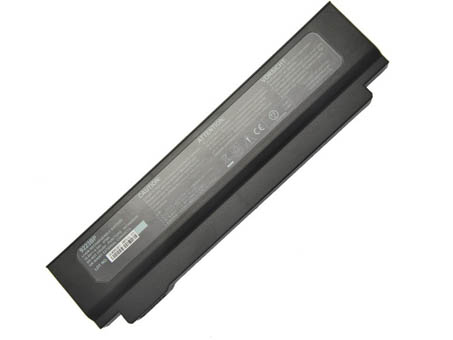

    HASEE 9223BP battery

    Teach you how to do here:
    1. When first time using HASEE 9223BP battery, Please carefully read the user manual about Battery maintain parts.
    2. Please fully charge at most 12 hours in first HASEE 9223BP battery charge time. Bcause it is need three/four times for charge/discharge cycles to get the maximum capacity of battery.
    3. If without using notebook long time(more than 3 weeks) or found that your HASEE 9223BP battery charge/discharge time become shorter and shorter, you have to fully discharge the battery before next time charge again.
    4. It is better to keep the laptop power off during charge the HASEE 9223BP battery pack. And don’t unplugged power or using your notebook during the battery half-way charge. The best time using is 30 minutes fully charge later.
    5. Keep your HASEE 9223BP battery far away from damp,exposure,and erosion some chemical liquids and others to avoid making battery short-circuit.

    HASEE 9223BP DC07-N1057-05A BP3S2P2150 Can replace the following part numbers:
    9223BP,DC07-N1057-05A,BP3S2P2150 HASEE 9223BP DC07-N1057-05A BP3S2P2150 Fits the Following Models:
    Hasee CV13
    Hasee CV17
    Hasee CV27

    Q:How do I extend the life of my laptop battery?

    • + New HASEE 9223BP DC07-N1057-05A BP3S2P2150 Battery Pack must be fully charged before use.If you don’t use your laptop for a period of time,you must fully discharge then recharge the HASEE battery.
    • + Always use a HASEE laptop on a hard surface. Don’t put it on your lap (despite its name) or on thermal insulating materials such as cushions. If you like to work in bed with your laptop, I recommend using a laptop table. I have this one, and I am quite content with it.
    • + Try to avoid charging the battery while you are working with the laptop. Charging the HASEE batteries increases your laptop’s temperature. The problem is that the CPU, the graphics card and the hard disk also heat up your laptop, which adds to the temperature increase experienced when charging the 9223BP battery. Many vendors deliver their laptops with software that allows you to disable charging. You also can remove the HASEE battery while you are working on AC current.
    • + Make sure the laptop’s ventilation can always work properly. 
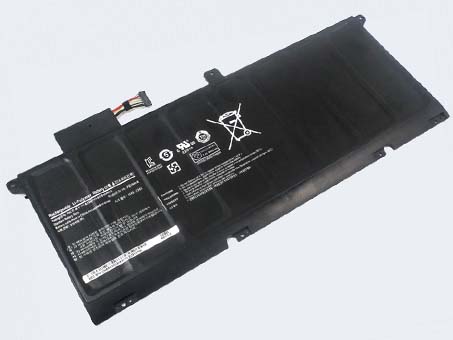
  • SAMSUNG NP900X4C Battery Pack

    Brand New Battery For SAMSUNG NP900X4C, laptop battery specifications(Li-ion, 8400mAh/62Wh ,7.4V), lowest price and 30 days money back, 1-year warranty. 100% compatible with 900X4 900X4B 900X4D.
    Battery » NP900X4C

    SAMSUNG NP900X4C Battery Pack [8400mAh/62Wh, 7.4V]


    SAMSUNG NP900X4C battery

    Teach you how to do here:
    1. When first time using SAMSUNG NP900X4C battery, Please carefully read the user manual about Battery maintain parts.
    2. Please fully charge at most 12 hours in first SAMSUNG NP900X4C battery charge time. Bcause it is need three/four times for charge/discharge cycles to get the maximum capacity of battery.
    3. If without using notebook long time(more than 3 weeks) or found that your SAMSUNG NP900X4C battery charge/discharge time become shorter and shorter, you have to fully discharge the battery before next time charge again.
    4. It is better to keep the laptop power off during charge the SAMSUNG NP900X4C battery pack. And don’t unplugged power or using your notebook during the battery half-way charge. The best time using is 30 minutes fully charge later.
    5. Keep your SAMSUNG NP900X4C battery far away from damp,exposure,and erosion some chemical liquids and others to avoid making battery short-circuit.

    SAMSUNG NP900X4C Can replace the following part numbers:
    AA-PBXN8AR SAMSUNG NP900X4C Fits the Following Models:
    Samsung 900X4, 900X46, 900X4B-A01DE, 900X4B-A01FR, 900X4B-A02, 900X4B-A02US, 900X4B-A03, 900X4C-A01, 900X4C-A04DE, 900X4D-A01, NP900X4, NP900X4C-A01CN

    Q:How do I extend the life of my laptop battery?

    • + New SAMSUNG NP900X4C Battery Pack must be fully charged before use.If you don’t use your laptop for a period of time,you must fully discharge then recharge the SAMSUNG battery.
    • + Always use a SAMSUNG laptop on a hard surface. Don’t put it on your lap (despite its name) or on thermal insulating materials such as cushions. If you like to work in bed with your laptop, I recommend using a laptop table. I have this one, and I am quite content with it.
    • + Try to avoid charging the battery while you are working with the laptop. Charging the SAMSUNG batteries increases your laptop’s temperature. The problem is that the CPU, the graphics card and the hard disk also heat up your laptop, which adds to the temperature increase experienced when charging the NP900X4C battery. Many vendors deliver their laptops with software that allows you to disable charging. You also can remove the SAMSUNG battery while you are working on AC current.
    • + Make sure the laptop’s ventilation can always work properly. Don’t place objects before the ventilation systems opening. Don’t run or charge the laptop while it is in its case.
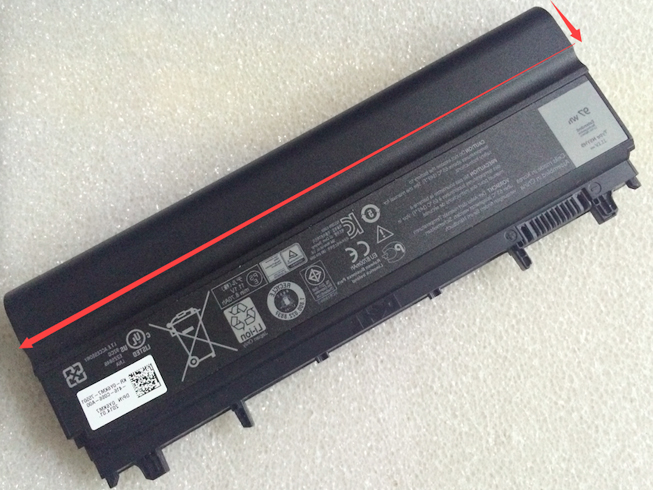
    • + Don’t leave the laptop in the car or under the sun in summer. Use a bike. It keeps your 8400mAh/62Wh 7.4V SAMSUNG laptop battery cool and your own battery healthy. And too much sun exposure causes only skin cancer anyway.

    DE:NP900X4C Akku Billiger Ersatzakku 900X4 900X4B 900X4D
    Batterijen Sales Nederland / België Samsung NP900X4C ACCU >> Samsung ACCU

    Products Fast Shipping

    Laptop power adaptors and chargers are necessary accessories that enable the charging of such portable devices. Adaptors and charges aren’t created equal, which is why you should always be looking for premium quality. Each of the Laptop Battery Express adaptors has been chosen because of its quality and affordability. You can rest assured that you’re getting access to some of the best replacement items on the market. We have laptop power adaptors for a vast range of brands and models.Discover laptop power adaptors that will be just right for you.

    Adapter for SMT-170QN

    Adapter for S24A300B

    Adapter for AA-PA3N40W

    Adapter for ADP60ZH-D

    Adapter for PA-1400-24

    You are in the biggest replacement laptop battery and laptop ac adapters online store, We offer more than 18000 types laptop battery, compatable more than 2000000 laptop models, related 180 top laptop brand. We specialize in replacement laptop batteries and Laptop-oplader for most top brand laptop on the market, Such as Acer, Apple, Asus, Dell, HP, IBM, Sony, Toshiba, Samsung and so on.

  • Brand New Battery For DELL VVONF N5YH9

    Brand New Battery For DELL VVONF N5YH9, laptop battery specifications(Li-ion, 8700MAH/97WH/9Cell ,11.1V(Wider than 65WH)), lowest price and 30 days money back, 1-year warranty. 100% compatible with Dell Latitude E5440 E5540 Series.
    Battery » VVONF N5YH9

    DELL VVONF N5YH9 Battery Pack [8700MAH/97WH/9Cell , 11.1V(Wider than 65WH)]


    DELL VVONF battery

     
    Teach you how to do here:
    1. When first time using DELL VVONF battery, Please carefully read the user manual about Battery maintain parts.
    2. Please fully charge at most 12 hours in first DELL VVONF battery charge time. Bcause it is need three/four times for charge/discharge cycles to get the maximum capacity of battery.
    3. If without using notebook long time(more than 3 weeks) or found that your DELL VVONF battery charge/discharge time become shorter and shorter, you have to fully discharge the battery before next time charge again.
    4. It is better to keep the laptop power off during charge the DELL VVONF battery pack. And don’t unplugged power or using your notebook during the battery half-way charge. The best time using is 30 minutes fully charge later.
    5. Keep your DELL VVONF battery far away from damp,exposure,and erosion some chemical liquids and others to avoid making battery short-circuit.

    DELL VVONF N5YH9 Can replace the following part numbers:
    451-BBID 451-BBIE 451-BBIF FT6D9 3K7J7 970V9 9TJ2J N5YH9 VJXMC VVONF M7T5F WGCW6 0K8HC 1N9C0 7W6K0 F49WX NVWGM CXF66 DELL VVONF N5YH9 Fits the Following Models:
    Dell Latitude E5440 Series
    Dell Latitude E5540 Series

    Q:How do I extend the life of my laptop battery?

    • + New DELL VVONF N5YH9 Battery Pack must be fully charged before use.If you don’t use your laptop for a period of time,you must fully discharge then recharge the DELL battery.
    • + Always use a DELL laptop on a hard surface. Don’t put it on your lap (despite its name) or on thermal insulating materials such as cushions. If you like to work in bed with your laptop, I recommend using a laptop table. I have this one, and I am quite content with it.
    • + Try to avoid charging the battery while you are working with the laptop. Charging the DELL batteries increases your laptop’s temperature. The problem is that the CPU, the graphics card and the hard disk also heat up your laptop, which adds to the temperature increase experienced when charging the VVONF battery. Many vendors deliver their laptops with software that allows you to disable charging. You also can remove the DELL battery while you are working on AC current.
    • + Make sure the laptop’s ventilation can always work properly. Don’t place objects before the ventilation systems opening. Don’t run or charge the laptop while it is in its case.
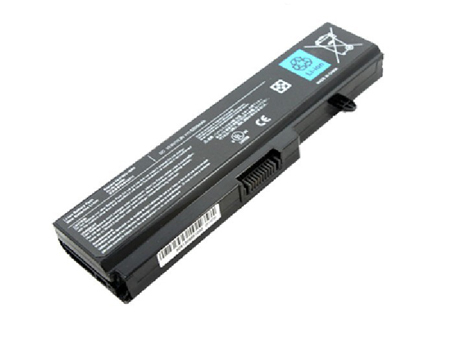
    • + Don’t leave the laptop in the car or under the sun in summer. Use a bike. It keeps your  8700MAH/97WH/9Cell 11.1V(Wider than 65WH) DELL VVONF N5YH9 laptop battery cool and your own battery healthy. And too much sun exposure causes only skin cancer anyway.

    DE:VVONF Akku Billiger Ersatzakku Dell Latitude E5440 E5540 Series
    Batterijen Sales Nederland / België Dell VVONF ACCU >> Dell ACCU

    Products Fast Shipping

    Laptop power adaptors and chargers are necessary accessories that enable the charging of such portable devices. Adaptors and charges aren’t created equal, which is why you should always be looking for premium quality. Each of the Laptop Battery Express adaptors has been chosen because of its quality and affordability. You can rest assured that you’re getting access to some of the best replacement items on the market. We have laptop power adaptors for a vast range of brands and models.Discover laptop power adaptors that will be just right for you.

    Adapter for 0T122K

    Adapter for 74X5J

    Adapter for 74VT4

    Adapter for LA90PM130

    Adapter for HP-P3017F3P

    You are in the biggest replacement laptop battery and laptop ac adapters online store, We offer more than 18000 types laptop battery, compatable more than 2000000 laptop models, related 180 top laptop brand. We specialize in replacement laptop batteries and Laptop-oplader for most top brand laptop on the market, Such as Acer, Apple, Asus, Dell, HP, IBM, Sony, Toshiba, Samsung and so on.

  • New Replacement TOSHIBA PA3780U-1BRS Battery

    Brand New Battery For TOSHIBA PA3780U-1BRS PA3634U-1BAS PA3728U-1BRS, laptop battery specifications(Li-ion, 47WH ,10.8V), lowest price and 30 days money back, 1-year warranty. 100% compatible with Toshiba Satellite A660 C645D T130 T135 Series.
    Battery » PA3780U-1BRS PA3634U-1BAS PA3728U-1BRS

    TOSHIBA PA3780U-1BRS PA3634U-1BAS PA3728U-1BRS Battery Pack [47WH, 10.8V]


    TOSHIBA PA3780U-1BRS battery

     
    Teach you how to do here:
    1. When first time using TOSHIBA PA3780U-1BRS battery, Please carefully read the user manual about Battery maintain parts.
    2. Please fully charge at most 12 hours in first TOSHIBA PA3780U-1BRS battery charge time. Bcause it is need three/four times for charge/discharge cycles to get the maximum capacity of battery.
    3. If without using notebook long time(more than 3 weeks) or found that your TOSHIBA PA3780U-1BRS battery charge/discharge time become shorter and shorter, you have to fully discharge the battery before next time charge again.
    4. It is better to keep the laptop power off during charge the TOSHIBA PA3780U-1BRS battery pack. And don’t unplugged power or using your notebook during the battery half-way charge. The best time using is 30 minutes fully charge later.
    5. Keep your TOSHIBA PA3780U-1BRS battery far away from damp,exposure,and erosion some chemical liquids and others to avoid making battery short-circuit.

    TOSHIBA PA3780U-1BRS PA3634U-1BAS PA3728U-1BRS Can replace the following part numbers:
    PA3634U-1BAS,PA3634U-1BRS,PA3635U-1BAM,PA3635U-1BAS,PA3635U-1BRM,PA3635U-1BRS,PA3636U-1BAL,PA3636U-1BAR,PA3636U-1BRL,PA3636U-1BRS,PA3638U-1BAP,PA3638U-1BRS,PA3728U-1BAS,PA3728U-1BRS,PA3816U-1BRS,PA3817U-1BAS,PA3817U-1BRS,PA3818U-1BAS,PA3818U-1BRS,PA3819U-1BAS,PA3819U-1BRS,PABAS117,PABAS118,PABAS227,PABAS228,PABAS229,PABAS230,PA3780U-1BRS TOSHIBA PA3780U-1BRS PA3634U-1BAS PA3728U-1BRS Fits the Following Models:
    TOSHIBA

    Portege M800 Portege M800 Series Satellite A500
    Satellite A500 Series Satellite A660 Satellite A660 Series
    Satellite A660D Satellite A660D Series Satellite A665
    Satellite A665 Series Satellite A665D Satellite A665D Series
    Satellite C640 Satellite C640 Series Satellite C640D
    Satellite C640D Series Satellite C645D Satellite C645D Series
    Satellite C650 Satellite C650 Series Satellite C650D
    Satellite C650D Satellite C650D Series Satellite C655
    Satellite C655 Series Satellite C655D Satellite C655D Series
    Satellite C660 Satellite C660 Series Satellite C660D
    Satellite C660D Series Satellite L510 Satellite L510 Series
    Satellite L515 Satellite L515 Series Satellite L515D
    Satellite L515D Series Satellite L600 Satellite L600 Series
    Satellite L600D Satellite L600D Series Satellite L630
    Satellite L630 Series Satellite L630D Satellite L630D Series
    Satellite L635 Satellite L635 Series Satellite L640
    Satellite L640 Series Satellite L640D Satellite L640D Series
    Satellite L645 Satellite L645 Series Satellite L645D
    Satellite L645D Series Satellite L650 Satellite L650 Series
    Satellite L650D Satellite L650D Series Satellite L655
    Satellite L655 Series Satellite L655D Satellite L655D Series
    Satellite L670 Satellit

  • Brand New Battery For DELL YN6W9

    Brand New Battery For DELL YN6W9, laptop battery specifications(Li-ion, 4300mAh/32WH ,7.4V), lowest price and 30 days money back, 1-year warranty. 100% compatible with 7.4V 32WH.
    Battery » YN6W9

    DELL YN6W9 Battery Pack [4300mAh/32WH, 7.4V]


    DELL YN6W9 battery


    Teach you how to do here:
    1. When first time using DELL YN6W9 battery, Please carefully read the user manual about Battery maintain parts.
    2. Please fully charge at most 12 hours in first DELL YN6W9 battery charge time. Bcause it is need three/four times for charge/discharge cycles to get the maximum capacity of battery.
    3. If without using notebook long time(more than 3 weeks) or found that your DELL YN6W9 battery charge/discharge time become shorter and shorter, you have to fully discharge the battery before next time charge again.
    4. It is better to keep the laptop power off during charge the DELL YN6W9 battery pack. And don’t unplugged power or using your notebook during the battery half-way charge. The best time using is 30 minutes fully charge later.
    5. Keep your DELL YN6W9 battery far away from damp,exposure,and erosion some chemical liquids and others to avoid making battery short-circuit.

    DELL YN6W9 Can replace the following part numbers:
    YN6W9 DELL YN6W9 Fits the Following Models:

    Q:How do I extend the life of my laptop battery?

    • + New DELL YN6W9 Battery Pack must be fully charged before use.If you don’t use your laptop for a period of time,you must fully discharge then recharge the DELL battery.
    • + Always use a DELL laptop on a hard surface. Don’t put it on your lap (despite its name) or on thermal insulating materials such as cushions. If you like to work in bed with your laptop, I recommend using a laptop table. I have this one, and I am quite content with it.
    • + Try to avoid charging the battery while you are working with the laptop. Charging the DELL batteries increases your laptop’s temperature. The problem is that the CPU, the graphics card and the hard disk also heat up your laptop, which adds to the temperature increase experienced when charging the YN6W9 battery. Many vendors deliver their laptops with software that allows you to disable charging. You also can remove the DELL battery while you are working on AC current.
    • + Make sure the laptop’s ventilation can always work properly. Don’t place objects before the ventilation systems opening. Don’t run or charge the laptop while it is in its case.
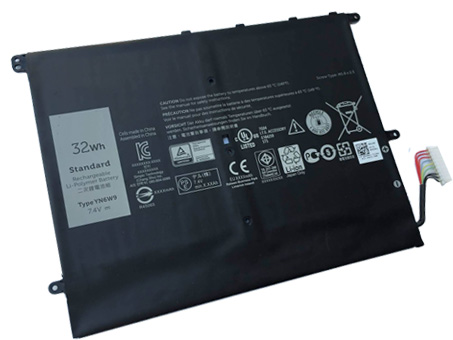
    • + Don’t leave the laptop in the car or under the sun in summer. Use a bike. It keeps your 4300mAh/32WH 7.4V DELL YN6W9 laptop battery cool and your own battery healthy. And too much sun exposure causes only skin cancer anyway.

    DE:YN6W9 Akku Billiger Ersatzakku 7.4V 32WH
    Batterijen Sales Nederland / België Dell YN6W9 ACCU >> Dell ACCU

    Products Fast Shipping

    Laptop power adaptors and chargers are necessary accessories that enable the charging of such portable devices. Adaptors and charges aren’t created equal, which is why you should always be looking for premium quality. Each of the Laptop Battery Express adaptors has been chosen because of its quality and affordability. You can rest assured that you’re getting access to some of the best replacement items on the market. We have laptop power adaptors for a vast range of brands and models.Discover laptop power adaptors that will be just right for you.

    Adapter for 235W

    Adapter for 6W6M1

    Adapter for E5430

    Adapter for PA-5M10

    Adapter for 332-1829

    You are in the biggest replacement laptop battery and laptop ac adapters online store, We offer more than 18000 types laptop battery, compatable more than 2000000 laptop models, related 180 top laptop brand. We specialize in replacement laptop batteries and Laptop-oplader for most top brand laptop on the market, Such as Acer, Apple, Asus, Dell, HP, IBM, Sony, Toshiba, Samsung and so on.


  • Brand New Battery For LENOVO L14L2P22 L14M2P24

    Brand New Battery For TOSHIBA PA5136U-1BRS, laptop battery specifications(Li-ion, 3380mah/52wh/4cell ,14.8v), lowest price and 30 days money back, 1-year warranty. 100% compatible with Toshiba Portege Z30-A Z30-
    A1301 .
    Battery » PA5136U-1BRS

    TOSHIBA PA5136U-1BRS Battery Pack [3380mah/52wh/4cell, 14.8v]


    TOSHIBA PA5136U-1BRS battery


    Teach you how to do here:
    1. When first time using TOSHIBA PA5136U-1BRS battery, Please carefully read the user manual about Battery maintain parts.
    2. Please fully charge at most 12 hours in first TOSHIBA PA5136U-1BRS battery charge time. Bcause it is need three/four times for charge/discharge cycles to get the maximum capacity of battery.
    3. If without using notebook long time(more than 3 weeks) or found that your TOSHIBA PA5136U-1BRS battery charge/discharge time become shorter and shorter, you have to fully discharge the battery before next time charge again.
    4. It is better to keep the laptop power off during charge the TOSHIBA PA5136U-1BRS battery pack. And don’t unplugged power or using your notebook during the battery half-way charge. The best time using is 30 minutes fully charge later.
    5. Keep your TOSHIBA PA5136U-1BRS battery far away from damp,exposure,and erosion some chemical liquids and others to avoid making battery short-circuit.

    TOSHIBA PA5136U-1BRS Can replace the following part numbers:
    PA5136U-1BRS TOSHIBA PA5136U-1BRS Fits the Following Models:
    Toshiba Portege Z30-A Z30-A1301

    Q:How do I extend the life of my laptop battery?

    • + New TOSHIBA PA5136U-1BRS Battery Pack must be fully charged before use.If you don’t use your laptop for a period of time,you must fully discharge then recharge the TOSHIBA battery.
    • + Always use a TOSHIBA laptop on a hard surface. Don’t put it on your lap (despite its name) or on thermal insulating materials such as cushions. If you like to work in bed with your laptop, I recommend using a laptop table. I have this one, and I am quite content with it.
    • + Try to avoid charging the battery while you are working with the laptop. Charging the TOSHIBA batteries increases your laptop’s temperature. The problem is that the CPU, the graphics card and the hard disk also heat up your laptop, which adds to the temperature increase experienced when charging the PA5136U-1BRS battery. Many vendors deliver their laptops with software that allows you to disable charging. You also can remove the TOSHIBA battery while you are working on AC current.
    • + Make sure the laptop’s ventilation can always work properly. Don’t place objects before the ventilation systems opening. Don’t run or charge the laptop while it is in its case.
    • + Don’t leave the laptop in the car or under the sun in summer. Use a bike. It keeps your 3380mah/52wh/4cell 14.8v TOSHIBA PA5136U-1BRS laptop battery cool and your own battery healthy. And too much sun exposure causes only skin cancer anyway.

    DE:PA5136U-1BRS Akku Billiger Ersatzakku Toshiba Portege Z30-A Z30-
    A1301
    Batterijen Sales Nederland / België Toshiba PA5136U-1BRS ACCU >> Toshiba ACCU

    Products Fast Shipping

    Laptop power adaptors and chargers are necessary accessories that enable the charging of such portable devices. Adaptors and charges aren’t created equal, which is why you should always be looking for premium quality. Each of the Laptop Battery Express adaptors has been chosen because of its quality and affordability. You can rest assured that you’re getting access to some of the best replacement items on the market. We have laptop power adaptors for a vast range of brands and models.Discover laptop power adaptors that will be just right for you.

    Adapter for PA3715E-1AC3

    Adapter for PA3546E-1AC3

    Adapter for PA3714U-1ACA

    Adapter for PA3822U-1ACA

    Adapter for PA-1650-02

    You are in the biggest replacement laptop battery and laptop ac adapters online store, We offer more than 18000 types laptop battery, compatable more than 2000000 laptop models, related 180 top laptop brand. We specialize in replacement laptop batteries and Laptop-oplader for most top brand laptop on the market, Such as Acer, Apple, Asus, Dell, HP, IBM, Sony, Toshiba, Samsung and so on.

  • New Replacement LENOVO L14L2P22 Battery for Lenovo U30 U31-70 E31-70 E31-80

    Brand New Battery For LENOVO L14L2P22 L14M2P24, laptop battery specifications(Li-ion, 4160MAH/35WH ,7.6V), lowest price and 30 days money back, 1-year warranty. 100% compatible with Lenovo U30 U31-70 E31-
    70 E31-80.
    Battery » L14L2P22 L14M2P24

    LENOVO L14L2P22 L14M2P24 Battery Pack [4160MAH/35WH, 7.6V]


    LENOVO L14L2P22 battery


    Teach you how to do here:
    1. When first time using LENOVO L14L2P22 battery, Please carefully read the user manual about Battery maintain parts.
    2. Please fully charge at most 12 hours in first LENOVO L14L2P22 battery charge time. Bcause it is need three/four times for charge/discharge cycles to get the maximum capacity of battery.
    3. If without using notebook long time(more than 3 weeks) or found that your LENOVO L14L2P22 battery charge/discharge time become shorter and shorter, you have to fully discharge the battery before next time charge again.
    4. It is better to keep the laptop power off during charge the LENOVO L14L2P22 battery pack. And don’t unplugged power or using your notebook during the battery half-way charge. The best time using is 30 minutes fully charge later.
    5. Keep your LENOVO L14L2P22 battery far away from damp,exposure,and erosion some chemical liquids and others to avoid making battery short-circuit.

    LENOVO L14L2P22 L14M2P24 Can replace the following part numbers:
    L14L2P22 L14M2P24 LENOVO L14L2P22 L14M2P24 Fits the Following Models:
    Lenovo U30 U31-70 E31-70 E31-80

    Q:How do I extend the life of my laptop battery?

    • + New LENOVO L14L2P22 L14M2P24 Battery Pack must be fully charged before use.If you don’t use your laptop for a period of time,you must fully discharge then recharge the LENOVO battery.
    • + Always use a LENOVO laptop on a hard surface. Don’t put it on your lap (despite its name) or on thermal insulating materials such as cushions. If you like to work in bed with your laptop, I recommend using a laptop table. I have this one, and I am quite content with it.
    • + Try to avoid charging the battery while you are working with the laptop. Charging the LENOVO batteries increases your laptop’s temperature. The problem is that the CPU, the graphics card and the hard disk also heat up your laptop, which adds to the temperature increase experienced when charging the L14L2P22 battery. Many vendors deliver their laptops with software that allows you to disable charging. You also can remove the LENOVO battery while you are working on AC current.
    • + Make sure the laptop’s ventilation can always work properly. Don’t place objects before the ventilation systems opening. Don’t run or charge the laptop while it is in its case.
    • + Don’t leave the laptop in the car or under the sun in summer. Use a bike. It keeps your 4160MAH/35WH 7.6V LENOVO L14L2P22 L14M2P24 laptop battery cool and your own battery healthy. And too much sun exposure causes only skin cancer anyway.

    DE:L14L2P22 Akku Billiger Ersatzakku Lenovo U30 U31-70 E31-
    70 E31-80
    Batterijen Sales Nederland / België Lenovo L14L2P22 ACCU >> Lenovo ACCU

    Products Fast Shipping

    Laptop power adaptors and chargers are necessary accessories that enable the charging of such portable devices. Adaptors and charges aren’t created equal, which is why you should always be looking for premium quality. Each of the Laptop Battery Express adaptors has been chosen because of its quality and affordability. You can rest assured that you’re getting access to some of the best replacement items on the market. We have laptop power adaptors for a vast range of brands and models.Discover laptop power adaptors that will be just right for you.

    Adapter for 230W

    Adapter for HKF2002-32

    Adapter for 54Y8861

    Adapter for PA-1231-12LA

    Adapter for PC9051

    You are in the biggest replacement laptop battery and laptop ac adapters online store, We offer more than 18000 types laptop battery, compatable more than 2000000 laptop models, related 180 top laptop brand. We specialize in replacement laptop batteries and Laptop-oplader for most top brand laptop on the market, Such as Acer, Apple, Asus, Dell, HP, IBM, Sony, Toshiba, Samsung and so on.

  • ASUS A31-1025 A32-1025 Battery Pack

    Brand New Battery For ASUS A31-1025 A32-1025, laptop battery specifications(Li-ion, 2600mAH ,10.8V), lowest price and 30 days money back, 1-year warranty. 100% compatible with Asus EEE PC R052 RO52 ASUS Eee PC 1025 Series.
    Battery » A31-1025 A32-1025

    ASUS A31-1025 A32-1025 Battery Pack [2600mAH, 10.8V]


    ASUS A31-1025 battery

     
    Teach you how to do here:
    1. When first time using ASUS A31-1025 battery, Please carefully read the user manual about Battery maintain parts.
    2. Please fully charge at most 12 hours in first ASUS A31-1025 battery charge time. Bcause it is need three/four times for charge/discharge cycles to get the maximum capacity of battery.
    3. If without using notebook long time(more than 3 weeks) or found that your ASUS A31-1025 battery charge/discharge time become shorter and shorter, you have to fully discharge the battery before next time charge again.
    4. It is better to keep the laptop power off during charge the ASUS A31-1025 battery pack. And don’t unplugged power or using your notebook during the battery half-way charge. The best time using is 30 minutes fully charge later.
    5. Keep your ASUS A31-1025 battery far away from damp,exposure,and erosion some chemical liquids and others to avoid making battery short-circuit.

    ASUS A31-1025 A32-1025 Can replace the following part numbers:
    A31-1025,A32-1025 ASUS A31-1025 A32-1025 Fits the Following Models:
    ASUS Eee PC 1025C Series
    ASUS Eee PC 1025CE Series
    ASUS Eee PC 1225 Series
    ASUS Eee PC 1225B Series
    ASUS Eee PC 1225C Series
    ASUS Eee PC R052 Series
    ASUS Eee PC R052C Series
    ASUS Eee PC R052CE Series
    ASUS Eee PC RO52 Series
    ASUS Eee PC RO52C Series
    ASUS Eee PC RO52CE Series

    Q:How do I extend the life of my laptop battery?

    • + New ASUS A31-1025 A32-1025 Battery Pack must be fully charged before use.If you don’t use your laptop for a period of time,you must fully discharge then recharge the ASUS battery.
    • + Always use a ASUS laptop on a hard surface. Don’t put it on your lap (despite its name) or on thermal insulating materials such as cushions. If you like to work in bed with your laptop, I recommend using a laptop table. I have this one, and I am quite content with it.
    • + Try to avoid charging the battery while you are working with the laptop. Charging the ASUS batteries increases your laptop’s temperature. The problem is that the CPU, the graphics card and the hard disk also heat up your laptop, which adds to the temperature increase experienced when charging the A31-1025 battery. Many vendors deliver their laptops with software that allows you to disable charging. You also can remove the ASUS battery while you are working on AC current.
    • + Make sure the laptop’s ventilation can always work properly. Don’t place objects before the ventilation systems opening. Don’t run or charge the laptop while it is in its case.
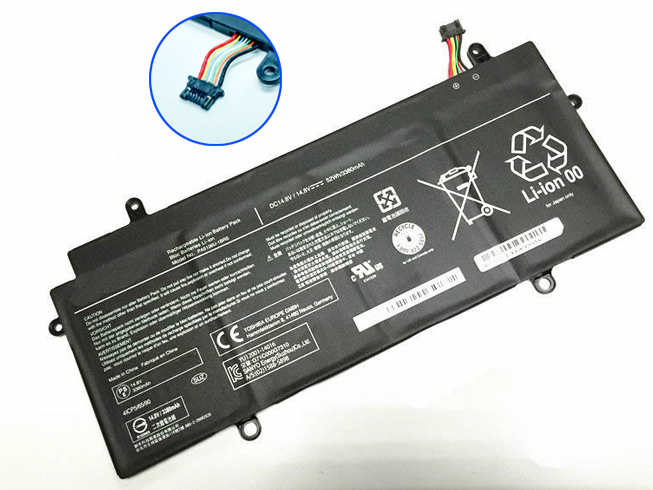
    • + Don’t leave the laptop in the car or under the sun in summer. Use a bike. It keeps your  2600mAH 10.8V ASUS A31-1025 A32-1025 laptop battery cool and your own battery healthy. And too much sun exposure causes only skin cancer anyway.

    DE:A31-1025 Akku Billiger Ersatzakku Asus EEE PC R052 RO52 ASUS Eee PC 1025 Series
    Batterijen Sales Nederland / België ASUS A31-1025 ACCU >> ASUS ACCU

    Products Fast Shipping

    Laptop power adaptors and chargers are necessary accessories that enable the charging of such portable devices. Adaptors and charges aren’t created equal, which is why you should always be looking for premium quality. Each of the Laptop Battery Express adaptors has been chosen because of its quality and affordability. You can rest assured that you’re getting access to some of the best replacement items on the market. We have laptop power adaptors for a vast range of brands and models.Discover laptop power adaptors that will be just right for you.

    Adapter for EXA1206CH

    Adapter for G750JH-DB71

    Adapter for EXA1004UH

    Adapter for EXA1202YH

    Adapter for ADP-65JH_DB

    You are in the biggest replacement laptop battery and laptop ac adapters online store, We offer more than 18000 types laptop battery, compatable more than 2000000 laptop models, related 180 top laptop brand. We specialize in replacement laptop batteries and Laptop-oplader for most top brand laptop on the market, Such as Acer, Apple, Asus, Dell, HP, IBM, Sony, Toshiba, Samsung and so on.

  • Brand New Battery For PACKARD BELL SQU-703 EUP-P5-1-22 4UR18650F-QC-PL3

    Brand New Battery For PACKARD BELL SQU-703 EUP-P5-1-22 4UR18650F-QC-PL3, laptop battery specifications(Li-ion, 2200mah ,14.8V), lowest price and 30 days money back, 1-year warranty. 100% compatible with Packard Bell EasyNote MZ35 MZ36 F0335 F0336 Series.
    Battery » SQU-703 EUP-P5-1-22 4UR18650F-QC-PL3

    PACKARD_BELL SQU-703 EUP-P5-1-22 4UR18650F-QC-PL3 Battery Pack [2200mah, 14.8V]


    PACKARD_BELL SQU-703 battery

    Teach you how to do here:
    1. When first time using PACKARD_BELL SQU-703 battery, Please carefully read the user manual about Battery maintain parts.
    2. Please fully charge at most 12 hours in first PACKARD_BELL SQU-703 battery charge time. Bcause it is need three/four times for charge/discharge cycles to get the maximum capacity of battery.
    3. If without using notebook long time(more than 3 weeks) or found that your PACKARD_BELL SQU-703 battery charge/discharge time become shorter and shorter, you have to fully discharge the battery before next time charge again.
    4. It is better to keep the laptop power off during charge the PACKARD_BELL SQU-703 battery pack. And don’t unplugged power or using your notebook during the battery half-way charge. The best time using is 30 minutes fully charge later.
    5. Keep your PACKARD_BELL SQU-703 battery far away from damp,exposure,and erosion some chemical liquids and others to avoid making battery short-circuit.

    PACKARD_BELL SQU-703 EUP-P5-1-22 4UR18650F-QC-PL3 Can replace the following part numbers:
    SQU-703,SQU-710,EUP-P5-1-22,EUP-P5-1-24,4UR18650F-QC-PL3,4UR18650F-QC-PL1A,CGR-B-458,4UR18650Y-QC-PL1,CGR-B-8D8,2PL5BTLI810,2PL5BTLI430 PACKARD_BELL SQU-703 EUP-P5-1-22 4UR18650F-QC-PL3 Fits the Following Models:
    Packard Bell EasyNote MZ35 MZ36 F0335 F0336 Series
    Packard Bell Argo C(MS-Model:ARGC1 IN0037) Argo C2(MS-Model:ARC21) Series
    Advent 7201 7211 7301 7302 Series
    BGH E-NOVA Notebook TL-5000 Series
    Quanta PL5C AL-096 Series
    Datron Aero PL5C AL-096 Series
    Evolute SFX-15 SFX-25 Series
    Mecer Xpression PL5C AL-096 Series
    Zenith Director PL5C AL-096 Series
    Tsunami Walker 500 PL5C AL-096 Series
    Hedy KW501C Series

    Please noted, this battery is not compatible with PL3C AL-096/SQU-702

    Q:How do I extend the life of my laptop battery?

    • + New PACKARD_BELL SQU-703 EUP-P5-1-22 4UR18650F-QC-PL3 Battery Pack must be fully charged before use.If you don’t use your laptop for a period of time,you must fully discharge then recharge the PACKARD_BELL battery.
    • + Always use a PACKARD_BELL laptop on a hard surface. Don’t put it on your lap (despite its name) or on thermal insulating materials such as cushions. If you like to work in bed with your laptop, I recommend using a laptop table. I have this one, and I am quite content with it.
    • + Try to avoid charging the battery while you are working with the laptop. Charging the PACKARD_BELL batteries increases your laptop’s temperature. The problem is that the CPU, the graphics card and the hard disk also heat up your laptop, which adds to the temperature increase experienced when charging the SQU-703 battery. Many vendors deliver their laptops with software that allows you to disable charging. You also can remove the PACKARD_BELL battery while you are working on AC current.
    • + Make sure the laptop’s ventilation can always work properly. Don’t place objects before the ventilation systems opening. Don’t run or charge the laptop while it is in its case.
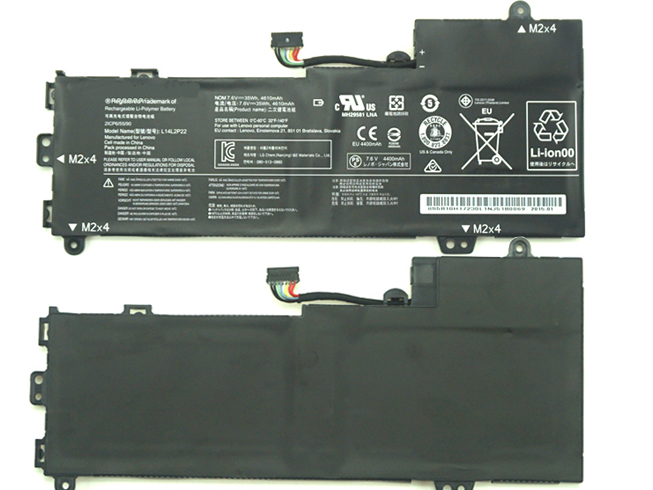
    • + Don’t leave the laptop in the car or under the sun in summer. Use a bike. It keeps your 
      2200mah 14.8V PACKARD_BELL

      SQU-703

      EUP-P5-1-22

      4UR18650F-QC-PL3
      laptop battery cool and your own battery healthy. And too much sun exposure causes only skin cancer anyway.

    DE:SQU-703 Akku Billiger Ersatzakku Packard Bell EasyNote MZ35 MZ36 F0335 F0336 Series
    Batterijen Sales Nederland / België Packard_Bell SQU-703 ACCU >>
    Packard_Bell ACCU

    Products Fast Shipping

    Laptop power adaptors and chargers are necessary accessories that enable the charging of such portable devices. Adaptors and charges aren’t created equal, which is why you should always be looking for premium quality. Each of the Laptop Battery Express adaptors has been chosen because of its quality and affordability. You can rest assured that you’re getting access to some of the best replacement items on the market.
    We have laptop power adaptors for a vast range of brands and models.Discover laptop power adaptors that will be just right for you.

    You are in the biggest replacement laptop battery and laptop ac adapters online store, We offer more than 18000 types laptop battery, compatable more than 2000000 laptop models, related 180 top laptop brand. We specialize in replacement laptop batteries and Laptop-oplader for most top brand laptop on the market, Such as Acer, Apple, Asus, Dell, HP, IBM, Sony, Toshiba, Samsung and so on.

  • Brand New Battery For HP HSTNN-DB5G TR03033XL

    Brand New Battery For HP HSTNN-DB5G TR03033XL, laptop battery specifications(Li-ion, 11.1V ,33wh), lowest price and 30 days money back, 1-year warranty. 100% compatible with HP HSTNN-DB5G TR03033XL 723922-2B1 Series.
    Battery » HSTNN-DB5G TR03033XL

    HP HSTNN-DB5G TR03033XL Battery Pack [11.1V, 33wh]


    HP HSTNN-DB5G battery

     
    Teach you how to do here:
    1. When first time using HP HSTNN-DB5G battery, Please carefully read the user manual about Battery maintain parts.
    2. Please fully charge at most 12 hours in first HP HSTNN-DB5G battery charge time. Bcause it is need three/four times for charge/discharge cycles to get the maximum capacity of battery.
    3. If without using notebook long time(more than 3 weeks) or found that your HP HSTNN-DB5G battery charge/discharge time become shorter and shorter, you have to fully discharge the battery before next time charge again.
    4. It is better to keep the laptop power off during charge the HP HSTNN-DB5G battery pack. And don’t unplugged power or using your notebook during the battery half-way charge. The best time using is 30 minutes fully charge later.
    5. Keep your HP HSTNN-DB5G battery far away from damp,exposure,and erosion some chemical liquids and others to avoid making battery short-circuit.

    HP HSTNN-DB5G TR03033XL Can replace the following part numbers:
    HSTNN-DB5G,TR03033XL,723922-2B1 HP HSTNN-DB5G TR03033XL Fits the Following Models:
    HP HSTNN-DB5G TR03033XL 723922-2B1 Series

    Q:How do I extend the life of my laptop battery?

    • + New HP HSTNN-DB5G TR03033XL Battery Pack must be fully charged before use.If you don’t use your laptop for a period of time,you must fully discharge then recharge the HP battery.
    • + Always use a HP laptop on a hard surface. Don’t put it on your lap (despite its name) or on thermal insulating materials such as cushions. If you like to work in bed with your laptop, I recommend using a laptop table. I have this one, and I am quite content with it.
    • + Try to avoid charging the battery while you are working with the laptop. Charging the HP batteries increases your laptop’s temperature. The problem is that the CPU, the graphics card and the hard disk also heat up your laptop, which adds to the temperature increase experienced when charging the HSTNN-DB5G battery. Many vendors deliver their laptops with software that allows you to disable charging. You also can remove the HP battery while you are working on AC current.
    • + Make sure the laptop’s ventilation can always work properly. Don’t place objects before the ventilation systems opening. Don’t run or charge the laptop while it is in its case.
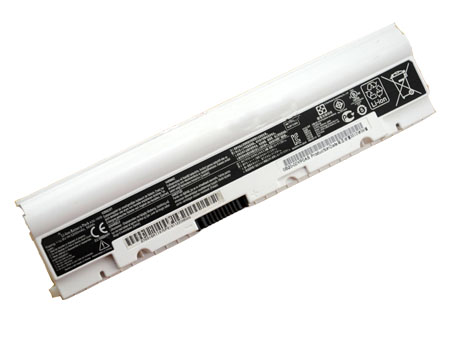
    • + Don’t leave the laptop in the car or under the sun in summer. Use a bike. It keeps your  11.1V 33wh HP HSTNN-DB5G TR03033XL laptop battery cool and your own battery healthy. And too much sun exposure causes only skin cancer anyway.

    DE:HSTNN-DB5G Akku Billiger Ersatzakku HP HSTNN-DB5G TR03033XL 723922-2B1 Series
    Batterijen Sales Nederland / België HP HSTNN-DB5G ACCU >> HP ACCU

    Products Fast Shipping

    Laptop power adaptors and chargers are necessary accessories that enable the charging of such portable devices. Adaptors and charges aren’t created equal, which is why you should always be looking for premium quality. Each of the Laptop Battery Express adaptors has been chosen because of its quality and affordability. You can rest assured that you’re getting access to some of the best replacement items on the market. We have laptop power adaptors for a vast range of brands and models.Discover laptop power adaptors that will be just right for you.

    Adapter for DPS-800GB_A

    Adapter for ADP-45WD_B

    Adapter for PA-1150-22GO

    Adapter for HSTNN-LA09

    Adapter for HSTNN-DA34

    You are in the biggest replacement laptop battery and laptop ac adapters online store, We offer more than 18000 types laptop battery, compatable more than 2000000 laptop models, related 180 top laptop brand. We specialize in replacement laptop batteries and Laptop-oplader for most top brand laptop on the market, Such as Acer, Apple, Asus, Dell, HP, IBM, Sony, Toshiba, Samsung and so on.