Replace Laptop battery in NZ

Tag: notebook battery

  • 7800mah 11.1V Li-ion Getac Notebook Battery for Getac Portege, Getac V100 V200 B300 X500 Getac S400 6-Cell Weight Saver

    This Getac BP-LC2600/33-0101SI Battery has a capacity of 7800mah and a voltage of 11.1V. Suitable for Getac V100 V200 B300 X500 Getac S400 6-Cell Weight Saver . 100% compatible and 100% safe. 1-year warranty, 30-day money back guarantee. 

    Getac BP-LC2600/33-0101SI 7800mah 11.1V Notebook Battery
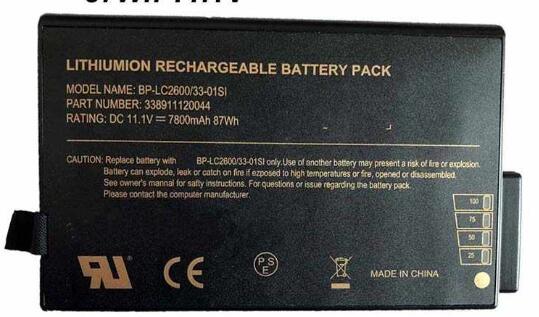
    Getac BP-LC2600/33-0101SI battery


    (product code: BP-LC2600/33-0101SI) 

    (Usually ships the same business day!)

      Product details:

    • Brand: Getac BP-LC2600/33-0101SI Notebook batteries

    • Type: Li-ion battery

    • Voltage: 11.1V

    • Capacity: 7800mah

    • SKU: GET2684

    Replace the following batteries:

    338911120044 BP-LC2600/33-0101SI

    Compatible with the following models:

    Getac V100 V200 B300 X500 Getac S400

    http://www.notebookbattery.co.nz/laptop-batteies-getac/replace-battery-bp-lc2600/33-0101si-b178295.htm

    Laptop battery tips

    Newly bought notebooks, the first three charges do not need to reach 12 hours, because the current laptop batteries have a management chip that can control the charging limit, when the battery is full, it will automatically cut off the charging function, thus protecting the battery life and avoiding overcharging.

    It is not necessary to discharge completely before each charge, because this deep discharge will shorten the battery life. It is recommended to charge when the remaining 10% is left. In addition, when there is still more than 30% of the battery power, it is best not to charge, because the memory effect does exist. The power management software allows you to check the battery level at any time, and the HP EliteBook P-series notebooks come with a battery indicator that allows you to check the remaining battery even without turning it on.

    When plugging in AC power (connecting the power adapter), you don't need to remove the battery

    , because most laptop batteries need to be charged below 90%, and the battery naturally discharges to this capacity takes two weeks to a month, so use it every day. Notebooks don't have to worry about repeated charging and unloading, not to mention the fact that emergency power outages are more damaging to data.

    If you want to store unused batteries for a long time, you need to put them in a dry, low temperature environment while maintaining 40% of the remaining power in the battery. In addition, it is best to take out the battery once a month to ensure a good storage state and service life of the battery.

    Reducing the brightness of your notebook screen can extend the life of your notebook and reduce the number of times it is charged.

    Use some power management tools, such as the Power Assistant on the HP EliteBook P Series, which can even monitor the energy consumption of each component in real time through the PMC circuit, and accurately summarize the company's status to the HPclient Configuration Manager software, and optionally Turn off the specified parts to extend battery life.

    ABOUT US

    Wholesale and retail Notebook Battery in NZ. Replacement for Acer, Apple, Compaq, Dell, FUJITSU, IBM,Lenovo,Sony and so on.

    These may be you want to look for :

    rz09-0166 battery replacement for Razer Blade F1 Pro 17.3 4K i7-7820HK

    0PD19 battery replacement for Dell Inspiron 15 5445 5448

    HV02XL battery replacement for HP HSTNN-LB6P TPN-Q164 TPN-W112 796219-421

    PR-2570152 battery replacement for HP 827562-001 2570152

    C21N1334 battery replacement for ASUS Transformer Book T200TA
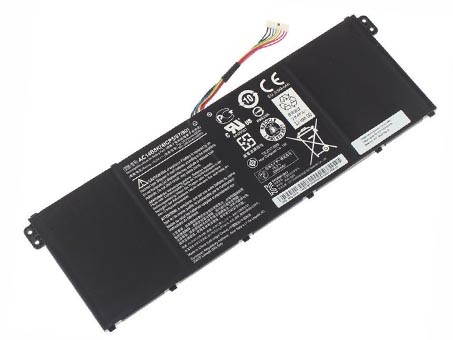
  • Acer Aspire V3-371 V3-111 ES1-511 E5-771G P276 B115-M replacement for AC14B8K battery

    This Acer AC14B8K Battery has a capacity of 48WH and a voltage of 15.2V. Suitable for Acer Aspire V3-371 V3-111 ES1-511 E5-771G P276 B115-M. 100% compatible and 100% safe. 1-year warranty, 30-day money back guarantee. 

    Acer AC14B8K 48WH 15.2V Notebook Battery

    Acer AC14B8K battery


    (product code: AC14B8K) 

    (Usually ships the same business day!)

      Product details:

    • Brand: Acer AC14B8K Notebook batteries

    • Type: li-ion battery

    • Voltage: 15.2V

    • Capacity: 48WH

    • SKU: ACE2256

    Replace the following batteries:

    AC14B8K 4ICP5/57/80

    Compatible with the following models:

    Acer Aspire Series
    Aspire ES1-511, Aspire ES1-512, 
    Aspire E5-771G, 
    Aspire R13 R7-371T, 
    Aspire V3-371, Aspire V3-371-55GS, Aspire V3-111, Aspire V3-111P,

    Acer Travelmate Series
    TravelMate P276, TravelMate P276-MG, TravelMate P276-MG-56FU, 
    TravelMate B115-M, TravelMate B115-MP

    Acer Chromebook Series
    Chromebook 11 CB3-111, Chromebook 13 CB5-311, Chromebook 15 C910

    Gateway NE512 Series Notebook

    http://www.notebookbattery.co.nz/laptop-batteies-acer/replace-battery-ac14b8k-b178302.htm

    Laptop battery tips

    Newly bought notebooks, the first three charges do not need to reach 12 hours, because the current laptop batteries have a management chip that can control the charging limit, when the battery is full, it will automatically cut off the charging function, thus protecting the battery life and avoiding overcharging.

    It is not necessary to discharge completely before each charge, because this deep discharge will shorten the battery life. It is recommended to charge when the remaining 10% is left. In addition, when there is still more than 30% of the battery power, it is best not to charge, because the memory effect does exist. The power management software allows you to check the battery level at any time, and the HP EliteBook P-series notebooks come with a battery indicator that allows you to check the remaining battery even without turning it on.

    When plugging in AC power (connecting the power adapter), you don't need to remove the battery

    , because most laptop batteries need to be charged below 90%, and the battery naturally discharges to this capacity takes two weeks to a month, so use it every day. Notebooks don't have to worry about repeated charging and unloading, not to mention the fact that emergency power outages are more damaging to data.

    If you want to store unused batteries for a long time, you need to put them in a dry, low temperature environment while maintaining 40% of the remaining power in the battery. In addition, it is best to take out the battery once a month to ensure a good storage state and service life of the battery.

    Reducing the brightness of your notebook screen can extend the life of your notebook and reduce the number of times it is charged.

    Use some power management tools, such as the Power Assistant on the HP EliteBook P Series, which can even monitor the energy consumption of each component in real time through the PMC circuit, and accurately summarize the company's status to the HPclient Configuration Manager software, and optionally Turn off the specified parts to extend battery life.

    ABOUT US

    Wholesale and retail Notebook Battery in NZ. Replacement for Acer, Apple, Compaq, Dell, FUJITSU, IBM,Lenovo,Sony and so on.

    These may be you want to look for :

    10S2P18650 battery replacement for 2 Wheels Hover Scooter Banlance

    SQU1303 battery replacement for Hasee Q480S UN45 K570C UN43

    BU03XL battery replacement for HP Chromebook 14-AK010NR 816609-005 HSTNN-IB7F 816498-1B1

    WB87 battery replacement for Godox WB87 Studio Flashes AD600 AD600B AD600BM AD600M

    GC3J0 battery replacement for 3.7V 16WH Tablet PC

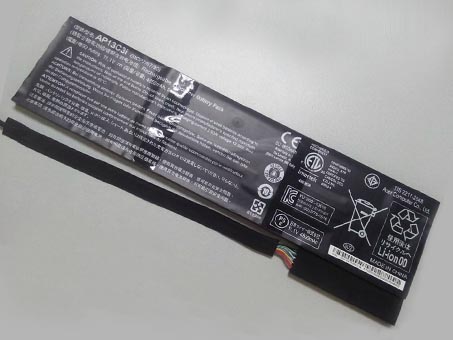
  • Acer AP13C3i 3ICP7/67/90 Notebook Battery

    This Acer AP13C3i Battery has a capacity of 4850mah/54wh and a voltage of 11.1V. Suitable for 3ICP7/67/90. 100% compatible and 100% safe. 1-year warranty, 30-day money back guarantee. 

    Acer AP13C3i 4850mah/54wh 11.1V Notebook Battery

    Acer AP13C3i battery


    (product code: AP13C3i) 

    (Usually ships the same business day!)

      Product details:

    • Brand: Acer AP13C3i Notebook batteries

    • Type: li-ion battery

    • Voltage: 11.1V

    • Capacity: 4850mah/54wh

    • SKU: ACE2309

    Replace the following batteries:

    AP13C3i 3ICP7/67/90

    Compatible with the following models:

    3ICP7/67/90

    http://www.notebookbattery.co.nz/laptop-batteies-acer/replace-battery-ap13c3i-b178303.htm

    Laptop battery tips

    Newly bought notebooks, the first three charges do not need to reach 12 hours, because the current laptop batteries have a management chip that can control the charging limit, when the battery is full, it will automatically cut off the charging function, thus protecting the battery life and avoiding overcharging.

    It is not necessary to discharge completely before each charge, because this deep discharge will shorten the battery life. It is recommended to charge when the remaining 10% is left. In addition, when there is still more than 30% of the battery power, it is best not to charge, because the memory effect does exist. The power management software allows you to check the battery level at any time, and the HP EliteBook P-series notebooks come with a battery indicator that allows you to check the remaining battery even without turning it on.

    When plugging in AC power (connecting the power adapter), you don't need to remove the battery

    , because most laptop batteries need to be charged below 90%, and the battery naturally discharges to this capacity takes two weeks to a month, so use it every day. Notebooks don't have to worry about repeated charging and unloading, not to mention the fact that emergency power outages are more damaging to data.

    If you want to store unused batteries for a long time, you need to put them in a dry, low temperature environment while maintaining 40% of the remaining power in the battery. In addition, it is best to take out the battery once a month to ensure a good storage state and service life of the battery.

    Reducing the brightness of your notebook screen can extend the life of your notebook and reduce the number of times it is charged.

    Use some power management tools, such as the Power Assistant on the HP EliteBook P Series, which can even monitor the energy consumption of each component in real time through the PMC circuit, and accurately summarize the company's status to the HPclient Configuration Manager software, and optionally Turn off the specified parts to extend battery life.

    ABOUT US

    Wholesale and retail Notebook Battery in NZ. Replacement for Acer, Apple, Compaq, Dell, FUJITSU, IBM,Lenovo,Sony and so on.

    These may be you want to look for :

    HNN9009A battery replacement for MOTOROLA HT750 HT1250 GP328 HT1550 PTX760

    BK03XL battery replacement for HP HSTNN-UB7G TPN-W125 916366-541 916811-855

    BT550ABE battery replacement for Samsung Galaxy Tab A 9.7 SM-T550 P550

    L14S4PB0 battery replacement for Lenovo Savers 14 Series 14-ISK 15-ISK

    EB-BE700ABE battery replacement for Samsung Galaxy E7 E7000 E700F

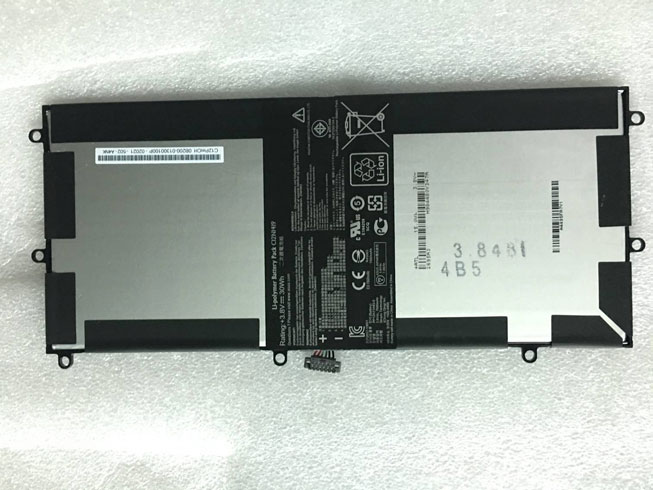
  • ASUS C12N1419 30Wh 3.8V Notebook Battery

    This ASUS C12N1419 Battery has a capacity of 30Wh and a voltage of 3.8V. Suitable for ASUS Transformer Book T100 CHI. 100% compatible and 100% safe. 1-year warranty, 30-day money back guarantee. 

    ASUS C12N1419 30Wh 3.8V Notebook Battery

    ASUS C12N1419 battery


    (product code: C12N1419) 

    (Usually ships the same business day!)

      Product details:

    • Brand: ASUS C12N1419 Notebook batteries

    • Type: Li-ion battery

    • Voltage: 3.8V

    • Capacity: 30Wh

    • SKU: ASU3X003

    Replace the following batteries:

    C12N1419

    Compatible with the following models:

    ASUS Transformer Book T100 CHI

    http://www.notebookbattery.co.nz/laptop-batteies-asus/replace-battery-c12n1419-b179431.htm

    Laptop battery tips

    Newly bought notebooks, the first three charges do not need to reach 12 hours, because the current laptop batteries have a management chip that can control the charging limit, when the battery is full, it will automatically cut off the charging function, thus protecting the battery life and avoiding overcharging.

    It is not necessary to discharge completely before each charge, because this deep discharge will shorten the battery life. It is recommended to charge when the remaining 10% is left. In addition, when there is still more than 30% of the battery power, it is best not to charge, because the memory effect does exist. The power management software allows you to check the battery level at any time, and the HP EliteBook P-series notebooks come with a battery indicator that allows you to check the remaining battery even without turning it on.

    When plugging in AC power (connecting the power adapter), you don't need to remove the battery

    , because most laptop batteries need to be charged below 90%, and the battery naturally discharges to this capacity takes two weeks to a month, so use it every day. Notebooks don't have to worry about repeated charging and unloading, not to mention the fact that emergency power outages are more damaging to data.

    If you want to store unused batteries for a long time, you need to put them in a dry, low temperature environment while maintaining 40% of the remaining power in the battery. In addition, it is best to take out the battery once a month to ensure a good storage state and service life of the battery.

    Reducing the brightness of your notebook screen can extend the life of your notebook and reduce the number of times it is charged.

    Use some power management tools, such as the Power Assistant on the HP EliteBook P Series, which can even monitor the energy consumption of each component in real time through the PMC circuit, and accurately summarize the company's status to the HPclient Configuration Manager software, and optionally Turn off the specified parts to extend battery life.

    ABOUT US

    Wholesale and retail Notebook Battery in NZ. Replacement for Acer, Apple, Compaq, Dell, FUJITSU, IBM,Lenovo,Sony and so on.

    These may be you want to look for :

    L12T1P3 battery replacement for LENOVO IDEATAB A2107 A2207 TABLET L12T1P31 BL195 1ICP48/67/89-1

    C11P1324 battery replacement for ASUS ZenFone 5 A500KL + Tools

    W217BAT-6 battery replacement for CLEVO W217CU 6-87-W217S-4D41 6-87-W217S-4D41-P

    L15D1P32 battery replacement for Lenovo Tab 3 8 Plus TB-8703F 8703N 8703 PB1-750N

    PR-329083 battery replacement for Acer Iconia One 7 B1-770 A5007 PR-329083

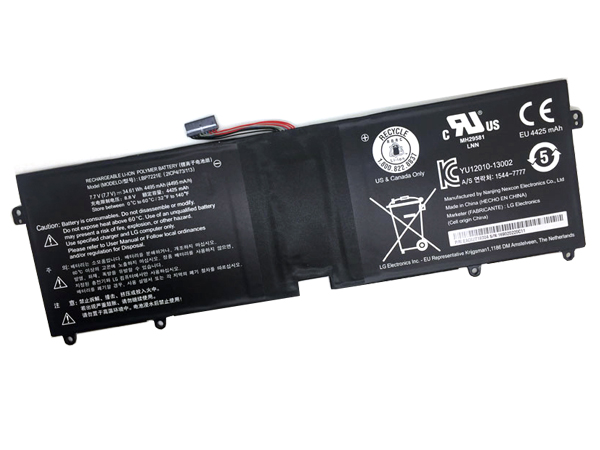
  • Battery Replacement For LG LBP7221E Notebook Battery

    This LG LBP7221E Battery has a capacity of 4495mAh/34.61Wh and a voltage of 7.7V. Suitable for LG Gram 15 LBP7221E 2ICP4/73/113. 100% compatible and 100% safe. 1-year warranty, 30-day money back guarantee. 

    LG LBP7221E 4495mAh/34.61Wh 7.7V Notebook Battery

    LG LBP7221E battery


    (product code: LBP7221E) 

    (Usually ships the same business day!)

      Product details:

    • Brand: LG LBP7221E Notebook batteries

    • Type: Li-ion battery

    • Voltage: 7.7V

    • Capacity: 4495mAh/34.61Wh

    • SKU: LG30XX2

    Replace the following batteries:

    LBP7221E

    Compatible with the following models:

    LG Gram 15 LBP7221E 2ICP4/73/113

    http://www.notebookbattery.co.nz/laptop-batteies-lg/replace-battery-lbp7221e-b179433.htm

    Laptop battery tips

    Newly bought notebooks, the first three charges do not need to reach 12 hours, because the current laptop batteries have a management chip that can control the charging limit, when the battery is full, it will automatically cut off the charging function, thus protecting the battery life and avoiding overcharging.

    It is not necessary to discharge completely before each charge, because this deep discharge will shorten the battery life. It is recommended to charge when the remaining 10% is left. In addition, when there is still more than 30% of the battery power, it is best not to charge, because the memory effect does exist. The power management software allows you to check the battery level at any time, and the HP EliteBook P-series notebooks come with a battery indicator that allows you to check the remaining battery even without turning it on.

    When plugging in AC power (connecting the power adapter), you don't need to remove the battery

    , because most laptop batteries need to be charged below 90%, and the battery naturally discharges to this capacity takes two weeks to a month, so use it every day. Notebooks don't have to worry about repeated charging and unloading, not to mention the fact that emergency power outages are more damaging to data.

    If you want to store unused batteries for a long time, you need to put them in a dry, low temperature environment while maintaining 40% of the remaining power in the battery. In addition, it is best to take out the battery once a month to ensure a good storage state and service life of the battery.

    Reducing the brightness of your notebook screen can extend the life of your notebook and reduce the number of times it is charged.

    Use some power management tools, such as the Power Assistant on the HP EliteBook P Series, which can even monitor the energy consumption of each component in real time through the PMC circuit, and accurately summarize the company's status to the HPclient Configuration Manager software, and optionally Turn off the specified parts to extend battery life.

    ABOUT US

    Wholesale and retail Notebook Battery in NZ. Replacement for Acer, Apple, Compaq, Dell, FUJITSU, IBM,Lenovo,Sony and so on.

    These may be you want to look for :

    BL256 battery replacement for Lenovo Lemon Vibe X3 Lite K51c78

    C41-N550 battery replacement for ASUS N550 N550J N550JV N550JK Q550L Q550LF

    BL229 battery replacement for Lenovo Gold Gladiator A8 A806 A808T

    RPJC3 battery replacement for Dell Inspiron 13 battery 7370 7373 5370

    FPCBP410 battery replacement for Fujitsu LifeBook UH574

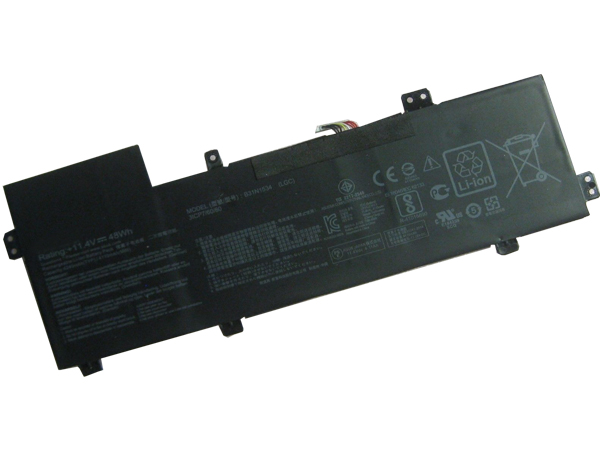
  • Asus Zenbook UX510 UX510UW UX510UX replacement for 0B200-02030000 battery

    This ASUS 0B200-02030000 Battery has a capacity of 4240mAh/48Wh and a voltage of 11.4V. Suitable for Asus Zenbook UX510 UX510UW UX510UX. 100% compatible and 100% safe. 1-year warranty, 30-day money back guarantee. 

    ASUS 0B200-02030000 4240mAh/48Wh 11.4V Notebook Battery

    ASUS 0B200-02030000 battery


    (product code: 0B200-02030000) 

    (Usually ships the same business day!)

      Product details:

    • Brand: ASUS 0B200-02030000 Notebook batteries

    • Type: Li-ion battery

    • Voltage: 11.4V

    • Capacity: 4240mAh/48Wh

    • SKU: ASU3X004

    Replace the following batteries:

    0B200-02030000 B31N1534

    Compatible with the following models:

    Asus Zenbook UX510
    Asus Zenbook UX510UW UX510UW-1A, UX510UW-RB71, UX510UW-CN044T
    Asus Zenbook UX510UX UX510UX-1A, UX510UX-CN020T-BE, UX510UX-CN044T

    http://www.notebookbattery.co.nz/laptop-batteies-asus/replace-battery-0b200-02030000-b179434.htm

    Laptop battery tips

    Newly bought notebooks, the first three charges do not need to reach 12 hours, because the current laptop batteries have a management chip that can control the charging limit, when the battery is full, it will automatically cut off the charging function, thus protecting the battery life and avoiding overcharging.

    It is not necessary to discharge completely before each charge, because this deep discharge will shorten the battery life. It is recommended to charge when the remaining 10% is left. In addition, when there is still more than 30% of the battery power, it is best not to charge, because the memory effect does exist. The power management software allows you to check the battery level at any time, and the HP EliteBook P-series notebooks come with a battery indicator that allows you to check the remaining battery even without turning it on.

    When plugging in AC power (connecting the power adapter), you don't need to remove the battery

    , because most laptop batteries need to be charged below 90%, and the battery naturally discharges to this capacity takes two weeks to a month, so use it every day. Notebooks don't have to worry about repeated charging and unloading, not to mention the fact that emergency power outages are more damaging to data.

    If you want to store unused batteries for a long time, you need to put them in a dry, low temperature environment while maintaining 40% of the remaining power in the battery. In addition, it is best to take out the battery once a month to ensure a good storage state and service life of the battery.

    Reducing the brightness of your notebook screen can extend the life of your notebook and reduce the number of times it is charged.

    Use some power management tools, such as the Power Assistant on the HP EliteBook P Series, which can even monitor the energy consumption of each component in real time through the PMC circuit, and accurately summarize the company's status to the HPclient Configuration Manager software, and optionally Turn off the specified parts to extend battery life.

    ABOUT US

    Wholesale and retail Notebook Battery in NZ. Replacement for Acer, Apple, Compaq, Dell, FUJITSU, IBM,Lenovo,Sony and so on.

    These may be you want to look for :

    B18/2.6Ah battery replacement for Hilti B18/2.6Ah B18/1.6Ah 21.6v Li-Ion Cordless Tool Battery Pack 18+ Volt

    TLp025G2 battery replacement for ALCATEL OT- 9001A OT- 9001X OT-8050D OT-9003A OT-9003X

    VVONF battery replacement for Dell Latitude E5440 E5540 Series

    C21N1634 battery replacement for ASUS Vivobook R542UR R542UR-GQ378T FL5900L

    PMNN4080 battery replacement for Motorola CP185 CP476 CP477 CP1300 CP1600 CP1660

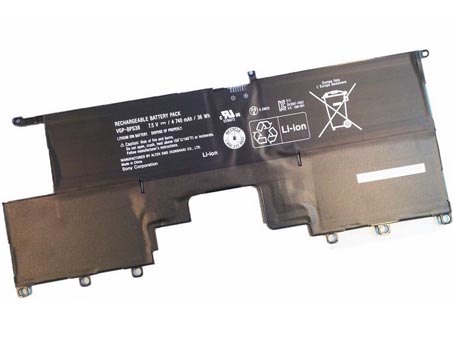
  • SONY SVP13 Pro13 Pro11 Notebook Battery-VGP-BPS38 battery

    This sony VGP-BPS38 Battery has a capacity of 4740mAh/36Wh and a voltage of 7.5V. Suitable for SONY SVP13 Pro13 Pro11. 100% compatible and 100% safe. 1-year warranty, 30-day money back guarantee. 

    sony VGP-BPS38 4740mAh/36Wh 7.5V Notebook Battery

    sony VGP-BPS38 battery


    (product code: VGP-BPS38) 

    (Usually ships the same business day!)

      Product details:

    • Brand: sony VGP-BPS38 Notebook batteries

    • Type: li-ion battery

    • Voltage: 7.5V

    • Capacity: 4740mAh/36Wh

    • SKU: SON2881

    Replace the following batteries:

    VGP-BPS38

    Compatible with the following models:

    Sony PRO11 PRO13
    P132200C P11226SCBI P13227SC P13226SC P132200C SVP13218SC SVP13217SC SV P112100C

    http://www.notebookbattery.co.nz/laptop-batteies-sony/replace-battery-vgp-bps38-b2881.htm

    Laptop battery tips

    Newly bought notebooks, the first three charges do not need to reach 12 hours, because the current laptop batteries have a management chip that can control the charging limit, when the battery is full, it will automatically cut off the charging function, thus protecting the battery life and avoiding overcharging.

    It is not necessary to discharge completely before each charge, because this deep discharge will shorten the battery life. It is recommended to charge when the remaining 10% is left. In addition, when there is still more than 30% of the battery power, it is best not to charge, because the memory effect does exist. The power management software allows you to check the battery level at any time, and the HP EliteBook P-series notebooks come with a battery indicator that allows you to check the remaining battery even without turning it on.

    When plugging in AC power (connecting the power adapter), you don't need to remove the battery

    , because most laptop batteries need to be charged below 90%, and the battery naturally discharges to this capacity takes two weeks to a month, so use it every day. Notebooks don't have to worry about repeated charging and unloading, not to mention the fact that emergency power outages are more damaging to data.

    If you want to store unused batteries for a long time, you need to put them in a dry, low temperature environment while maintaining 40% of the remaining power in the battery. In addition, it is best to take out the battery once a month to ensure a good storage state and service life of the battery.

    Reducing the brightness of your notebook screen can extend the life of your notebook and reduce the number of times it is charged.

    Use some power management tools, such as the Power Assistant on the HP EliteBook P Series, which can even monitor the energy consumption of each component in real time through the PMC circuit, and accurately summarize the company's status to the HPclient Configuration Manager software, and optionally Turn off the specified parts to extend battery life.

    ABOUT US

    Wholesale and retail Notebook Battery in NZ. Replacement for Acer, Apple, Compaq, Dell, FUJITSU, IBM,Lenovo,Sony and so on.

    These may be you want to look for :

    SB10J79004 battery replacement for Lenovo T460S

    L15D1P32 battery replacement for Lenovo Tab 3 8 Plus TB-8703F 8703N 8703 PB1-750N

    PA5185U-1BRS battery replacement for TOSHIBA Satellite L40D-B

    TLi014A1 battery replacement for Alcatel One Touch OT4010/D OT 4030/D/A OT 5020

    BV-4BW battery replacement for NOKIA BV4BW Lumia 1520 /1320

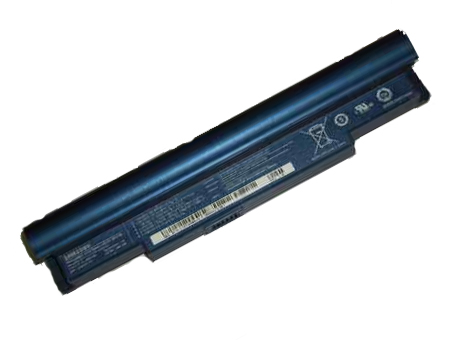
  • SAMSUNG AA-PB6NC6W 57WH 11.1V Notebook Battery

    This SAMSUNG AA-PB6NC6W Battery has a capacity of 57WH and a voltage of 11.1V. Suitable for Samsung NC10 NC10- 14GB Series. 100% compatible and 100% safe. 1-year warranty, 30-day money back guarantee. 

    SAMSUNG AA-PB6NC6W 57WH 11.1V Notebook Battery

    SAMSUNG AA-PB6NC6W battery


    (product code: AA-PB6NC6W) 

    (Usually ships the same business day!)

      Product details:

    • Brand: SAMSUNG AA-PB6NC6W Notebook batteries

    • Type: Li-ion battery

    • Voltage: 11.1V

    • Capacity: 57WH

    • SKU: SAM2882

    Replace the following batteries:

    AA-PB6NC6W,AA-PB8NC6B,AA-PB8NC6M

    Compatible with the following models:

    Samsung NC10 Series
    Samsung NC10-14GB Samsung NC10-14GW Samsung NC10-14GBK
    Samsung NC10-11GP Samsung NC10-11PBK Samsung NC10-KA01US
    Samsung NC10-KA03 Samsung NC10-KA04 Samsung NC10-KA05
    Samsung NC10-KA06 Samsung NC10 KA06DE Samsung NC10-KA07
    Samsung NC10-KA08DE Samsung ND10-DA05

    http://www.notebookbattery.co.nz/laptop-batteies-samsung/replace-battery-aa-pb6nc6w-b2882.htm

    Laptop battery tips

    Newly bought notebooks, the first three charges do not need to reach 12 hours, because the current laptop batteries have a management chip that can control the charging limit, when the battery is full, it will automatically cut off the charging function, thus protecting the battery life and avoiding overcharging.

    It is not necessary to discharge completely before each charge, because this deep discharge will shorten the battery life. It is recommended to charge when the remaining 10% is left. In addition, when there is still more than 30% of the battery power, it is best not to charge, because the memory effect does exist. The power management software allows you to check the battery level at any time, and the HP EliteBook P-series notebooks come with a battery indicator that allows you to check the remaining battery even without turning it on.

    When plugging in AC power (connecting the power adapter), you don't need to remove the battery

    , because most laptop batteries need to be charged below 90%, and the battery naturally discharges to this capacity takes two weeks to a month, so use it every day. Notebooks don't have to worry about repeated charging and unloading, not to mention the fact that emergency power outages are more damaging to data.

    If you want to store unused batteries for a long time, you need to put them in a dry, low temperature environment while maintaining 40% of the remaining power in the battery. In addition, it is best to take out the battery once a month to ensure a good storage state and service life of the battery.

    Reducing the brightness of your notebook screen can extend the life of your notebook and reduce the number of times it is charged.

    Use some power management tools, such as the Power Assistant on the HP EliteBook P Series, which can even monitor the energy consumption of each component in real time through the PMC circuit, and accurately summarize the company's status to the HPclient Configuration Manager software, and optionally Turn off the specified parts to extend battery life.

    ABOUT US

    Wholesale and retail Notebook Battery in NZ. Replacement for Acer, Apple, Compaq, Dell, FUJITSU, IBM,Lenovo,Sony and so on.

    These may be you want to look for :

    VGP-BPS40 battery replacement for Sony Vaio Flip SVF 15A SVF15N17CXB SVF15N18PXB SVF15N28PXB

    PA04-A701-C battery replacement for Luggie PA04-A701-C PA04-A702-B PA04-A700 series

    44184400099 battery replacement for Getac B300 B300X BP3S3P2900(P)

    BNTV600 battery replacement for Barnes & Noble Nook HD+ Plus, NOOK HD+ 9inch

    HE349 battery replacement for Sharp Aquos S3 FS8032

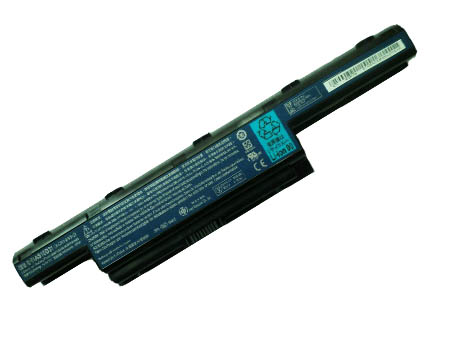
  • Battery Replacement For Acer AS10D51 Notebook Battery

    This Acer AS10D51 Battery has a capacity of 4400MAh and a voltage of 11.1V. Suitable for Acer eMachines D440 D442 D443 E443 D528 D530 D642 MS2305. 100% compatible and 100% safe. 1-year warranty, 30-day money back guarantee. 

    Acer AS10D51 4400MAh 11.1V Notebook Battery

    Acer AS10D51 battery


    (product code: AS10D51) 

    (Usually ships the same business day!)

      Product details:

    • Brand: Acer AS10D51 Notebook batteries

    • Type: Li-ion battery

    • Voltage: 11.1V

    • Capacity: 4400MAh

    • SKU: ACE2886

    Replace the following batteries:

    BT.00607.125,BT.00603.111,BT.00606.008,BT.00607.127,BT.00604.049,LC.BTP00.123,BT.00605.062,BT.00607.126,BT.00607.127,LC.BTP00.127,BT.00605.065,31CR19/652,31CR19/65-2,3ICR19/66-2,934T2078F,AS10D3E,AS10D5E,AS10D7E,ZQ3,AS10G3E,AS10D51,AS10D56,AS10D61,AS10D71,AS10D73,AS10D75,AS10D41,AS10D31,AS10D81

    Compatible with the following models:

    E-Machines eMachines D440 ( MS2305 )
    D440-1202G25Mn D440-1202G16Mn D440-1202G32Mn D440-1202G16Mi

    E-Machines eMachines D442
    D442-V264 D442-V081 D442-V234

    E-Machines eMachines D528
    D528-2062

    E-Machines eMachines D640 D640G ( MS2305 )

    E-Machines eMachines D728

    E-Machines eMachines D730 D730G ( MS2304 )

    E-Machines eMachines D732
    D732-7000 D732-7025

    E-Machines eMachines D732G

    E-Machines eMachines D732Z
    D732Z-4717

    E-Machines eMachines D732ZG

    E-Machines eMachines E440 ( NEW85 )
    E440-1616 E440-1394 E440-1680 E440-1653 E440-1317 E440-1036
    E440-1203G32Mn E440-1434 E440-1202G16Mi E440-1201G16Mn

    E-Machines eMachines E640
    E640-N833G32Mn E640-P324G50Mn E640-N833G25Mn E640-P324G32Mn E640-P324G25Mn E640-P1202G25Mn
    E640-N833G25Mi E640-P322G16Mi

    E-Machines eMachines E640G
    E640G-P324G50Mn E640G-P324G32Mn E640G-P322G16Mi E640G-P323G32Mn E640G-1202G25Mn

    E-Machines eMachines E642

    E-Machines eMachines E642G

    E-Machines eMachines E730G

    E-Machines eMachines E732
    E732-7096

    E-Machines eMachines E732Z

    E-Machines eMachines E732ZG

    E-Machines eMachines G640
    G640-P322G25MNKS G640-P324G25Mn G640-N833G32Mn G640-P322G25Mn G640-P324G32Mn G640-P323G25Mn
    G640-P324G50Mn G640-P322G32MNKS

    E-Machines eMachines G640G
    G640G-N833G32Mn G640G-P324G50Mn G640G-P523G25Mi G640G-P323G25Mi G640G-P322G50MNKS G640G-P324G32Mn
    G640G-P323G32Mn G640G-P324G32MNKS G640G-P322G25Mi

    E-Machines eMachines G730G

    E-Machines eMachines G730Z

    E-Machines eMachines G730ZG
    Acer eMachines D440 D442 D443 E443 D528 D530 D640 D640G D642

    http://www.notebookbattery.co.nz/laptop-batteies-acer/replace-battery-as10d51-b2886.htm

    Laptop battery tips

    Newly bought notebooks, the first three charges do not need to reach 12 hours, because the current laptop batteries have a management chip that can control the charging limit, when the battery is full, it will automatically cut off the charging function, thus protecting the battery life and avoiding overcharging.

    It is not necessary to discharge completely before each charge, because this deep discharge will shorten the battery life. It is recommended to charge when the remaining 10% is left. In addition, when there is still more than 30% of the battery power, it is best not to charge, because the memory effect does exist. The power management software allows you to check the battery level at any time, and the HP EliteBook P-series notebooks come with a battery indicator that allows you to check the remaining battery even without turning it on.

    When plugging in AC power (connecting the power adapter), you don't need to remove the battery

    , because most laptop batteries need to be charged below 90%, and the battery naturally discharges to this capacity takes two weeks to a month, so use it every day. Notebooks don't have to worry about repeated charging and unloading, not to mention the fact that emergency power outages are more damaging to data.

    If you want to store unused batteries for a long time, you need to put them in a dry, low temperature environment while maintaining 40% of the remaining power in the battery. In addition, it is best to take out the battery once a month to ensure a good storage state and service life of the battery.

    Reducing the brightness of your notebook screen can extend the life of your notebook and reduce the number of times it is charged.

    Use some power management tools, such as the Power Assistant on the HP EliteBook P Series, which can even monitor the energy consumption of each component in real time through the PMC circuit, and accurately summarize the company's status to the HPclient Configuration Manager software, and optionally Turn off the specified parts to extend battery life.

    ABOUT US

    Wholesale and retail Notebook Battery in NZ. Replacement for Acer, Apple, Compaq, Dell, FUJITSU, IBM,Lenovo,Sony and so on.

    These may be you want to look for :

    L15D3K32 battery replacement for Lenovo Yoga Tab 3 YT3-X50F YT3-X50M L15C3K32

    633-27 battery replacement for Anritsu S331B S331C S331D S332B S332D S332A

    LR08XL battery replacement for Hp Envy 15-3000 Envy 15-3012TX

    C11P1404 battery replacement for ASUS ZenFone 4.5 A450

    45N1016 battery replacement for Lenovo ThinkPad T410 T420 T430 T510 28++

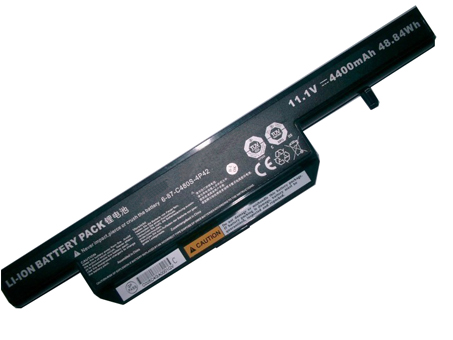
  • CLEVO W240BUBAT-3 replacement for W240BUBAT-3 battery

    This CLEVO W240BUBAT-3 Battery has a capacity of 4400mAh and a voltage of 11.1V. Suitable for CLEVO W240BUBAT-3. 100% compatible and 100% safe. 1-year warranty, 30-day money back guarantee. 

    CLEVO W240BUBAT-3 4400mAh 11.1V Notebook Battery

    CLEVO W240BUBAT-3 battery


    (product code: W240BUBAT-3) 

    (Usually ships the same business day!)

      Product details:

    • Brand: CLEVO W240BUBAT-3 Notebook batteries

    • Type: Li-ion battery

    • Voltage: 11.1V

    • Capacity: 4400mAh

    • SKU: CLE2887

    Replace the following batteries:

    W240BUBAT-3,W240BUBAT-6

    Compatible with the following models:

    CLEVO W240BUBAT-3 W240BUBAT-6

    http://www.notebookbattery.co.nz/laptop-batteies-clevo/replace-battery-w240bubat-3-b2887.htm

    Laptop battery tips

    Newly bought notebooks, the first three charges do not need to reach 12 hours, because the current laptop batteries have a management chip that can control the charging limit, when the battery is full, it will automatically cut off the charging function, thus protecting the battery life and avoiding overcharging.

    It is not necessary to discharge completely before each charge, because this deep discharge will shorten the battery life. It is recommended to charge when the remaining 10% is left. In addition, when there is still more than 30% of the battery power, it is best not to charge, because the memory effect does exist. The power management software allows you to check the battery level at any time, and the HP EliteBook P-series notebooks come with a battery indicator that allows you to check the remaining battery even without turning it on.

    When plugging in AC power (connecting the power adapter), you don't need to remove the battery

    , because most laptop batteries need to be charged below 90%, and the battery naturally discharges to this capacity takes two weeks to a month, so use it every day. Notebooks don't have to worry about repeated charging and unloading, not to mention the fact that emergency power outages are more damaging to data.

    If you want to store unused batteries for a long time, you need to put them in a dry, low temperature environment while maintaining 40% of the remaining power in the battery. In addition, it is best to take out the battery once a month to ensure a good storage state and service life of the battery.

    Reducing the brightness of your notebook screen can extend the life of your notebook and reduce the number of times it is charged.

    Use some power management tools, such as the Power Assistant on the HP EliteBook P Series, which can even monitor the energy consumption of each component in real time through the PMC circuit, and accurately summarize the company's status to the HPclient Configuration Manager software, and optionally Turn off the specified parts to extend battery life.

    ABOUT US

    Wholesale and retail Notebook Battery in NZ. Replacement for Acer, Apple, Compaq, Dell, FUJITSU, IBM,Lenovo,Sony and so on.

    These may be you want to look for :

    HB3G1 battery replacement for HUAWEI MediaPad7 Lite s7-301u 302 303 701

    TE04XL battery replacement for HP Omen 15-AX200 Pavilion 15-BC Series HSTNN-DB7T

    GEB121 battery replacement for LEICA TPS400 TPS700 TPS800 TPS1000 Total stations battery

    681951-001 battery replacement for HP ENVY Sleekbook 6-1000 8-Cell 60Wh

    BL220 battery replacement for Lenovo S850 S850T +Tools