Replace Laptop battery in NZ

Tag: Power Supply

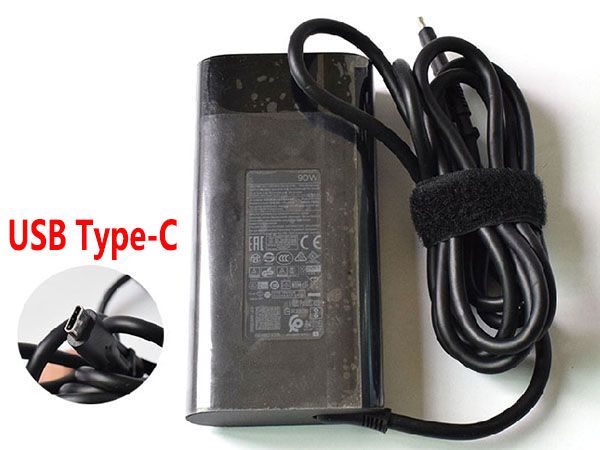
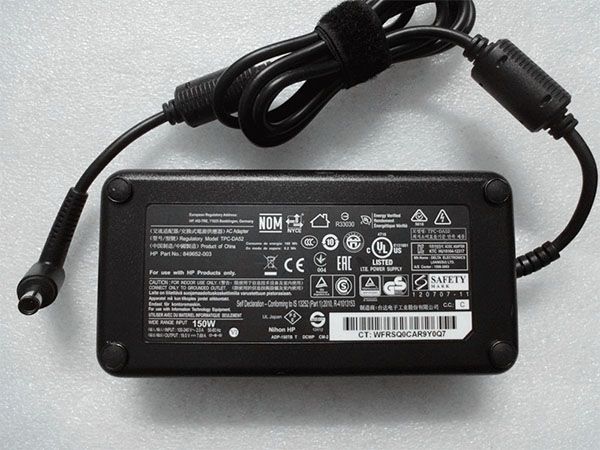
  • ONLINE SHOP 19.5V 7.69A 150W (ref to the picture) TPC-CA52 adapter HP ENVY 27-P011 27-p021 27-p051 AIO PC

    NZ ONLINE SHOP: Sell HP TPC-CA52 power supply, replacement for HP ENVY 27-P011 27-p021 27-p051 AIO PC. High quality, high performance, brand new packaging, 1-year warranty, fast delivery!

    HP TPC-CA52 adapter

    TPC-CA52 Power Supply for HP ENVY 27-P011 27-p021 27-p051 AIO PC

    Product Details:

    Brand: HP
    Input Volt: 100-240V 2.0A 50-60Hz (for worldwide use)
    Output Volt: 19.5V 7.69A 150W (ref to the picture)
    Part Numbers:
    849652-003 TPC-DA52 ADP-150TB T DCWP CM-2 681058-001 681058-002 697317-001 N17908 R33030 U1000EA TPC-LA52
    Compatible models:
    HP ENVY 27-P011 27-p021 27-p051 AIO PC

    Other online stores:

    NZ: HP TPC-CA52 laptop Power Adapter
    JP: HP TPC-CA52 ACアダプター
    FR: HP TPC-CA52 Adaptateur ordinateur portable
    PL: HP TPC-CA52 Zasilacz do laptopa

    NZ ONLINE STORE: POPULAR PRODUCTS

    792584-001 Power Supply for HP USB-C/TYPE-C AC Adapter Charger 792584-004 792619-001 TPN-AA01

    PA-3401-1 Power Supply for HP Pro 288 86 99 Pro G2 G4 G5 MT Power Supply

    USB-C Power Supply for HP Chromebook 11 G6 EE, 11A G6 EE Laptop 45W

    L23960-003 Power Supply for HP L23960-003 L24008-001

    PCG003 Power Supply for HP ProDesk 600 EliteDesk 800 G3 MT SFF

  • Cheap Price HP TPN-DA08 904082-003 904144-850 ADP-90FE B AC ADAPTER Charger 904082-003

    NZ ONLINE SHOP: Sell HP 904082-003 power supply, replacement for HP TPN-DA08 904082-003 904144-850 ADP-90FE B AC ADAPTER. High quality, high performance, brand new packaging, 1-year warranty, fast delivery!

    HP 904082-003 adapter

    904082-003 Power Supply for HP TPN-DA08 904082-003 904144-850 ADP-90FE B AC ADAPTER

    Product Details:

    Brand: HP
    Input Volt: 100-240V 50-60Hz (for worldwide use)
    Output Volt: 5V/3.0A 9V/3.0A 10V/5.0A 12V/5.0A 15V/5.0A 20V/4.5A, 90W
    Part Numbers:
    TPN-DA08, 904082-003, 904144-850, ADP-90FE B
    Compatible models:
    HP TPN-DA08 904082-003 904144-850 ADP-90FE B AC ADAPTER

    FEATURES:

    *NZ-Online, UPS / DHL / USPS multi-party cooperation, fast delivery.
    *Efficient and stable electronic components, high quality, rest assured!
    *Trustworthy shipping costs and standards.
    *1-year warranty, 30-days money-back.
    *UL / CE / RoHS / ISO 9001 and other multi-party safety and quality certifications.
    *Perfectly Compatible with HP TPN-DA08 904082-003 904144-850 ADP-90FE B AC ADAPTER with several starting tests.
    *Appearance and Output power are equal to the original’s as well as compatibility.
    *Power Connector and interface type are matched to the original’s motherboard.
    *A power plug for charger provided by notebookbattery.co.nz in free gift fits your country or region.

    How to select a correct charger type?

    *Check the appearance and Output voltage matched to the original.
    *Carefully check out the size of the connector tip ref to the original.
    *Read the USER GUIDANCE or reference to the information from the official Website of your equipment.
    *Matched your equipment name and power hole, original adapter model.

    Other online stores:

    NZ: HP 904082-003 laptop Power Adapter
    JP: HP 904082-003 ACアダプター
    FR: HP 904082-003 Adaptateur ordinateur portable
    PL: HP 904082-003 Zasilacz do laptopa

    NZ ONLINE STORE: POPULAR PRODUCTS

    792584-001 Power Supply for HP USB-C/TYPE-C AC Adapter Charger 792584-004 792619-001 TPN-AA01

    PA-3401-1 Power Supply for HP Pro 288 86 99 Pro G2 G4 G5 MT Power Supply

    USB-C Power Supply for HP Chromebook 11 G6 EE, 11A G6 EE Laptop 45W

    L23960-003 Power Supply for HP L23960-003 L24008-001

    PCG003 Power Supply for HP ProDesk 600 EliteDesk 800 G3 MT SFF

  • Cheap Price Samsung S24C350H S24C570HL S27A350 S27D360H Charger S24C350H

    NZ ONLINE SHOP: Sell Samsung S24C350H power supply, replacement for Samsung S24C350H S24C570HL S27A350 S27D360H. High quality, high performance, brand new packaging, 1-year warranty, fast delivery!

    Samsung S24C350H adapter

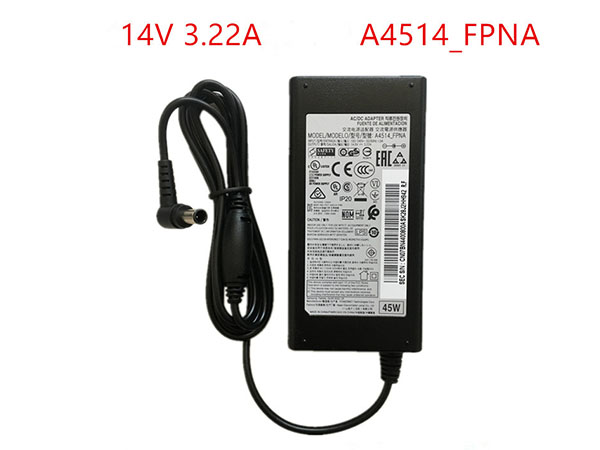
    S24C350H Power Supply for Samsung S24C350H S24C570HL S27A350 S27D360H

    Product Details:

    Brand: Samsung
    Input Volt: 100 ~ 240V 50~ 60Hz 1.0A
    Output Volt: 14V 3.22A/45W
    Part Numbers:
    C27F591FDC C27F591FD A4514_FPNA A3514_DSML LS27E510CS/EN 173B s20d300h s20d340h s20d300h s20d340hy s22d300by LTM1555B S24C350H S24C570HL S27A350 S27D360H
    Compatible models:
    Samsung S24C350H S24C570HL S27A350 S27D360H

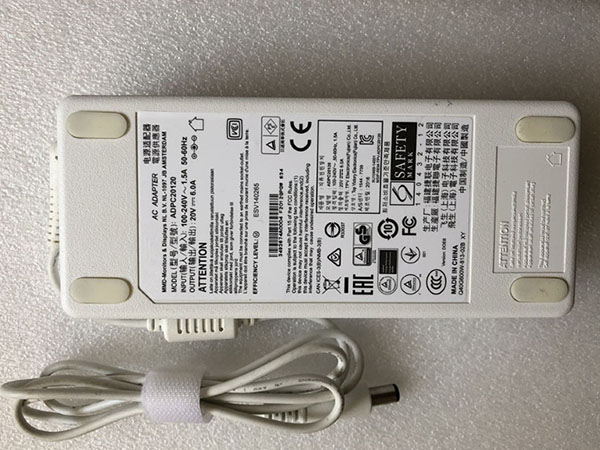
  • Brand new 120W adapter replacement for Philips ADPC20120 349X6Q LCD Monitor Power

    NZ ONLINE SHOP: Sell Philips 120W power supply, replacement for Philips ADPC20120 349X6Q LCD Monitor Power. High quality, high performance, brand new packaging, 1-year warranty, fast delivery!

    Philips 120W adapter

    120W Power Supply for Philips ADPC20120 349X6Q LCD Monitor Power

    Product Details:

    Brand: Philips
    Input Volt: 100-240V 50-60Hz 1.5A
    Output Volt: 20V 6.0A/120W
    Part Numbers:
    120W 20V 6.0A
    Compatible models:
    Philips ADPC20120 349X6Q LCD Monitor Power

    Other online stores:

    NZ: Philips 120W laptop Power Adapter
    JP: Philips 120W ACアダプター
    FR: Philips 120W Adaptateur ordinateur portable
    PL: Philips 120W Zasilacz do laptopa

    NZ ONLINE STORE: POPULAR PRODUCTS

    ZD12D250050CN Power Supply for Philips Vacuum cleaner FC6812 FC6814 FC6813

    SSC-18P-20-CH-330038 Power Supply for Philips Vacuum Cleaner FC6409 FC6408 FC6407 FC6171

    120W Power Supply for Philips ADPC20120 349X6Q LCD Monitor Power

    ADPC2045 Power Supply for Philips AOC ADPC2045

    HQ8505 Power Supply for PHILIPS Norelco HQ8500 HQ6070 HQ6073 HQ6076 PT860 HQ8

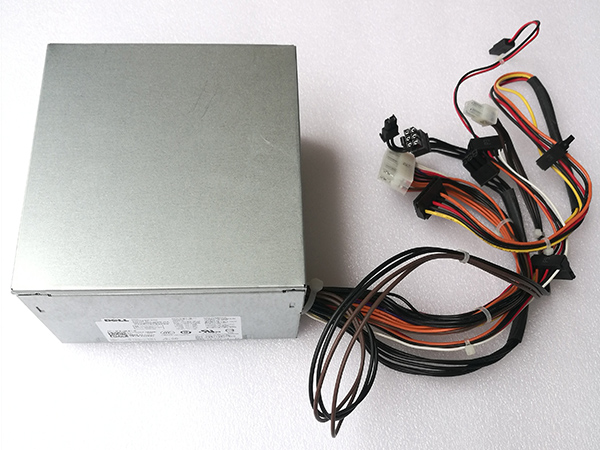
  • Dell Alienware Aurora R5 R6 R7 PSU Replacement DPS-460DB-15 power supply

    Get easy to replace a new Dell DPS-460DB-15 power supply. To choose the correcting Dell Alienware Aurora R5 R6 R7 power supply PSU. Check Dell 460W power supply for pc compatible with more Dell series at www.notebookbattery.co.nz.

    Dell DPS-460DB-15 adapter

    Product Details:

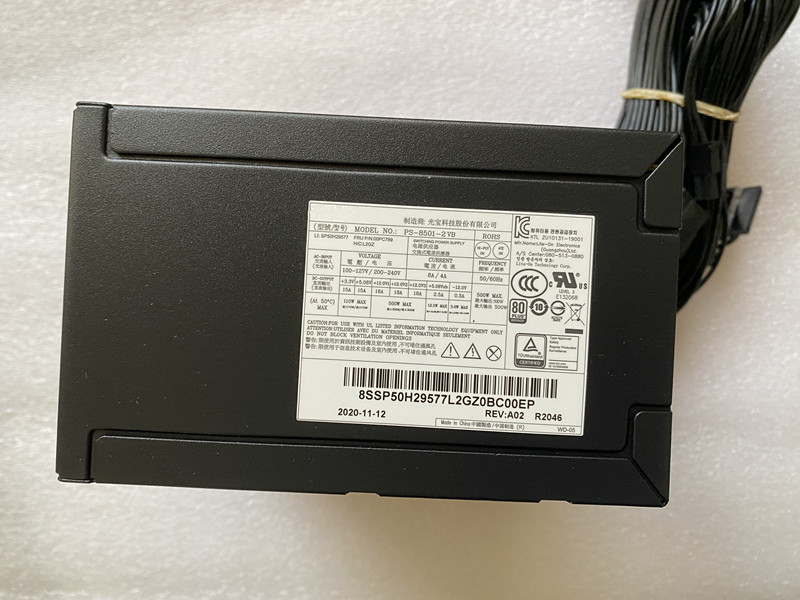
    Input Volt: 100-240V-/ 8A, 50-60Hz
    Output Volt: 460W; +12VA==/18A +12VB==/16A +12VC==/8A +5V==/25A +3.3V==/17A +5Vaux==/3A

    Part Numbers:

    D460AM-01 D460AM-02 D460AM-03 AC460AM-01 AC460AD-01 HU460AD-01 HU460AM-00 PC9004 DPS-460DB-4_A

    Fit Models:

    Dell Alienware Aurora R5 R6 R7

    http://www.notebookbattery.co.nz/dell-laptop-power-adapter/dps-460db-15-a180555.htm

    Other online stores

    ES: Fuente de alimentación PCDell DPS-460DB-15
    IT: Alimentatore per PC Dell DPS-460DB-15
    JP: Dell DPS-460DB-15 互換 pc電源ユニット
    DE: Dell DPS-460DB-15 PC-Netzteile

    Computer mainframe maintenance

    First, start up regularly, especially in the wet season, otherwise the chassis will be short-circuited due to moisture, and the computer often used is not easy to break. However, if there is no lightning rod around the home, do not open the computer while thundering, and remove all the plugs.

    Second, pay attention to heat dissipation in the summer, avoid using the computer for a long time in a room without air conditioning, and pay attention to antifreeze in winter. The computer is actually afraid of cold.

    Third, when you don't need a computer, you should cover the monitor, the chassis, and the keyboard with a breathable and cloakable cloth, which can prevent dust from entering the computer.

    Fourth, try not to turn the machine on and off frequently. When not in use, simply use screen saver or hibernate. Do not move the computer while the computer is in use, do not let the computer be shaken, and do not plug in all the hardware devices in the power-on state, except for USB devices.

    Fifth, use the power socket with overload protection and three pins, which can effectively reduce static electricity. If the hand can feel static electricity, use a wire with an enameled wire (that is, plastic outside, which is copper wire inside), and one end is wrapped around the rear panel of the chassis. On the top, it can be wrapped around the fan air outlet, and the other end is preferably wrapped around the water pipe. If you can't touch the water pipe, look around, as long as the metal object can touch the earth (soil).

    Sixth, develop good operating habits, try to reduce the number of loading and unloading software.

    Seven, follow the strict sequence of power on and off, should first open peripherals, such as monitors, speakers, printers, scanners, etc., and finally open the chassis power. On the contrary, you should turn off the power of the chassis first. (Currently most computer systems can automatically power off the chassis)

    Eight, do not place speakers around the display, there will be magnetic interference. The darker the brightness of the display during use, the better, but the comfort of the eyes is better.

    Nine, do not place water or liquid materials around the computer to avoid accidentally knocking over the inflow causing trouble.

    Ten, many lines behind the chassis should be straightened out, do not entangle each other, it is best to use plastic hoops or rubber bands to tie tight, the advantage of this is that it is clean and not dusty, the line is easy to find, there are small animals in a family Avoid being destroyed.

    Eleven, every six months, a large-scale cleaning of the computer, thoroughly remove the internal dirt and dust, especially the chassis, but under the premise of certainty, if you are not familiar with the hardware, it is better to touch it.

    Twelve, develop the habit of combining work and rest, do not play computer all night long, the life of the computer is not good, but the damage to the body is greater, the display, the chassis, the mouse and the keyboard are all radiation, on the keyboard The amount of radiation is actually greater.

    Other Hot Sales

    J775R for DELL OptiPlex GX760MT(black 24 pin)

    305W for Dell L305N-00 L305P-00 H305P-02 D305A001L

    M177R for Dell Optiplex 960mt 980mt

    K345R for Dell Optiplex 980 Mini Tower MT Computer

    CPS750-D121 for DELL R510 R910 Server 750W power supply

    C502A-S0 for Dell Poweredge R610

    A502P-00 for Dell Poweredge R610

    AC425EF-00 for Dell Precision T3600 Workstation

    H1300EF-02 for Dell Precision T7910 Workstation

    H1400EF-00 for Dell Precision T7920 Workstation

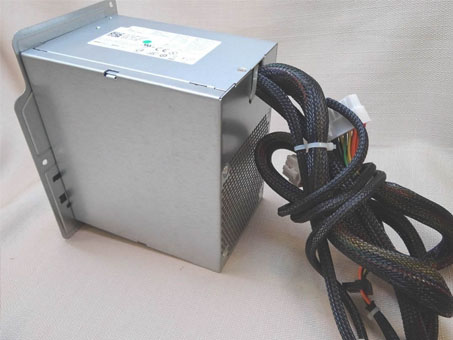
  • Dell Power supply unit Compatible model GJXN1

    Get easy to replace a new Dell GJXN1 power supply. To choose the correcting DELL XPS 8100 8300 8930 power supply PSU. Check Dell 460W power supply for pc compatible with more Dell series at www.notebookbattery.co.nz.

    Dell GJXN1 adapter

    Product Details:

    Input Volt: 100-240V-/ 8A, 50-60Hz
    Output Volt: 460W; +12VA==/18A +12VB==/16A +12VC==/8A +5V==/25A +3.3V==/17A +5Vaux==/3A

    Part Numbers:

    D460AM-01 D460AM-02 D460AM-03 AC460AM-01 AC460AD-01 HU460AD-01 HU460AM-00 PC9004 DPS-460DB-4_A

    Fit Models:

    DELL XPS 8100 8300 8930

    http://www.notebookbattery.co.nz/dell-laptop-power-adapter/gjxn1-a180558.htm

    Other online stores

    ES: Fuente de alimentación PCDell GJXN1
    IT: Alimentatore per PC Dell GJXN1
    JP: Dell GJXN1 互換 pc電源ユニット
    DE: Dell GJXN1 PC-Netzteile

    Computer mainframe maintenance

    First, start up regularly, especially in the wet season, otherwise the chassis will be short-circuited due to moisture, and the computer often used is not easy to break. However, if there is no lightning rod around the home, do not open the computer while thundering, and remove all the plugs.

    Second, pay attention to heat dissipation in the summer, avoid using the computer for a long time in a room without air conditioning, and pay attention to antifreeze in winter. The computer is actually afraid of cold.

    Third, when you don't need a computer, you should cover the monitor, the chassis, and the keyboard with a breathable and cloakable cloth, which can prevent dust from entering the computer.

    Fourth, try not to turn the machine on and off frequently. When not in use, simply use screen saver or hibernate. Do not move the computer while the computer is in use, do not let the computer be shaken, and do not plug in all the hardware devices in the power-on state, except for USB devices.

    Fifth, use the power socket with overload protection and three pins, which can effectively reduce static electricity. If the hand can feel static electricity, use a wire with an enameled wire (that is, plastic outside, which is copper wire inside), and one end is wrapped around the rear panel of the chassis. On the top, it can be wrapped around the fan air outlet, and the other end is preferably wrapped around the water pipe. If you can't touch the water pipe, look around, as long as the metal object can touch the earth (soil).

    Sixth, develop good operating habits, try to reduce the number of loading and unloading software.

    Seven, follow the strict sequence of power on and off, should first open peripherals, such as monitors, speakers, printers, scanners, etc., and finally open the chassis power. On the contrary, you should turn off the power of the chassis first. (Currently most computer systems can automatically power off the chassis)

    Eight, do not place speakers around the display, there will be magnetic interference. The darker the brightness of the display during use, the better, but the comfort of the eyes is better.

    Nine, do not place water or liquid materials around the computer to avoid accidentally knocking over the inflow causing trouble.

    Ten, many lines behind the chassis should be straightened out, do not entangle each other, it is best to use plastic hoops or rubber bands to tie tight, the advantage of this is that it is clean and not dusty, the line is easy to find, there are small animals in a family Avoid being destroyed.

    Eleven, every six months, a large-scale cleaning of the computer, thoroughly remove the internal dirt and dust, especially the chassis, but under the premise of certainty, if you are not familiar with the hardware, it is better to touch it.

    Twelve, develop the habit of combining work and rest, do not play computer all night long, the life of the computer is not good, but the damage to the body is greater, the display, the chassis, the mouse and the keyboard are all radiation, on the keyboard The amount of radiation is actually greater.

    Other Hot Sales

    J775R for DELL OptiPlex GX760MT(black 24 pin)

    305W for Dell L305N-00 L305P-00 H305P-02 D305A001L

    M177R for Dell Optiplex 960mt 980mt

    K345R for Dell Optiplex 980 Mini Tower MT Computer

    CPS750-D121 for DELL R510 R910 Server 750W power supply

    C502A-S0 for Dell Poweredge R610

    A502P-00 for Dell Poweredge R610

    AC425EF-00 for Dell Precision T3600 Workstation

    H1300EF-02 for Dell Precision T7910 Workstation

    H1400EF-00 for Dell Precision T7920 Workstation

  • Replacement HP Power Supply for HP PCG007

    Get easy to replace a new HP PCG007 power supply. To choose the correcting HP ProDesk 280 288 G3 MT power supply PSU. Check HP 310w power supply for pc compatible with more HP series at www.notebookbattery.co.nz.

    HP PCG007 adapter

    Product Details:

    Input Volt:100-240V~,50-60Hz 4.0A
    Output Volt: +12.0Vmain==16A +12Vcpu ==16A; 310W

    Part Numbers:

    PCG007 937516-004

    Fit Models:

    HP ProDesk 280 288 G3 MT

    http://www.notebookbattery.co.nz/hp-laptop-power-adapter/pcg007-a180417.htm

    Other online stores

    ES: Fuente de alimentación PCHP PCG007
    IT: Alimentatore per PC HP PCG007
    JP: HP PCG007 互換 pc電源ユニット
    DE: HP PCG007 PC-Netzteile

    Computer mainframe maintenance

    First, start up regularly, especially in the wet season, otherwise the chassis will be short-circuited due to moisture, and the computer often used is not easy to break. However, if there is no lightning rod around the home, do not open the computer while thundering, and remove all the plugs.

    Second, pay attention to heat dissipation in the summer, avoid using the computer for a long time in a room without air conditioning, and pay attention to antifreeze in winter. The computer is actually afraid of cold.

    Third, when you don't need a computer, you should cover the monitor, the chassis, and the keyboard with a breathable and cloakable cloth, which can prevent dust from entering the computer.

    Fourth, try not to turn the machine on and off frequently. When not in use, simply use screen saver or hibernate. Do not move the computer while the computer is in use, do not let the computer be shaken, and do not plug in all the hardware devices in the power-on state, except for USB devices.

    Fifth, use the power socket with overload protection and three pins, which can effectively reduce static electricity. If the hand can feel static electricity, use a wire with an enameled wire (that is, plastic outside, which is copper wire inside), and one end is wrapped around the rear panel of the chassis. On the top, it can be wrapped around the fan air outlet, and the other end is preferably wrapped around the water pipe. If you can't touch the water pipe, look around, as long as the metal object can touch the earth (soil).

    Sixth, develop good operating habits, try to reduce the number of loading and unloading software.

    Seven, follow the strict sequence of power on and off, should first open peripherals, such as monitors, speakers, printers, scanners, etc., and finally open the chassis power. On the contrary, you should turn off the power of the chassis first. (Currently most computer systems can automatically power off the chassis)

    Eight, do not place speakers around the display, there will be magnetic interference. The darker the brightness of the display during use, the better, but the comfort of the eyes is better.

    Nine, do not place water or liquid materials around the computer to avoid accidentally knocking over the inflow causing trouble.

    Ten, many lines behind the chassis should be straightened out, do not entangle each other, it is best to use plastic hoops or rubber bands to tie tight, the advantage of this is that it is clean and not dusty, the line is easy to find, there are small animals in a family Avoid being destroyed.

    Eleven, every six months, a large-scale cleaning of the computer, thoroughly remove the internal dirt and dust, especially the chassis, but under the premise of certainty, if you are not familiar with the hardware, it is better to touch it.

    Twelve, develop the habit of combining work and rest, do not play computer all night long, the life of the computer is not good, but the damage to the body is greater, the display, the chassis, the mouse and the keyboard are all radiation, on the keyboard The amount of radiation is actually greater.

    Other Hot Sales

    0957-2286 for HP 1050 1000 2050 2000 Printer Power Supply

    DPS-400AB-13A for HP Z210 Z220 Workstation

    849652-003 for Acer Predator Z35P 35inch Widescreen Monitor

    904144-850 for For HP Spectre x360 15-BL112DX 4K i7-8550U 15.6inch

    904082-003 for HP TPN-DA08 904082-003 904144-850 ADP-90FE B AC ADAPTER

    ADP-90FE_B for HP Spectre x360 15-b1000 15-b1099 15t-b1000 AC Adapter

    TPN-DA08 for HP Spectre X360 15-BL018CA TPN-DA08 904144-850

    19.5V for HP ZBook 17 G5

    TPN-CA03 for HP ZBook 17 G3 TPN-DA10 OMEN 15-dc0000

    PCG007 for HP ProDesk 280 288 G3 MT

  • Compatible with HP ProDesk 280 288 G3 MT PC power supply

    HP PCG007 Power Supply – HP PCG007 Computer Power – This is a new PCG007 HP PSU, 100-240V~,50-60Hz 4.0A 310W +12.0Vmain==16A +12Vcpu ==16A , 100% compatible with HP PCG007, one year warranty, 30 days refund. If you have any questions or suggestions about HP PCG007 power supply, please contact us so that we can provide you with the most convenient service.

    HP PCG007 AC Power Adapter Charger
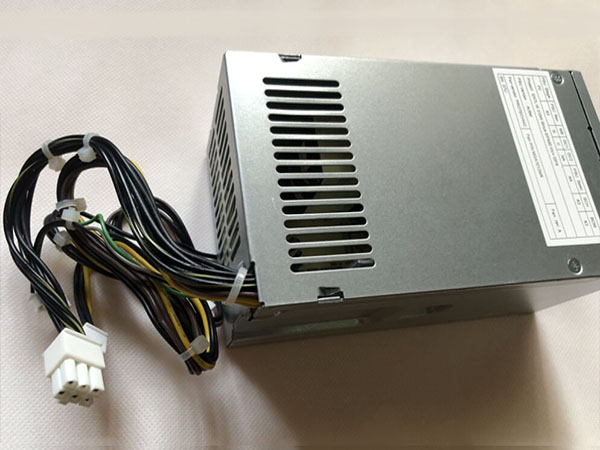
    HP PCG007 adapter
    AC Input:100-240V~,50-60Hz 4.0A 310W
    DC Output: +12.0Vmain==16A +12Vcpu ==16A 

    Adapter Part Numbers:
    PCG007 937516-004
    Adapter Fit Models:
    HP ProDesk 280 288 G3 MT 

    http://www.notebookbattery.co.nz/hp-laptop-power-adapter/pcg007-a180417.htm 

    Here,buy it now
    ES:HP PCG007 Adaptador
    IT:HP PCG007 Adattatore prodotto nuovo
    JP:HP PCG007
    DE:PCG007 Notebook-Netzteile.

    Computer mainframe maintenance

    First, start up regularly, especially in the wet season, otherwise the chassis will be short-circuited due to moisture, and the computer often used is not easy to break. However, if there is no lightning rod around the home, do not open the computer while thundering, and remove all the plugs.

    Second, pay attention to heat dissipation in the summer, avoid using the computer for a long time in a room without air conditioning, and pay attention to antifreeze in winter. The computer is actually afraid of cold.

    Third, when you don't need a computer, you should cover the monitor, the chassis, and the keyboard with a breathable and cloakable cloth, which can prevent dust from entering the computer.

    Fourth, try not to turn the machine on and off frequently. When not in use, simply use screen saver or hibernate. Do not move the computer while the computer is in use, do not let the computer be shaken, and do not plug in all the hardware devices in the power-on state, except for USB devices.

    Fifth, use the power socket with overload protection and three pins, which can effectively reduce static electricity. If the hand can feel static electricity, use a wire with an enameled wire (that is, plastic outside, which is copper wire inside), and one end is wrapped around the rear panel of the chassis. On the top, it can be wrapped around the fan air outlet, and the other end is preferably wrapped around the water pipe. If you can't touch the water pipe, look around, as long as the metal object can touch the earth (soil).

    Sixth, develop good operating habits, try to reduce the number of loading and unloading software.

    Seven, follow the strict sequence of power on and off, should first open peripherals, such as monitors, speakers, printers, scanners, etc., and finally open the chassis power. On the contrary, you should turn off the power of the chassis first. (Currently most computer systems can automatically power off the chassis)

    Eight, do not place speakers around the display, there will be magnetic interference. The darker the brightness of the display during use, the better, but the comfort of the eyes is better.

    Nine, do not place water or liquid materials around the computer to avoid accidentally knocking over the inflow causing trouble.

    Ten, many lines behind the chassis should be straightened out, do not entangle each other, it is best to use plastic hoops or rubber bands to tie tight, the advantage of this is that it is clean and not dusty, the line is easy to find, there are small animals in a family Avoid being destroyed.

    Eleven, every six months, a large-scale cleaning of the computer, thoroughly remove the internal dirt and dust, especially the chassis, but under the premise of certainty, if you are not familiar with the hardware, it is better to touch it.

    Twelve, develop the habit of combining work and rest, do not play computer all night long, the life of the computer is not good, but the damage to the body is greater, the display, the chassis, the mouse and the keyboard are all radiation, on the keyboard The amount of radiation is actually greater.

    Thank you for purchasing this high quality HP PCG007 replacement power supply. We have a rigorous testing process to ensure that the products you order (such as the DELL 05NF18's power supply) function correctly before being packaged and sent to you. Before placing an order, please make sure that the old original part number of DELL 05NF18 psu is listed below and its shape is the same as the image in our power supply.

    If you would like more information, please visit www.notebookbattery.co.nz

    ABOUT US

    NotebookBattery.co.nz is professional selling the highest quality notebook batteries and laptop power adapters for the lowest price with the highest level of service in NewZeland, all in a secure and convenient platform. Our product range includes replacement laptop batteries for most major laptop brands, including Dell, Apple, Compaq/HP, IBM/Lenovo, Fujitsu, Gateway, Sony and Toshiba. We ship to the Laptop adapter around Globe [USA, Canada, UK, NZ and Ireland, Australia]. View more laptop adapter. Contact with us if any problem on selecting power adapter.

    Power Adapter Fast Shipping

    Adapter for PCG007 HP ProDesk 280 288 G3 MT

    Adapter for 732811-001 HP ENVY15 ENVY17 8560W 709984-003 HSTNN-DA25 Charger

    Adapter for TPC-CA52 HP ENVY 27-P011 27-p021 27-p051 AIO PC

    Adapter for DPS-180AB-26_A HP ProDesk 600G3 sff 901765-0034+4

    Adapter for HSTNN-CA24 HP Zbook 15 17 608431-002 609945-001
  • Power Supply 375W L375E-S0 PS-5371-1D-LF PC laptop model information

    • Dell 0T122K adapter Find your Dell PowerEdge T310 tower
      Power Supply 375W L375E-S0 PS-5371-1D-LF PC laptop model information and buy model specific compatible products like laptop chargers with ac power adapters online at lowest price.

      DELL 0T122K Power Adapter – Product information

      NZ laptop Ac Adapter shop, buy cheap Dell 0T122K replacement laptop Ac Adapter, 0T122K AC Adapter with low price and high quality! Brand New Adapters for Dell PowerEdge T310 tower
      Power Supply 375W L375E-S0 PS-5371-1D-LF.
      AC Input:100 – 240V
      DC Output: 375W
      0T122K Power Adapter
      Adapter Part Numbers:AC Power : 375 Watts

      T128K 0T128K CN-T128K 0T122K

      Adapter Fit Models:Dell Precision 380, Dimension 9100, Precision 390 NPS-375CB-1, L375E-S0


      Product Specification
      Main 24-Pin connector to MB : 1 (P1)
      4-Pin 2×2 connector to MB : 1 (P4)
      6-Pin 3×2 connector : 1 (P2)
      SATA connector : 2 (P5A, P5B)

      JP:Dell 0T122K
      DE:0T122K Notebook-Netzteile.Das richtige DELL Laptop Netzteil finden.The Dell 0T122K AC adapter is used to recharge the battery in a notebook and to provide dependable power for operating the notebook for long periods of time. If an AC adapter fails it will not recharge the battery and it will not provide power to operate the notebook without a battery.

      Test the Dell 0T122K AC Adapter
      Connect the output cord from the AC adapter to the notebook and plug the power cord into a working electrical outlet. Perform one or more of the following tasks to check the operation of the AC power adapter.
      Check the power icon in the system tray.
      If the icon resembles a power cord, and if moving the cursor over the icon displays the On AC Power message, the AC adapter is operating properly.
      If the icon resembles a battery when the AC adapter is connected, the adapter is defective.
      Check if the AC power adapter can operate the notebook when the battery is removed.
      Do a normal shutdown of the PC.
      Remove the battery from the Notebook.
      Connect the DELL power adapter and press the Power button to start the notebook.
      If the PC does not start and operate normally, the AC adapter is defective and must be replaced.
      If the PC does start and operate normally, the AC adapter is working properly

      Determine the AC Adapter Part Number
      Different notebook models require different AC adapters. You will need to know the Product Number of your notebook to determine the Part Number of the replacement part.
      Perform one of the following tasks to find the Product Number of your notebook.
      Click Start, then click Help & Support. The product name, product number, and serial number of the notebook are displayed in the upper left hand corner of the Help and Support home page.
      If the Notebook computer is not powered on, turn it over and locate the DELL Service Tag fastened to the back of the notebook. The Product Number (P/N) is printed on this tag. On some Notebook computers, the DELL Service Tag is located inside the battery compartment. Remove the battery from the Notebook to view the DELL Service Tag information.

      All Electronic >> Rainbow Color EDC Hand Spinner Fidget Finger Fingertip Gyro Kids Adult Focus Toy

      Great for anxiety, focusing, ADHD, autism, quitting bad habits, staying awake. Perfect size suitable for adults and children, simple, easy to carry. It is a great idea for a gift to some friend who can’t keep their fingers still. Really magical item to release your stress and anxiety, mood, make you focus on your work.

      Power Adapter Fast Shipping

      Adapter for ADM-9019M

      Adapter for 90W

      Adapter for EXA1004UH

      Adapter for 15V

      Adapter for PA-1400-24

      Adapter for VGP-AC19V47

      Adapter for ACDP-085E03

      Adapter for PA-1650-02D3

      Why buy laptop batteries & AC adapters from us?
      www.notebookbattery.co.nz is quite a big site for selling laptop batteries,laptop AC adapters and electronic products online.
      Low Prices Guarantee – Your best source for batteries and adapters. We are a new lithium battery manufacturer,Wholesaler and distributor of notebook computer batteries & AC adapter. Factory-direct price!
      High Quality Guarantee – The batteries and adapters are rigorously tested for voltage, capacity, compatibility and safety to exceed original equipment manufacturer’s specifications . The cheap batteries meet or exceed the original batteries.
      Secure Shopping Guarantee- Shopping is easy and 100% secure. We value your privacy and keep your order and personal information safe. We never share or rent our customer’s data. Click the “Add to cart” button to order what you need easily.

      Wholesale and retail laptop adapter in NZ. Replacement for Acer,Apple, Compaq,Dell, FUJITSU, IBM,Lenovo,Sony and so on.

      How to select laptop Adapter? Make sure the volt and currect of adapter is same as your origial. carefully check the size of tip of adapter is correct. check and confirm with the photo of power adapter is the one you are looking for. We ship to the Laptop adapter around Globe [USA, Canada, UK, NZ and Ireland, Australia]. View more laptop adapter. Contact with us if any problem on selecting power adapter.

      These may be you want to look for : dell FY632 power supply, LENOVO PS-5281-01VF power supply, HP 611484-001 power supply, HP 445102-002 power supply, ACER AXC105 power supply,

  • How to Test a Power Supply

    A failing power supply can be the source of many computer crashes. It can also result in hardware that operates poorly or not at all. A failure to recognize the real problem means hardware is often replaced rather than the power supply itself. Testing your Dell power supply to see whether it still works is a simple process that you can accomplish with a paper clip. When a paper clip is connected to the green (signaling) wire and a black (ground) wire, it completes a self-test circuit that will turn the power supply on if it passes the test or prevent the power supply from turning on in the event of a failure.

    Step 1

    Unfold the paper clip into the shape of a “U.”

    Step 2

    Remove the Dell’s side access panel. This may require the removal of one or more thumbscrews on the rear face of the computer’s case.

    Step 3

    Disconnect the main motherboard connector of the power supply from the motherboard. This will be a 20- or 24-pin rectangular connector. This connector is the largest coming from the power supply and is connected to the motherboard just to the right of the computer’s central processing unit.

    Step 4

    Locate the pin on this connector that is connected to a green wire. There is only one, and it lies between two connectors attached to black wires.

    Step 5

    Insert one end of the paper clip into the green wire’s connective socket.

    Step 6

    Insert the other end of the paper clip into either one of the black wire sockets located directly next to the green wire.

    Step 7

    Plug in the power supply and press its external or main power switch to the “On” or “Closed” position.

    Step 8

    Listen to the power supply. If the fans turn on within the power supply, it has passed all self-diagnostic tests and is still working.