Replace Laptop battery in NZ

Author: admin

  • Replacement VGP-AC16V10 VGP-AC16V14 VGP-AC16V8 power chargers

    Sony VGP-AC16V10 adapter
    Replacement VGP-AC16V10 VGP-AC16V14 VGP-AC16V8 power chargers or AC adapters available for your Sony VAIO TT TZ S1S2S3 series.

    SONY VGP-AC16V10 VGP-AC16V14 VGP-AC16V8 Power Adapter – Product information

    NZ laptop Ac Adapter shop, buy cheap Sony VGP-AC16V10 replacement laptop Ac Adapter, VGP-AC16V10 VGP-AC16V14 VGP-AC16V8 AC Adapter with low price and high quality! Brand New Adapters for Sony VAIO TT TZ S1S2S3 series.
    AC Input:100-240V~1.5A(1.5A) 50/60Hz
    DC Output: 16V-4A
    VGP-AC16V10 VGP-AC16V14 VGP-AC16V8 Power Adapter
    Adapter Part Numbers:
    Weight : 290g
    Dimension: 220mm x 39.0mm x 35.0mm
    This is a 16V 4A Sony Vaio Stick power adapter ,only 290g ,small and convenient for travel and business ,this charger compatible with all Sony 16V 6.5mm*4.4mm charger ,before you order ,please make sure your old charger’s connector size is 6.5mm*4.4mm ,and the output is 16V (no matter your charger is 16V 4A or 16V 3.75A or …… this charger can compatible with all 16V Sony charger )
    VGP-AC16V10 VGP-AC16V14 VGP-AC16V8


    Adapter Fit Models:
    Sony VAIO TT series
    VGN-TT4S1 VGN-TT45G VGN-TT28D/X VGN-TT27D/X VGN-TT23/W VGN-TT23/N VGN-TT23/B VGN-TT18N/X VGN-TT17N/X VGN-TT13/N VGN-TT13/B
    Sony VAIO TX series
    VGN-TX58CN VGN-TX57CN VGN-TX56C/B VGN-TX56C/T VGN-TX56CP/W VGN-TX48CPVGN-TX47CP VGN-TX46C/B VGN-TX46C/W VGN-TX38CP/L VGN-TX37CP/L
    VGN-TX37CP/B VGN-TX36C/B VGN-TX36C/T VGN-TX36C/W VGN-TX28CP/L
    VGN-TX27CP/L VGN-TX27CP/B VGN-TX26C/B VGN-TX26C/T VGN-TX25C/W
    VGN-TX17C/B VGN-TX17C/L VGN-TX16C/B VGN-TX16C/W VGN-TX15C/W
    Sony VAIO TZ series
    VGN-TZ38N/X VGN-TZ37N/X VGN-TZ37N/P VGN-TZ37N/R VGN-TZ37N/G VGN-TZ33/B VGN-TZ33/N VGN-TZ33/W VGN-TZ28N/R VGN-TZ28N/X VGN-TZ28N/R VGN-TZ27N/X VGN-TZ27N/R VGN-TZ18N/R VGN-TZ18N/X VGN-TZ17N/X VGN-TZ16N/B VGN-TZ132N VGN-TZ131N VGN-TZ13/W VGN-TZ13/B VGN-TZ13/N VGN-TZ121
    Sony VAIO V505 series
    PCG-V505MNJP PCG-V505MZNC PCG-V505MNCP PCG-V505MCP PCG-V505GZC PCG-V505GCP
    Sony VAIO S1S2S3 series
    VGN-S38CP/B VGN-S36C/B VGN-S36C/S VGN-S28CP VGN-S27C
    VGN-S26C VGN-S25C VGN-S18CP VGN-S17C VGN-S16C
    Sony VAIO T series
    VGN-T37C/L VGN-T27C/L VGN-T26C/L VGN-T26C/T VGN-T26C/S VGN-T17C/S
    VGN-T15C/S VGN-T15C/TTR .TX .TZ .TT .S1 .S2 .S3
    JP:Sony VGP-AC16V10
    DE:VGP-AC16V10 VGP-AC16V14 VGP-AC16V8 Notebook-Netzteile.Das richtige SONY Laptop Netzteil finden.

    The Sony VGP-AC16V10 AC adapter is used to recharge the battery in a notebook and to provide dependable power for operating the notebook for long periods of time. If an AC adapter fails it will not recharge the battery and it will not provide power to operate the notebook without a battery.

    Test the Sony VGP-AC16V10 AC Adapter
    Connect the output cord from the AC adapter to the notebook and plug the power cord into a working electrical outlet. Perform one or more of the following tasks to check the operation of the AC power adapter.
    Check the power icon in the system tray.
    If the icon resembles a power cord, and if moving the cursor over the icon displays the On AC Power message, the AC adapter is operating properly.
    If the icon resembles a battery when the AC adapter is connected, the adapter is defective.
    Check if the AC power adapter can operate the notebook when the battery is removed.
    Do a normal shutdown of the PC.
    Remove the battery from the Notebook.
    Connect the SONY power adapter and press the Power button to start the notebook.
    If the PC does not start and operate normally, the AC adapter is defective and must be replaced.
    If the PC does start and operate normally, the AC adapter is working properly

    Determine the AC Adapter Part Number
    Different notebook models require different AC adapters. You will need to know the Product Number of your notebook to determine the Part Number of the replacement part.
    Perform one of the following tasks to find the Product Number of your notebook.
    Click Start, then click Help & Support. The product name, product number, and serial number of the notebook are displayed in the upper left hand corner of the Help and Support home page.
    If the Notebook computer is not powered on, turn it over and locate the SONY Service Tag fastened to the back of the notebook. The Product Number (P/N) is printed on this tag. On some Notebook computers, the SONY Service Tag is located inside the battery compartment. Remove the battery from the Notebook to view the SONY Service Tag information.

    Power Adapter Fast Shipping

    Adapter for 140W

    Adapter for PA3714U-1ACA

    Adapter for VGP-AC19V33

    Adapter for 19V

    Adapter for PA-1131-05

    Adapter for 0A001-00330100

    Adapter for PA-1650

    Adapter for 24W

    Why buy laptop batteries & AC adapters from us?
    www.notebookbattery.co.nz is quite a big site for selling laptop batteries,laptop AC adapters and electronic products online.
    Low Prices Guarantee – Your best source for batteries and adapters. We are a new lithium battery manufacturer,Wholesaler and distributor of notebook computer batteries & AC adapter. Factory-direct price!
    High Quality Guarantee – The batteries and adapters are rigorously tested for voltage, capacity, compatibility and safety to exceed original equipment manufacturer’s specifications . The cheap batteries meet or exceed the original batteries.
    Secure Shopping Guarantee- Shopping is easy and 100% secure. We value your privacy and keep your order and personal information safe. We never share or rent our customer’s data. Click the “Add to cart” button to order what you need easily.

    Wholesale and retail laptop adapter in NZ. Replacement for Acer,Apple, Compaq,Dell, FUJITSU, IBM,Lenovo,Sony and so on.

    How to select laptop Adapter? Make sure the volt and currect of adapter is same as your origial. carefully check the size of tip of adapter is correct. check and confirm with the photo of power adapter is the one you are looking for. We ship to the Laptop adapter around Globe [USA, Canada, UK, NZ and Ireland, Australia]. View more laptop adapter. Contact with us if any problem on selecting power adapter.

    These may be you want to look for : dell P2721 power supply, dell FY632 power supply, HP PCA222 power supply, LENOVO 54Y8861 power supply, Dell T128K power supply,
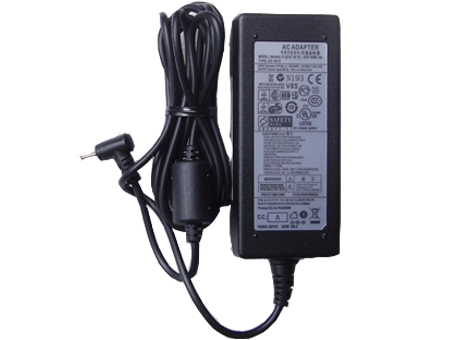
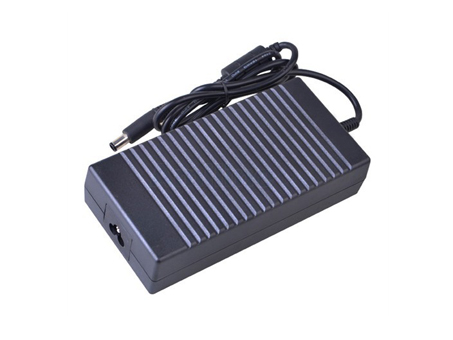
  • Brand New Adapters for Samsung XE500T1C XE700T1C-A01

    samsung AA-PA3N40W adapter
    Shop from the world’s largest selection and best deals for Laptop Power Adapters for Samsung XE500T1C XE700T1C-A01 Series. Shop with confidence on notebookbattery.co.nz.

    SAMSUNG AA-PA3N40W AD-4012NHF Power Adapter – Product information

    NZ laptop Ac Adapter shop, buy cheap samsung AA-PA3N40W replacement laptop Ac Adapter, AA-PA3N40W AD-4012NHF AC Adapter with low price and high quality! Brand New Adapters for Samsung XE500T1C XE700T1C-A01 Series.
    AC Input:100-240V 50-60Hz
    DC Output: 12V 3.33A,40W
    AA-PA3N40W AD-4012NHF Power Adapter
    Adapter Part Numbers:
    A12-040N1A,AD-4012,AD-4012NHF,A12040N1A,AA-PA3N40W,AA-PA3N40W/US,AA-PA2N40W,BA44-00286A,BA44-00262A
    Adapter Fit Models:

    INPUT: 100-240V 50-60Hz (for worldwide use)
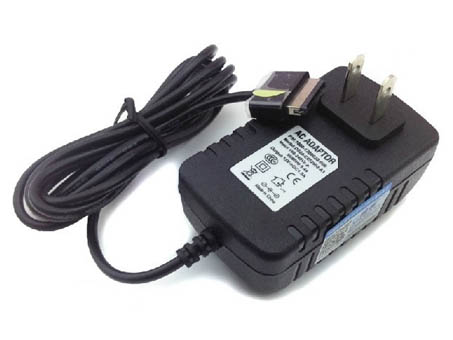
    OUTPUT: 12V 3.33A, 40W

    Connecter size: 2.5mm×0.7 mm (ref to the picture).

    Outlet: 3-prong

    SKU:GSBAAH

    Cord Cable: US/ UK/ EU/ AU plug

    One Power cord is included with this adapter for FREE(fit your country )

    Samsung Chromebook 11.6-Inch Wi-Fi

    Samsung Chromebook 11.6-Inch 3G

    Samsung Chromebook XE303C12-A01US

    Samsung Chromebook XE303C12-H01US

    Samsung Chromebook XE303C12-H01UK

    Samsung Chromebook XE303C12-A01UK

    Samsung Chromebook XE303C12-A01

    Samsung ATIV Smart PC 500T

    Samsung ATIV Smart PC 500T1C

    Samsung XE500T1C

    Samsung XE500T1C-A01US

    Samsung XE500T1C-A01AU

    Samsung XE500T1C-A01FR

    Samsung XE500T1C-A01NL

    Samsung XE500T1C-A02US

    Samsung XE500T1C-A03US

    Samsung XE500T1C-A04US

    Samsung XE500T1C-A01UK

    Samsung XE500T1C-A02UK

    Samsung XE500T1C-A03UK

    Samsung XE500T1C-A01CN

    Samsung XE500T1C-H01UK

    Samsung XE500T1C-H02UK

    Samsung XE500T1C-H03UK

    Samsung XE500T1C-HA2US

    Samsung XE500T1C-H01DE

    Samsung XE500T1C-H02DE

    Samsung XE500T1C-H02ID

    Samsung XE500T1C-A01DE

    Samsung XE500T1C-A03DE

    Samsung ATIV Smart PC Pro 700T

    Samsung ATIV Smart PC Pro 700T1C

    Samsung XE700T1C-A01CN

    Samsung XE700T1C-A01

    Samsung XE700T1C-A01US

    Samsung XE700T1C-A01AU

    Samsung XE700T1C-A02

    Samsung XE700T1C-A02AU

    Samsung XE700T1C-A02DE

    Samsung XE700T1C-A02US

    Samsung XE700T1C-A03US

    Samsung XE700T1C-A04US

    Samsung XE700T1C-A01UK

    Samsung XE700T1C-H01UK

    Samsung XE700T1C-A02UK

    Samsung XE700T1C-A03UK

    Samsung XE700T1C-A04UK

    Samsung XE700T1C-A05UK
    JP:samsung AA-PA3N40W
    DE:AA-PA3N40W AD-4012NHF Notebook-Netzteile.Das richtige SAMSUNG Laptop Netzteil finden.

    The samsung AA-PA3N40W AC adapter is used to recharge the battery in a notebook and to provide dependable power for operating the notebook for long periods of time. If an AC adapter fails it will not recharge the battery and it will not provide power to operate the notebook without a battery.

    Test the samsung AA-PA3N40W AC Adapter
    Connect the output cord from the AC adapter to the notebook and plug the power cord into a working electrical outlet. Perform one or more of the following tasks to check the operation of the AC power adapter.
    Check the power icon in the system tray.
    If the icon resembles a power cord, and if moving the cursor over the icon displays the On AC Power message, the AC adapter is operating properly.
    If the icon resembles a battery when the AC adapter is connected, the adapter is defective.
    Check if the AC power adapter can operate the notebook when the battery is removed.
    Do a normal shutdown of the PC.
    Remove the battery from the Notebook.
    Connect the SAMSUNG power adapter and press the Power button to start the notebook.
    If the PC does not start and operate normally, the AC adapter is defective and must be replaced.
    If the PC does start and operate normally, the AC adapter is working properly

    Determine the AC Adapter Part Number
    Different notebook models require different AC adapters. You will need to know the Product Number of your notebook to determine the Part Number of the replacement part.
    Perform one of the following tasks to find the Product Number of your notebook.
    Click Start, then click Help & Support. The product name, product number, and serial number of the notebook are displayed in the upper left hand corner of the Help and Support home page.
    If the Notebook computer is not powered on, turn it over and locate the SAMSUNG Service Tag fastened to the back of the notebook. The Product Number (P/N) is printed on this tag. On some Notebook computers, the SAMSUNG Service Tag is located inside the battery compartment. Remove the battery from the Notebook to view the SAMSUNG Service Tag information.

    Power Adapter Fast Shipping

    Adapter for HSTNN-DA40

    Adapter for ADP-90CD

    Adapter for 1627

    Adapter for 06TFFF

    Adapter for ADP-90VH_D

    Adapter for 65W

    Adapter for 65W

    Adapter for PA-1650-78

    Why buy laptop batteries & AC adapters from us?
    www.notebookbattery.co.nz is quite a big site for selling laptop batteries,laptop AC adapters and electronic products online.
    Low Prices Guarantee – Your best source for batteries and adapters. We are a new lithium battery manufacturer,Wholesaler and distributor of notebook computer batteries & AC adapter. Factory-direct price!
    High Quality Guarantee – The batteries and adapters are rigorously tested for voltage, capacity, compatibility and safety to exceed original equipment manufacturer’s specifications . The cheap batteries meet or exceed the original batteries.
    Secure Shopping Guarantee- Shopping is easy and 100% secure. We value your privacy and keep your order and personal information safe. We never share or rent our customer’s data. Click the “Add to cart” button to order what you need easily.

    Wholesale and retail laptop adapter in NZ. Replacement for Acer,Apple, Compaq,Dell, FUJITSU, IBM,Lenovo,Sony and so on.

    How to select laptop Adapter? Make sure the volt and currect of adapter is same as your origial. carefully check the size of tip of adapter is correct. check and confirm with the photo of power adapter is the one you are looking for. We ship to the Laptop adapter around Globe [USA, Canada, UK, NZ and Ireland, Australia]. View more laptop adapter. Contact with us if any problem on selecting power adapter.

    These may be you want to look for : Dell H525EF-00 power supply, Acbel 250W power supply, Dell H250AD-00 power supply, Bestec W207D power supply, HIGH HPC-1000-G14C power supply,

  • Buy Replacement AC Power Adapter W860CU W870CU for 150W

    CLEVO W860CU adapter
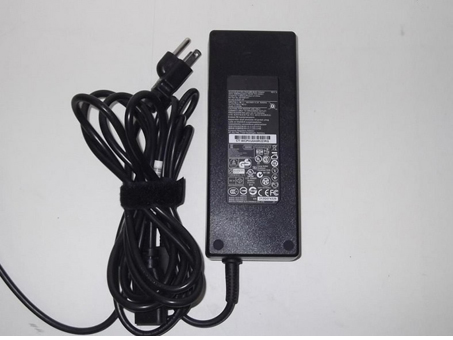
    Buy Replacement AC Power Adapter W860CU W870CU for 150W (EPS2.0)(TUV) 19V 7.9A DC O/P 2P HIPRO (HP-A1501A3B1)

    CLEVO W860CU W870CU Power Adapter – Product information

    NZ laptop Ac Adapter shop, buy cheap CLEVO W860CU replacement laptop Ac Adapter, W860CU W870CU AC Adapter with low price and high quality! Brand New Adapters for 150W (EPS2.0)(TUV) 19V 7.9A DC O/P 2P HIPRO (HP-A1501A3B1).
    AC Input:100-240V 50-60Hz
    DC Output: 19V-7.9A 150W
    W860CU W870CU Power Adapter
    Adapter Part Numbers:
    ADP-65YB B
    Adapter Fit Models:
    CLEVO W860CU W870CU 6-51-W8702-010


    Outlet: 3-prong
    Cord Cable: US/ UK/ EU/ AU plug
    One Power cord is included with this adapter for FREE
    Note: Please make sure the DC output and Connecter size of ac adapter are accordant before you bid!!!

    JP:CLEVO W860CU
    DE:W860CU W870CU Notebook-Netzteile.Das richtige CLEVO Laptop Netzteil finden.

    The CLEVO W860CU AC adapter is used to recharge the battery in a notebook and to provide dependable power for operating the notebook for long periods of time. If an AC adapter fails it will not recharge the battery and it will not provide power to operate the notebook without a battery.

    Test the CLEVO W860CU AC Adapter
    Connect the output cord from the AC adapter to the notebook and plug the power cord into a working electrical outlet. Perform one or more of the following tasks to check the operation of the AC power adapter.
    Check the power icon in the system tray.
    If the icon resembles a power cord, and if moving the cursor over the icon displays the On AC Power message, the AC adapter is operating properly.
    If the icon resembles a battery when the AC adapter is connected, the adapter is defective.
    Check if the AC power adapter can operate the notebook when the battery is removed.
    Do a normal shutdown of the PC.
    Remove the battery from the Notebook.
    Connect the CLEVO power adapter and press the Power button to start the notebook.
    If the PC does not start and operate normally, the AC adapter is defective and must be replaced.
    If the PC does start and operate normally, the AC adapter is working properly

    Determine the AC Adapter Part Number
    Different notebook models require different AC adapters. You will need to know the Product Number of your notebook to determine the Part Number of the replacement part.
    Perform one of the following tasks to find the Product Number of your notebook.
    Click Start, then click Help & Support. The product name, product number, and serial number of the notebook are displayed in the upper left hand corner of the Help and Support home page.
    If the Notebook computer is not powered on, turn it over and locate the CLEVO Service Tag fastened to the back of the notebook. The Product Number (P/N) is printed on this tag. On some Notebook computers, the CLEVO Service Tag is located inside the battery compartment. Remove the battery from the Notebook to view the CLEVO Service Tag information.

    Power Adapter Fast Shipping

    Adapter for DA130PM130

    Adapter for AP.0650A.005

    Adapter for E5430

    Adapter for 78W

    Adapter for ADP-135KB_T

    Adapter for 140W

    Adapter for 19V

    Adapter for PSC11R-050

    Why buy laptop batteries & AC adapters from us?
    www.notebookbattery.co.nz is quite a big site for selling laptop batteries,laptop AC adapters and electronic products online.
    Low Prices Guarantee – Your best source for batteries and adapters. We are a new lithium battery manufacturer,Wholesaler and distributor of notebook computer batteries & AC adapter. Factory-direct price!
    High Quality Guarantee – The batteries and adapters are rigorously tested for voltage, capacity, compatibility and safety to exceed original equipment manufacturer’s specifications . The cheap batteries meet or exceed the original batteries.
    Secure Shopping Guarantee- Shopping is easy and 100% secure. We value your privacy and keep your order and personal information safe. We never share or rent our customer’s data. Click the “Add to cart” button to order what you need easily.

    Wholesale and retail laptop adapter in NZ. Replacement for Acer,Apple, Compaq,Dell, FUJITSU, IBM,Lenovo,Sony and so on.

    How to select laptop Adapter? Make sure the volt and currect of adapter is same as your origial. carefully check the size of tip of adapter is correct. check and confirm with the photo of power adapter is the one you are looking for. We ship to the Laptop adapter around Globe [USA, Canada, UK, NZ and Ireland, Australia]. View more laptop adapter. Contact with us if any problem on selecting power adapter.

    These may be you want to look for : HP 445102-002 power supply, Dell 0T122K power supply, HP PCA222 power supply, dell K340R power supply, HP 504965-001 power supply,

  • DELL Pa-9e ga240pe1-00 330-4128 j938h Power Adapter

    dell Pa-9e adapter
    Replacement Pa-9e ga240pe1-00 330-4128 j938h power chargers or AC adapters available for your Dell Alienware M17x Alienware M18x M15x.

    DELL Pa-9e ga240pe1-00 330-4128 j938h Power Adapter – Product information

    NZ laptop Ac Adapter shop, buy cheap dell Pa-9e replacement laptop Ac Adapter, Pa-9e ga240pe1-00 330-4128 j938h AC Adapter with low price and high quality! Brand New Adapters for Dell Alienware M17x Alienware M18x M15x.
    AC Input:100-240V 50-60Hz
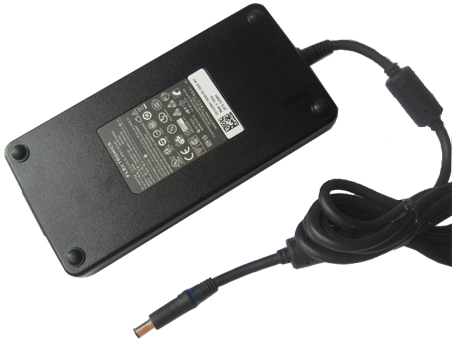
    DC Output: 19.5V 12.3A 240W
    Pa-9e ga240pe1-00 330-4128 j938h Power Adapter
    Adapter Part Numbers:
    J938H,GA240PE1-00,PA-9E

    INPUT: 100-240V 50-60Hz (for worldwide use)
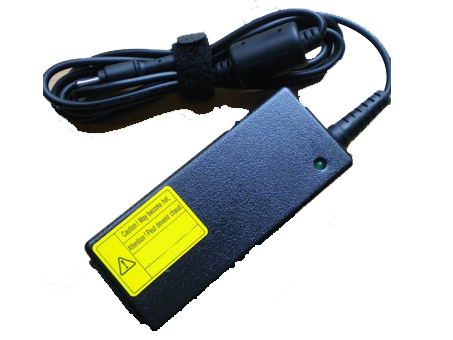
    OUTPUT: 19.5V 12.3A ,240W
    Connecter size: 7.4 mm×5.0 mm, with central pin inside (ref to the picture).
    Outlet: 3-prong
    Cord Cable: US/ UK/ EU/ AU plug
    Product number : GSB0GC

    Adapter Fit Models:
    Dell Alienware M15x
    Dell Alienware M17x
    Dell Alienware M17x R2
    Dell Alienware M17x R3
    Dell Alienware M18x
    Dell Precision M6500,M6600
    Dell XPS M1730, M1710

    JP:dell Pa-9e
    DE:Pa-9e ga240pe1-00 330-4128 j938h Notebook-Netzteile.Das richtige DELL Laptop Netzteil finden.

    The dell Pa-9e AC adapter is used to recharge the battery in a notebook and to provide dependable power for operating the notebook for long periods of time. If an AC adapter fails it will not recharge the battery and it will not provide power to operate the notebook without a battery.

    Test the dell Pa-9e AC Adapter
    Connect the output cord from the AC adapter to the notebook and plug the power cord into a working electrical outlet. Perform one or more of the following tasks to check the operation of the AC power adapter.
    Check the power icon in the system tray.
    If the icon resembles a power cord, and if moving the cursor over the icon displays the On AC Power message, the AC adapter is operating properly.
    If the icon resembles a battery when the AC adapter is connected, the adapter is defective.
    Check if the AC power adapter can operate the notebook when the battery is removed.
    Do a normal shutdown of the PC.
    Remove the battery from the Notebook.
    Connect the DELL power adapter and press the Power button to start the notebook.
    If the PC does not start and operate normally, the AC adapter is defective and must be replaced.
    If the PC does start and operate normally, the AC adapter is working properly

    Determine the AC Adapter Part Number
    Different notebook models require different AC adapters. You will need to know the Product Number of your notebook to determine the Part Number of the replacement part.
    Perform one of the following tasks to find the Product Number of your notebook.
    Click Start, then click Help & Support. The product name, product number, and serial number of the notebook are displayed in the upper left hand corner of the Help and Support home page.
    If the Notebook computer is not powered on, turn it over and locate the DELL Service Tag fastened to the back of the notebook. The Product Number (P/N) is printed on this tag. On some Notebook computers, the DELL Service Tag is located inside the battery compartment. Remove the battery from the Notebook to view the DELL Service Tag information.

    Power Adapter Fast Shipping

    Adapter for 45N0374

    Adapter for 45W

    Adapter for AP.0650A.005

    Adapter for AD82030

    Adapter for S24A300B

    Adapter for HSTNN-DA40

    Adapter for VGP-AC10V9

    Adapter for PA3822U-1ACA

    Why buy laptop batteries & AC adapters from us?
    www.notebookbattery.co.nz is quite a big site for selling laptop batteries,laptop AC adapters and electronic products online.
    Low Prices Guarantee – Your best source for batteries and adapters. We are a new lithium battery manufacturer,Wholesaler and distributor of notebook computer batteries & AC adapter. Factory-direct price!
    High Quality Guarantee – The batteries and adapters are rigorously tested for voltage, capacity, compatibility and safety to exceed original equipment manufacturer’s specifications . The cheap batteries meet or exceed the original batteries.
    Secure Shopping Guarantee- Shopping is easy and 100% secure. We value your privacy and keep your order and personal information safe. We never share or rent our customer’s data. Click the “Add to cart” button to order what you need easily.

    Wholesale and retail laptop adapter in NZ. Replacement for Acer,Apple, Compaq,Dell, FUJITSU, IBM,Lenovo,Sony and so on.

    How to select laptop Adapter? Make sure the volt and currect of adapter is same as your origial. carefully check the size of tip of adapter is correct. check and confirm with the photo of power adapter is the one you are looking for. We ship to the Laptop adapter around Globe [USA, Canada, UK, NZ and Ireland, Australia]. View more laptop adapter. Contact with us if any problem on selecting power adapter.

    These may be you want to look for : Dell P3JW1 power supply, HP 403777-001 power supply, Dell F235E-00 power supply, HIGH HPC-1000-G14C power supply, Dell 3WN11 power supply,

  • EXA1206CH Universal Laptop Power Adapter

    Asus EXA1206CH adapter
    EXA1206CH Universal Laptop Power Adapter. 100% Compatible with 15V AC Wall Charger Power Adapter Asus Eee Pad Transformer TF201 TF101.

    ASUS EXA1206CH Power Adapter – Product information

    NZ laptop Ac Adapter shop, buy cheap Asus EXA1206CH replacement laptop Ac Adapter, EXA1206CH AC Adapter with low price and high quality! Brand New Adapters for 15V AC Wall Charger Power Adapter Asus Eee Pad Transformer TF201 TF101.
    AC Input:100-240V 1.5A(1,5A)50-60Hz
    DC Output: 15V 1.5A(1,4A)18W
    EXA1206CH Power Adapter
    Adapter Part Numbers:
    ADP-40TH A EXA1206CH 0A001-00330100
    DC Plug Size: 40 Pin
    MODEL: ADP-40THA
    DC Cable Length: 1.8m
    Package Content: 1x AC Adapter, with ONLY one free wall plug (UK / EU / AU / US fits for your country)
    Condition: Replacement new ac adapter
    Adapter Fit Models:
    Asus EeePad Transformer TF101 TF201
    JP:Asus EXA1206CH
    DE:EXA1206CH Notebook-Netzteile.Das richtige ASUS Laptop Netzteil finden.

    The Asus EXA1206CH AC adapter is used to recharge the battery in a notebook and to provide dependable power for operating the notebook for long periods of time. If an AC adapter fails it will not recharge the battery and it will not provide power to operate the notebook without a battery.

    Test the Asus EXA1206CH AC Adapter
    Connect the output cord from the AC adapter to the notebook and plug the power cord into a working electrical outlet. Perform one or more of the following tasks to check the operation of the AC power adapter.
    Check the power icon in the system tray.
    If the icon resembles a power cord, and if moving the cursor over the icon displays the On AC Power message, the AC adapter is operating properly.
    If the icon resembles a battery when the AC adapter is connected, the adapter is defective.
    Check if the AC power adapter can operate the notebook when the battery is removed.
    Do a normal shutdown of the PC.
    Remove the battery from the Notebook.
    Connect the ASUS power adapter and press the Power button to start the notebook.
    If the PC does not start and operate normally, the AC adapter is defective and must be replaced.
    If the PC does start and operate normally, the AC adapter is working properly

    Determine the AC Adapter Part Number
    Different notebook models require different AC adapters. You will need to know the Product Number of your notebook to determine the Part Number of the replacement part.
    Perform one of the following tasks to find the Product Number of your notebook.
    Click Start, then click Help & Support. The product name, product number, and serial number of the notebook are displayed in the upper left hand corner of the Help and Support home page.
    If the Notebook computer is not powered on, turn it over and locate the ASUS Service Tag fastened to the back of the notebook. The Product Number (P/N) is printed on this tag. On some Notebook computers, the ASUS Service Tag is located inside the battery compartment. Remove the battery from the Notebook to view the ASUS Service Tag information.

    Power Adapter Fast Shipping

    Adapter for EAY63032203

    Adapter for 1.75A

    Adapter for PA-1900-24

    Adapter for ADP-45AW

    Adapter for A13-045N2A

    Adapter for LCAP31

    Adapter for 19.5V

    Adapter for HSTNN-DA40

    Why buy laptop batteries & AC adapters from us?
    www.notebookbattery.co.nz is quite a big site for selling laptop batteries,laptop AC adapters and electronic products online.
    Low Prices Guarantee – Your best source for batteries and adapters. We are a new lithium battery manufacturer,Wholesaler and distributor of notebook computer batteries & AC adapter. Factory-direct price!
    High Quality Guarantee – The batteries and adapters are rigorously tested for voltage, capacity, compatibility and safety to exceed original equipment manufacturer’s specifications . The cheap batteries meet or exceed the original batteries.
    Secure Shopping Guarantee- Shopping is easy and 100% secure. We value your privacy and keep your order and personal information safe. We never share or rent our customer’s data. Click the “Add to cart” button to order what you need easily.

    Wholesale and retail laptop adapter in NZ. Replacement for Acer,Apple, Compaq,Dell, FUJITSU, IBM,Lenovo,Sony and so on.

    How to select laptop Adapter? Make sure the volt and currect of adapter is same as your origial. carefully check the size of tip of adapter is correct. check and confirm with the photo of power adapter is the one you are looking for. We ship to the Laptop adapter around Globe [USA, Canada, UK, NZ and Ireland, Australia]. View more laptop adapter. Contact with us if any problem on selecting power adapter.

    These may be you want to look for : Dell PW116 power supply, dell 6RG54 power supply, HP 503376-001 power supply, Dell L220NS-00 power supply, hp ENP-2320 power supply,

  • Find your ASUS Zenbook UX31 Zenbook UX31E PC laptop model information

    ASUS 19V adapter
    Find your ASUS Zenbook UX31 Zenbook UX31E PC laptop model information and buy model specific compatible products like laptop chargers with ac power adapters online at lowest price.

    ASUS 19V 45W Power Adapter – Product information

    NZ laptop Ac Adapter shop, buy cheap ASUS 19V replacement laptop Ac Adapter, 19V 45W AC Adapter with low price and high quality! Brand New Adapters for ASUS Zenbook UX31 Zenbook UX31E.
    AC Input:AC100-240V 50-60HZ
    DC Output: 19V 2.37A
    19V 45W Power Adapter
    Adapter Part Numbers:
    Output power: 1-45W
    Name laptop adapter: 19V 2.37A 45W Color black, or accordingly Usage for laptop

    Adapter Fit Models:
    Asus ZenBook UX21
    Asus ZenBook UX21E
    Asus ZenBook UX21E-DH71
    Asus ZenBook UX21E-DH52
    Asus ZenBook UX21E- KX004V
    Asus ZenBook UX31
    Asus ZenBook UX31E
    Asus ZenBook UX31E-081A2677M
    Asus ZenBook UX31E- DH52
    Asus ZenBook UX31E-DH53
    Asus ZenBook UX31E-DH72
    Asus ZenBook UX31E-RSL8
    Asus ZenBook UX31E-RY012V
    Asus ZenBook UX31E-RY003V
    Asus ZenBook UX31E-RY009V
    Asus ZenBook UX31E- XH51
    Asus Zenbook UX21 Series
    Asus Zenbook UX21E Series
    Asus Zenbook UX31 Series
    Asus Zenbook UX31E Series
    JP:ASUS 19V
    DE:19V 45W Notebook-Netzteile.Das richtige ASUS Laptop Netzteil finden.

    The ASUS 19V AC adapter is used to recharge the battery in a notebook and to provide dependable power for operating the notebook for long periods of time. If an AC adapter fails it will not recharge the battery and it will not provide power to operate the notebook without a battery.

    Test the ASUS 19V AC Adapter
    Connect the output cord from the AC adapter to the notebook and plug the power cord into a working electrical outlet. Perform one or more of the following tasks to check the operation of the AC power adapter.
    Check the power icon in the system tray.
    If the icon resembles a power cord, and if moving the cursor over the icon displays the On AC Power message, the AC adapter is operating properly.
    If the icon resembles a battery when the AC adapter is connected, the adapter is defective.
    Check if the AC power adapter can operate the notebook when the battery is removed.
    Do a normal shutdown of the PC.
    Remove the battery from the Notebook.
    Connect the ASUS power adapter and press the Power button to start the notebook.
    If the PC does not start and operate normally, the AC adapter is defective and must be replaced.
    If the PC does start and operate normally, the AC adapter is working properly

    Determine the AC Adapter Part Number
    Different notebook models require different AC adapters. You will need to know the Product Number of your notebook to determine the Part Number of the replacement part.
    Perform one of the following tasks to find the Product Number of your notebook.
    Click Start, then click Help & Support. The product name, product number, and serial number of the notebook are displayed in the upper left hand corner of the Help and Support home page.
    If the Notebook computer is not powered on, turn it over and locate the ASUS Service Tag fastened to the back of the notebook. The Product Number (P/N) is printed on this tag. On some Notebook computers, the ASUS Service Tag is located inside the battery compartment. Remove the battery from the Notebook to view the ASUS Service Tag information.

    Power Adapter Fast Shipping

    Adapter for FPCAC63W

    Adapter for PA-1650-78

    Adapter for 19V

    Adapter for AP.T1902.001

    Adapter for PA3822U-1ACA

    Adapter for N5010

    Adapter for ADP-90FB

    Adapter for 74X5J

    Why buy laptop batteries & AC adapters from us?
    www.notebookbattery.co.nz is quite a big site for selling laptop batteries,laptop AC adapters and electronic products online.
    Low Prices Guarantee – Your best source for batteries and adapters. We are a new lithium battery manufacturer,Wholesaler and distributor of notebook computer batteries & AC adapter. Factory-direct price!
    High Quality Guarantee – The batteries and adapters are rigorously tested for voltage, capacity, compatibility and safety to exceed original equipment manufacturer’s specifications . The cheap batteries meet or exceed the original batteries.
    Secure Shopping Guarantee- Shopping is easy and 100% secure. We value your privacy and keep your order and personal information safe. We never share or rent our customer’s data. Click the “Add to cart” button to order what you need easily.

    Wholesale and retail laptop adapter in NZ. Replacement for Acer,Apple, Compaq,Dell, FUJITSU, IBM,Lenovo,Sony and so on.

    How to select laptop Adapter? Make sure the volt and currect of adapter is same as your origial. carefully check the size of tip of adapter is correct. check and confirm with the photo of power adapter is the one you are looking for. We ship to the Laptop adapter around Globe [USA, Canada, UK, NZ and Ireland, Australia]. View more laptop adapter. Contact with us if any problem on selecting power adapter.

    These may be you want to look for : DELL GX620DT power supply, Dell L220NS-00 power supply, dell 6RG54 power supply, ACER AXC105 power supply, HP 504966-001 power supply,

  • Replacement FMV-AC314 FPCAC46W power chargers

    Replacement FMV-AC314 FPCAC46W power chargers or AC adapters available for your Fujitsu LIFEBOOK AH532 AH531 AH530 AH572 19V 4.22A.

    FUJITSU FMV-AC314 FPCAC46W Power Adapter – Product information

    NZ laptop Ac Adapter shop, buy cheap Fujitsu FMV-AC314 replacement laptop Ac Adapter, FMV-AC314 FPCAC46W AC Adapter with low price and high quality! Brand New Adapters for Fujitsu LIFEBOOK AH532 AH531 AH530 AH572 19V 4.22A.
    AC Input:100 – 240V 50-60Hz
    DC Output: DC 19V 4.22A
    FMV-AC314 FPCAC46W Power Adapter
    Adapter Part Numbers:
    Fujitsu , 0335C2065, 0713C2090, ADP- 40MH AD, ADP-80NB A, ADP-90SB AD, ADP-90SB, CA01007-0890, CA01007-0920, CA01007-0930, CA01007-0960, CP277622-02, CP293660-02, CP293662-01, CP293664-01, CP311808-01, FMV- AC312, FMV-AC314, FMV-AC315S, FMV-AC316, FMV-AC318, FMV- AC319, FMV-AC320, FMV-AC322, FMV-AC325, FPCAC23Z, FPCAC25, FPCAC26, FPCAC26AP, FPCAC26W, FPCAC26Z, FPCAC33, FPCAC33AP, FPCAC33W, FPCAC33Y, FPCAC34, FPCAC34AP, FPCAC44, FPCAC44AP, FPCAC44W, FPCAC46, FPCAC46AP, FPCAC46W, FPCAC48AP, FPCAC51, FPCAC53, FPCAC57, FPCAC57AP, S26113-E518-V55, S26113-E519-V15, S26113-E533- V15-01, S26113-E545-V55-01, S26123-E518-V55, S26391-F2474-L500, S26391-F2474-L600, S26391-F321-L400, S26391-F696-L200, S26391 -F740-L100, S26391-F740-L110, SED80N2-19.0
    Adapter Fit Models:
    Power: 80W
    Connecter size: 5.5*2.5mm
    Note: Please make sure the DC output and tip size of ac adapter are accordant before you bid.
    LifeBook A6210 A6220 A6020 AH530 AH550
    Package Includes:
    1 X AC Power adapter
    1 X Power cord

    JP:Fujitsu FMV-AC314
    DE:FMV-AC314 FPCAC46W Notebook-Netzteile.Das richtige FUJITSU Laptop Netzteil finden.

    The Fujitsu FMV-AC314 AC adapter is used to recharge the battery in a notebook and to provide dependable power for operating the notebook for long periods of time. If an AC adapter fails it will not recharge the battery and it will not provide power to operate the notebook without a battery.

    Test the Fujitsu FMV-AC314 AC Adapter
    Connect the output cord from the AC adapter to the notebook and plug the power cord into a working electrical outlet. Perform one or more of the following tasks to check the operation of the AC power adapter.
    Check the power icon in the system tray.
    If the icon resembles a power cord, and if moving the cursor over the icon displays the On AC Power message, the AC adapter is operating properly.
    If the icon resembles a battery when the AC adapter is connected, the adapter is defective.
    Check if the AC power adapter can operate the notebook when the battery is removed.
    Do a normal shutdown of the PC.
    Remove the battery from the Notebook.
    Connect the FUJITSU power adapter and press the Power button to start the notebook.
    If the PC does not start and operate normally, the AC adapter is defective and must be replaced.
    If the PC does start and operate normally, the AC adapter is working properly

    Determine the AC Adapter Part Number
    Different notebook models require different AC adapters. You will need to know the Product Number of your notebook to determine the Part Number of the replacement part.
    Perform one of the following tasks to find the Product Number of your notebook.
    Click Start, then click Help & Support. The product name, product number, and serial number of the notebook are displayed in the upper left hand corner of the Help and Support home page.
    If the Notebook computer is not powered on, turn it over and locate the FUJITSU Service Tag fastened to the back of the notebook. The Product Number (P/N) is printed on this tag. On some Notebook computers, the FUJITSU Service Tag is located inside the battery compartment. Remove the battery from the Notebook to view the FUJITSU Service Tag information.

    Power Adapter Fast Shipping

    Adapter for AP.0650A.005

    Adapter for A1343

    Adapter for S200L

    Adapter for PS-180

    Adapter for 06TFFF

    Adapter for HH44H

    Adapter for 45W

    Adapter for 19.5V

    Why buy laptop batteries & AC adapters from us?
    www.notebookbattery.co.nz is quite a big site for selling laptop batteries,laptop AC adapters and electronic products online.
    Low Prices Guarantee – Your best source for batteries and adapters. We are a new lithium battery manufacturer,Wholesaler and distributor of notebook computer batteries & AC adapter. Factory-direct price!
    High Quality Guarantee – The batteries and adapters are rigorously tested for voltage, capacity, compatibility and safety to exceed original equipment manufacturer’s specifications . The cheap batteries meet or exceed the original batteries.
    Secure Shopping Guarantee- Shopping is easy and 100% secure. We value your privacy and keep your order and personal information safe. We never share or rent our customer’s data. Click the “Add to cart” button to order what you need easily.

    Wholesale and retail laptop adapter in NZ. Replacement for Acer,Apple, Compaq,Dell, FUJITSU, IBM,Lenovo,Sony and so on.

    How to select laptop Adapter? Make sure the volt and currect of adapter is same as your origial. carefully check the size of tip of adapter is correct. check and confirm with the photo of power adapter is the one you are looking for. We ship to the Laptop adapter around Globe [USA, Canada, UK, NZ and Ireland, Australia]. View more laptop adapter. Contact with us if any problem on selecting power adapter.

    These may be you want to look for : HP 611484-001 power supply, Bestec W207D power supply, Acbel 250W power supply, HIGH HPC-1000-G14C power supply, LENOVO FSP180-50PLV power supply,

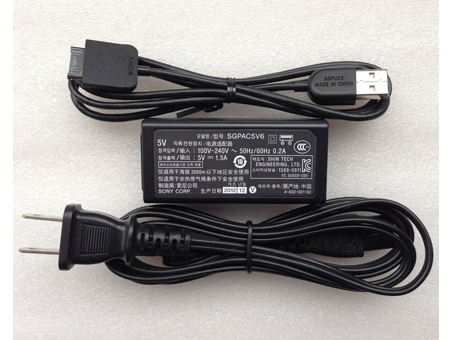
  • SONY SGPAC5V6 SGPUC2 Power Adapter


    • SONY SGPAC5V6 adapter
      Shop from the world’s largest selection and best deals for Laptop Power Adapters for Sony Xperia Tablet S SGPT121US/S SGPT122US/S. Shop with confidence on notebookbattery.co.nz.

      SONY SGPAC5V6 SGPUC2 Power Adapter – Product information

      NZ laptop Ac Adapter shop, buy cheap SONY SGPAC5V6 replacement laptop Ac Adapter, SGPAC5V6 SGPUC2 AC Adapter with low price and high quality! Brand New Adapters for Sony Xperia Tablet S SGPT121US/S SGPT122US/S.
      AC Input:100-240V 50-60Hz
      DC Output: 5V 1.5A, 7.5W
      SGPAC5V6 SGPUC2 Power Adapter
      Adapter Part Numbers:
      SGPAC5V6 SGPUC2
      Adapter Fit Models:
      Cord Cable: US/ UK/ EU/ AU plug
      Sony Xperia Tablet S SGPT12/SGPT13 Series
      SGPT121
      SGPT122
      SGPT123
      SGPT131
      SGPT132
      SGPT133
      SGPT121US/S
      SGPT122US/S
      SGPT123US/S
      SGPT121GB
      SGPT122GB
      SGPT123GB
      SGPT131GB
      SGPT121DE
      SGPT122DE
      SGPT131DE
      SGPT133DE
      SGPT121AU/S
      SGPT122AU/S
      SGPT131AU/S
      SGPT133AU/S
      SGPT121A1/S
      SGPT122A1/S
      SGPT131A1/S
      SGPT132A1/S
      SGPT133A1/S
      SGPT121NZ/S
      SGPT123NZ/S
      SGPT121CAS
      SGPT122CAS
      SGPT121CN/S
      SGPT122CN/S
      SGPT132CN/S
      SGPT131E1S
      SGPT121FR
      SGPT122FR
      SGPT123FR
      SGPT131FR
      SGPT121IN
      SGPT131IN
      SGPT132IN
      SGPT121ITS
      SGPT131ITS
      SGPT121JP/S
      SGPT122JP/S
      SGPT123JP/S
      SGPT121KR
      SGPT121L1/S
      SGPT121HK
      SGPT123HK
      SGPT132HK
      SGPT121TW/S
      SGPT122TW/S
      SGPT123TW/S
      SGPT132TW/S
      SGPT121E1/S
      SGPT123E1/S
      SGPT121RU
      SGPT123RU
      SGPT131RU
      SGPT132RU
      SGPT133RU
      SGPT121E2
      SGPT131E2
      SGPT132E2
      SGPT121E3
      SGPT123E3
      SGPT131E3
      SGPT133E3
      SGPT121ES
      SGPT122ES
      SGPT131ES
      SGPT133ES
      SGPT121L1
      SGPT122L1
      SGPT123L1
      SGPT121MX
      SGPT122MX
      SGPT123MX
      SGPT132MX
      SGPT121TR
      SGPT131TR
      SGPT132TR
      SGPT121IT
      SGPT131IT

      JP:SONY SGPAC5V6
      DE:SGPAC5V6 SGPUC2 Notebook-Netzteile.Das richtige SONY Laptop Netzteil finden.The SONY SGPAC5V6 AC adapter is used to recharge the battery in a notebook and to provide dependable power for operating the notebook for long periods of time. If an AC adapter fails it will not recharge the battery and it will not provide power to operate the notebook without a battery.

      Test the SONY SGPAC5V6 AC Adapter
      Connect the output cord from the AC adapter to the notebook and plug the power cord into a working electrical outlet. Perform one or more of the following tasks to check the operation of the AC power adapter.
      Check the power icon in the system tray.
      If the icon resembles a power cord, and if moving the cursor over the icon displays the On AC Power message, the AC adapter is operating properly.
      If the icon resembles a battery when the AC adapter is connected, the adapter is defective.
      Check if the AC power adapter can operate the notebook when the battery is removed.
      Do a normal shutdown of the PC.
      Remove the battery from the Notebook.
      Connect the SONY power adapter and press the Power button to start the notebook.
      If the PC does not start and operate normally, the AC adapter is defective and must be replaced.
      If the PC does start and operate normally, the AC adapter is working properly

      Determine the AC Adapter Part Number
      Different notebook models require different AC adapters. You will need to know the Product Number of your notebook to determine the Part Number of the replacement part.
      Perform one of the following tasks to find the Product Number of your notebook.
      Click Start, then click Help & Support. The product name, product number, and serial number of the notebook are displayed in the upper left hand corner of the Help and Support home page.
      If the Notebook computer is not powered on, turn it over and locate the SONY Service Tag fastened to the back of the notebook. The Product Number (P/N) is printed on this tag. On some Notebook computers, the SONY Service Tag is located inside the battery compartment. Remove the battery from the Notebook to view the SONY Service Tag information.

      Power Adapter Fast Shipping

      Adapter for A065R073L

      Adapter for PA-1450-26

      Adapter for EXA1206CH

      Adapter for LA90PM130

      Adapter for PA-1150-22GO

      Adapter for 312-1307

      Adapter for AP.A1401.001

      Adapter for 45W

      Why buy laptop batteries & AC adapters from us?
      www.notebookbattery.co.nz is quite a big site for selling laptop batteries,laptop AC adapters and electronic products online.
      Low Prices Guarantee – Your best source for batteries and adapters. We are a new lithium battery manufacturer,Wholesaler and distributor of notebook computer batteries & AC adapter. Factory-direct price!
      High Quality Guarantee – The batteries and adapters are rigorously tested for voltage, capacity, compatibility and safety to exceed original equipment manufacturer’s specifications . The cheap batteries meet or exceed the original batteries.
      Secure Shopping Guarantee- Shopping is easy and 100% secure. We value your privacy and keep your order and personal information safe. We never share or rent our customer’s data. Click the “Add to cart” button to order what you need easily.

      Wholesale and retail laptop adapter in NZ. Replacement for Acer,Apple, Compaq,Dell, FUJITSU, IBM,Lenovo,Sony and so on.

      How to select laptop Adapter? Make sure the volt and currect of adapter is same as your origial. carefully check the size of tip of adapter is correct. check and confirm with the photo of power adapter is the one you are looking for. We ship to the Laptop adapter around Globe [USA, Canada, UK, NZ and Ireland, Australia]. View more laptop adapter. Contact with us if any problem on selecting power adapter.

      These may be you want to look for : Bestec W207D power supply, LENOVO PC9051 power supply, dell FY632 power supply, HP 611484-001 power supply, Dell P3JW1 power supply,


  • HP 681059-001 Laptop Chargers HP ENVY 23-d039 TouchSmart All-in-One Desktop PC

    HP 681059-001 adapter
    Buy Replacement AC Power Adapter 681059-001 for HP ENVY 23-d039 TouchSmart All-in-One Desktop PC

    HP 681059-001 Power Adapter – Product information

    NZ laptop Ac Adapter shop, buy cheap HP 681059-001 replacement laptop Ac Adapter, 681059-001 AC Adapter with low price and high quality! Brand New Adapters for HP ENVY 23-d039 TouchSmart All-in-One Desktop PC.
    AC Input:100V – 240V 50-60Hz
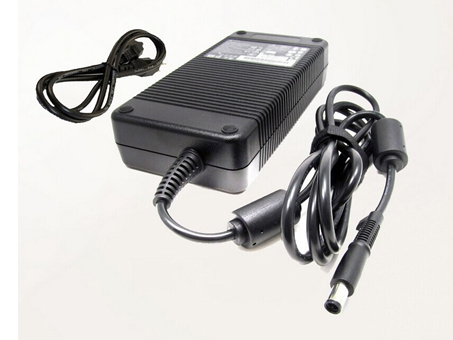
    DC Output: 19.5V 9.23A 180W
    681059-001 Power Adapter
    Adapter Part Numbers:
    TPC-BA521 TPCBA521 681059-001
    Adapter Fit Models:
    Connecter size:7.4*5.0MM PIN(ref to the picture).
    Outlet: 3-prong
    Cord Cable: US/ UK/ EU/ AU plug
    One Power cord is included with this adapter for FREE

    HP ENVY TS 23-d028d AiO PC SING
    HP ENVY 23-1050jp All-In-One PC JPN2
    HP ENVY 23-1050kr All-In-One PC KOR
    HP ENVY 23-1060d All-In-One PC INDO
    HP ENVY 23-1065d All-In-One PC A/P
    HP ENVY 23-1070jp All-In-One PC JPN2
    HP ENVY 23-1080a All-In-One PC AUST
    HP ENVY 23-1080jp PC Intel (Lavaca3-SB)
    HP ENVY 23-1088hk All-In-One PC HK
    HP ENVY 23-1090a All-In-One PC AUST
    HP ENVY 23-1090jp All-In-One PC JPN2
    HP ENVY 23-C010XT ALL-IN-ONE CTO REFURB
    HP ENVY 23-D050XT TOUCHSMART ALL-IN-ONE CTO REFURB
    HP ENVY 23-D060QD TOUCHSMART ALL-IN-ONE CTO REFURB
    HP ENVY 23-c010 All-in-One Desktop PC
    HP ENVY 23-c010tw AiO PC TW
    HP ENVY 23-c010xt All-in-One CTO Desktop PC
    HP ENVY 23-c020a AiO PC AUST
    HP ENVY 23-c021a AiO PC AUST
    HP ENVY 23-c022a AiO PC AUST
    HP ENVY 23-c023a AiO PC AUST
    HP ENVY 23-c024a AiO PC AUST
    HP ENVY 23-c025a AiO PC AUST
    HP ENVY 23-c050 All-in-One Desktop PC
    HP ENVY 23-c050kr AiO PC KOR
    HP ENVY 23-c055 All-in-One Desktop PC
    HP ENVY 23-c055hk AiO PC HK
    HP ENVY 23-c059 All-in-One Desktop PC
    HP ENVY 23-c060jp AIO PC
    HP ENVY 23-c100a AiO PC AUST
    HP ENVY 23-c101a AiO PC AUST
    HP ENVY 23-c160jp AIO (Lavaca3-SB) PC
    HP ENVY 23-c260jp AiO (Lavaca3-SB) PC
    HP ENVY 23-d020br TouchSmart All-in-One Desktop PC
    HP ENVY 23-d039 TouchSmart All-in-One Desktop PC
    HP ENVY 23-d050xt TouchSmart All-in-One CTO Deskto
    HP ENVY 23-d051 TouchSmart All-in-One Desktop PC
    HP ENVY 23-d052 TouchSmart All-in-One Desktop PC
    HP ENVY 23-d055 TouchSmart All-in-One Desktop PC
    HP ENVY 23-d059 TouchSmart All-in-One Desktop PC
    HP ENVY 23-d060qd TouchSmart All-in-One CTO Deskto
    HP ENVY 23-d065 TouchSmart All-in-One Desktop PC
    HP ENVY 23-d211kr TS AiO PC KOR
    HP ENVY ALL-IN-ONE 23-C159
    HP ENVY ALL-IN-ONE CTO 23-C110XT REFURB
    HP ENVY TOUCHSMART 23-D129
    HP ENVY TOUCHSMART 23-D219
    HP ENVY TOUCHSMART 23-D229
    HP ENVY TOUCHSMART 23-D249
    HP ENVY TOUCHSMART CTO 23-D150XT REFURB
    HP ENVY TOUCHSMART CTO 23-D250XT REFURB

    JP:HP 681059-001
    DE:681059-001 Notebook-Netzteile.Das richtige HP Laptop Netzteil finden.

    The HP 681059-001 AC adapter is used to recharge the battery in a notebook and to provide dependable power for operating the notebook for long periods of time. If an AC adapter fails it will not recharge the battery and it will not provide power to operate the notebook without a battery.

    Test the HP 681059-001 AC Adapter
    Connect the output cord from the AC adapter to the notebook and plug the power cord into a working electrical outlet. Perform one or more of the following tasks to check the operation of the AC power adapter.
    Check the power icon in the system tray.
    If the icon resembles a power cord, and if moving the cursor over the icon displays the On AC Power message, the AC adapter is operating properly.
    If the icon resembles a battery when the AC adapter is connected, the adapter is defective.
    Check if the AC power adapter can operate the notebook when the battery is removed.
    Do a normal shutdown of the PC.
    Remove the battery from the Notebook.
    Connect the HP power adapter and press the Power button to start the notebook.
    If the PC does not start and operate normally, the AC adapter is defective and must be replaced.
    If the PC does start and operate normally, the AC adapter is working properly

    Determine the AC Adapter Part Number
    Different notebook models require different AC adapters. You will need to know the Product Number of your notebook to determine the Part Number of the replacement part.
    Perform one of the following tasks to find the Product Number of your notebook.
    Click Start, then click Help & Support. The product name, product number, and serial number of the notebook are displayed in the upper left hand corner of the Help and Support home page.
    If the Notebook computer is not powered on, turn it over and locate the HP Service Tag fastened to the back of the notebook. The Product Number (P/N) is printed on this tag. On some Notebook computers, the HP Service Tag is located inside the battery compartment. Remove the battery from the Notebook to view the HP Service Tag information.

    Power Adapter Fast Shipping

    Adapter for 19V

    Adapter for 65W

    Adapter for A065R073L

    Adapter for PA-1700-02

    Adapter for 110W

    Adapter for FA-0603000SUA

    Adapter for ADLX36NCT2C

    Adapter for 78W

    Why buy laptop batteries & AC adapters from us?
    www.notebookbattery.co.nz is quite a big site for selling laptop batteries,laptop AC adapters and electronic products online.
    Low Prices Guarantee – Your best source for batteries and adapters. We are a new lithium battery manufacturer,Wholesaler and distributor of notebook computer batteries & AC adapter. Factory-direct price!
    High Quality Guarantee – The batteries and adapters are rigorously tested for voltage, capacity, compatibility and safety to exceed original equipment manufacturer’s specifications . The cheap batteries meet or exceed the original batteries.
    Secure Shopping Guarantee- Shopping is easy and 100% secure. We value your privacy and keep your order and personal information safe. We never share or rent our customer’s data. Click the “Add to cart” button to order what you need easily.

    Wholesale and retail laptop adapter in NZ. Replacement for Acer,Apple, Compaq,Dell, FUJITSU, IBM,Lenovo,Sony and so on.

    How to select laptop Adapter? Make sure the volt and currect of adapter is same as your origial. carefully check the size of tip of adapter is correct. check and confirm with the photo of power adapter is the one you are looking for. We ship to the Laptop adapter around Globe [USA, Canada, UK, NZ and Ireland, Australia]. View more laptop adapter. Contact with us if any problem on selecting power adapter.

    These may be you want to look for : LENOVO PS-5281-01VF power supply, Dell HYV3H power supply, Dell CN-T128K power supply, dell P2721 power supply, Dell RM112 power supply,

  • Find your HP Compaq Elite 8300 HP TouchSmart IQ800 PC laptop model

    HP HP-A2301A3B1 adapter
    Find your HP Compaq Elite 8300 HP TouchSmart IQ800 PC laptop model information and buy model specific compatible products like laptop chargers with ac power adapters online at lowest price.

    HP HP-A2301A3B1 5189-2785 Power Adapter – Product information

    NZ laptop Ac Adapter shop, buy cheap HP HP-A2301A3B1 replacement laptop Ac Adapter, HP-A2301A3B1 5189-2785 AC Adapter with low price and high quality! Brand New Adapters for HP Compaq Elite 8300 HP TouchSmart IQ800.
    AC Input:100-240V /50-60Hz 3.5A(3.5A)
    DC Output: 19V 12.2A
    HP-A2301A3B1 5189-2785 Power Adapter
    Adapter Part Numbers:
    HP HP-A2301A3B1
    HP 5189-2785
    HP HP-A2301A3B1 LF
    HP SADP-230AB D

    Adapter Fit Models:
    HP Compaq Elite 8300
    HP TouchSmart IQ800
    HP TouchSmart IQ804
    HP TouchSmart IQ804t CTO
    HP TouchSmart IQ810de
    HP TouchSmart IQ810es
    HP TouchSmart IQ810fr
    HP TouchSmart IQ810it
    HP TouchSmart IQ810la
    HP TouchSmart IQ810me
    HP TouchSmart IQ810uk
    HP TouchSmart IQ811jp
    HP TouchSmart IQ815
    HP TouchSmart IQ816
    HP TouchSmart IQ816cn
    HP TouchSmart IQ816t CTO
    HP TouchSmart IQ817jp
    HP TouchSmart IQ818a
    HP TouchSmart IQ818d
    HP TouchSmart IQ820
    HP TouchSmart IQ820ch
    HP TouchSmart IQ820de
    HP TouchSmart IQ820es
    HP TouchSmart IQ820fr
    HP TouchSmart IQ820it
    HP TouchSmart IQ820la
    HP TouchSmart IQ820me
    HP TouchSmart IQ820sc
    HP TouchSmart IQ820uk
    HP TouchSmart IQ821jp
    HP TouchSmart IQ826cn
    HP TouchSmart IQ826t CTO
    HP TouchSmart IQ827jp
    HP TouchSmart IQ828d
    HP TouchSmart IQ828hk
    HP TouchSmart IQ830
    HP TouchSmart IQ830be
    HP TouchSmart IQ830ch
    HP TouchSmart IQ830fr
    HP TouchSmart IQ830it
    HP TouchSmart IQ830nl
    HP TouchSmart IQ830sc
    HP TouchSmart IQ830uk
    HP TouchSmart IQ832jp
    HP TouchSmart IQ836cn
    HP TouchSmart IQ837jp
    HP TouchSmart IQ838hk
    HP TouchSmart IQ840
    HP TouchSmart IQ840
    HP TouchSmart IQ842fr
    HP TouchSmart IQ843hk
    HP TouchSmart IQ844jp
    HP TouchSmart IQ845uk
    HP TouchSmart IQ846
    HP TouchSmart IQ846t CTO
    HP TouchSmart IQ848cn
    HP TouchSmart IQ848hk
    HP TouchSmart 610-1200
    HP TouchSmart 610-1200ad
    HP TouchSmart 610-1200be
    HP TouchSmart 610-1200it
    HP TouchSmart 610-1200me
    HP TouchSmart 610-1200nl
    HP TouchSmart 610-1200pt
    HP TouchSmart 610-1200ru
    HP TouchSmart 610-1200sc
    HP TouchSmart 610-1201nl
    HP TouchSmart 610-1201ru
    HP TouchSmart 610-1202es
    HP TouchSmart 610-1202ru
    HP TouchSmart 610-1203ci
    HP TouchSmart 610-1203es
    HP TouchSmart 610-1203ru
    HP TouchSmart 610-1203sa
    HP TouchSmart 610-1210a
    HP TouchSmart 610-1210ch
    HP TouchSmart 610-1210kr
    HP TouchSmart 610-1220a
    HP TouchSmart 610-1220fr
    HP TouchSmart 610-1220jp
    HP TouchSmart 610-1230a
    HP TouchSmart 610-1230fr
    HP TouchSmart 610-1230jp
    HP TouchSmart 610-1230uk
    HP TouchSmart 610-1240fr
    HP TouchSmart 610-1240la
    HP TouchSmart 610-1250xt CTO
    HP TouchSmart 610-1260la
    HP TouchSmart 610-1262la
    HP TouchSmart 610-1265la
    HP TouchSmart 610-1268tw
    HP TouchSmart 610-1270uk
    HP TouchSmart 610-1278d
    HP TouchSmart 610-1280d
    HP TouchSmart 620-1000
    HP TouchSmart 620-1010in
    HP TouchSmart 620-1080
    HP TouchSmart 620-1088d
    HP TouchSmart 620-1088hk
    HP TouchSmart 620-1100
    HP TouchSmart 620-1110
    HP TouchSmart 620-1120a
    HP TouchSmart 620-1120jp
    HP TouchSmart 620-1130a
    HP TouchSmart 620-1130jp
    HP TouchSmart 620-1150kr
    HP TouchSmart 620-1170
    HP TouchSmart 620-1188d
    HP TouchSmart 620-1189d
    HP TouchSmart 620-1199d

    JP:HP HP-A2301A3B1
    DE:HP-A2301A3B1 5189-2785 Notebook-Netzteile.Das richtige HP Laptop Netzteil finden.

    The HP HP-A2301A3B1 AC adapter is used to recharge the battery in a notebook and to provide dependable power for operating the notebook for long periods of time. If an AC adapter fails it will not recharge the battery and it will not provide power to operate the notebook without a battery.

    Test the HP HP-A2301A3B1 AC Adapter
    Connect the output cord from the AC adapter to the notebook and plug the power cord into a working electrical outlet. Perform one or more of the following tasks to check the operation of the AC power adapter.
    Check the power icon in the system tray.
    If the icon resembles a power cord, and if moving the cursor over the icon displays the On AC Power message, the AC adapter is operating properly.
    If the icon resembles a battery when the AC adapter is connected, the adapter is defective.
    Check if the AC power adapter can operate the notebook when the battery is removed.
    Do a normal shutdown of the PC.
    Remove the battery from the Notebook.
    Connect the HP power adapter and press the Power button to start the notebook.
    If the PC does not start and operate normally, the AC adapter is defective and must be replaced.
    If the PC does start and operate normally, the AC adapter is working properly

    Determine the AC Adapter Part Number
    Different notebook models require different AC adapters. You will need to know the Product Number of your notebook to determine the Part Number of the replacement part.
    Perform one of the following tasks to find the Product Number of your notebook.
    Click Start, then click Help & Support. The product name, product number, and serial number of the notebook are displayed in the upper left hand corner of the Help and Support home page.
    If the Notebook computer is not powered on, turn it over and locate the HP Service Tag fastened to the back of the notebook. The Product Number (P/N) is printed on this tag. On some Notebook computers, the HP Service Tag is located inside the battery compartment. Remove the battery from the Notebook to view the HP Service Tag information.

    Power Adapter Fast Shipping

    Adapter for PA-1200-22HB

    Adapter for S24A300B

    Adapter for 19.5V

    Adapter for X200CA-DB02

    Adapter for ADP-65AW_A

    Adapter for PA-1700-02

    Adapter for PA-1650-78

    Adapter for C120H

    Why buy laptop batteries & AC adapters from us?
    www.notebookbattery.co.nz is quite a big site for selling laptop batteries,laptop AC adapters and electronic products online.
    Low Prices Guarantee – Your best source for batteries and adapters. We are a new lithium battery manufacturer,Wholesaler and distributor of notebook computer batteries & AC adapter. Factory-direct price!
    High Quality Guarantee – The batteries and adapters are rigorously tested for voltage, capacity, compatibility and safety to exceed original equipment manufacturer’s specifications . The cheap batteries meet or exceed the original batteries.
    Secure Shopping Guarantee- Shopping is easy and 100% secure. We value your privacy and keep your order and personal information safe. We never share or rent our customer’s data. Click the “Add to cart” button to order what you need easily.

    Wholesale and retail laptop adapter in NZ. Replacement for Acer,Apple, Compaq,Dell, FUJITSU, IBM,Lenovo,Sony and so on.

    How to select laptop Adapter? Make sure the volt and currect of adapter is same as your origial. carefully check the size of tip of adapter is correct. check and confirm with the photo of power adapter is the one you are looking for. We ship to the Laptop adapter around Globe [USA, Canada, UK, NZ and Ireland, Australia]. View more laptop adapter. Contact with us if any problem on selecting power adapter.

    These may be you want to look for : dell 6RG54 power supply, HIGH HPC-1000-G14C power supply, HP 445102-002 power supply, LENOVO PC9051 power supply, Dell 3WN11 power supply,