Replace Laptop battery in NZ

Author: admin

  • How to Test a Power Supply

    A failing power supply can be the source of many computer crashes. It can also result in hardware that operates poorly or not at all. A failure to recognize the real problem means hardware is often replaced rather than the power supply itself. Testing your Dell power supply to see whether it still works is a simple process that you can accomplish with a paper clip. When a paper clip is connected to the green (signaling) wire and a black (ground) wire, it completes a self-test circuit that will turn the power supply on if it passes the test or prevent the power supply from turning on in the event of a failure.

    Step 1

    Unfold the paper clip into the shape of a “U.”

    Step 2

    Remove the Dell’s side access panel. This may require the removal of one or more thumbscrews on the rear face of the computer’s case.

    Step 3

    Disconnect the main motherboard connector of the power supply from the motherboard. This will be a 20- or 24-pin rectangular connector. This connector is the largest coming from the power supply and is connected to the motherboard just to the right of the computer’s central processing unit.

    Step 4

    Locate the pin on this connector that is connected to a green wire. There is only one, and it lies between two connectors attached to black wires.

    Step 5

    Insert one end of the paper clip into the green wire’s connective socket.

    Step 6

    Insert the other end of the paper clip into either one of the black wire sockets located directly next to the green wire.

    Step 7

    Plug in the power supply and press its external or main power switch to the “On” or “Closed” position.

    Step 8

    Listen to the power supply. If the fans turn on within the power supply, it has passed all self-diagnostic tests and is still working.

  • Order an EPSON PS-180 AC Adapter On-Line

    EPSON PS-180 adapter
    Replacement PS-180 TM-88 TM-T88 TM-T88II power chargers or AC adapters available for your 3-prong XLR.

    EPSON PS-180 TM-88 TM-T88 TM-T88II Power Adapter – Product information

    NZ laptop Ac Adapter shop, buy cheap EPSON PS-180 replacement laptop Ac Adapter, PS-180 TM-88 TM-T88 TM-T88II AC Adapter with low price and high quality! Brand New Adapters for 3-prong XLR.
    AC Input:DC24V. 1.5A/2.1A
    DC Output: 100-240V~50-60HZ 1.3A (for worldwide use)
    PS-180 TM-88 TM-T88 TM-T88II Power Adapter
    Adapter Part Numbers:
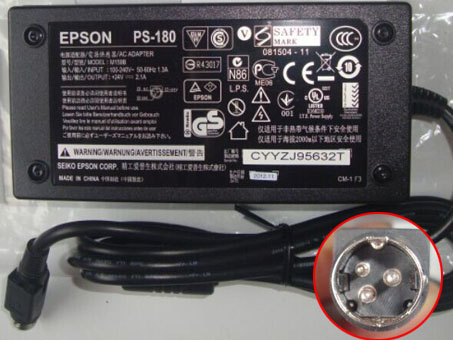
    Connecter size: 3-prong XLR (male) plug connector (ref to the picture)
    tm-U220PD PS-180
    Adapter Fit Models:
    TM-88 TM-T88 TM-T88II TM-T88III TM-U300A TM-U300B TM-U200B TM-U210 TM-U220A TM-U2200 TM-220B TM-U220A BPSHI BS-210K


    JP:EPSON PS-180
    DE:PS-180 TM-88 TM-T88 TM-T88II Notebook-Netzteile.Das richtige EPSON Laptop Netzteil finden.

    The EPSON PS-180 AC adapter is used to recharge the battery in a notebook and to provide dependable power for operating the notebook for long periods of time. If an AC adapter fails it will not recharge the battery and it will not provide power to operate the notebook without a battery.

    Test the EPSON PS-180 AC Adapter
    Connect the output cord from the AC adapter to the notebook and plug the power cord into a working electrical outlet. Perform one or more of the following tasks to check the operation of the AC power adapter.
    Check the power icon in the system tray.
    If the icon resembles a power cord, and if moving the cursor over the icon displays the On AC Power message, the AC adapter is operating properly.
    If the icon resembles a battery when the AC adapter is connected, the adapter is defective.
    Check if the AC power adapter can operate the notebook when the battery is removed.
    Do a normal shutdown of the PC.
    Remove the battery from the Notebook.
    Connect the EPSON power adapter and press the Power button to start the notebook.
    If the PC does not start and operate normally, the AC adapter is defective and must be replaced.
    If the PC does start and operate normally, the AC adapter is working properly

    Determine the AC Adapter Part Number
    Different notebook models require different AC adapters. You will need to know the Product Number of your notebook to determine the Part Number of the replacement part.
    Perform one of the following tasks to find the Product Number of your notebook.
    Click Start, then click Help & Support. The product name, product number, and serial number of the notebook are displayed in the upper left hand corner of the Help and Support home page.
    If the Notebook computer is not powered on, turn it over and locate the EPSON Service Tag fastened to the back of the notebook. The Product Number (P/N) is printed on this tag. On some Notebook computers, the EPSON Service Tag is located inside the battery compartment. Remove the battery from the Notebook to view the EPSON Service Tag information.

    Power Adapter Fast Shipping

    Adapter for ACDP-085E03

    Adapter for A1466

    Adapter for 0957-2271

    Adapter for HSTNN-DA34

    Adapter for HA65NM130

    Adapter for AD-6019R

    Adapter for 19.5V

    Adapter for HP-A0301R3

    Why buy laptop batteries & AC adapters from us?
    www.notebookbattery.co.nz is quite a big site for selling laptop batteries,laptop AC adapters and electronic products online.
    Low Prices Guarantee – Your best source for batteries and adapters. We are a new lithium battery manufacturer,Wholesaler and distributor of notebook computer batteries & AC adapter. Factory-direct price!
    High Quality Guarantee – The batteries and adapters are rigorously tested for voltage, capacity, compatibility and safety to exceed original equipment manufacturer’s specifications . The cheap batteries meet or exceed the original batteries.
    Secure Shopping Guarantee- Shopping is easy and 100% secure. We value your privacy and keep your order and personal information safe. We never share or rent our customer’s data. Click the “Add to cart” button to order what you need easily.

    Wholesale and retail laptop adapter in NZ. Replacement for Acer,Apple, Compaq,Dell, FUJITSU, IBM,Lenovo,Sony and so on.

    How to select laptop Adapter? Make sure the volt and currect of adapter is same as your origial. carefully check the size of tip of adapter is correct. check and confirm with the photo of power adapter is the one you are looking for. We ship to the Laptop adapter around Globe [USA, Canada, UK, NZ and Ireland, Australia]. View more laptop adapter. Contact with us if any problem on selecting power adapter.

    These may be you want to look for : Bestec W207D power supply, Huntkey HK280-62GP power supply, HP 445102-002 power supply, Dell H250AD-00 power supply, HP ATX0300D5WC power supply,

  • Microsoft 1627 adapter Microsoft Surface Pro 3 Docking Station 48W 12V

    Microsoft 1627 adapter

    1627 Universal Laptop Power Adapter. 100% Compatible with Microsoft Surface Pro 3 Docking Station 48W 12V 4A .

    MICROSOFT 1627 Power Adapter – Product information

    NZ laptop Ac Adapter shop, buy cheap Microsoft 1627 replacement laptop Ac Adapter, 1627 AC Adapter with low price and high quality! Brand New Adapters for Microsoft Surface Pro 3 Docking Station 48W 12V 4A .

    AC Input:AC 100V – 240V 1.3A 50-60Hz

    DC Output: 12V–4A, 48W

    1627 Power Adapter

    Adapter Part Numbers:

    Connector size: 4.5 mm×3.0 mm, with pin inside

    Adapter Fit Models:

    Microsoft Surface Pro 3 Docking Station Adapter Charger 48W 12V 4A Model 1627

    JP:Microsoft 1627

    DE:1627 Notebook-Netzteile.Das richtige MICROSOFT Laptop Netzteil finden.

    The Microsoft 1627 AC adapter is used to recharge the battery in a notebook and to provide dependable power for operating the notebook for long periods of time. If an AC adapter fails it will not recharge the battery and it will not provide power to operate the notebook without a battery.

    Test the Microsoft 1627 AC Adapter

    Connect the output cord from the AC adapter to the notebook and plug the power cord into a working electrical outlet. Perform one or more of the following tasks to check the operation of the AC power adapter.

    Check the power icon in the system tray.

    If the icon resembles a power cord, and if moving the cursor over the icon displays the On AC Power message, the AC adapter is operating properly.

    If the icon resembles a battery when the AC adapter is connected, the adapter is defective.

    Check if the AC power adapter can operate the notebook when the battery is removed.

    Do a normal shutdown of the PC.

    Remove the battery from the Notebook.

    Connect the MICROSOFT power adapter and press the Power button to start the notebook.

    If the PC does not start and operate normally, the AC adapter is defective and must be replaced.

    If the PC does start and operate normally, the AC adapter is working properly

    Determine the AC Adapter Part Number

    Different notebook models require different AC adapters. You will need to know the Product Number of your notebook to determine the Part Number of the replacement part.

    Perform one of the following tasks to find the Product Number of your notebook.

    Click Start, then click Help & Support. The product name, product number, and serial number of the notebook are displayed in the upper left hand corner of the Help and Support home page.

    If the Notebook computer is not powered on, turn it over and locate the MICROSOFT Service Tag fastened to the back of the notebook. The Product Number (P/N) is printed on this tag. On some Notebook computers, the MICROSOFT Service Tag is located inside the battery compartment. Remove the battery from the Notebook to view the MICROSOFT Service Tag information.

    Power Adapter Fast Shipping

    Adapter for X200CA-DB01T

    Adapter for A1343

    Adapter for AP.A1401.001

    Adapter for ADP-180MB_F

    Adapter for CDF57

    Adapter for AD82030

    Adapter for 312-1307

    Adapter for 332-1829

    Why buy laptop batteries & AC adapters from us?

    www.notebookbattery.co.nz is quite a big site for selling laptop batteries,laptop AC adapters and electronic products online.

    Low Prices Guarantee – Your best source for batteries and adapters. We are a new lithium battery manufacturer,Wholesaler and distributor of notebook computer batteries & AC adapter. Factory-direct price!

    High Quality Guarantee – The batteries and adapters are rigorously tested for voltage, capacity, compatibility and safety to exceed original equipment manufacturer’s specifications . The cheap batteries meet or exceed the original batteries.

    Secure Shopping Guarantee- Shopping is easy and 100% secure. We value your privacy and keep your order and personal information safe. We never share or rent our customer’s data. Click the “Add to cart” button to order what you need easily.

    Wholesale and retail laptop adapter in NZ. Replacement for Acer,Apple, Compaq,Dell, FUJITSU, IBM,Lenovo,Sony and so on.

    How to select laptop Adapter? Make sure the volt and currect of adapter is same as your origial. carefully check the size of tip of adapter is correct. check and confirm with the photo of power adapter is the one you are looking for. We ship to the Laptop adapter around Globe [USA, Canada, UK, NZ and Ireland, Australia]. View more laptop adapter. Contact with us if any problem on selecting power adapter.

    These may be you want to look for : LENOVO FSP180-50PLV power supply, HP 633195-001 power supply, ACER AXC105 power supply, dell R782R power supply, Dell F235E-00 power supply,

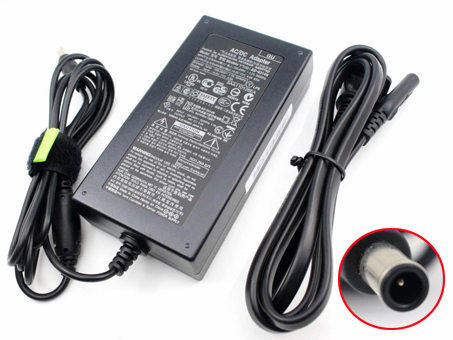
  • SAMSUNG S24A300B S27B350H Power Adapter

    Samsung S24A300B adapter
    Shop from the world’s largest selection and best deals for Laptop Power Adapters for AD-6314T AD6314N 14V 4.5A Monitor . Shop with confidence on notebookbattery.co.nz.

    SAMSUNG S24A300B S27B350H Power Adapter – Product information

    NZ laptop Ac Adapter shop, buy cheap Samsung S24A300B replacement laptop Ac Adapter, S24A300B S27B350H AC Adapter with low price and high quality! Brand New Adapters for AD-6314T AD6314N 14V 4.5A Monitor .
    AC Input:100-240V 50-60Hz (for worldwi
    DC Output: 14V 4.5A, 63W
    S24A300B S27B350H Power Adapter
    Adapter Part Numbers:
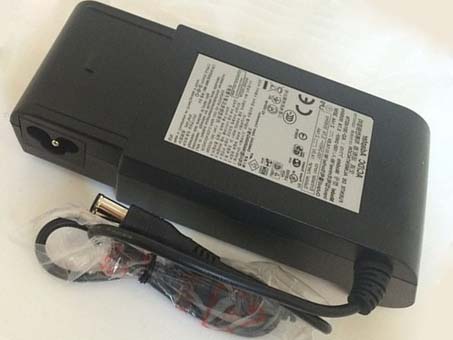
    Connecter size: 6.5mm * 4.4mm, Barrel tip (ref to the picture).
    Outlet: 2-prong

    AD-6314T AD6314N
    Adapter Fit Models:
    TS220W, TS240W, S24A300B, S27B350H, LT-P1795W, SVD5614V, AD-6314C, AD-6314N, AD-6314T, AP06314-UV
    JP:Samsung S24A300B
    DE:S24A300B S27B350H Notebook-Netzteile.Das richtige SAMSUNG Laptop Netzteil finden.

    The Samsung S24A300B AC adapter is used to recharge the battery in a notebook and to provide dependable power for operating the notebook for long periods of time. If an AC adapter fails it will not recharge the battery and it will not provide power to operate the notebook without a battery.

    Test the Samsung S24A300B AC Adapter
    Connect the output cord from the AC adapter to the notebook and plug the power cord into a working electrical outlet. Perform one or more of the following tasks to check the operation of the AC power adapter.
    Check the power icon in the system tray.
    If the icon resembles a power cord, and if moving the cursor over the icon displays the On AC Power message, the AC adapter is operating properly.
    If the icon resembles a battery when the AC adapter is connected, the adapter is defective.
    Check if the AC power adapter can operate the notebook when the battery is removed.
    Do a normal shutdown of the PC.
    Remove the battery from the Notebook.
    Connect the SAMSUNG power adapter and press the Power button to start the notebook.
    If the PC does not start and operate normally, the AC adapter is defective and must be replaced.
    If the PC does start and operate normally, the AC adapter is working properly

    Determine the AC Adapter Part Number
    Different notebook models require different AC adapters. You will need to know the Product Number of your notebook to determine the Part Number of the replacement part.
    Perform one of the following tasks to find the Product Number of your notebook.
    Click Start, then click Help & Support. The product name, product number, and serial number of the notebook are displayed in the upper left hand corner of the Help and Support home page.
    If the Notebook computer is not powered on, turn it over and locate the SAMSUNG Service Tag fastened to the back of the notebook. The Product Number (P/N) is printed on this tag. On some Notebook computers, the SAMSUNG Service Tag is located inside the battery compartment. Remove the battery from the Notebook to view the SAMSUNG Service Tag information.

    Power Adapter Fast Shipping

    Adapter for VGP-AC10V9

    Adapter for 06TFFF

    Adapter for A1466

    Adapter for 74X5J

    Adapter for CF-AA5713AM2

    Adapter for ACDP-085E03

    Adapter for N45W-01

    Adapter for A1424

    Why buy laptop batteries & AC adapters from us?
    www.notebookbattery.co.nz is quite a big site for selling laptop batteries,laptop AC adapters and electronic products online.
    Low Prices Guarantee – Your best source for batteries and adapters. We are a new lithium battery manufacturer,Wholesaler and distributor of notebook computer batteries & AC adapter. Factory-direct price!
    High Quality Guarantee – The batteries and adapters are rigorously tested for voltage, capacity, compatibility and safety to exceed original equipment manufacturer’s specifications . The cheap batteries meet or exceed the original batteries.
    Secure Shopping Guarantee- Shopping is easy and 100% secure. We value your privacy and keep your order and personal information safe. We never share or rent our customer’s data. Click the “Add to cart” button to order what you need easily.

    Wholesale and retail laptop adapter in NZ. Replacement for Acer,Apple, Compaq,Dell, FUJITSU, IBM,Lenovo,Sony and so on.

    How to select laptop Adapter? Make sure the volt and currect of adapter is same as your origial. carefully check the size of tip of adapter is correct. check and confirm with the photo of power adapter is the one you are looking for. We ship to the Laptop adapter around Globe [USA, Canada, UK, NZ and Ireland, Australia]. View more laptop adapter. Contact with us if any problem on selecting power adapter.

    These may be you want to look for : HP ATX0300D5WC power supply, Dell U597G power supply, Dell H250AD-00 power supply, dell R782R power supply, FSP SPI400U4BB power supply,

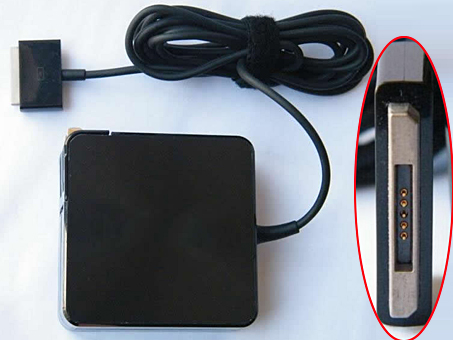
  • Buy Replacement AC Power Adapter ADP-65AW_A for ASUS Transformer Book TX300CA Convertible

    ASUS ADP-65AW_A adapter
    Buy Replacement AC Power Adapter ADP-65AW_A for ASUS Transformer Book TX300CA Convertible

    ASUS ADP-65AW_A Power Adapter – Product information

    NZ laptop Ac Adapter shop, buy cheap ASUS ADP-65AW_A replacement laptop Ac Adapter, ADP-65AW_A AC Adapter with low price and high quality! Brand New Adapters for ASUS Transformer Book TX300CA Convertible.
    AC Input:100-240V 50-60Hz
    DC Output: 19V 3.42A 65W
    ADP-65AW_A Power Adapter
    Adapter Part Numbers:
    Connecter size: 5PIN

    ADP-65AW A
    Adapter Fit Models:
    ASUS Transpourmer Book TX300CA Convertible

    JP:ASUS ADP-65AW_A
    DE:ADP-65AW_A Notebook-Netzteile.Das richtige ASUS Laptop Netzteil finden.

    The ASUS ADP-65AW_A AC adapter is used to recharge the battery in a notebook and to provide dependable power for operating the notebook for long periods of time. If an AC adapter fails it will not recharge the battery and it will not provide power to operate the notebook without a battery.

    Test the ASUS ADP-65AW_A AC Adapter
    Connect the output cord from the AC adapter to the notebook and plug the power cord into a working electrical outlet. Perform one or more of the following tasks to check the operation of the AC power adapter.
    Check the power icon in the system tray.
    If the icon resembles a power cord, and if moving the cursor over the icon displays the On AC Power message, the AC adapter is operating properly.
    If the icon resembles a battery when the AC adapter is connected, the adapter is defective.
    Check if the AC power adapter can operate the notebook when the battery is removed.
    Do a normal shutdown of the PC.
    Remove the battery from the Notebook.
    Connect the ASUS power adapter and press the Power button to start the notebook.
    If the PC does not start and operate normally, the AC adapter is defective and must be replaced.
    If the PC does start and operate normally, the AC adapter is working properly

    Determine the AC Adapter Part Number
    Different notebook models require different AC adapters. You will need to know the Product Number of your notebook to determine the Part Number of the replacement part.
    Perform one of the following tasks to find the Product Number of your notebook.
    Click Start, then click Help & Support. The product name, product number, and serial number of the notebook are displayed in the upper left hand corner of the Help and Support home page.
    If the Notebook computer is not powered on, turn it over and locate the ASUS Service Tag fastened to the back of the notebook. The Product Number (P/N) is printed on this tag. On some Notebook computers, the ASUS Service Tag is located inside the battery compartment. Remove the battery from the Notebook to view the ASUS Service Tag information.

    Power Adapter Fast Shipping

    Adapter for 10.5V/5V

    Adapter for PA-1650-02

    Adapter for PA3714E-1AC3

    Adapter for VGP-AC19V27

    Adapter for PA-1200-22HB

    Adapter for PA3714U-1ACA

    Adapter for 06TFFF

    Adapter for 2.58A

    Why buy laptop batteries & AC adapters from us?
    www.notebookbattery.co.nz is quite a big site for selling laptop batteries,laptop AC adapters and electronic products online.
    Low Prices Guarantee – Your best source for batteries and adapters. We are a new lithium battery manufacturer,Wholesaler and distributor of notebook computer batteries & AC adapter. Factory-direct price!
    High Quality Guarantee – The batteries and adapters are rigorously tested for voltage, capacity, compatibility and safety to exceed original equipment manufacturer’s specifications . The cheap batteries meet or exceed the original batteries.
    Secure Shopping Guarantee- Shopping is easy and 100% secure. We value your privacy and keep your order and personal information safe. We never share or rent our customer’s data. Click the “Add to cart” button to order what you need easily.

    Wholesale and retail laptop adapter in NZ. Replacement for Acer,Apple, Compaq,Dell, FUJITSU, IBM,Lenovo,Sony and so on.

    How to select laptop Adapter? Make sure the volt and currect of adapter is same as your origial. carefully check the size of tip of adapter is correct. check and confirm with the photo of power adapter is the one you are looking for. We ship to the Laptop adapter around Globe [USA, Canada, UK, NZ and Ireland, Australia]. View more laptop adapter. Contact with us if any problem on selecting power adapter.

    These may be you want to look for : Dell H250AD-00 power supply, FSP FSP180-50PLA1 power supply, HP PCA222 power supply, Acbel 250W power supply, Dell RM112 power supply,

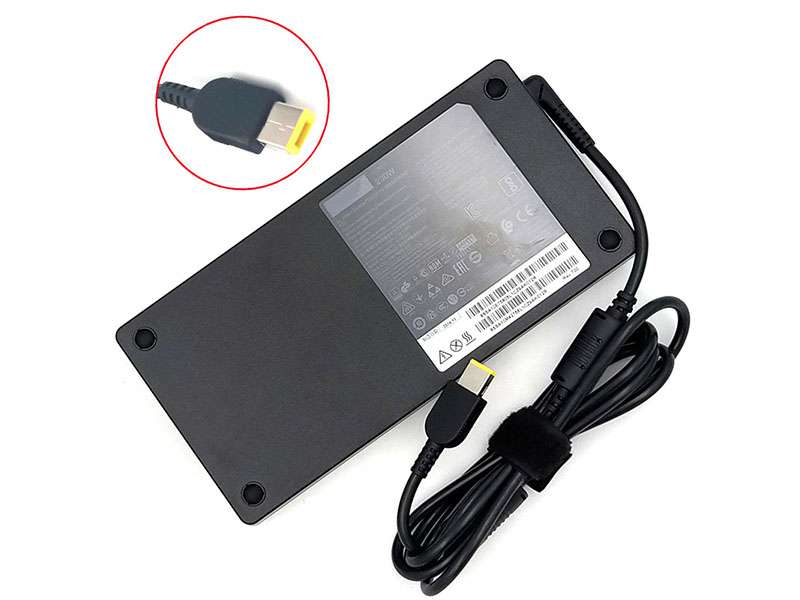
  • LENOVO PA-1231-12LA Power Adapter

    Lenovo PA-1231-12LA adapter
    Find your Lenovo 20V 11.5A 230W Slim PC laptop model information and buy model specific compatible products like laptop chargers with ac power adapters online at lowest price.

    LENOVO PA-1231-12LA Power Adapter – Product information

    NZ laptop Ac Adapter shop, buy cheap Lenovo PA-1231-12LA replacement laptop Ac Adapter, PA-1231-12LA AC Adapter with low price and high quality! Brand New Adapters for Lenovo 20V 11.5A 230W Slim.
    AC Input:100-240V 50-60Hz
    DC Output: 20V 11.5A 230W
    PA-1231-12LA Power Adapter
    Adapter Part Numbers:
    Connecter size: USB

    PA-1231-12LA SA10H28356 ADL230NLC3A 00HM627
    Adapter Fit Models:
    ADL230NLC3A PA-1231-12LA 5A10H28356 SA10E75805 00HM627 SS SA10E75805L1CZ51T002P SS 5A10H28356 L1CZ51T002P


    JP:Lenovo PA-1231-12LA
    DE:PA-1231-12LA Notebook-Netzteile.Das richtige LENOVO Laptop Netzteil finden.

    The Lenovo PA-1231-12LA AC adapter is used to recharge the battery in a notebook and to provide dependable power for operating the notebook for long periods of time. If an AC adapter fails it will not recharge the battery and it will not provide power to operate the notebook without a battery.

    Test the Lenovo PA-1231-12LA AC Adapter
    Connect the output cord from the AC adapter to the notebook and plug the power cord into a working electrical outlet. Perform one or more of the following tasks to check the operation of the AC power adapter.
    Check the power icon in the system tray.
    If the icon resembles a power cord, and if moving the cursor over the icon displays the On AC Power message, the AC adapter is operating properly.
    If the icon resembles a battery when the AC adapter is connected, the adapter is defective.
    Check if the AC power adapter can operate the notebook when the battery is removed.
    Do a normal shutdown of the PC.
    Remove the battery from the Notebook.
    Connect the LENOVO power adapter and press the Power button to start the notebook.
    If the PC does not start and operate normally, the AC adapter is defective and must be replaced.
    If the PC does start and operate normally, the AC adapter is working properly

    Determine the AC Adapter Part Number
    Different notebook models require different AC adapters. You will need to know the Product Number of your notebook to determine the Part Number of the replacement part.
    Perform one of the following tasks to find the Product Number of your notebook.
    Click Start, then click Help & Support. The product name, product number, and serial number of the notebook are displayed in the upper left hand corner of the Help and Support home page.
    If the Notebook computer is not powered on, turn it over and locate the LENOVO Service Tag fastened to the back of the notebook. The Product Number (P/N) is printed on this tag. On some Notebook computers, the LENOVO Service Tag is located inside the battery compartment. Remove the battery from the Notebook to view the LENOVO Service Tag information.

    Power Adapter Fast Shipping

    Adapter for 741727-001

    Adapter for VGP-AC10V10

    Adapter for 0957-2385

    Adapter for FA180PM111

    Adapter for FA-0603000SUA

    Adapter for ADP-65JH_DB

    Adapter for PA-1231-12LA

    Adapter for CF-AA5713AM2

    Why buy laptop batteries & AC adapters from us?
    www.notebookbattery.co.nz is quite a big site for selling laptop batteries,laptop AC adapters and electronic products online.
    Low Prices Guarantee – Your best source for batteries and adapters. We are a new lithium battery manufacturer,Wholesaler and distributor of notebook computer batteries & AC adapter. Factory-direct price!
    High Quality Guarantee – The batteries and adapters are rigorously tested for voltage, capacity, compatibility and safety to exceed original equipment manufacturer’s specifications . The cheap batteries meet or exceed the original batteries.
    Secure Shopping Guarantee- Shopping is easy and 100% secure. We value your privacy and keep your order and personal information safe. We never share or rent our customer’s data. Click the “Add to cart” button to order what you need easily.

    Wholesale and retail laptop adapter in NZ. Replacement for Acer,Apple, Compaq,Dell, FUJITSU, IBM,Lenovo,Sony and so on.

    How to select laptop Adapter? Make sure the volt and currect of adapter is same as your origial. carefully check the size of tip of adapter is correct. check and confirm with the photo of power adapter is the one you are looking for. We ship to the Laptop adapter around Globe [USA, Canada, UK, NZ and Ireland, Australia]. View more laptop adapter. Contact with us if any problem on selecting power adapter.

    These may be you want to look for : dell 6RG54 power supply, HP PCA222 power supply, dell P2721 power supply, Dell 3WN11 power supply, Dell 6W6M1 power supply,

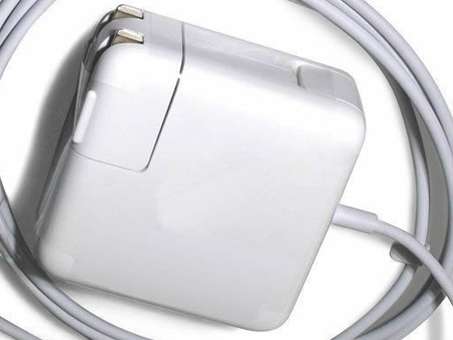
  • APPLE A1424 Power Adapter

    Apple A1424 adapter
    A1424 Universal Laptop Power Adapter. 100% Compatible with Apple 15inch MacBook Pro Magsafe 2.

    APPLE A1424 Power Adapter – Product information

    NZ laptop Ac Adapter shop, buy cheap Apple A1424 replacement laptop Ac Adapter, A1424 AC Adapter with low price and high quality! Brand New Adapters for Apple 15inch MacBook Pro Magsafe 2.
    AC Input:AC 100-240V~50/60HZ
    DC Output: DC 20V 4.25A 85W
    A1424 Power Adapter
    Adapter Part Numbers:
    Does not work on 2007 to 2011 model year Macbook Pro!

    A1424 A1398 2012 MD506
    Adapter Fit Models:

    Apple:
    MacBook Pro “Core i5″ 2.5 13” Retina
    MacBook Pro “Core i7″ 2.9 13” Retina
    MacBook Pro “Core i5″ 2.6 13” Retina 2013
    MacBook Pro “Core i7″ 3.0 13” Retina 2013
    MacBook Pro A1398
    MacBook Pro “Core i7″ 2.3 15” Retina
    MacBook Pro “Core i7″ 2.6 15” Retina
    MacBook Pro “Core i7″ 2.7 15” Retina
    MacBook Pro “Core i7″ 2.4 15” Retina 2013
    MacBook Pro “Core i7″ 2.7 15” Retina 2013
    MacBook Pro “Core i7″ 2.8 15” Retina 2013

    2012 to 2014 MacBook Pro 15-inch with Retina Display

    For pro 15′ 17′ 2012-2014 Apple Magsafe 2
    JP:Apple A1424
    DE:A1424 Notebook-Netzteile.Das richtige APPLE Laptop Netzteil finden.

    The Apple A1424 AC adapter is used to recharge the battery in a notebook and to provide dependable power for operating the notebook for long periods of time. If an AC adapter fails it will not recharge the battery and it will not provide power to operate the notebook without a battery.

    Test the Apple A1424 AC Adapter
    Connect the output cord from the AC adapter to the notebook and plug the power cord into a working electrical outlet. Perform one or more of the following tasks to check the operation of the AC power adapter.
    Check the power icon in the system tray.
    If the icon resembles a power cord, and if moving the cursor over the icon displays the On AC Power message, the AC adapter is operating properly.
    If the icon resembles a battery when the AC adapter is connected, the adapter is defective.
    Check if the AC power adapter can operate the notebook when the battery is removed.
    Do a normal shutdown of the PC.
    Remove the battery from the Notebook.
    Connect the APPLE power adapter and press the Power button to start the notebook.
    If the PC does not start and operate normally, the AC adapter is defective and must be replaced.
    If the PC does start and operate normally, the AC adapter is working properly

    Determine the AC Adapter Part Number
    Different notebook models require different AC adapters. You will need to know the Product Number of your notebook to determine the Part Number of the replacement part.
    Perform one of the following tasks to find the Product Number of your notebook.
    Click Start, then click Help & Support. The product name, product number, and serial number of the notebook are displayed in the upper left hand corner of the Help and Support home page.
    If the Notebook computer is not powered on, turn it over and locate the APPLE Service Tag fastened to the back of the notebook. The Product Number (P/N) is printed on this tag. On some Notebook computers, the APPLE Service Tag is located inside the battery compartment. Remove the battery from the Notebook to view the APPLE Service Tag information.

    Power Adapter Fast Shipping

    Adapter for ADS-40SG

    Adapter for PA-1650-78

    Adapter for 180W

    Adapter for 48W

    Adapter for FPCAC63W

    Adapter for BSACA01DL1

    Adapter for AA-PA3N40W

    Adapter for ADP-40TH_A

    Why buy laptop batteries & AC adapters from us?
    www.notebookbattery.co.nz is quite a big site for selling laptop batteries,laptop AC adapters and electronic products online.
    Low Prices Guarantee – Your best source for batteries and adapters. We are a new lithium battery manufacturer,Wholesaler and distributor of notebook computer batteries & AC adapter. Factory-direct price!
    High Quality Guarantee – The batteries and adapters are rigorously tested for voltage, capacity, compatibility and safety to exceed original equipment manufacturer’s specifications . The cheap batteries meet or exceed the original batteries.
    Secure Shopping Guarantee- Shopping is easy and 100% secure. We value your privacy and keep your order and personal information safe. We never share or rent our customer’s data. Click the “Add to cart” button to order what you need easily.

    Wholesale and retail laptop adapter in NZ. Replacement for Acer,Apple, Compaq,Dell, FUJITSU, IBM,Lenovo,Sony and so on.

    How to select laptop Adapter? Make sure the volt and currect of adapter is same as your origial. carefully check the size of tip of adapter is correct. check and confirm with the photo of power adapter is the one you are looking for. We ship to the Laptop adapter around Globe [USA, Canada, UK, NZ and Ireland, Australia]. View more laptop adapter. Contact with us if any problem on selecting power adapter.

    These may be you want to look for : Dell P3JW1 power supply, Dell H525EF-00 power supply, dell FY632 power supply, Dell F235E-00 power supply, LENOVO PC9051 power supply,

  • AD-3014STN AD-3014A Universal Laptop Power Adapter

    Samsung AD-3014STN adapter
    AD-3014STN AD-3014A Universal Laptop Power Adapter. 100% Compatible with Samsung LED S22B300N S22B300B S22B300H.

    SAMSUNG AD-3014STN AD-3014A Power Adapter – Product information

    NZ laptop Ac Adapter shop, buy cheap Samsung AD-3014STN replacement laptop Ac Adapter, AD-3014STN AD-3014A AC Adapter with low price and high quality! Brand New Adapters for Samsung LED S22B300N S22B300B S22B300H.
    AC Input:100-240V 50-60Hz (for worldwi
    DC Output: 14V 2.14A, 30W
    AD-3014STN AD-3014A Power Adapter
    Adapter Part Numbers:
    Connecter size: 6.5 mm×4.4 mm, with
    central pin inside (ref to the picture).
    Outlet: 3-prong

    AD-3014STN,AD-3014A,AD- 3014B,AD-3014N,BN44-00394A,BN04-00394B,BN44-00294C,BN44-00394G,PA-1031-21,PA-1031-21-FH
    Adapter Fit Models:
    Samsung LED S22B300N,S22B300B,S22B300H Monitor
    JP:Samsung AD-3014STN
    DE:AD-3014STN AD-3014A Notebook-Netzteile.Das richtige SAMSUNG Laptop Netzteil finden.

    The Samsung AD-3014STN AC adapter is used to recharge the battery in a notebook and to provide dependable power for operating the notebook for long periods of time. If an AC adapter fails it will not recharge the battery and it will not provide power to operate the notebook without a battery.

    Test the Samsung AD-3014STN AC Adapter
    Connect the output cord from the AC adapter to the notebook and plug the power cord into a working electrical outlet. Perform one or more of the following tasks to check the operation of the AC power adapter.
    Check the power icon in the system tray.
    If the icon resembles a power cord, and if moving the cursor over the icon displays the On AC Power message, the AC adapter is operating properly.
    If the icon resembles a battery when the AC adapter is connected, the adapter is defective.
    Check if the AC power adapter can operate the notebook when the battery is removed.
    Do a normal shutdown of the PC.
    Remove the battery from the Notebook.
    Connect the SAMSUNG power adapter and press the Power button to start the notebook.
    If the PC does not start and operate normally, the AC adapter is defective and must be replaced.
    If the PC does start and operate normally, the AC adapter is working properly

    Determine the AC Adapter Part Number
    Different notebook models require different AC adapters. You will need to know the Product Number of your notebook to determine the Part Number of the replacement part.
    Perform one of the following tasks to find the Product Number of your notebook.
    Click Start, then click Help & Support. The product name, product number, and serial number of the notebook are displayed in the upper left hand corner of the Help and Support home page.
    If the Notebook computer is not powered on, turn it over and locate the SAMSUNG Service Tag fastened to the back of the notebook. The Product Number (P/N) is printed on this tag. On some Notebook computers, the SAMSUNG Service Tag is located inside the battery compartment. Remove the battery from the Notebook to view the SAMSUNG Service Tag information.

    Power Adapter Fast Shipping

    Adapter for A1466

    Adapter for PA-1700-02

    Adapter for EAY63128701

    Adapter for E5430

    Adapter for 15V

    Adapter for 19V

    Adapter for 20V

    Adapter for 74X5J

    Why buy laptop batteries & AC adapters from us?
    www.notebookbattery.co.nz is quite a big site for selling laptop batteries,laptop AC adapters and electronic products online.
    Low Prices Guarantee – Your best source for batteries and adapters. We are a new lithium battery manufacturer,Wholesaler and distributor of notebook computer batteries & AC adapter. Factory-direct price!
    High Quality Guarantee – The batteries and adapters are rigorously tested for voltage, capacity, compatibility and safety to exceed original equipment manufacturer’s specifications . The cheap batteries meet or exceed the original batteries.
    Secure Shopping Guarantee- Shopping is easy and 100% secure. We value your privacy and keep your order and personal information safe. We never share or rent our customer’s data. Click the “Add to cart” button to order what you need easily.

    Wholesale and retail laptop adapter in NZ. Replacement for Acer,Apple, Compaq,Dell, FUJITSU, IBM,Lenovo,Sony and so on.

    How to select laptop Adapter? Make sure the volt and currect of adapter is same as your origial. carefully check the size of tip of adapter is correct. check and confirm with the photo of power adapter is the one you are looking for. We ship to the Laptop adapter around Globe [USA, Canada, UK, NZ and Ireland, Australia]. View more laptop adapter. Contact with us if any problem on selecting power adapter.

    These may be you want to look for : Dell G238T power supply, Acbel 250W power supply, HP 504965-001 power supply, Dell P3JW1 power supply, Dell 0T122K power supply,

  • ACER 65W Power Adapter

    Acer 65W adapter
    Find your ACER Aspire 5338 5536 5738 5551 5552 5553 PC laptop model information and buy model specific compatible products like laptop chargers with ac power adapters online at lowest price.

    ACER 65W Power Adapter – Product information

    NZ laptop Ac Adapter shop, buy cheap Acer 65W replacement laptop Ac Adapter, 65W AC Adapter with low price and high quality! Brand New Adapters for ACER Aspire 5338 5536 5738 5551 5552 5553.
    AC Input:100-240V 50-60Hz (for worldwi
    DC Output: 19V 3.42A, 65W
    65W Power Adapter
    Adapter Part Numbers:
    PA-1700-02,SADP-65KB (REV.D), HP-OK066B13,HP-A0653R3B,UP/N:A065R030L, API2AD02, PA-1650-02, AP.A1401.001, AP .0650A .001, AP .0650A .005, AP.06501.005, AP.T1902.001, LC.ADT01.007, LC.T2801.006
    Adapter Fit Models:

    Aspire 1400 series (AS1400LC, AS1400XC, AS1400XV)
    Aspire 1410 series (AS1414WLCi)
    Aspire 1500 Series (AS1501LCi, AS1501LMi)
    Aspire 1551 Series (AS1551-4650, AS1551-4755, AS1551-5448)
    Aspire 1640 Series (AS1641LCi, AS1641WLMi, AS1642WLMi, AS1644ZWLMi, AS1640Z (AS1642XWLMi).)
    Aspire 1650 Series (AS1652WLMi, AS1654WLMi, AS1652ZWLMi, AS1654ZWLMi)
    Aspire 1680 Series (AS1681LCi, AS1681WLCi, AS1681WLMi, AS1684WLMi, AS1685WLMi)
    Aspire 1690 Series (AS1690WLCi, AS1690LCi, AS1690WLMi, AS1691WLCi, AS1691WLMi, AS1692WLMi, AS1694WLMi)
    Aspire 1830 TimelineX Series: AS1830T-3505, AS1830T-3721, AS1830T-3927
    Aspire 2000 Series (AS2001LCi, AS2002LCi, AS2002LMi, AS2003LMi)
    Aspire 2020 Series
    Aspire 2420 Series
    Aspire 2920 Series
    Aspire 3030 Series
    Aspire 3100 Series
    Aspire 3200 Series
    Aspire 3500 Series (AS3502LCi, AS3502NLCi, AS3502WLCi, AS3503LCi, AS3503WLCi)
    Aspire 3510 Series
    Aspire 3610 Series (AS3612LCi, AS3613LCi, AS3613WLCi, AS3613WLMi)
    Aspire 3620 Series (AS3623NWXMi, AS3623WLCi, AS3623WLMi, AS3623WXCi, AS3623WXMi, AS3624WXCi, AS3624WXMi)
    Aspire 3630 Series (AS3634LMi, AS3634WLMi)
    Aspire 3650 Series
    Aspire 3660 Series
    Aspire 3670 Series
    Aspire 3680 Series (AS3680-2108, AS3680-2233, AS3680-2301, AS3680-2513, AS3680-2626, AS3680-2974)
    Aspire 3810 Timeline Series: AS3810TZ-4806, AS3810T-6376, AS3810T-8737
    Aspire 3820 TimelineX Series: AS3820T-3051, AS3820T-5246
    Aspire 4220 Series (4220G)
    Aspire 4310/4315/4320 Series (AS4310, AS4315-2004, AS4315-2490, AS4315-2843, AS4315-2963, AS4320-2451)
    Aspire 4520 Series (AS4520-5141, AS4520-5424, AS4520-5458, AS4520-5582, AS4520-5803, AS4520-5950)
    Aspire 4551 Series (AS4551-2615, AS4551-4315)
    Aspire 4730 Series (AS4730-4042, AS4730-4374, AS4730-4437, AS4730-4457, AS4730-4516, AS4730-4730z, AS4730-4758,,

    AS4730-4857, AS4730-4901, AS4730-4972, AS4730-6405,AS4730-4947)

    Aspire 4710 Series (AS4710-2013), 4710Z
    Aspire 4720 Series (AS4720-2013, AS4720-4199, AS4720-4538, AS4720-4721, AS4720-4825, AS4720-6748, 4720Z)

    Aspire 4730Z Series
    Aspire 4810 Timeline Series (AS4810TZ-4508, AS4810T-8480)
    Aspire 4810 Timeline Special Edition (AS4810TZ-4183)
    Aspire 4810 TimelineX Series (AS4820TG-3195, AS4820T-3697, AS4820T-5570, AS4820TG-5637)
    Aspire 4920 series (AS4930-6862)
    Aspire 5000 Series (AS5001LCi, AS5001LM, AS5001WLMi, AS5002LM, AS5002LMi, AS5002WLMi, AS5003WLMi, AS5004WLMi)
    Aspire 5030 Series
    Aspire 5050 Series (AS5050-3242, AS5050-3371, AS5050-3465, AS5050-3564, AS5050-5172, AS5050-5374,

    AS5050-5410, AS5050-5554, AS5050-5555, AS5050-5574, AS5050-5827, AS5050-5951)

    Aspire 5100 Series (AS5100-3016, AS5100-3748, AS5100-3577, AS5100-3825, AS5100-5022, AS5100-5033,

    AS5100-3949, AS5101AWLMi, AS5102WLMi (Model BL51), AS5103WLMi)

    Aspire 5310 Series
    Aspire 5315 Series (AS5315-2001, AS5315-2077, AS5315-2122, AS5315-2142, AS5315-2153, AS5315-2191, AS5315-2203, AS5315-2290,

    AS5315-2326, AS5315-2698, AS5315-2713, AS5315-2768, AS5315-2808, AS5315-2826, AS5315-2940, AS5315-2942)

    Aspire 5334 series (AS5334-2153, AS5334-2581, AS5334-2598, AS5334-2737)
    Aspire 5517 series (AS5517-1208, AS5517-1216, AS5517-1643, AS5517-5086, AS5517-5661, AS5517-5671, AS5517-5997)
    Aspire 5532 series (AS5532-5509, AS5532-5535)
    Aspire 5534 series (AS5534-1121)
    Aspire 5538 series (AS5538-1096)
    Aspire 5542 series (AS5542-1462)
    Aspire 5551 series (AS5551-2013, AS5551-2036, AS5551-2380, AS5551-2805, AS5551-4200, AS5551-4937)
    Aspire 5500 series (AS5502ZWXMi, 5500Z)
    Aspire 5510 Series
    Aspire 5520 series (AS5520-5142, AS5520-5147, AS5520-5156, AS5520-5313, AS5520-5377, AS5520-5537, AS5520-5551,

    AS5520-5806, AS5520-5891, AS5520-5901, AS5520-5908, AS5520-5912

    Aspire 5570 series (AS5570-2502, AS5570-2067, AS5570-2758, AS5570-2797, AS5570-2977, AS5570-4174, AS5570-4285,

    AS5570-4421, AS5570-4581, AS5570-4765)

    Aspire 5580 series (AS5580-6177, AS5580-6707, AS5580-6856)
    Aspire 5680 series (AS5680-6001, AS5680-6123, AS5680-6516, AS5680-6517, AS5680-6560, AS5683WLMi)
    Aspire 5710 Series (5710, 5710Z, 5715Z)
    Aspire 5720 Series (AS5720-4230, AS5720-4649, AS5720-4662, AS5720-4984, 5720G, 5720Z)
    Aspire 5732 Series (AS5732Z-4280, AS5732Z-4598, AS5732Z-4867)
    Aspire 5734 Series (AS5734Z-4386, AS5734Z-4512, AS5734Z-4725, AS5734Z-4836)
    Aspire 5735 Series (AS5735-4624, AS5735-4774, AS5735-4950, AS5735-6041, AS5735-6211,

    AS5735-6285, AS5735-6694, AS5735-6957)

    Aspire 5738 Series (AS5738Z-4111, AS5738Z-4333, AS5738Z-4574, AS5738DG-6165)
    Aspire 5740 Series (AS5740-5144, AS5740-5255, S5740G-5309, AS5740-5513, AS5740-5749, AS5740-5780, AS5740-5847,

    AS5740-6025, AS5740-6378, AS5740G-6395, AS5740-6491, AS5740G-6979)

    Aspire 5741 Series (AS5741-3541, AS5741G-5062, AS5741-5119, AS5741Z-5433, AS5741Z-5539, AS5741G-5608,

    AS5741-5698, AS5741-5763, AS5741-6823)

    Aspire 5745 Series (AS5745-3428, AS5745-3633, AS5745-5387, AS5745-5425, AS5745-5950, AS5745-6528)
    Aspire 5810 Timeline series (AS5810TZ-4274, AS5810TZ-4433, AS5810TZ-4657, AS5810TZ-4761, AS5810TZ-4784, AS5810T-8929)
    Aspire 5820 TimelineX series (AS5820T-5951, AS5820T-6178)
    Aspire 5920 series (AS5920-6313, AS5920-6329, AS5920-6444, AS5920-6470, AS5920-6574, AS5920-6582, AS5920-6661,

    AS5920-6706, AS5920-6750, AS5920-6954, AS5920-6959, 5920Z)

    Aspire 6920 series (AS6920-6141, AS6920-6422, AS6920-6441, AS6920-6508, AS6920-6621, AS6920-6731,

    AS6920-6853,AS6920-6886, AS6920-6973, 6920G)

    Aspire 6930 series (AS6930-6067, AS6930-6073, AS6930-6235, AS6930-6455, AS6930-6586, AS6930-6771, AS6930-6809,

    AS6930-6847, AS6930-6942, 6930G-6723, 6930G)

    Aspire 7100 Series (AS7103EWSMi, AS7104WSMi)
    Aspire 7540 Series (AS7540-1284, AS7540-5750)
    Aspire 7551 Series (AS7551-2531, , AS7551-2560, AS7551-2818, AS7551-2961, AS7551-4909)
    Aspire 7736 Series (AS7736Z-4088, AS7736-6948)
    Aspire 7740 Series (AS7740-5029, AS7740G-6140, AS7740G-6364, AS7740G-6930)
    Aspire 7741 and 7741Z Series (AS7741-5137, AS7741-5209, AS7741Z-5731, AS7741-5932)
    Aspire 7745 Series (AS7745-5602, AS7745-5632)
    Aspire 9400
    Aspire E1-421
    Aspire E1-422
    Aspire E1-431
    Aspire E1-471
    Aspire E1-521
    Aspire E1-522
    Aspire E1-531
    Aspire E1-571
    Aspire R3-571
    Aspire M3-581T
    Aspire M5-481PT
    Aspire M5-481T
    Aspire M5-481TG
    Aspire M5-581T
    Aspire M5-581TG
    Aspire M5-582PG
    Aspire S3-391
    Aspire S3-951
    Aspire V3-471
    Aspire V3-551
    Aspire V3-571
    Aspire V3-731
    Aspire V3-771
    Aspire V5-431
    Aspire V5-431P
    Aspire V5-471
    Aspire V5-471P
    Aspire V5-531
    Aspire V5-531P
    Aspire V5-551
    Aspire V5-571
    Aspire V5-571P
    Aspire V5-572
    Aspire V5-572P
    Aspire V7-481P
    Aspire V5-482PG
    Aspire V7-581
    Aspire V7-582P

    Travelmate 220 series (TM222X, TM223X, TM225X, TM225XC, TM225XV-PRO)
    Travelmate 230 series (TM230X, TM230XC, TM230XV, TM230XV-PRO, TM233LC, TM233X, TM233XV, TM233XVi, TM234LC, TM234LCi)
    Travelmate 250 Series (TM250, TM250P, TM252ELC, TM252ELCi)
    Travelmate 270 series (TM270XV, TM272LC, TM272XV, TM272XVi, TM273XV)
    Travelmate 290 Series (TM290LCi, TM290LMi, TM290X, TM290XCi, TM290Xi, TM290XMi, TM290XVi)
    Travelmate 420 Series (TM422LC, TM422XC, TM422XV, TM426LC, TM426XC, TM426XV, TM427LC)
    Travelmate 500 Series (TM505DX, TM506T, TM506DX, TM507T, TM507DX, TM508DX, TM508T)
    Travelmate 510 Series (TM512DX, TM512T, TM512T-64, TM513T, TM514T, TM514TXV, TM515TE, TM517TE)
    Travelmate 630 Series (TM630XV, TM630XCi, TM632XCi, TM633LCi, TM634LC, TM634XCi, TM636LCi)
    Travelmate 650 Series (TM653LCi, TM654LCi)
    Travelmate 660 Series (TM661LCi, TM662LMi)
    Travelmate 730 Series (TM730TXV, TM732TXV, TM732TLV, TM734TL, TM734TXV, TM735TLV, TM736TL,

    TM736TLV, TM737TLV, TM738TLV, TM739TLV, TM739GTLV)

    Travelmate 2000 Series (TM2001LC, TM2001LCi, TM2001X, TM2001XC, TM2002LCi, TM2002LMi, TM2003LC, TM2003LMi)
    Travelmate 2300 Series (TM2301LC, TM2301LCi, TM2301WLCi, TM2301XC, TM2303LC, TM2303LCi, TM2303WLCi, TM2304LCi, TM2304WLCi)
    Travelmate 2310 Series (TM2312LCi, TM2312WLCi, TM2312WLMi, TM2313LCi, TM2313WLCi)
    Travelmate 2410 Series (TM2412LCi, TM2413LCi, TM2413NLCi, TM2413WLMi)
    Travelmate 2450 Series
    Travelmate 2460 Series
    Travelmate 2470 Series
    Travelmate 2480 Series
    TravelMate 3000, 3010, 3020, 3030, 3040, 3200, 3210, 3220, 3230, 3250, 3260
    Travelmate 3270 Series (TM3270-6569)
    Travelmate 4730 Series (TM4730-6405, TM4730-6447)
    Travelmate 4740 Series (TM4740-5261)

    TravelMate 5520 series (TM5520-5030, TM5520-5313, TM5520-5678, TM5520-5929, 5520G)
    Travelmate 5530 Series (TM5530-5155, TM5530-5369)
    Travelmate 5730 Series (TM5730-6884, TM5730-6891)
    Travelmate 5740 Series (TM5740-5896, TM5740-6291, TM5740-6529)
    Travelmate 5600, 5710, 5720 Series
    Travelmate 6000 Series (TM6003LMi, TM6004LCi)
    Travelmate 6231 Series
    Travelmate 6291 Series (TM6291-6019, TM6291-6335, TM6291-6753, TM6291-6792)
    Travelmate 6292 Series (TM6292-6059, TM6292-6700, TM6292-6856)
    Travelmate 6492, 6592 Series
    Travelmate 6293 Series (TM6293-6170)
    Travelmate 6493 Series (TM6493-6768, TM6493-6899)
    Travelmate 6593 Series (TM6593-6585, TM6593-6639)
    Travelmate 7320, 7720 Series
    Travelmate 8000, 8100, 8100A Series
    Travelmate 8371 Series (TM8371-6457)
    Travelmate 8471 Series (TM8471-6306, TM8471-8818)
    Travelmate 8472 Series (TM8472-6012)
    Travelmate 8571 Series (TM8571-6465, TM8571-8537)
    Travelmate 8572 Series (TM8572-6592, TM8572-6779)

    Extensa 5620 series (5620Z, EX5620-4020, EX5620-4025, EX5620-4428, EX5620-6119, EX5620-6266,

    EX5620-6419, EX5620-6635, EX5620-6830, EX5620-6846)

    Extensa 5635 series (EX5635-6897)
    JP:Acer 65W
    DE:65W Notebook-Netzteile.Das richtige ACER Laptop Netzteil finden.

    The Acer 65W AC adapter is used to recharge the battery in a notebook and to provide dependable power for operating the notebook for long periods of time. If an AC adapter fails it will not recharge the battery and it will not provide power to operate the notebook without a battery.

    Test the Acer 65W AC Adapter
    Connect the output cord from the AC adapter to the notebook and plug the power cord into a working electrical outlet. Perform one or more of the following tasks to check the operation of the AC power adapter.
    Check the power icon in the system tray.
    If the icon resembles a power cord, and if moving the cursor over the icon displays the On AC Power message, the AC adapter is operating properly.
    If the icon resembles a battery when the AC adapter is connected, the adapter is defective.
    Check if the AC power adapter can operate the notebook when the battery is removed.
    Do a normal shutdown of the PC.
    Remove the battery from the Notebook.
    Connect the ACER power adapter and press the Power button to start the notebook.
    If the PC does not start and operate normally, the AC adapter is defective and must be replaced.
    If the PC does start and operate normally, the AC adapter is working properly

    Determine the AC Adapter Part Number
    Different notebook models require different AC adapters. You will need to know the Product Number of your notebook to determine the Part Number of the replacement part.
    Perform one of the following tasks to find the Product Number of your notebook.
    Click Start, then click Help & Support. The product name, product number, and serial number of the notebook are displayed in the upper left hand corner of the Help and Support home page.
    If the Notebook computer is not powered on, turn it over and locate the ACER Service Tag fastened to the back of the notebook. The Product Number (P/N) is printed on this tag. On some Notebook computers, the ACER Service Tag is located inside the battery compartment. Remove the battery from the Notebook to view the ACER Service Tag information.

    Power Adapter Fast Shipping

    Adapter for 20V

    Adapter for 45W

    Adapter for PA-1650-21

    Adapter for 1512

    Adapter for DA130PM130

    Adapter for EAY62549202

    Adapter for AD82030

    Adapter for ADP-90VH_D

    Why buy laptop batteries & AC adapters from us?
    www.notebookbattery.co.nz is quite a big site for selling laptop batteries,laptop AC adapters and electronic products online.
    Low Prices Guarantee – Your best source for batteries and adapters. We are a new lithium battery manufacturer,Wholesaler and distributor of notebook computer batteries & AC adapter. Factory-direct price!
    High Quality Guarantee – The batteries and adapters are rigorously tested for voltage, capacity, compatibility and safety to exceed original equipment manufacturer’s specifications . The cheap batteries meet or exceed the original batteries.
    Secure Shopping Guarantee- Shopping is easy and 100% secure. We value your privacy and keep your order and personal information safe. We never share or rent our customer’s data. Click the “Add to cart” button to order what you need easily.

    Wholesale and retail laptop adapter in NZ. Replacement for Acer,Apple, Compaq,Dell, FUJITSU, IBM,Lenovo,Sony and so on.

    How to select laptop Adapter? Make sure the volt and currect of adapter is same as your origial. carefully check the size of tip of adapter is correct. check and confirm with the photo of power adapter is the one you are looking for. We ship to the Laptop adapter around Globe [USA, Canada, UK, NZ and Ireland, Australia]. View more laptop adapter. Contact with us if any problem on selecting power adapter.

    These may be you want to look for : DELL GX620DT power supply, Dell H525EF-00 power supply, Dell RM112 power supply, Dell F235E-00 power supply, Dell CN-T128K power supply,
  • Purchasing a Replacement AC Adapter Dell 74VT4

    Dell 74VT4 adapter
    74VT4 LA65NS2-01 Universal Laptop Power Adapter. 100% Compatible with Dell XPS M140 XPS M1530 M1020.

    DELL 74VT4 LA65NS2-01 Power Adapter – Product information

    NZ laptop Ac Adapter shop, buy cheap Dell 74VT4 replacement laptop Ac Adapter, 74VT4 LA65NS2-01 AC Adapter with low price and high quality! Brand New Adapters for Dell XPS M140 XPS M1530 M1020.
    AC Input:100 ~ 240V, 50~ 60Hz
    DC Output: 19.5V~3.34A , 65 Watt
    74VT4 LA65NS2-01 Power Adapter
    Adapter Part Numbers:
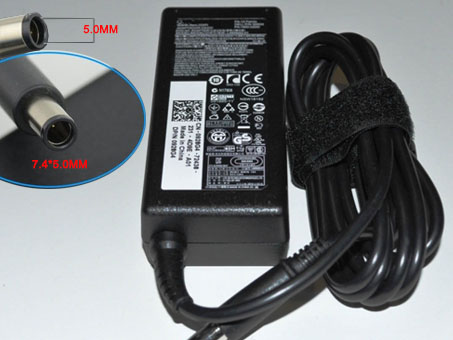
    Connector: 7.4mm*5.0mm
    PA-12, PA12, 9T215, NADP- 90KB, 00001, 310-2860, 310-3149, 310-4408, 310-7251, 310-7696, 310-7697, 310-7866, 310-8363, 310-8941, 310-9048, 310-9050, 310-9249, 310-9438, 310-9439, 5U092, DF263, F7970, HF991, MK911, N2765, N2768, NF642, PA-1650-05D, PC531, XD733, XD802, YR733
    Adapter Fit Models:

    Dell Inspiron 300M, 500M, 505M, 510M, 600M, 610M, 630M, 640M, 700M, 710M
    Dell Inspiron 1401,1410,1420,1440,1464,1501,1520,1521,1525,1526,1545,1750,6000,6400,8600,9200
    Dell Inspiron E1405, E1505

    Dell Latitude 120L, 131L
    Dell Latitude D400, D410, D420, D430
    Dell Latitude D500, D505, D510, D520, D530, D531, D531N
    Dell Latitude D600, D610, D620, D630, D630N, D631, D631N
    Dell Latitude D800, D810, D830, D830N
    Dell Latitude X300, E4300

    Dell studio 1535

    Dell Precision M20, M60, M65, M70, M140, M1210

    Dell XPS M140, M1020, M1210, M1330, M1530

    Dell Vostro 1000, 1400, 1500
    JP:Dell 74VT4
    DE:74VT4 LA65NS2-01 Notebook-Netzteile.Das richtige DELL Laptop Netzteil finden.

    The Dell 74VT4 AC adapter is used to recharge the battery in a notebook and to provide dependable power for operating the notebook for long periods of time. If an AC adapter fails it will not recharge the battery and it will not provide power to operate the notebook without a battery.

    Test the Dell 74VT4 AC Adapter
    Connect the output cord from the AC adapter to the notebook and plug the power cord into a working electrical outlet. Perform one or more of the following tasks to check the operation of the AC power adapter.
    Check the power icon in the system tray.
    If the icon resembles a power cord, and if moving the cursor over the icon displays the On AC Power message, the AC adapter is operating properly.
    If the icon resembles a battery when the AC adapter is connected, the adapter is defective.
    Check if the AC power adapter can operate the notebook when the battery is removed.
    Do a normal shutdown of the PC.
    Remove the battery from the Notebook.
    Connect the DELL power adapter and press the Power button to start the notebook.
    If the PC does not start and operate normally, the AC adapter is defective and must be replaced.
    If the PC does start and operate normally, the AC adapter is working properly

    Determine the AC Adapter Part Number
    Different notebook models require different AC adapters. You will need to know the Product Number of your notebook to determine the Part Number of the replacement part.
    Perform one of the following tasks to find the Product Number of your notebook.
    Click Start, then click Help & Support. The product name, product number, and serial number of the notebook are displayed in the upper left hand corner of the Help and Support home page.
    If the Notebook computer is not powered on, turn it over and locate the DELL Service Tag fastened to the back of the notebook. The Product Number (P/N) is printed on this tag. On some Notebook computers, the DELL Service Tag is located inside the battery compartment. Remove the battery from the Notebook to view the DELL Service Tag information.

    Power Adapter Fast Shipping

    Adapter for AD82030

    Adapter for ADP-40TH_A

    Adapter for 19V

    Adapter for C120H

    Adapter for PS-180

    Adapter for 1.75A

    Adapter for PA3546E-1AC3

    Adapter for ZVCH184

    Why buy laptop batteries & AC adapters from us?
    www.notebookbattery.co.nz is quite a big site for selling laptop batteries,laptop AC adapters and electronic products online.
    Low Prices Guarantee – Your best source for batteries and adapters. We are a new lithium battery manufacturer,Wholesaler and distributor of notebook computer batteries & AC adapter. Factory-direct price!
    High Quality Guarantee – The batteries and adapters are rigorously tested for voltage, capacity, compatibility and safety to exceed original equipment manufacturer’s specifications . The cheap batteries meet or exceed the original batteries.
    Secure Shopping Guarantee- Shopping is easy and 100% secure. We value your privacy and keep your order and personal information safe. We never share or rent our customer’s data. Click the “Add to cart” button to order what you need easily.

    Wholesale and retail laptop adapter in NZ. Replacement for Acer,Apple, Compaq,Dell, FUJITSU, IBM,Lenovo,Sony and so on.

    How to select laptop Adapter? Make sure the volt and currect of adapter is same as your origial. carefully check the size of tip of adapter is correct. check and confirm with the photo of power adapter is the one you are looking for. We ship to the Laptop adapter around Globe [USA, Canada, UK, NZ and Ireland, Australia]. View more laptop adapter. Contact with us if any problem on selecting power adapter.

    These may be you want to look for : dell P2721 power supply, LENOVO 54Y8861 power supply, HP 403777-001 power supply, Dell 3WN11 power supply, dell FR610 power supply,