Replace Laptop battery in NZ

Category: Laptop Battery

Battery introduction about hp,acer,sony… in notebookbattery.co.nz

  • Discount Dell PW23Y Notebook Battery [60Wh 7.6V ] Replacement

    The Dell PW23Y Notebook Battery equivalent is guaranteed to meet or exceed original specifications. All Dell PW23Y Notebook Battery are brand new,1 year Warranty, 100% Guarantee Quality and Fully Test! Dell PW23Y battery
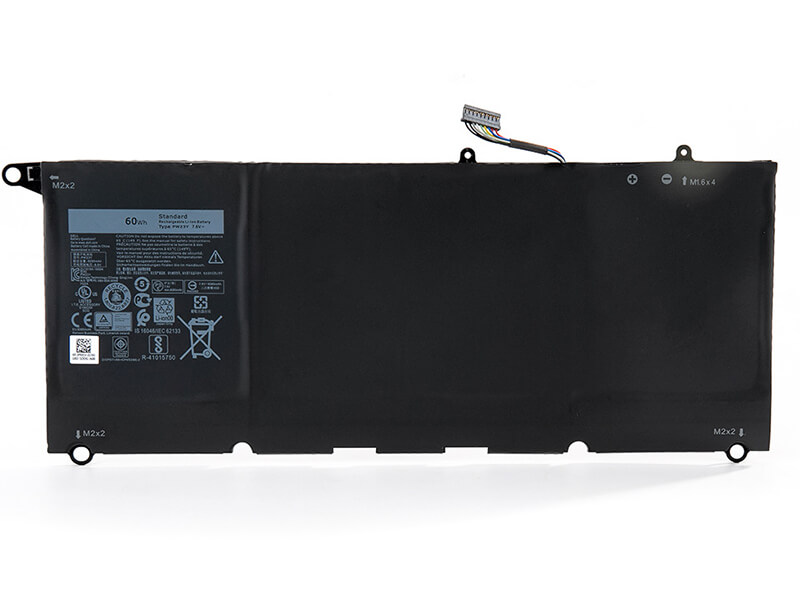
    DELL PW23Y Notebook Battery

    Current:60Wh
    Voltage: 7.6V 
    PW23Y Notebook Battery
    battery Part Numbers:
    0RNP72 0TP1GT PW23Y RNP72 TP1GT 
    battery Fit Models:
    Dell XPS 13 9360 0RNP72
    Here,buy it now
    ES:Dell PW23Y Batería NL:Dell PW23Y ACCU IT:Dell PW23Y batteria
    DE:PW23Y Akku.Das richtige DELL Akku finden. 
    We ship to the Notebook Battery around Globe [USA, Canada, UK, NZ and Ireland, Australia]. View more Notebook Battery. Contact with us if any problem on selecting power Notebook Battery. 
    Dell PW23Y Features:
    All our high quality Dell PW23Y replacement Notebook Battery have been tested and proven to match and / or match the performance of the original Dell Notebook Battery and are 100% compatible with the original manufacturer's specifications. This Dell PW23Y Notebook Battery comes with a 1-year limited warranty.
    Thank you for purchasing this high quality Dell PW23Y replacement Notebook Battery. We have a rigorous testing process to ensure that your ordered products (like this Notebook Battery for Dell PW23Y) are functionally correct before being packaged and sent to you. And before placing an order, make sure that your old original part number of the Dell PW23Y Notebook Battery is listed below and that the shape is identical to the images in our Notebook Battery.

    Extend Notebook Battery Dell PW23Y Service life

    1. Charge the battery! Consider keeping it plugged in for 12 hours before you unplug.
    2. Switch on the optimized battery or power feature. You'll find this option — sometimes referred to as max battery mode — in your laptop system's built-in power management control panel. You can select the option to reduce the amount of time your inactive laptop stays on before powering itself down and going to sleep.
    3. Remove the battery and clean the metal contacts. Wipe them with alcohol, ideally every two months, to ensure that the power transfer between the laptop and its battery is as efficient as possible. Allow the battery to dry thoroughly before replacing it! 
    4. Unplug any laptop accessories you aren't using. Even if they're not in use, accessories drain power from the battery.

    Wholesale and retail Notebook Battery in NZ. Replacement for Acer,Apple, Compaq,Dell, FUJITSU, IBM,Lenovo,Sony and so on.

    These may be you want to look for : A31-K56 for ASUS A56CM A56CA A56C A56 Series , M1100BAT-6 for CLEVO M1100 M1110 Series , 90-NG31B1000 for Asus Z81D Z81G Z81K Z81Ka Z81L Z8100D , Ba06xl for Hp Elitebook Folio 9470m Ultraslim Slice , MS-1682 for MSI A6200 CR600 CR610 CR620 CX600 CX700 ,
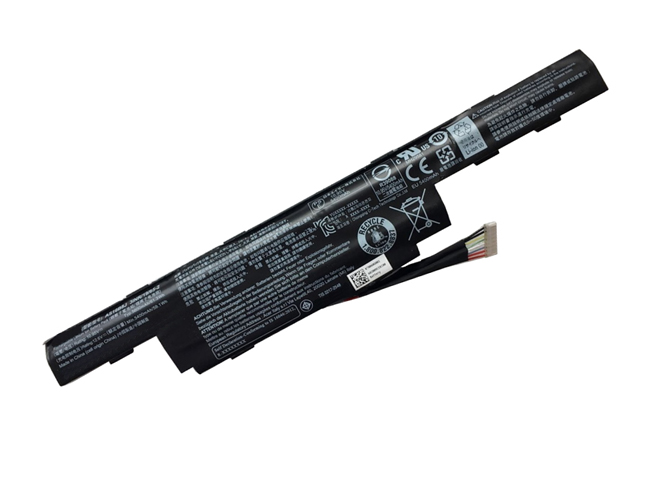
  • Acer AS16B8J Notebook Battery Replacement

    high quality Acer AS16B8J Notebook Battery, us is safe and secure!100% Guarantee Quality and Fully Test! Brand New , High quality,100% Q.C. of EVERY product. Extended run time. Acer AS16B8J battery

    ACER AS16B8J Notebook Battery

    Current:5600MAH
    Voltage: 10.95V
    AS16B8J Notebook Battery
    battery Part Numbers:
    AS16B8J 3INR/19/65-2
    battery Fit Models:
    Acer AS16B8J 3INR/19/65-2 series
    Here,buy it now
    ES:Acer AS16B8J Batería NL:Acer AS16B8J ACCU IT:Acer AS16B8J batteria
    DE:AS16B8J Akku.Das richtige ACER Akku finden. 
    We ship to the Notebook Battery around Globe [USA, Canada, UK, NZ and Ireland, Australia]. View more Notebook Battery. Contact with us if any problem on selecting power Notebook Battery. 
    Acer AS16B8J Features:
    All our high quality Acer AS16B8J replacement Notebook Battery have been tested and proven to match and / or match the performance of the original Acer Notebook Battery and are 100% compatible with the original manufacturer's specifications. This Acer AS16B8J Notebook Battery comes with a 1-year limited warranty.
    Thank you for purchasing this high quality Acer AS16B8J replacement Notebook Battery. We have a rigorous testing process to ensure that your ordered products (like this Notebook Battery for Acer AS16B8J) are functionally correct before being packaged and sent to you. And before placing an order, make sure that your old original part number of the Acer AS16B8J Notebook Battery is listed below and that the shape is identical to the images in our Notebook Battery.

    Extend Notebook Battery Acer AS16B8J Service life

    1. Charge the battery! Consider keeping it plugged in for 12 hours before you unplug.
    2. Switch on the optimized battery or power feature. You'll find this option — sometimes referred to as max battery mode — in your laptop system's built-in power management control panel. You can select the option to reduce the amount of time your inactive laptop stays on before powering itself down and going to sleep.
    3. Remove the battery and clean the metal contacts. Wipe them with alcohol, ideally every two months, to ensure that the power transfer between the laptop and its battery is as efficient as possible. Allow the battery to dry thoroughly before replacing it! 
    4. Unplug any laptop accessories you aren't using. Even if they're not in use, accessories drain power from the battery.

    Wholesale and retail Notebook Battery in NZ. Replacement for Acer,Apple, Compaq,Dell, FUJITSU, IBM,Lenovo,Sony and so on.

    These may be you want to look for : CF623 for Dell Latitude D820, Precision M65 , 271-00024 for Net App ES3242 Rev E0 7.4V 2.5Ah 18.5Wh 2Cells , UM08A71 for Acer Aspire One Series Aspire One A110L A150L A150X , VGP-BPL24 for SONY VAIO SA SB SC SD Series , A42-UL30 for Asus UL30 UL30A UL30A-A1 UL30A-A2 UL30A-A3B UL30A-X1 UL30A-X2 ,

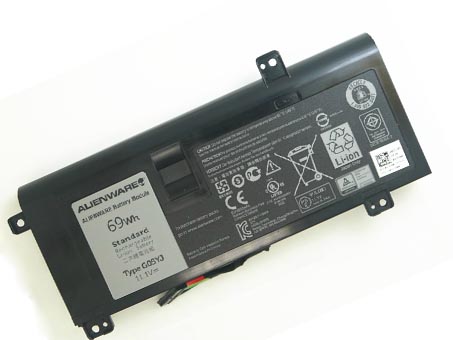
  • Dell 0G05YJ Notebook Battery Replacement

    high quality Dell 0G05YJ Notebook Battery, us is safe and secure!100% Guarantee Quality and Fully Test! Brand New , High quality,100% Q.C. of EVERY product. Extended run time. Dell 0G05YJ battery

    DELL 0G05YJ Y3PN0 G05YJ Notebook Battery

    Current:69Wh
    Voltage: 11.1V
    0G05YJ Y3PN0 G05YJ Notebook Battery
    battery Part Numbers:
    G05YJ 0G05YJ Y3PN0 8X70T 
    battery Fit Models:
    DELL Alienware 14 A14 M14X R3 R4 69Wh
    Here,buy it now
    ES:Dell 0G05YJ Batería NL:Dell 0G05YJ ACCU IT:Dell 0G05YJ batteria
    DE:0G05YJ Akku.Das richtige DELL Akku finden. 
    We ship to the Notebook Battery around Globe [USA, Canada, UK, NZ and Ireland, Australia]. View more Notebook Battery. Contact with us if any problem on selecting power Notebook Battery. 
    Dell 0G05YJ Features:
    All our high quality Dell 0G05YJ replacement Notebook Battery have been tested and proven to match and / or match the performance of the original Dell Notebook Battery and are 100% compatible with the original manufacturer's specifications. This Dell 0G05YJ Notebook Battery comes with a 1-year limited warranty.
    Thank you for purchasing this high quality Dell 0G05YJ replacement Notebook Battery. We have a rigorous testing process to ensure that your ordered products (like this Notebook Battery for Dell 0G05YJ) are functionally correct before being packaged and sent to you. And before placing an order, make sure that your old original part number of the Dell 0G05YJ Notebook Battery is listed below and that the shape is identical to the images in our Notebook Battery.

    Extend Notebook Battery Dell 0G05YJ Service life

    1. Charge the battery! Consider keeping it plugged in for 12 hours before you unplug.
    2. Switch on the optimized battery or power feature. You'll find this option — sometimes referred to as max battery mode — in your laptop system's built-in power management control panel. You can select the option to reduce the amount of time your inactive laptop stays on before powering itself down and going to sleep.
    3. Remove the battery and clean the metal contacts. Wipe them with alcohol, ideally every two months, to ensure that the power transfer between the laptop and its battery is as efficient as possible. Allow the battery to dry thoroughly before replacing it! 
    4. Unplug any laptop accessories you aren't using. Even if they're not in use, accessories drain power from the battery.

    Wholesale and retail Notebook Battery in NZ. Replacement for Acer,Apple, Compaq,Dell, FUJITSU, IBM,Lenovo,Sony and so on.

    These may be you want to look for : AA-PB8NC6B/E for Samsung NC10 ND10 NC20 N110 N120 N130 N270BH , MS1006for MEDION MD95022 MD95007 MD42489 MD42469 ADVENT 7066M , 45N1120 for Lenovo ThinkPad T431s Series ,191259-B21 for compaq Presario 1700/1700T/17XL2/1700US series , PA3421U-1BRS for Toshiba Satellite M30X M35x ,

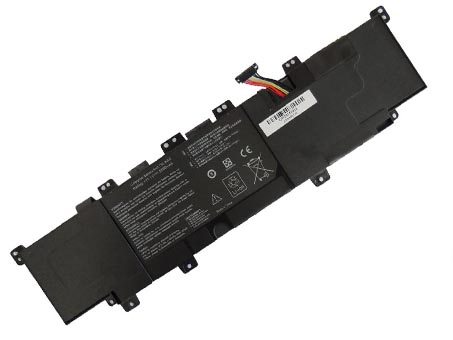
  • Replacement Notebook Battery Asus C31- X402

    The Asus C31- X402 Notebook Battery equivalent is guaranteed to meet or exceed original specifications. All Asus C31- X402 Notebook Battery are brand new,1 year Warranty, 100% Guarantee Quality and Fully Test! Asus C31-

X402 battery

    ASUS C31- X402 Notebook Battery

    Current:44wh
    Voltage: 11.1V
    C31- X402 Notebook Battery
    battery Part Numbers:
    C31-X402
    battery Fit Models:
    Asus VivoBook S400 S400C S400CA S400E
    Here,buy it now
    ES:Asus C31- X402 Batería NL:Asus C31- X402 ACCU IT:Asus C31- X402 batteria
    DE:C31- X402 Akku.Das richtige ASUS Akku finden. 
    We ship to the Notebook Battery around Globe [USA, Canada, UK, NZ and Ireland, Australia]. View more Notebook Battery. Contact with us if any problem on selecting power Notebook Battery. 
    Asus C31- X402 Features:
    All our high quality Asus C31- X402 replacement Notebook Battery have been tested and proven to match and / or match the performance of the original Asus Notebook Battery and are 100% compatible with the original manufacturer's specifications. This Asus C31- X402 Notebook Battery comes with a 1-year limited warranty.
    Thank you for purchasing this high quality Asus C31- X402 replacement Notebook Battery. We have a rigorous testing process to ensure that your ordered products (like this Notebook Battery for Asus C31- X402) are functionally correct before being packaged and sent to you. And before placing an order, make sure that your old original part number of the Asus C31- X402 Notebook Battery is listed below and that the shape is identical to the images in our Notebook Battery.

    Extend Notebook Battery Asus C31- X402 Service life

    1. Charge the battery! Consider keeping it plugged in for 12 hours before you unplug.
    2. Switch on the optimized battery or power feature. You'll find this option — sometimes referred to as max battery mode — in your laptop system's built-in power management control panel. You can select the option to reduce the amount of time your inactive laptop stays on before powering itself down and going to sleep.
    3. Remove the battery and clean the metal contacts. Wipe them with alcohol, ideally every two months, to ensure that the power transfer between the laptop and its battery is as efficient as possible. Allow the battery to dry thoroughly before replacing it! 
    4. Unplug any laptop accessories you aren't using. Even if they're not in use, accessories drain power from the battery.

    Wholesale and retail Notebook Battery in NZ. Replacement for Acer,Apple, Compaq,Dell, FUJITSU, IBM,Lenovo,Sony and so on.

    These may be you want to look for : 26S1001 for Amazon Kindle Fire HD 7inch DR-A015 , 23+050510+00 for AVERATEC 2200 2300 series , TRHFF for Dell Inspiron 15-5547 Maple 3C , SQU-1109 for Vizio CN15-A5 , TZ20-3S2600-S4L8 for Medion Akoya P2212T ,

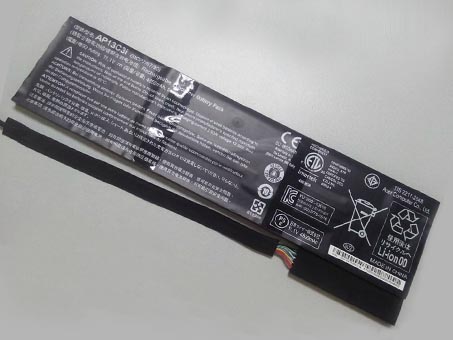
  • Replacement battery Acer AP13C3i

    • high quality Acer AP13C3i Notebook Battery, us is safe and secure!100% Guarantee Quality and Fully Test! Brand New , High quality,100% Q.C. of EVERY product. Extended run time. 
      Acer AP13C3i battery

      ACER AP13C3i Notebook Battery

      Current:4850mah/54wh 
      Voltage: 11.1V
      AP13C3i Notebook Battery
      battery Part Numbers:
      AP13C3i 3ICP7/67/90
      battery Fit Models:
      3ICP7/67/90
      Here,buy it now
      ES:Acer AP13C3i Batería NL:Acer AP13C3i ACCU IT:Acer AP13C3i batteria
      DE:AP13C3i Akku.Das richtige ACER Akku finden. 
      We ship to the Notebook Battery around Globe [USA, Canada, UK, NZ and Ireland, Australia]. View more Notebook Battery. Contact with us if any problem on selecting power Notebook Battery. 
      Acer AP13C3i Features:
      All our high quality Acer AP13C3i replacement Notebook Battery have been tested and proven to match and / or match the performance of the original Acer Notebook Battery and are 100% compatible with the original manufacturer's specifications. This Acer AP13C3i Notebook Battery comes with a 1-year limited warranty.
      Thank you for purchasing this high quality Acer AP13C3i replacement Notebook Battery. We have a rigorous testing process to ensure that your ordered products (like this Notebook Battery for Acer AP13C3i) are functionally correct before being packaged and sent to you. And before placing an order, make sure that your old original part number of the Acer AP13C3i Notebook Battery is listed below and that the shape is identical to the images in our Notebook Battery.

      Extend Notebook Battery Acer AP13C3i Service life

      1. Charge the battery! Consider keeping it plugged in for 12 hours before you unplug.
      2. Switch on the optimized battery or power feature. You'll find this option — sometimes referred to as max battery mode — in your laptop system's built-in power management control panel. You can select the option to reduce the amount of time your inactive laptop stays on before powering itself down and going to sleep.
      3. Remove the battery and clean the metal contacts. Wipe them with alcohol, ideally every two months, to ensure that the power transfer between the laptop and its battery is as efficient as possible. Allow the battery to dry thoroughly before replacing it! 
      4. Unplug any laptop accessories you aren't using. Even if they're not in use, accessories drain power from the battery.

      Wholesale and retail Notebook Battery in NZ. Replacement for Acer,Apple, Compaq,Dell, FUJITSU, IBM,Lenovo,Sony and so on.

      These may be you want to look for : A33-M9J for Asus M9 M9J M9V Series , 223-3S4000-F1P1 for Uniwill 223 223II 223II0 223EI0 N223 N223II N223II0 N223EI0 , LC32SD128 for Acer AS1820 AS1825 Series Acer Aspire TimeLine 1825 Series ,57Y4536 for Lenovo ThinkPad R400 ThinkPad R500 , 8858X for Dell Inspiron 15 7520 5520 5720 7720 ,

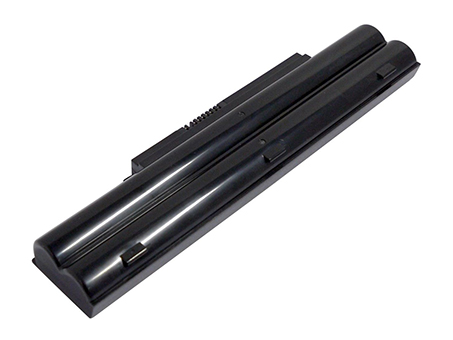
  • Selling hot FUJITSU FMVNBP189 Notebook Battery

    The FUJITSU FMVNBP189 Notebook Battery equivalent is guaranteed to meet or exceed original specifications. All FUJITSU FMVNBP189 Notebook Battery are brand new,1 year Warranty, 100% Guarantee Quality and Fully Test! FUJITSU FMVNBP189 battery

    • FUJITSU FMVNBP189 FMVNBP194 FPCBP250 FPCBP250AP Notebook Battery

      Current:5200mAh
      Voltage: 10.8V
      FMVNBP189 FMVNBP194 FPCBP250 FPCBP250AP Notebook Battery
      battery Part Numbers:
      CP477891-01 CP477891-03 CP478214-02 FMVNBP186 FMVNBP189 FMVNBP194 FPCBP250 FPCBP250AP S26391-F495-L100 S26391-F840-L100
      battery Fit Models:
      Fujitsu LifeBook A530 A531 AH530 AH531 LH520 LH522 PH521 FPCBP250
      Here,buy it now
      ES:FUJITSU FMVNBP189 Batería NL:FUJITSU FMVNBP189 ACCU IT:FUJITSU FMVNBP189 batteria
      DE:FMVNBP189 Akku.Das richtige FUJITSU Akku finden. 
      We ship to the Notebook Battery around Globe [USA, Canada, UK, NZ and Ireland, Australia]. View more Notebook Battery. Contact with us if any problem on selecting power Notebook Battery. 
      FUJITSU FMVNBP189 Features:
      All our high quality FUJITSU FMVNBP189 replacement Notebook Battery have been tested and proven to match and / or match the performance of the original FUJITSU Notebook Battery and are 100% compatible with the original manufacturer's specifications. This FUJITSU FMVNBP189 Notebook Battery comes with a 1-year limited warranty.
      Thank you for purchasing this high quality FUJITSU FMVNBP189 replacement Notebook Battery. We have a rigorous testing process to ensure that your ordered products (like this Notebook Battery for FUJITSU FMVNBP189) are functionally correct before being packaged and sent to you. And before placing an order, make sure that your old original part number of the FUJITSU FMVNBP189 Notebook Battery is listed below and that the shape is identical to the images in our Notebook Battery.

      Extend Notebook Battery FUJITSU FMVNBP189 Service life

      1. Charge the battery! Consider keeping it plugged in for 12 hours before you unplug.
      2. Switch on the optimized battery or power feature. You'll find this option — sometimes referred to as max battery mode — in your laptop system's built-in power management control panel. You can select the option to reduce the amount of time your inactive laptop stays on before powering itself down and going to sleep.
      3. Remove the battery and clean the metal contacts. Wipe them with alcohol, ideally every two months, to ensure that the power transfer between the laptop and its battery is as efficient as possible. Allow the battery to dry thoroughly before replacing it! 
      4. Unplug any laptop accessories you aren't using. Even if they're not in use, accessories drain power from the battery.

      Wholesale and retail Notebook Battery in NZ. Replacement for Acer,Apple, Compaq,Dell, FUJITSU, IBM,Lenovo,Sony and so on.

      These may be you want to look for : 87-M54GS-4D4 for Clevo MobiNote M540G M540V M550G M540BAT-6 , VVKCY for Dell Latitude 3460 3470 3560 3570 , M164C for DELL PERC 5E 6E SAS KR174 M164C GC9R0 H800 Series , F6B38PA for HP EliteBook 820 G1.E7U25AA SB03XL , E400-4S1P-2200 for Hasee A3S HEG4701 A411 A420-I3 ,

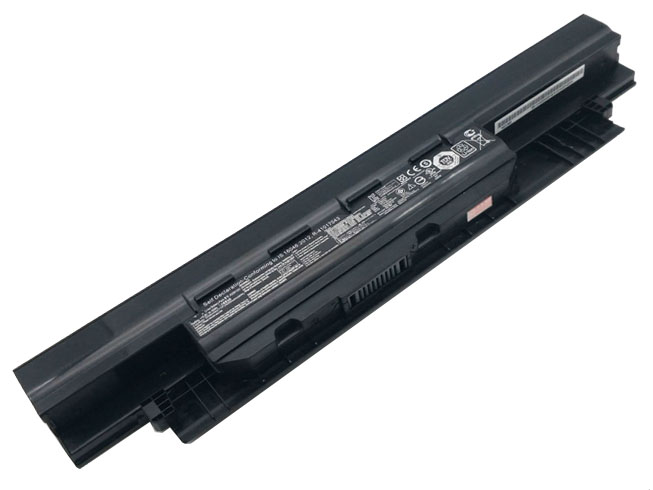
  • Discount ASUS A32N1331 Notebook Battery [5200mah/56Wh 10.8V ] Replacement

    The ASUS A32N1331 Notebook Battery equivalent is guaranteed to meet or exceed original specifications. All ASUS A32N1331 Notebook Battery are brand new,1 year Warranty, 100% Guarantee Quality and Fully Test! ASUS A32N1331 battery

    ASUS A32N1331 Notebook Battery

    Current:5200mah/56Wh
    Voltage: 10.8V
    A32N1331 Notebook Battery
    battery Part Numbers:
    A32N1331 A33N1332
    battery Fit Models:
    ASUS 450 E451 E551 PU450 PU451 PU550 PU551 PRO450
    Here,buy it now
    ES:ASUS A32N1331 Batería NL:ASUS A32N1331 ACCU IT:ASUS A32N1331 batteria
    DE:A32N1331 Akku.Das richtige ASUS Akku finden. 
    We ship to the Notebook Battery around Globe [USA, Canada, UK, NZ and Ireland, Australia]. View more Notebook Battery. Contact with us if any problem on selecting power Notebook Battery. 
    ASUS A32N1331 Features:
    All our high quality ASUS A32N1331 replacement Notebook Battery have been tested and proven to match and / or match the performance of the original ASUS Notebook Battery and are 100% compatible with the original manufacturer's specifications. This ASUS A32N1331 Notebook Battery comes with a 1-year limited warranty.
    Thank you for purchasing this high quality ASUS A32N1331 replacement Notebook Battery. We have a rigorous testing process to ensure that your ordered products (like this Notebook Battery for ASUS A32N1331) are functionally correct before being packaged and sent to you. And before placing an order, make sure that your old original part number of the ASUS A32N1331 Notebook Battery is listed below and that the shape is identical to the images in our Notebook Battery.

    Extend Notebook Battery ASUS A32N1331 Service life

    1. Charge the battery! Consider keeping it plugged in for 12 hours before you unplug.
    2. Switch on the optimized battery or power feature. You'll find this option — sometimes referred to as max battery mode — in your laptop system's built-in power management control panel. You can select the option to reduce the amount of time your inactive laptop stays on before powering itself down and going to sleep.
    3. Remove the battery and clean the metal contacts. Wipe them with alcohol, ideally every two months, to ensure that the power transfer between the laptop and its battery is as efficient as possible. Allow the battery to dry thoroughly before replacing it! 
    4. Unplug any laptop accessories you aren't using. Even if they're not in use, accessories drain power from the battery.

    Wholesale and retail Notebook Battery in NZ. Replacement for Acer,Apple, Compaq,Dell, FUJITSU, IBM,Lenovo,Sony and so on.

    These may be you want to look for : A31N1519 for ASUS X540S X540L X540LA-SI302 X540SA X540S , DA02XL for HP DA02XL 694502-001 Series , A31-1025 for ASUS 1025 1025C 1025CE Series , YFOF9 for Dell V131 2 Series Latitude 3340 ,PA3475U-1BRS for Toshiba Dynabook Qosmio F30 G30 G35 G40 Series ,

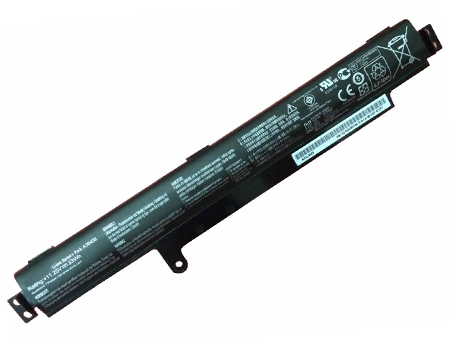
  • Long Lasting ASUS A31N1311 Replacement Notebook Battery

    high quality ASUS A31N1311 Notebook Battery, us is safe and secure!100% Guarantee Quality and Fully Test! Brand New , High quality,100% Q.C. of EVERY product. Extended run time. 

    ASUS A31N1311 battery

    ASUS A31N1311 Notebook Battery

    Current:3000mAh/33Wh-3Cells
    Voltage: 11.25V
    A31N1311 Notebook Battery
    battery Part Numbers:
    A31N1311
    battery Fit Models:
    ASUS X102B F102BA laptop 11.25V
    Here,buy it now
    ES:ASUS A31N1311 Batería NL:ASUS A31N1311 ACCU IT:ASUS A31N1311 batteria
    DE:A31N1311 Akku.Das richtige ASUS Akku finden. 
    We ship to the Notebook Battery around Globe [USA, Canada, UK, NZ and Ireland, Australia]. View more Notebook Battery. Contact with us if any problem on selecting power Notebook Battery. 
    ASUS A31N1311 Features:
    All our high quality ASUS A31N1311 replacement Notebook Battery have been tested and proven to match and / or match the performance of the original ASUS Notebook Battery and are 100% compatible with the original manufacturer's specifications. This ASUS A31N1311 Notebook Battery comes with a 1-year limited warranty.
    Thank you for purchasing this high quality ASUS A31N1311 replacement Notebook Battery. We have a rigorous testing process to ensure that your ordered products (like this Notebook Battery for ASUS A31N1311) are functionally correct before being packaged and sent to you. And before placing an order, make sure that your old original part number of the ASUS A31N1311 Notebook Battery is listed below and that the shape is identical to the images in our Notebook Battery.

    Extend Notebook Battery ASUS A31N1311 Service life

    1. Charge the battery! Consider keeping it plugged in for 12 hours before you unplug.
    2. Switch on the optimized battery or power feature. You'll find this option — sometimes referred to as max battery mode — in your laptop system's built-in power management control panel. You can select the option to reduce the amount of time your inactive laptop stays on before powering itself down and going to sleep.
    3. Remove the battery and clean the metal contacts. Wipe them with alcohol, ideally every two months, to ensure that the power transfer between the laptop and its battery is as efficient as possible. Allow the battery to dry thoroughly before replacing it! 
    4. Unplug any laptop accessories you aren't using. Even if they're not in use, accessories drain power from the battery.

    Wholesale and retail Notebook Battery in NZ. Replacement for Acer,Apple, Compaq,Dell, FUJITSU, IBM,Lenovo,Sony and so on.

    These may be you want to look for : FMVNBP149 for FUJITSU FMV-B8220 FMV-B8250 LifeBook B6210 , BTY-M69 for MSI X-Slim X600 X610 series , VGP-BPS18 for SONY VAIO-W W117 W127 series , W72044LA for E-Machines M5000 M5105 M5305 M5309 M5310 M5312 M5313 M5405 M5410 , BTP-CNBM for Medion MD97110 MD97710 series ,

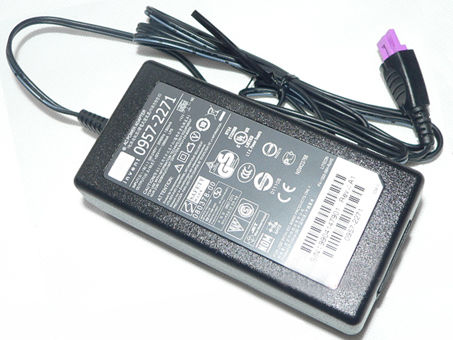
  • HP 0957-2271 laptop Power Adapter replacement for HP Officejet 7000 6000 6500 AC Printer Adapter

    http://www.notebookbattery.co.nz/hp-laptop-power-adapter/0957-2271-a178344.htm,

    100V-240V (Worldwide Use) 32V 1560MA, HP 0957-2271, adapter 1 year warranty, 30 days money back, 100% new. 30% off all products! Warranty: 12 months! Short circuit protection Meets the environment according to RoHS European Standards. All our products are certified to CE Certificate CE Approval Certificate – Approved Safety. 

    HP 0957-2271 adapter

    HP 0957-2271 AC Power Adapter Charger

    AC Input:100V-240V (Worldwide Use)
    DC Output: 32V 1560MA
    0957-2271 Power Adapter
    Adapter Part Numbers:
    Input Voltage: 100V-240V (Worldwide Use) 
    Output Voltage: 32V
    Output Amperage: 1560MA
    Plug Size: Purple three pin

    0957-2271, 0957-2105, 0950-4476, 0957-2230

    Adapter Fit Models:
    HP Officejet 7000 6000 6500 AC Printer Adapter
    Here,buy it now
    ES:HP 0957-2271 AC adapter NL:HP 0957-2271 Laptop adapter IT:HP 0957-2271
    DE:0957-2271 Notebook-Netzteile.Das richtige HP Laptop Netzteil finden. 
    We ship to the Laptop adapter around Globe [USA, Canada, UK, NZ and Ireland, Australia]. View more laptop adapter. Contact with us if any problem on selecting power adapter. Quality: Quality is our number one priority! All HP 0957-2271 adapters are New! Our own quality assurance ensures a high quality standard. All HP 0957-2271 laptop power adapters are 100% compatible with the original product, in most cases our batteries have even more powerful performance than the original product thanks to the advanced technologies and cell standards.
    Safety: Safety is a key feature of our products. Our own safety controls guarantee the highest level of safety standards. 
    Guaranty: All HP 0957-2271 products have a warranty of at least 1 year. For many products, e.g. HP 0957-2271 adapter, we are so confident of the quality so outstanding, due to excessive loads, can not work. In case of doubt please contact us. The statutory warranty period remains unaffected.We will be happy to answer all your questions about their respective products and all other warranties. 

    Finding the Right Model of Adapter :

    · Get the laptop's model number. This is usually printed on a small sticker affixed to the underside of the laptop.

    · Get the power requirements for the laptop. This is also printed on a small sticker affixed to the underside of the laptop. It may also be printed near the laptop power port. Look for the amperage and the voltage required.

    · Look up the model number online to find if there are compatible adapters available. The voltage and amperage of the adapter need to match the requirements of the laptop.

    · Compare the connector type of the laptop adapter to any available adapters found online. They need to match to ensure that the adapter can plug into the laptop.

    Power Adapter Fast Shipping

    Adapter for FSP180-50PLA FSP NZ

    Adapter for HSTNN-CA27 HP NZ

    Adapter for ADS-40FSG-19 LG NZ

    Adapter for ACDP-100D01 Sony NZ

    Adapter for VGP-AC19V15 Sony NZ

    Wholesale and retail laptop adapter in NZ. Replacement for Acer,Apple, Compaq,Dell, FUJITSU, IBM,Lenovo,Sony and so on.

    These may be you want to look for : HP-D3201E0 for HP 503378-001 508154-001 6000 Pro Elite 8000 MT , 445102-002 for HP RP5000 RP5700 PS-6241-02HD , HYV3H for Dell Optiplex 7020 9020 Tower Poweredge T20 290W PSU Power Supply ,H240AM-02 for Dell Optiplex 3040 5040 7040 3650 3656 SFF 2P1RD , T128K for Dell Precision 380 390 PSU L375E-S0 NPS-375CB ,

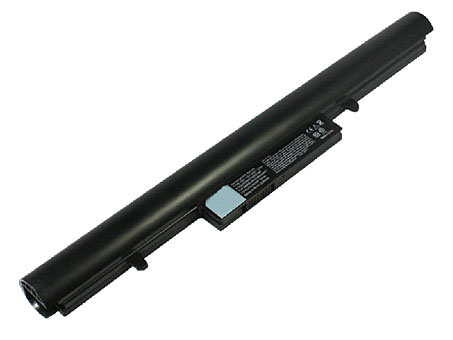
  • Replacement Notebook Battery Hasee SQU1303

    The Hasee SQU1303 Notebook Battery equivalent is guaranteed to meet or exceed original specifications. All Hasee SQU1303 Notebook Battery are brand new,1 year Warranty, 100% Guarantee Quality and Fully Test! 

    Hasee SQU1303 battery

    HASEE SQU1303 SQU-1201 Notebook Battery

    Current:2200MAH
    Voltage: 14.8V
    SQU1303 SQU-1201 Notebook Battery
    battery Part Numbers:
    SQU1303 916Q2238H SQU-1201 916Q2203H
    battery Fit Models:
    Hasee Q480S UN45 K570C UN43
    Here,buy it now
    ES:Hasee SQU1303 Batería NL:Hasee SQU1303 ACCU IT:Hasee SQU1303 batteria
    DE:SQU1303 Akku.Das richtige HASEE Akku finden. 
    We ship to the Notebook Battery around Globe [USA, Canada, UK, NZ and Ireland, Australia]. View more Notebook Battery. Contact with us if any problem on selecting power Notebook Battery. 
    Hasee SQU1303 Features:
    All our high quality Hasee SQU1303 replacement Notebook Battery have been tested and proven to match and / or match the performance of the original Hasee Notebook Battery and are 100% compatible with the original manufacturer's specifications. This Hasee SQU1303 Notebook Battery comes with a 1-year limited warranty.
    Thank you for purchasing this high quality Hasee SQU1303 replacement Notebook Battery. We have a rigorous testing process to ensure that your ordered products (like this Notebook Battery for Hasee SQU1303) are functionally correct before being packaged and sent to you. And before placing an order, make sure that your old original part number of the Hasee SQU1303 Notebook Battery is listed below and that the shape is identical to the images in our Notebook Battery.

    Extend Notebook Battery Hasee SQU1303 Service life

    1. Charge the battery! Consider keeping it plugged in for 12 hours before you unplug.
    2. Switch on the optimized battery or power feature. You'll find this option — sometimes referred to as max battery mode — in your laptop system's built-in power management control panel. You can select the option to reduce the amount of time your inactive laptop stays on before powering itself down and going to sleep.
    3. Remove the battery and clean the metal contacts. Wipe them with alcohol, ideally every two months, to ensure that the power transfer between the laptop and its battery is as efficient as possible. Allow the battery to dry thoroughly before replacing it! 
    4. Unplug any laptop accessories you aren't using. Even if they're not in use, accessories drain power from the battery.

    Wholesale and retail Notebook Battery in NZ. Replacement for Acer,Apple, Compaq,Dell, FUJITSU, IBM,Lenovo,Sony and so on.

    These may be you want to look for : 10S2P18650 for 2 Wheels Hover Scooter Banlance , A22-700 for ASUS eeepc eee pc 2g 4g 8g surf , SQU-1208 for HP Chromebook 11 G1 , RM791 for Dell Studio 1735 1736 1737 , 63FK6 for Dell XPS 18 1810 1820 ,