Replace Laptop battery in NZ

Tag: ASUS

  • Asus Transformer Book Flip TP200SA Series Notebook Battery

    This Asus C21N1504 Battery has a capacity of 38Wh, 5000mAh / 4840mAh and a voltage of 7.6V. Suitable for Asus Transformer Book Flip TP200SA Series. 100% compatible and 100% safe. 1-year warranty, 30-day money back guarantee. 

    Asus C21N1504 38Wh, 5000mAh / 4840mAh 7.6V Notebook Battery
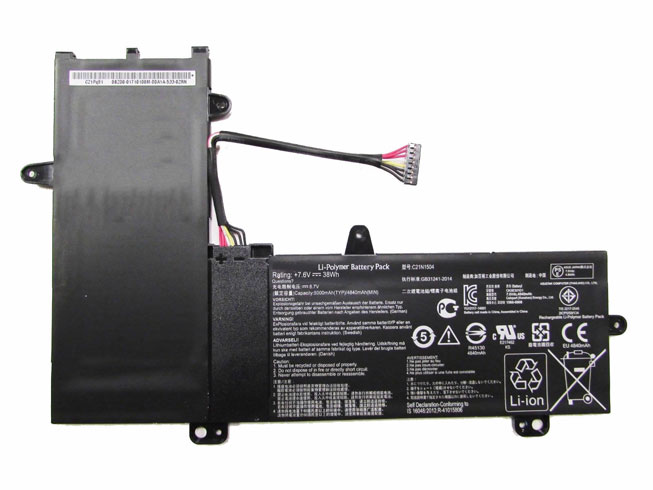
    Asus C21N1504 battery


    (product code: C21N1504) 

    (Usually ships the same business day!)

      Product details:

    • Brand: Asus C21N1504 Notebook batteries

    • Type: Li-ion battery

    • Voltage: 7.6V

    • Capacity: 38Wh, 5000mAh / 4840mAh

    • SKU: ASU3058

    Replace the following batteries:

    C21N1504 C21Pq91

    Compatible with the following models:

    ASUS Transformer Book Flip TP200SA Series

    http://www.notebookbattery.co.nz/laptop-batteies-asus/replace-battery-c21n1504-b179361.htm

    Extend Notebook Battery Asus C21N1504 Service life 

    1.Charge the battery! Consider keeping it plugged in for 12 hours before you unplug.

    2. Switch on the optimized battery or power feature. You'll find this option — sometimes referred to as max battery mode — in your Notebook Battery system's built-in power management control panel. You can select the option to reduce the amount of time your inactive Notebook Battery stays on before powering itself down and going to sleep.

    3. Remove the battery and clean the metal contacts. Wipe them with alcohol, ideally every two months, to ensure that the power transfer between the Notebook Battery and its battery is as efficient as possible. Allow the battery to dry thoroughly before replacing it! 

    4. Unplug any Notebook Battery accessories you aren't using. Even if they're not in use, accessories drain power from the battery.

    ABOUT US

    Wholesale and retail Notebook Battery in NZ. Replacement for Acer, Apple, Compaq, Dell, FUJITSU, IBM,Lenovo,Sony and so on.

    These may be you want to look for :

    99EX-BTEC battery replace for Dolphin 99EX Honeywell 99GX

    45W5002 battery replace for IBM BladeCenter S SAS RAID Controller Module W/ 17P8979

    Be_Pro_2 battery replace for Ulefone L55/Be Pro 2 smartphone

    PA5149U-1BRS battery replace for Toshiba Tecra Z40T-A1410 Z50-A-11H

    MLP29110109 battery replace for VERIZON ELLIPSIS 8 QTASUN1 TABLET
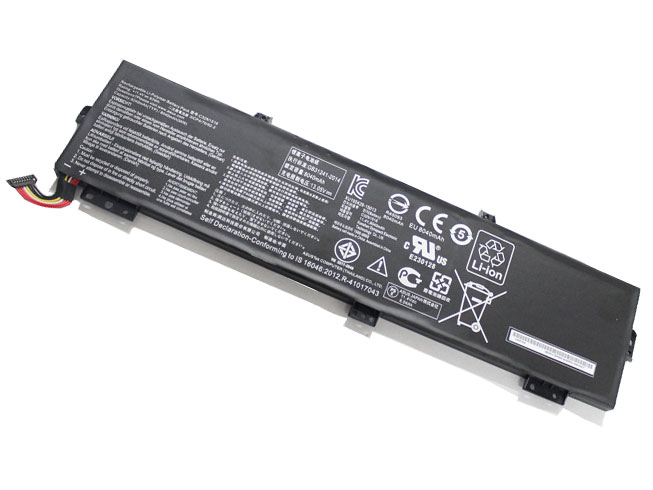
  • Battery Replacement For ASUS C32N1516 Notebook Battery

    This ASUS C32N1516 Battery has a capacity of 8040mAh/93Wh and a voltage of 11.4V. Suitable for Asus ROG GX700VO6820 GX700 GX700VO. 100% compatible and 100% safe. 1-year warranty, 30-day money back guarantee. 

    ASUS C32N1516 8040mAh/93Wh 11.4V Notebook Battery

    ASUS C32N1516 battery


    (product code: C32N1516) 

    (Usually ships the same business day!)

      Product details:

    • Brand: ASUS C32N1516 Notebook batteries

    • Type: Li-ion battery

    • Voltage: 11.4V

    • Capacity: 8040mAh/93Wh

    • SKU: ASU3X055

    Replace the following batteries:

    C32N1516

    Compatible with the following models:

    Asus ROG GX700VO6820 GX700 GX700VO

    http://www.notebookbattery.co.nz/laptop-batteies-asus/replace-battery-c32n1516-b179605.htm

    Extend Notebook Battery ASUS C32N1516 Service life 

    1.Charge the battery! Consider keeping it plugged in for 12 hours before you unplug.

    2. Switch on the optimized battery or power feature. You'll find this option — sometimes referred to as max battery mode — in your Notebook Battery system's built-in power management control panel. You can select the option to reduce the amount of time your inactive Notebook Battery stays on before powering itself down and going to sleep.

    3. Remove the battery and clean the metal contacts. Wipe them with alcohol, ideally every two months, to ensure that the power transfer between the Notebook Battery and its battery is as efficient as possible. Allow the battery to dry thoroughly before replacing it! 

    4. Unplug any Notebook Battery accessories you aren't using. Even if they're not in use, accessories drain power from the battery.

    ABOUT US

    Wholesale and retail Notebook Battery in NZ. Replacement for Acer, Apple, Compaq, Dell, FUJITSU, IBM,Lenovo,Sony and so on.

    These may be you want to look for :

    PMNN4409 battery replace for Motorola XPR3300 XPR3500 XPR7350 XPR7550 XPR7380 XPR7580

    L16C3K31 battery replace for Lenovo Yoga Tab3 Plus YT-X703F X703L L16D3K31

    BL-G024A battery replace for GIONEE F100 F100A F103B F306 3002 GN3003

    C21N1414 battery replace for ASUS EeeBook X205T X205TA X205TA-BING-FD015B 11.6"

    L13D1P32 battery replace for Lenovo Ideapad A8-50 A5500

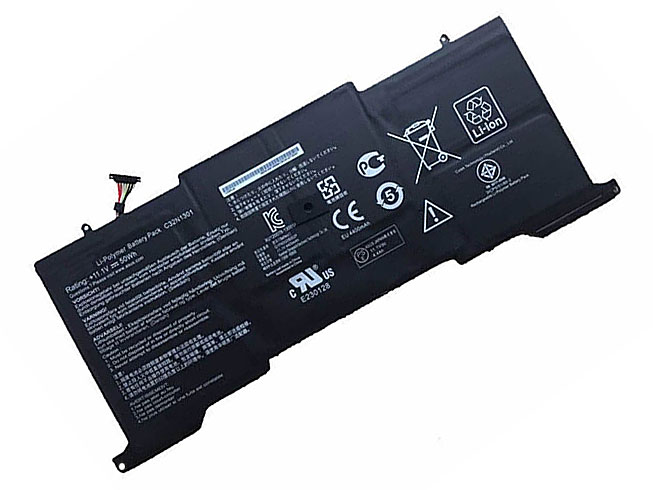
  • Battery Replacement For ASUS C32N1301 Notebook Battery

    This ASUS C32N1301 Battery has a capacity of 50WH and a voltage of 11.1V. Suitable for ASUS UX31LA Series. 100% compatible and 100% safe. 1-year warranty, 30-day money back guarantee. 

    ASUS C32N1301 50WH 11.1V Notebook Battery

    ASUS C32N1301 battery


    (product code: C32N1301) 

    (Usually ships the same business day!)

      Product details:

    • Brand: ASUS C32N1301 Notebook batteries

    • Type: Li-ion battery

    • Voltage: 11.1V

    • Capacity: 50WH

    • SKU: ASU2363

    Replace the following batteries:

    C32N1301

    Compatible with the following models:

    ASUS UX31LA Series

    http://www.notebookbattery.co.nz/laptop-batteies-asus/replace-battery-c32n1301-b178890.htm

    Extend Notebook Battery ASUS C32N1301 Service life 

    1.Charge the battery! Consider keeping it plugged in for 12 hours before you unplug.

    2. Switch on the optimized battery or power feature. You'll find this option — sometimes referred to as max battery mode — in your Notebook Battery system's built-in power management control panel. You can select the option to reduce the amount of time your inactive Notebook Battery stays on before powering itself down and going to sleep.

    3. Remove the battery and clean the metal contacts. Wipe them with alcohol, ideally every two months, to ensure that the power transfer between the Notebook Battery and its battery is as efficient as possible. Allow the battery to dry thoroughly before replacing it! 

    4. Unplug any Notebook Battery accessories you aren't using. Even if they're not in use, accessories drain power from the battery.

    ABOUT US

    Wholesale and retail Notebook Battery in NZ. Replacement for Acer, Apple, Compaq, Dell, FUJITSU, IBM,Lenovo,Sony and so on.

    These may be you want to look for :

    PA5156U-1BRS battery replace for Toshiba Click W35DT PA5156U-1BRS P000577240

    6-87-W540S- 427 battery replace for Clevo W550 W550eu W55eu

    BL265 battery replace for Motorola XT1662

    1577-9700 battery replace for MICROSOFT SURFACE PRO3 3

    26S1004-A battery replace for AMAZON KINDLE 58-000065

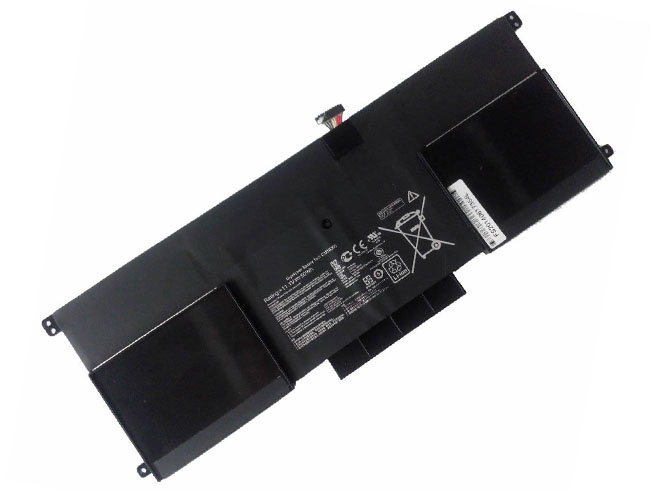
  • ASUS Zenbook Infinity UX301LA Ultrabook replacement for C32N1305 battery

    This ASUS C32N1305 Battery has a capacity of 50Wh and a voltage of 11.1V. Suitable for ASUS Zenbook Infinity UX301LA Ultrabook. 100% compatible and 100% safe. 1-year warranty, 30-day money back guarantee. 

    ASUS C32N1305 50Wh 11.1V Notebook Battery

    ASUS C32N1305 battery


    (product code: C32N1305) 

    (Usually ships the same business day!)

      Product details:

    • Brand: ASUS C32N1305 Notebook batteries

    • Type: Li-ion battery

    • Voltage: 11.1V

    • Capacity: 50Wh

    • SKU: ASU2365

    Replace the following batteries:

    C32N1305

    Compatible with the following models:

    ASUS Zenbook Infinity UX301LA Ultrabook

    http://www.notebookbattery.co.nz/laptop-batteies-asus/replace-battery-c32n1305-b178891.htm

    Extend Notebook Battery ASUS C32N1305 Service life 

    1.Charge the battery! Consider keeping it plugged in for 12 hours before you unplug.

    2. Switch on the optimized battery or power feature. You'll find this option — sometimes referred to as max battery mode — in your Notebook Battery system's built-in power management control panel. You can select the option to reduce the amount of time your inactive Notebook Battery stays on before powering itself down and going to sleep.

    3. Remove the battery and clean the metal contacts. Wipe them with alcohol, ideally every two months, to ensure that the power transfer between the Notebook Battery and its battery is as efficient as possible. Allow the battery to dry thoroughly before replacing it! 

    4. Unplug any Notebook Battery accessories you aren't using. Even if they're not in use, accessories drain power from the battery.

    ABOUT US

    Wholesale and retail Notebook Battery in NZ. Replacement for Acer, Apple, Compaq, Dell, FUJITSU, IBM,Lenovo,Sony and so on.

    These may be you want to look for :

    0G05YJ battery replace for DELL Alienware 14 A14 M14X R3 R4 69Wh

    OD06XL battery replace for HP EliteBook Revolve 810 G1 H6L25UT 698943-001

    FMVNBP219 battery replace for Fujitsu LifeBook UH572 Ultrabook

    BP-KI-41/4240 battery replace for MSI BP-KI-41/4240

    59Y5260 battery replace for IBM DS5020 DS5000 DS5100 59Y5260 81Y2432 P36539-06-A Rackmount Battery

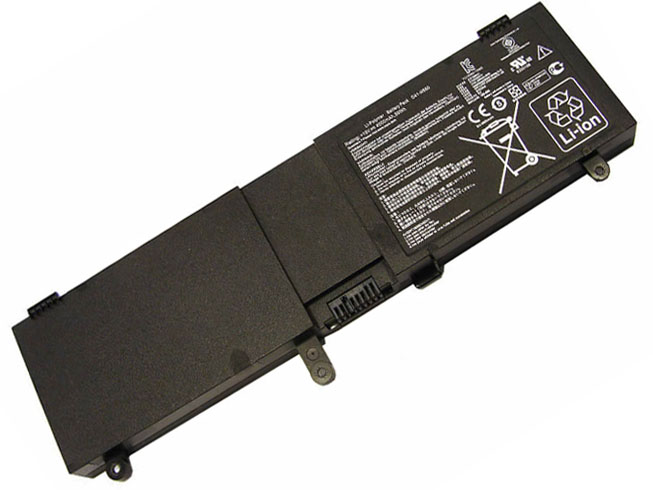
  • ASUS N550 N550J N550JV N550JK Q550L Q550LF Notebook Battery

    This ASUS C41-N550 Battery has a capacity of 4000mAh/59Wh and a voltage of 15V. Suitable for ASUS N550 N550J N550JV N550JK Q550L Q550LF. 100% compatible and 100% safe. 1-year warranty, 30-day money back guarantee. 

    ASUS C41-N550 4000mAh/59Wh 15V Notebook Battery

    ASUS C41-N550 battery


    (product code: C41-N550) 

    (Usually ships the same business day!)

      Product details:

    • Brand: ASUS C41-N550 Notebook batteries

    • Type: Li-ion battery

    • Voltage: 15V

    • Capacity: 4000mAh/59Wh

    • SKU: ASU2370

    Replace the following batteries:

    C41-N550

    Compatible with the following models:

    ASUS N550 N550J N550JA N550JV N550JK N550X47JV N550X47JV-SL
    Q550L Q550LF G550 G550J G550JK ROG G550 ROG G550J ROG G550JK Series

    http://www.notebookbattery.co.nz/laptop-batteies-asus/replace-battery-c41-n550-b178892.htm

    Extend Notebook Battery ASUS C41-N550 Service life 

    1.Charge the battery! Consider keeping it plugged in for 12 hours before you unplug.

    2. Switch on the optimized battery or power feature. You'll find this option — sometimes referred to as max battery mode — in your Notebook Battery system's built-in power management control panel. You can select the option to reduce the amount of time your inactive Notebook Battery stays on before powering itself down and going to sleep.

    3. Remove the battery and clean the metal contacts. Wipe them with alcohol, ideally every two months, to ensure that the power transfer between the Notebook Battery and its battery is as efficient as possible. Allow the battery to dry thoroughly before replacing it! 

    4. Unplug any Notebook Battery accessories you aren't using. Even if they're not in use, accessories drain power from the battery.

    ABOUT US

    Wholesale and retail Notebook Battery in NZ. Replacement for Acer, Apple, Compaq, Dell, FUJITSU, IBM,Lenovo,Sony and so on.

    These may be you want to look for :

    ME202A battery replace for G80 ME202C G50 G60 6.08

    BP3S3P2900-2 battery replace for Getac BP3S3P2900-2 cIndustrial grade

    TLi014C7 battery replace for Alcatel One Touch

    45N1702 battery replace for Lenovo ThinkPad New X1 Carbon 14 Series

    SM- T900 battery replace for Galaxy Tab Pro 12.2inch P900 P901 P905 T9500C/E Battery +TOOLS

  • Battery Replacement For ASUS C32-N750 Notebook Battery

    This ASUS C32-N750 Battery has a capacity of 69Wh and a voltage of 11.1V. Suitable for Asus N750 N750JV N750 N750JK series. 100% compatible and 100% safe. 1-year warranty, 30-day money back guarantee.
    ASUS C32-N750 69Wh 11.1V Notebook Battery
    ASUS C32-N750 battery

    (product code: C32-N750)

    (Usually ships the same business day!)

    Product details:
    Brand: ASUS C32-N750 Notebook batteries
    Type: Li-ion battery
    Voltage: 11.1V
    Capacity: 69Wh
    SKU: ASU2787

    Replace the following batteries:
    C32-N750

    Compatible with the following models:
    Asus N750 N750JV N750 N750JK

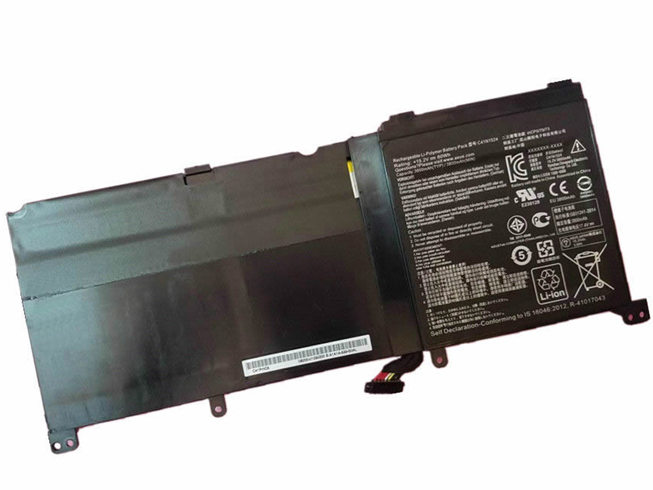
  • ASUS N501VW UX501JW N501VW-2B series replacement for C41N1524 battery

    This ASUS C41N1524 Battery has a capacity of 60Wh and a voltage of 15.2V. Suitable for ASUS N501VW UX501JW N501VW-2B series. 100% compatible and 100% safe. 1-year warranty, 30-day money back guarantee. 

    ASUS C41N1524 60Wh 15.2V Notebook Battery

    ASUS C41N1524 battery


    (product code: C41N1524) 

    (Usually ships the same business day!)

      Product details:

    • Brand: ASUS C41N1524 Notebook batteries

    • Type: Li-ion battery

    • Voltage: 15.2V

    • Capacity: 60Wh

    • SKU: ASU2790

    Replace the following batteries:

    C41N1524

    Compatible with the following models:

    ASUS N501VW UX501JW N501VW-2B

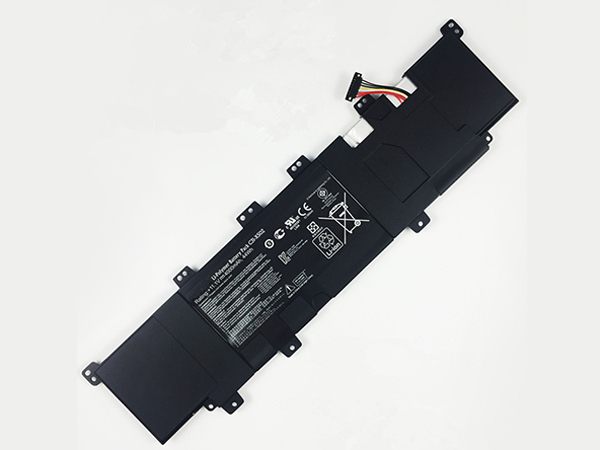
  • Asus C31-X502 4336MAH/50WH 11.4V Notebook Battery

    This Asus C31-X502 Battery has a capacity of 4336MAH/50WH and a voltage of 11.4V. Suitable for Asus S500C S500CA PU500C PU500CA V500C. 100% compatible and 100% safe. 1-year warranty, 30-day money back guarantee. 

    Asus C31-X502 4336MAH/50WH 11.4V Notebook Battery

    Asus C31-X502 battery


    (product code: C31-X502) 

    (Usually ships the same business day!)

      Product details:

    • Brand: Asus C31-X502 Notebook batteries

    • Type: Li-ion battery

    • Voltage: 11.4V

    • Capacity: 4336MAH/50WH

    • SKU: ASU11I112

    Replace the following batteries:

    C31-X502

    Compatible with the following models:

    for Asus S500C S500CA PU500C PU500CA V500C

    http://www.notebookbattery.co.nz/laptop-batteies-asus/replace-battery-c31-x502-b179785.htm

    Extend Notebook Battery Asus C31-X502 Service life 

    1.Charge the battery! Consider keeping it plugged in for 12 hours before you unplug.

    2. Switch on the optimized battery or power feature. You'll find this option — sometimes referred to as max battery mode — in your Notebook Battery system's built-in power management control panel. You can select the option to reduce the amount of time your inactive Notebook Battery stays on before powering itself down and going to sleep.

    3. Remove the battery and clean the metal contacts. Wipe them with alcohol, ideally every two months, to ensure that the power transfer between the Notebook Battery and its battery is as efficient as possible. Allow the battery to dry thoroughly before replacing it! 

    4. Unplug any Notebook Battery accessories you aren't using. Even if they're not in use, accessories drain power from the battery.

    ABOUT US

    Wholesale and retail Notebook Battery in NZ. Replacement for Acer, Apple, Compaq, Dell, FUJITSU, IBM,Lenovo,Sony and so on.

    These may be you want to look for :

    BAT909B battery replace for NEC NEC909E CASIO G'zOne IS11CA

    82-118523-01 battery replace for Motorola Symbol ES400 MC4587 MC4597

    K10000 battery replace for OUKITEL P6

    MC7XEAB0H battery replace for Motorola Symbol MC70 MC75 MC75A Extended

    PA5097U-1BRS battery replace for Toshiba P000571850

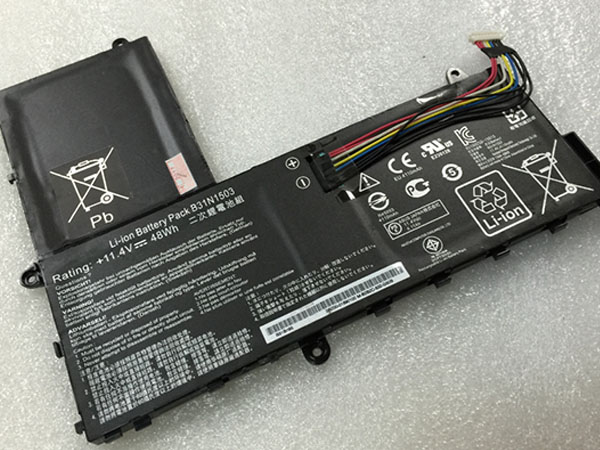
  • ASUS B31N1503 4110mAh/48Wh 11.4V Notebook Battery

    This ASUS B31N1503 Battery has a capacity of 4110mAh/48Wh and a voltage of 11.4V. Suitable for Asus EeeBook E202SA. 100% compatible and 100% safe. 1-year warranty, 30-day money back guarantee. 

    ASUS B31N1503 4110mAh/48Wh 11.4V Notebook Battery

    ASUS B31N1503 battery


    (product code: B31N1503) 

    (Usually ships the same business day!)

      Product details:

    • Brand: ASUS B31N1503 Notebook batteries

    • Type: Li-ion battery

    • Voltage: 11.4V

    • Capacity: 4110mAh/48Wh

    • SKU: ASU19J168

    Replace the following batteries:

    For Asus B31N1503 0B200-01690000

    Compatible with the following models:

    For Asus EeeBook E202SA Series

    http://www.notebookbattery.co.nz/laptop-batteies-asus/replace-battery-b31n1503-b179960.htm

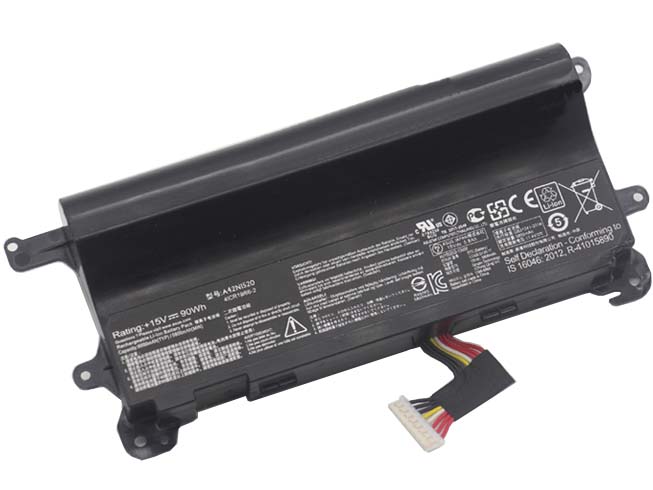
  • ASUS ROG GFX72,ROG G752VY replacement for A42N1520 battery

    This ASUS A42N1520 Battery has a capacity of 90WH and a voltage of 15V. Suitable for ASUS ROG GFX72,ROG G752VY . 100% compatible and 100% safe. 1-year warranty, 30-day money back guarantee. 

    ASUS A42N1520 90WH 15V Notebook Battery

    ASUS A42N1520 battery


    (product code: A42N1520) 

    (Usually ships the same business day!)

      Product details:

    • Brand: ASUS A42N1520 Notebook batteries

    • Type: Li-ion battery

    • Voltage: 15V

    • Capacity: 90WH

    • SKU: ASU2479

    Replace the following batteries:

    A42N1520

    Compatible with the following models:

    ASUS G752VY, GFX72VL6700, GFX72VT6700, GFX72VY6700, ROG G752VY, ROG GFX72, ROG GFX72VY6820

    http://www.notebookbattery.co.nz/laptop-batteies-asus/replace-battery-a42n1520-b178930.htm

    Extend Notebook Battery ASUS A42N1520 Service life 

    1.Charge the battery! Consider keeping it plugged in for 12 hours before you unplug.

    2. Switch on the optimized battery or power feature. You'll find this option — sometimes referred to as max battery mode — in your Notebook Battery system's built-in power management control panel. You can select the option to reduce the amount of time your inactive Notebook Battery stays on before powering itself down and going to sleep.

    3. Remove the battery and clean the metal contacts. Wipe them with alcohol, ideally every two months, to ensure that the power transfer between the Notebook Battery and its battery is as efficient as possible. Allow the battery to dry thoroughly before replacing it! 

    4. Unplug any Notebook Battery accessories you aren't using. Even if they're not in use, accessories drain power from the battery.

    ABOUT US

    Wholesale and retail Notebook Battery in NZ. Replacement for Acer, Apple, Compaq, Dell, FUJITSU, IBM,Lenovo,Sony and so on.

    These may be you want to look for :

    PK03XL battery replace for HP Spectre 13

    PBA battery replace for BOSCH PBA 18V 3.0Ah W-B

    BP02XL battery replace for HP Pavilion Notebook PC 15 15-AU010WM 15-AU018WM 7.7v

    FB55 battery replace for Motorola XT1585 Droid Turbo 2 XT1581

    TLP032B2 battery replace for Alcatel OneTouch POP 7 P310A Pixi 7 9006W