Replace Laptop battery in NZ

Category: Battery Tips

Useful laptop battery of common sense

  • Battery Replacement For HP SF02XL tablet battery

    This HP SF02XL Battery has a capacity of 21Wh and a voltage of 7.4V. Suitable for HP HSTNN-DB6H Tablet PC Series. 100% compatible and 100% safe. 1-year warranty, 30-day money back guarantee. 

    HP SF02XL 21Wh 7.4V tablet battery

    HP SF02XL battery


    (product code: SF02XL) 

    (Usually ships the same business day!)

      Product details:

    • Brand: HP SF02XL Tablet batteries

    • Type: Li-ion battery

    • Voltage: 7.4V

    • Capacity: 21Wh

    • SKU: ECN10275_Ta

    Replace the following batteries:

    SF02XL

    Compatible with the following models:

    HP HSTNN-DB6H Tablet PC

    http://www.notebookbattery.co.nz/laptop-batteies-hp/replace-battery-sf02xl-b178929.htm

    Extend tablet battery HP SF02XL Service life 

    1.Charge the battery! Consider keeping it plugged in for 12 hours before you unplug.

    2. Switch on the optimized battery or power feature. You'll find this option — sometimes referred to as max battery mode — in your tablet battery system's built-in power management control panel. You can select the option to reduce the amount of time your inactive tablet battery stays on before powering itself down and going to sleep.

    3. Remove the battery and clean the metal contacts. Wipe them with alcohol, ideally every two months, to ensure that the power transfer between the tablet battery and its battery is as efficient as possible. Allow the battery to dry thoroughly before replacing it! 

    4. Unplug any tablet battery accessories you aren't using. Even if they're not in use, accessories drain power from the battery.

    ABOUT US

    Wholesale and retail Notebook Battery in NZ. Replacement for Acer, Apple, Compaq, Dell, FUJITSU, IBM,Lenovo,Sony and so on.

    These may be you want to look for :

    BL01100 battery replace for HTC A320 Desire C Golf One V a320e

    W740BAT-6 battery replace for Clevo S413 W740SU X411 Series

    BH1104 battery replace for HYT TC500 TC-500 NI-MH Radio Battery 2Pcs

    VGP-BPL24 battery replace for SONY VAIO SC VAIO SD

    C31N1411 battery replace for Asus U305F series
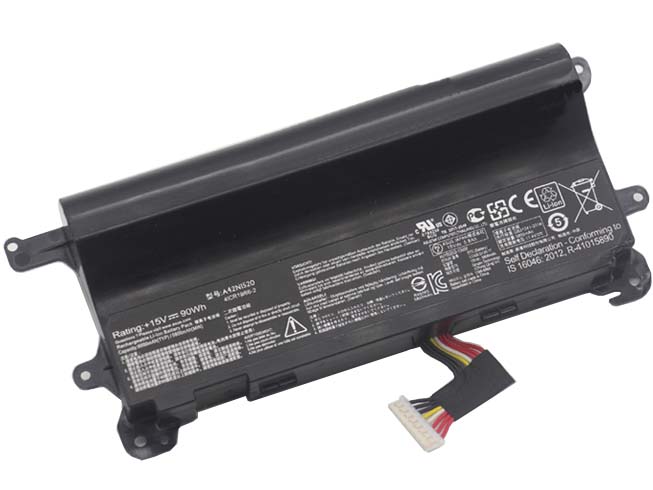
  • ASUS ROG GFX72,ROG G752VY replacement for A42N1520 battery

    This ASUS A42N1520 Battery has a capacity of 90WH and a voltage of 15V. Suitable for ASUS ROG GFX72,ROG G752VY . 100% compatible and 100% safe. 1-year warranty, 30-day money back guarantee. 

    ASUS A42N1520 90WH 15V Notebook Battery

    ASUS A42N1520 battery


    (product code: A42N1520) 

    (Usually ships the same business day!)

      Product details:

    • Brand: ASUS A42N1520 Notebook batteries

    • Type: Li-ion battery

    • Voltage: 15V

    • Capacity: 90WH

    • SKU: ASU2479

    Replace the following batteries:

    A42N1520

    Compatible with the following models:

    ASUS G752VY, GFX72VL6700, GFX72VT6700, GFX72VY6700, ROG G752VY, ROG GFX72, ROG GFX72VY6820

    http://www.notebookbattery.co.nz/laptop-batteies-asus/replace-battery-a42n1520-b178930.htm

    Extend Notebook Battery ASUS A42N1520 Service life 

    1.Charge the battery! Consider keeping it plugged in for 12 hours before you unplug.

    2. Switch on the optimized battery or power feature. You'll find this option — sometimes referred to as max battery mode — in your Notebook Battery system's built-in power management control panel. You can select the option to reduce the amount of time your inactive Notebook Battery stays on before powering itself down and going to sleep.

    3. Remove the battery and clean the metal contacts. Wipe them with alcohol, ideally every two months, to ensure that the power transfer between the Notebook Battery and its battery is as efficient as possible. Allow the battery to dry thoroughly before replacing it! 

    4. Unplug any Notebook Battery accessories you aren't using. Even if they're not in use, accessories drain power from the battery.

    ABOUT US

    Wholesale and retail Notebook Battery in NZ. Replacement for Acer, Apple, Compaq, Dell, FUJITSU, IBM,Lenovo,Sony and so on.

    These may be you want to look for :

    PK03XL battery replace for HP Spectre 13

    PBA battery replace for BOSCH PBA 18V 3.0Ah W-B

    BP02XL battery replace for HP Pavilion Notebook PC 15 15-AU010WM 15-AU018WM 7.7v

    FB55 battery replace for Motorola XT1585 Droid Turbo 2 XT1581

    TLP032B2 battery replace for Alcatel OneTouch POP 7 P310A Pixi 7 9006W

  • Clevo S413 W740SU X411 Series Notebook Battery

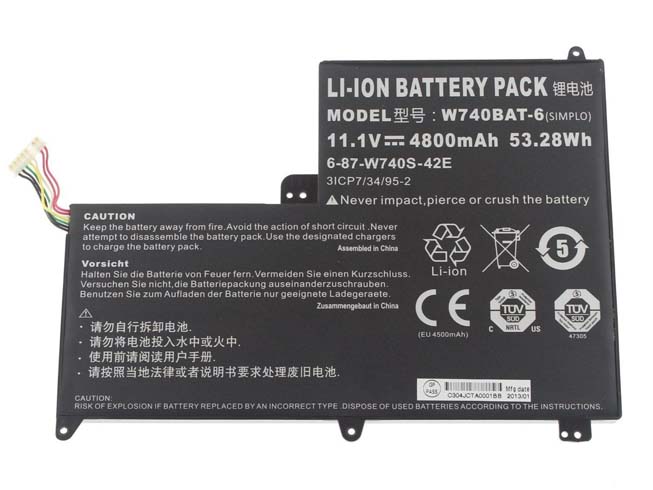
    This Clevo W740BAT-6 Battery has a capacity of 4800mAh/53.28Wh and a voltage of 11.1V. Suitable for Clevo S413 W740SU X411 Series. 100% compatible and 100% safe. 1-year warranty, 30-day money back guarantee. 

    Clevo W740BAT-6 4800mAh/53.28Wh 11.1V Notebook Battery

    Clevo W740BAT-6 battery


    (product code: W740BAT-6) 

    (Usually ships the same business day!)

      Product details:

    • Brand: Clevo W740BAT-6 Notebook batteries

    • Type: Li-ion battery

    • Voltage: 11.1V

    • Capacity: 4800mAh/53.28Wh

    • SKU: CLE2482

    Replace the following batteries:

    W740BAT-6 6-87-W740S-42E 3ICP7/34/95-2

    Compatible with the following models:

    Clevo S413 W740SU X411 Series

    http://www.notebookbattery.co.nz/laptop-batteies-clevo/replace-battery-w740bat-6-b178931.htm

    Extend Notebook Battery Clevo W740BAT-6 Service life 

    1.Charge the battery! Consider keeping it plugged in for 12 hours before you unplug.

    2. Switch on the optimized battery or power feature. You'll find this option — sometimes referred to as max battery mode — in your Notebook Battery system's built-in power management control panel. You can select the option to reduce the amount of time your inactive Notebook Battery stays on before powering itself down and going to sleep.

    3. Remove the battery and clean the metal contacts. Wipe them with alcohol, ideally every two months, to ensure that the power transfer between the Notebook Battery and its battery is as efficient as possible. Allow the battery to dry thoroughly before replacing it! 

    4. Unplug any Notebook Battery accessories you aren't using. Even if they're not in use, accessories drain power from the battery.

    ABOUT US

    Wholesale and retail Notebook Battery in NZ. Replacement for Acer, Apple, Compaq, Dell, FUJITSU, IBM,Lenovo,Sony and so on.

    These may be you want to look for :

    PC-VP-BP90 battery replace for Nec PC-VP-BP90 OP-570-77012 series

    PA5156U-1BRS battery replace for Toshiba Click W35DT PA5156U-1BRS P000577240

    TLi017C1 battery replace for Alcatel One Touch OT-5027B DAWN OT-4060O STREAK OT-4060A IDEAL

    BA1400 battery replace for EGO 56V 56 Volt BA1120 BA1400 POWER Lithium Ion

    PB-72L battery replace for PUXING PX-777 PX-888 3288s PX-UV9R XJ-928 VEV-3288S

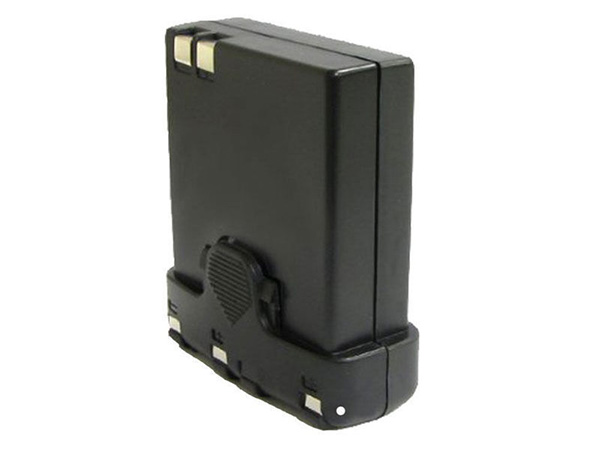
  • KENWOOD PB-32 Economic battery Replacement

    Jingle Bells! Jingle Bells!Merry Christmas!KENWOOD PB-32 batteries 1100mAh 6V Ni-MH-battery.

    Strict quality control, safe and stable!↘

    Low price, affordable and reliable! 100% compatible with the original battery and perfectly used for the original power adapter. 1-year warranty and 30 days money back guarantee!

    KENWOOD PB-32 Economic battery

    KENWOOD PB-32 battery


    (product code: PB-32) 

    (Usually ships the same business day!)

      Product details:

    • Brand: KENWOOD PB-32 Economic batteries

    • Type: Ni-MH battery

    • Voltage: 6V

    • Capacity: 1100mAh

    • SKU: ECN10362_Oth

    Replace the following batteries:

    PB-32H

    Compatible with the following models:

    KENWOOD Handheld Transceiver
    TH-22, TH-22A, TH-22AT,
    TH-22E, TH-42, TH-42A,
    TH-42AT, TH-42E, TH-79,
    TH-79A, TH-79E, TH-208,
    TH-308

    We ship to the Economic battery around Globe [USA, Canada, UK, NZ and Ireland, Australia]. View more Economic battery. Contact with us if any problem on selecting power Economic battery.

    KENWOOD PB-32 Features:
    All our high quality KENWOOD PB-32 replacement Economic battery have been tested and proven to match and / or match the performance of the original KENWOOD Economic battery and are 100% compatible with the original manufacturer's specifications. This KENWOOD PB-32 Economic battery comes with a 1-year limited warranty.
    Thank you for purchasing this high quality KENWOOD PB-32 replacement Economic battery. We have a rigorous testing process to ensure that your ordered products (like this Economic battery for KENWOOD PB-32) are functionally correct before being packaged and sent to you. And before placing an order, make sure that your old original part number of the KENWOOD PB-32 Economic battery is listed below and that the shape is identical to the images in our Economic battery.

    Wholesale and retail Economic battery in NZ. Replacement for Acer,Apple, Compaq,Dell, FUJITSU, IBM,Lenovo,Sony and so on.

    Extend Economic battery KENWOOD PB-32 Service life

    1. Charge the battery! Consider keeping it plugged in for 12 hours before you unplug.
    2. Switch on the optimized battery or power feature. You'll find this option — sometimes referred to as max battery mode — in your laptop system's built-in power management control panel. You can select the option to reduce the amount of time your inactive laptop stays on before powering itself down and going to sleep.
    3. Remove the battery and clean the metal contacts. Wipe them with alcohol, ideally every two months, to ensure that the power transfer between the laptop and its battery is as efficient as possible. Allow the battery to dry thoroughly before replacing it! 
    4. Unplug any laptop accessories you aren't using. Even if they're not in use, accessories drain power from the battery.

    ABOUT US

    www.notebookbattery.co.nz was established to serve the needs of laptop users, and today we are one of the top e-retailers. Get a great deal on electronics when you shop on www.notebookbattery.co.nz. Choose an iPad, TV or laptop, headphones, PS4, Xbox One and more. Offers on mobile phones and cameras.

    Warm reminder!

    Before using the KENWOOD PB-32 battery, be sure to read the instructions to avoid danger during use. Here, we provide you with some tips for using this product.

      Top tips for extending the DELL T2JX4 battery life of your laptop:

    • 1. Dim your screen

    • 2. Change power settings

    • 3. Switch off Wi-Fi

    • 4. Turn off peripherals

    • 5. Eject your disc drives

    • 6. Invest in some hardware

    • 7. Disable features

    • 8. Battery care

    http://www.notebookbattery.co.nz/laptop-batteies-kenwood/replace-battery-pb-32-b179427.htm 

    These may be you want to look for :

    P21G2B battery replace for MICROSOFT SURFACE RT 2 1572 10.6inch

    BL-4U battery replace for Nokia 3120 5330 5530 6212 6216 6600 Asha 206 210

    LIS1474APPC battery replace for Apple iPhone 4GS 4S

    TLp020C2 battery replace for Alcatel S950 S950T idol X/S 6034R

    YFDF9 battery replace for Dell Latitude 3340 3350

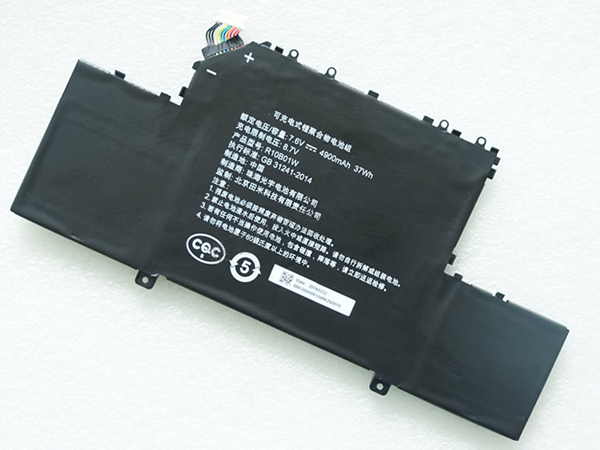
  • Christmas Sale Xiaomi R10B01W Tablet battery – 5090mAh/38Wh 7.6V

      Jingle Bells! Jingle Bells!Merry Christmas!Xiaomi R10B01W Tablet batteries 5090mAh/38Wh 7.6V Li-ion-battery.

      Strict quality control, safe and stable!↘

      Low price, affordable and reliable! 100% compatible with the original battery and perfectly used for the original power adapter. 1-year warranty and 30 days money back guarantee!

      XIAOMI R10B01W tablet battery

      Xiaomi R10B01W battery


      (product code: R10B01W) 

      (Usually ships the same business day!)

        Product details:

      • Brand: Xiaomi R10B01W Tablet batteries

      • Type: Li-ion battery

      • Voltage: 7.6V

      • Capacity: 5090mAh/38Wh

      • SKU: ECN10365_Ta

      Replace the following batteries:

      R10B01W

      Compatible with the following models:

      Xiaomi Air 12.5 inch Series

      We ship to the tablet battery around Globe [USA, Canada, UK, NZ and Ireland, Australia]. View more tablet battery. Contact with us if any problem on selecting power tablet battery.

    • Xiaomi R10B01W Features:

    • All our 

    • high quality Xiaomi R10B01W

    •  replacement tablet battery have been tested and proven to match and / or match the performance of the original Xiaomi tablet battery and are 100% compatible with the original manufacturer's specifications. This Xiaomi R10B01W tablet battery comes with a 1-year limited warranty.

    • Thank you for purchasing this high quality 

    • Xiaomi R10B01W replacement tablet battery

    • . We have a rigorous testing process to ensure that your ordered products (like this tablet battery for Xiaomi R10B01W) are functionally correct before being packaged and sent to you. And before placing an order, make sure that your old original part number of the Xiaomi R10B01W tablet battery is listed below and that the shape is identical to the images in our tablet battery.

    • Wholesale and retail tablet battery in NZ. Replacement for Acer,Apple, Compaq,Dell, FUJITSU, IBM,Lenovo,Sony and so on.

      Extend tablet battery Xiaomi R10B01W Service life

    • 1. Charge the battery! Consider keeping it plugged in for 12 hours before you unplug.

    • 2. Switch on the optimized battery or power feature. You'll find this option — sometimes referred to as max battery mode — in your laptop system's built-in power management control panel. You can select the option to reduce the amount of time your inactive laptop stays on before powering itself down and going to sleep.

    • 3. Remove the battery and clean the metal contacts. Wipe them with alcohol, ideally every two months, to ensure that the power transfer between the laptop and its battery is as efficient as possible. Allow the battery to dry thoroughly before replacing it! 

    • 4. Unplug any laptop accessories you aren't using. Even if they're not in use, accessories drain power from the battery.

    • ABOUT US

      www.notebookbattery.co.nz was established to serve the needs of laptop users, and today we are one of the top e-retailers. Get a great deal on electronics when you shop on www.notebookbattery.co.nz. Choose an iPad, TV or laptop, headphones, PS4, Xbox One and more. Offers on mobile phones and cameras.

      Warm reminder!

      Before using the Xiaomi R10B01W battery, be sure to read the instructions to avoid danger during use. Here, we provide you with some tips for using this product.

        Top tips for extending the DELL T2JX4 battery life of your laptop:

      • 1. Dim your screen

      • 2. Change power settings

      • 3. Switch off Wi-Fi

      • 4. Turn off peripherals

      • 5. Eject your disc drives

      • 6. Invest in some hardware

      • 7. Disable features

      • 8. Battery care

    • http://www.notebookbattery.co.nz/laptop-batteies-xiaomi/replace-battery-r10b01w-b179428.htm 

    • These may be you want to look for :

      AT16004-1 battery replace

    •  for Zebra Printer QL220 320 QL220 QL320 PLUS Spare

    • DB06XL battery replace

    •  for HP Probook 11 EE G1 G2

    • BP-S410-2nd-32/2040 battery replace

    •  for Getac S410 Semi-Rugged Notebook BP-S410-2nd-32/2040 S

    • 82-171249-02 battery replace

    •  for Symbol TC70 TC75 Series

    • PR-3258C7G battery replace

    •  for Acer Iconia Talk S A1-734

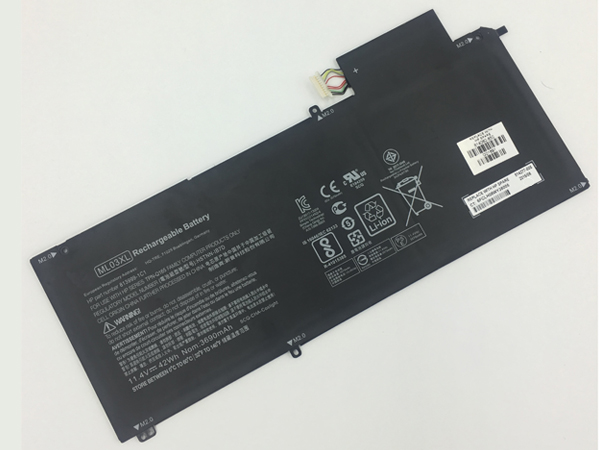
  • Replacement Notebook Battery HP ML03XL

    Jingle Bells! Jingle Bells!Merry Christmas!HP ML03XL notebook batteries 42Wh 11.4V Li-ion-battery.

    Strict quality control, safe and stable!↘

    Low price, affordable and reliable! 100% compatible with the original battery and perfectly used for the original power adapter. 1-year warranty and 30 days money back guarantee!

    HP ML03XL Notebook Battery

    HP ML03XL battery


    (product code: ML03XL) 

    (Usually ships the same business day!)

      Product details:

    • Brand: HP ML03XL Notebook batteries

    • Type: Li-ion battery

    • Voltage: 11.4V

    • Capacity: 42Wh

    • SKU: HPQ3X005

    Replace the following batteries:

    ML03XL ML03042XL 813999-1C1 814277-005 814060-850 HSTNN-IB7D

    Compatible with the following models:

    HP Spectre x2 Detachable PC, HP Spectre x2 Detachable Convertible
    HP Spectre x2 Detachable 12, HP Spectre x2 12-A001DX

    We ship to the Notebook Battery around Globe [USA, Canada, UK, NZ and Ireland, Australia]. View more Notebook Battery. Contact with us if any problem on selecting power Notebook Battery.

    HP ML03XL Features:
    All our high quality HP ML03XL replacement Notebook Battery have been tested and proven to match and / or match the performance of the original HP Notebook Battery and are 100% compatible with the original manufacturer's specifications. This HP ML03XL Notebook Battery comes with a 1-year limited warranty.
    Thank you for purchasing this high quality HP ML03XL replacement Notebook Battery. We have a rigorous testing process to ensure that your ordered products (like this Notebook Battery for HP ML03XL) are functionally correct before being packaged and sent to you. And before placing an order, make sure that your old original part number of the HP ML03XL Notebook Battery is listed below and that the shape is identical to the images in our Notebook Battery.

    Wholesale and retail Notebook Battery in NZ. Replacement for Acer,Apple, Compaq,Dell, FUJITSU, IBM,Lenovo,Sony and so on.

    Extend Notebook Battery HP ML03XL Service life

    1. Charge the battery! Consider keeping it plugged in for 12 hours before you unplug.
    2. Switch on the optimized battery or power feature. You'll find this option — sometimes referred to as max battery mode — in your laptop system's built-in power management control panel. You can select the option to reduce the amount of time your inactive laptop stays on before powering itself down and going to sleep.
    3. Remove the battery and clean the metal contacts. Wipe them with alcohol, ideally every two months, to ensure that the power transfer between the laptop and its battery is as efficient as possible. Allow the battery to dry thoroughly before replacing it! 
    4. Unplug any laptop accessories you aren't using. Even if they're not in use, accessories drain power from the battery.

    ABOUT US

    www.notebookbattery.co.nz was established to serve the needs of laptop users, and today we are one of the top e-retailers. Get a great deal on electronics when you shop on www.notebookbattery.co.nz. Choose an iPad, TV or laptop, headphones, PS4, Xbox One and more. Offers on mobile phones and cameras.

    Warm reminder!

    Before using the HP ML03XL battery, be sure to read the instructions to avoid danger during use. Here, we provide you with some tips for using this product.

      Top tips for extending the DELL T2JX4 battery life of your laptop:

    • 1. Dim your screen

    • 2. Change power settings

    • 3. Switch off Wi-Fi

    • 4. Turn off peripherals

    • 5. Eject your disc drives

    • 6. Invest in some hardware

    • 7. Disable features

    • 8. Battery care

    http://www.notebookbattery.co.nz/laptop-batteies-hp/replace-battery-ml03xl-b179429.htm 

    These may be you want to look for :

    9NJM1 battery replace for Dell Alienware 17 R4 ALW17C-D1748 ALW17C-D1758

    LP103450sR-2P2S battery replace for Palm 7.2V 3500mAh

    SH03XL battery replace for HP Spectre x360 Convertible PC 13 13-AC033DX SH03057XL

    L11C2P32 battery replace for Lenovo S6000 S6000-F

    01AV435 battery replace for Lenovo SB10K97592

  • Replacement battery Symbol WT6000

    Jingle Bells! Jingle Bells!Merry Christmas!Symbol WT6000 batteries 3350MAH 3.6V Li-ion-battery.

    Strict quality control, safe and stable!↘

    Low price, affordable and reliable! 100% compatible with the original battery and perfectly used for the original power adapter. 1-year warranty and 30 days money back guarantee!

    SYMBOL WT6000 RS6000 Economic battery
    Symbol WT6000 battery

    (product code: WT6000)

    (Usually ships the same business day!)

    Product details:
    Brand: Symbol WT6000 Economic batteries
    Type: Li-ion battery
    Voltage: 3.6V
    Capacity: 3350MAH
    SKU: ECN10363_Oth

    If you cannot find what you need, we have some sister stores. Here we go!
    ES: Symbol WT6000 Batería ES

    NL: Symbol WT6000 ACCU NL

    IT: Symbol WT6000 batteria IT

    DE: WT6000 Akku DE

    Replace the following batteries:
    WT6000 RS6000

    Compatible with the following models:
    Zebra Symbol BTRY-NWTRS-33MA-01 BT000262A01

    We ship to the Economic battery around Globe [USA, Canada, UK, NZ and Ireland, Australia]. View more Economic battery. Contact with us if any problem on selecting power Economic battery.

    Symbol WT6000 Features:
    All our high quality Symbol WT6000 replacement Economic battery have been tested and proven to match and / or match the performance of the original Symbol Economic battery and are 100% compatible with the original manufacturer’s specifications. This Symbol WT6000 Economic battery comes with a 1-year limited warranty.
    Thank you for purchasing this high quality Symbol WT6000 replacement Economic battery. We have a rigorous testing process to ensure that your ordered products (like this Economic battery for Symbol WT6000) are functionally correct before being packaged and sent to you. And before placing an order, make sure that your old original part number of the Symbol WT6000 Economic battery is listed below and that the shape is identical to the images in our Economic battery.
    Wholesale and retail Economic battery in NZ. Replacement for Acer,Apple, Compaq,Dell, FUJITSU, IBM,Lenovo,Sony and so on.

    Extend Economic battery Symbol WT6000 Service life
    1. Charge the battery! Consider keeping it plugged in for 12 hours before you unplug.
    2. Switch on the optimized battery or power feature. You’ll find this option — sometimes referred to as max battery mode — in your laptop system’s built-in power management control panel. You can select the option to reduce the amount of time your inactive laptop stays on before powering itself down and going to sleep.
    3. Remove the battery and clean the metal contacts. Wipe them with alcohol, ideally every two months, to ensure that the power transfer between the laptop and its battery is as efficient as possible. Allow the battery to dry thoroughly before replacing it!
    4. Unplug any laptop accessories you aren’t using. Even if they’re not in use, accessories drain power from the battery.

    ABOUT US
    www.notebookbattery.co.nz was established to serve the needs of laptop users, and today we are one of the top e-retailers. Get a great deal on electronics when you shop on www.notebookbattery.co.nz. Choose an iPad, TV or laptop, headphones, PS4, Xbox One and more. Offers on mobile phones and cameras.

    Warm reminder!
    Before using the Symbol WT6000 battery, be sure to read the instructions to avoid danger during use. Here, we provide you with some tips for using this product.

    Top tips for extending the DELL T2JX4 battery life of your laptop:
    1. Dim your screen
    2. Change power settings
    3. Switch off Wi-Fi
    4. Turn off peripherals
    5. Eject your disc drives
    6. Invest in some hardware
    7. Disable features
    8. Battery care

    http://www.notebookbattery.co.nz/laptop-batteies-symbol/replace-battery-wt6000-b179430.htm

    These may be you want to look for :
    SG03XL battery replace for HP 849315-850 TPN-I126 849049-421 HSTNN-LB7E SG03061XL

    PB-42L battery replace for KENWOOD Portable Radios TH-F6 TH-F6A TH-F7 TH-F7E

    C31N1411 battery replace for Asus U305F series
    A41N1421 battery replace for ASUS P2520LJ PU551LA ZX50JX4200 ZX50JX4720

    45N1099 battery replace for Lenovo Thinkpad X1 45N1098 2ICP5/67/90

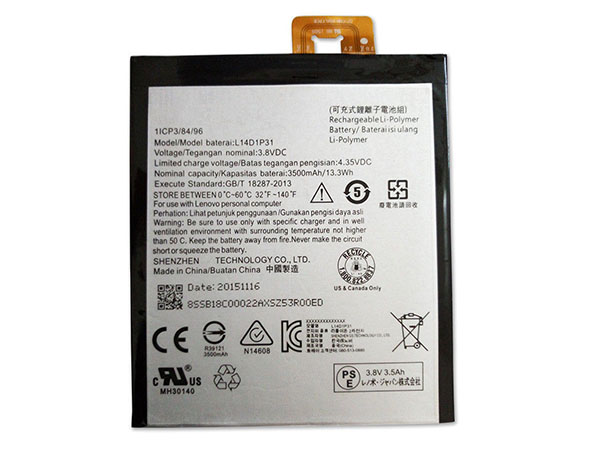
  • Hot sale Lenovo L14D1P31 Smartphone battery, a 30% Christmas discount on your order now!!

    Jingle Bells! Jingle Bells!Merry Christmas!Lenovo L14D1P31 cell-phone battery 3500MAH/13.3Wh 3.8V Li-ion-battery.

    Strict quality control, safe and stable!↘

    Low price, affordable and reliable! 100% compatible with the original battery and perfectly used for the original power adapter. 1-year warranty and 30 days money back guarantee!

    LENOVO L14D1P31 cell phone battery

    Lenovo L14D1P31 battery


    (product code: L14D1P31) 

    (Usually ships the same business day!)

      Product details:

    • Brand: Lenovo L14D1P31 Cell phone batteries

    • Type: Li-ion battery

    • Voltage: 3.8V

    • Capacity: 3500MAH/13.3Wh

    • SKU: ECN10533_Te

    Replace the following batteries:

    L14D1P31

    Compatible with the following models:

    Charge limit voltage : 4.35V
    Lenovo PB1-770N PHAB Plus

    We ship to the cell phone battery around Globe [USA, Canada, UK, NZ and Ireland, Australia]. View more cell phone battery. Contact with us if any problem on selecting power cell phone battery.

    Lenovo L14D1P31 Features:
    All our high quality Lenovo L14D1P31 replacement cell phone battery have been tested and proven to match and / or match the performance of the original Lenovo cell phone battery and are 100% compatible with the original manufacturer's specifications. This Lenovo L14D1P31 cell phone battery comes with a 1-year limited warranty.
    Thank you for purchasing this high quality Lenovo L14D1P31 replacement cell phone battery. We have a rigorous testing process to ensure that your ordered products (like this cell phone battery for Lenovo L14D1P31) are functionally correct before being packaged and sent to you. And before placing an order, make sure that your old original part number of the Lenovo L14D1P31 cell phone battery is listed below and that the shape is identical to the images in our cell phone battery.

    Wholesale and retail cell phone battery in NZ. Replacement for Acer,Apple, Compaq,Dell, FUJITSU, IBM,Lenovo,Sony and so on.

    Extend cell phone battery Lenovo L14D1P31 Service life

    1. Charge the battery! Consider keeping it plugged in for 12 hours before you unplug.
    2. Switch on the optimized battery or power feature. You'll find this option — sometimes referred to as max battery mode — in your laptop system's built-in power management control panel. You can select the option to reduce the amount of time your inactive laptop stays on before powering itself down and going to sleep.
    3. Remove the battery and clean the metal contacts. Wipe them with alcohol, ideally every two months, to ensure that the power transfer between the laptop and its battery is as efficient as possible. Allow the battery to dry thoroughly before replacing it! 
    4. Unplug any laptop accessories you aren't using. Even if they're not in use, accessories drain power from the battery.

    ABOUT US

    www.notebookbattery.co.nz was established to serve the needs of laptop users, and today we are one of the top e-retailers. Get a great deal on electronics when you shop on www.notebookbattery.co.nz. Choose an iPad, TV or laptop, headphones, PS4, Xbox One and more. Offers on mobile phones and cameras.

    Warm reminder!

    Before using the Lenovo L14D1P31 battery, be sure to read the instructions to avoid danger during use. Here, we provide you with some tips for using this product.

      Top tips for extending the DELL T2JX4 battery life of your laptop:

    • 1. Dim your screen

    • 2. Change power settings

    • 3. Switch off Wi-Fi

    • 4. Turn off peripherals

    • 5. Eject your disc drives

    • 6. Invest in some hardware

    • 7. Disable features

    • 8. Battery care

    http://www.notebookbattery.co.nz/laptop-batteies-lenovo/replace-battery-l14d1p31-b179709.htm 

    These may be you want to look for :

    C11- A80 battery replace for 1*bp-Replace 3.8DVC 2400mah

    EN-EL9 battery replace for 2p Nikon EN-EL9A EN-EL9 D5000 D3000 D40 D60

    BL-G024A battery replace for GIONEE F100 F100A F103B F306 3002 GN3003

    C32N1516 battery replace for Asus ROG GX700VO6820 GX700 GX700VO

    L14S4P72 battery replace for Lenovo Yoga3 14 , Yoga 700-14ISK

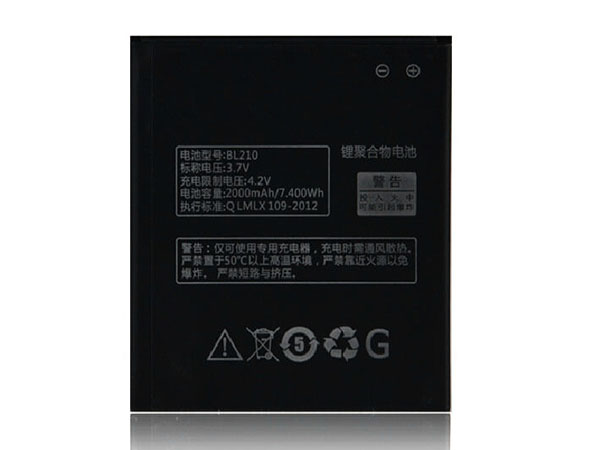
  • Lenovo – Christmas Cheap Smartphone battery Replacement for BL210

    Jingle Bells! Jingle Bells!Merry Christmas!Lenovo BL210 cell-phone battery 2000MAH/7.4Wh 3.7V Li-ion-battery.

    Strict quality control, safe and stable!↘

    Low price, affordable and reliable! 100% compatible with the original battery and perfectly used for the original power adapter. 1-year warranty and 30 days money back guarantee!

    LENOVO BL210 cell phone battery

    Lenovo BL210 battery


    (product code: BL210) 

    (Usually ships the same business day!)

      Product details:

    • Brand: Lenovo BL210 Cell phone batteries

    • Type: Li-ion battery

    • Voltage: 3.7V

    • Capacity: 2000MAH/7.4Wh

    • SKU: ECN10532_Te

    Replace the following batteries:

    BL210

    Compatible with the following models:

    Charge limit voltage : 4.2V
    Lenovo S820 S650 A750E A658T A656 A766

    We ship to the cell phone battery around Globe [USA, Canada, UK, NZ and Ireland, Australia]. View more cell phone battery. Contact with us if any problem on selecting power cell phone battery.

    Lenovo BL210 Features:
    All our high quality Lenovo BL210 replacement cell phone battery have been tested and proven to match and / or match the performance of the original Lenovo cell phone battery and are 100% compatible with the original manufacturer's specifications. This Lenovo BL210 cell phone battery comes with a 1-year limited warranty.
    Thank you for purchasing this high quality Lenovo BL210 replacement cell phone battery. We have a rigorous testing process to ensure that your ordered products (like this cell phone battery for Lenovo BL210) are functionally correct before being packaged and sent to you. And before placing an order, make sure that your old original part number of the Lenovo BL210 cell phone battery is listed below and that the shape is identical to the images in our cell phone battery.

    Wholesale and retail cell phone battery in NZ. Replacement for Acer,Apple, Compaq,Dell, FUJITSU, IBM,Lenovo,Sony and so on.

    Extend cell phone battery Lenovo BL210 Service life

    1. Charge the battery! Consider keeping it plugged in for 12 hours before you unplug.
    2. Switch on the optimized battery or power feature. You'll find this option — sometimes referred to as max battery mode — in your laptop system's built-in power management control panel. You can select the option to reduce the amount of time your inactive laptop stays on before powering itself down and going to sleep.
    3. Remove the battery and clean the metal contacts. Wipe them with alcohol, ideally every two months, to ensure that the power transfer between the laptop and its battery is as efficient as possible. Allow the battery to dry thoroughly before replacing it! 
    4. Unplug any laptop accessories you aren't using. Even if they're not in use, accessories drain power from the battery.

    ABOUT US

    www.notebookbattery.co.nz was established to serve the needs of laptop users, and today we are one of the top e-retailers. Get a great deal on electronics when you shop on www.notebookbattery.co.nz. Choose an iPad, TV or laptop, headphones, PS4, Xbox One and more. Offers on mobile phones and cameras.

    Warm reminder!

    Before using the Lenovo BL210 battery, be sure to read the instructions to avoid danger during use. Here, we provide you with some tips for using this product.

      Top tips for extending the DELL T2JX4 battery life of your laptop:

    • 1. Dim your screen

    • 2. Change power settings

    • 3. Switch off Wi-Fi

    • 4. Turn off peripherals

    • 5. Eject your disc drives

    • 6. Invest in some hardware

    • 7. Disable features

    • 8. Battery care

    http://www.notebookbattery.co.nz/laptop-batteies-lenovo/replace-battery-bl210-b179710.htm 

    These may be you want to look for :

    B31N1345 battery replace for ASUS Transformer Book Flip TP500L TP500LA TP500LN

    BP3S1P2160-S battery replace for Getac F110

    BL219 battery replace for Lenovo Smartphone A850+ A916 A880 A889 S856

    PB-32 battery replace for KENWOOD TH-22 TH-22A TH-22AT TH-22E TH-42 TH-42A TH-79 TH-208

    EV40 battery replace for Motorola XT926 Droid Razr Maxx HD

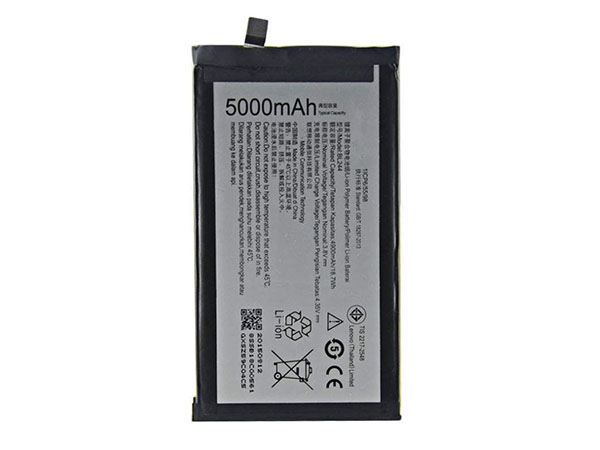
  • High-quality Lenovo BL244 Cell Phone Batteries- Christmas Gift

    Jingle Bells! Jingle Bells!Merry Christmas!Lenovo BL244 cell-phone battery 4900MAH/18.70Wh 3.8V Li-ion-battery.

    Strict quality control, safe and stable!↘

    Low price, affordable and reliable! 100% compatible with the original battery and perfectly used for the original power adapter. 1-year warranty and 30 days money back guarantee!

    LENOVO BL244 cell phone battery

    Lenovo BL244 battery


    (product code: BL244) 

    (Usually ships the same business day!)

      Product details:

    • Brand: Lenovo BL244 Cell phone batteries

    • Type: Li-ion battery

    • Voltage: 3.8V

    • Capacity: 4900MAH/18.70Wh

    • SKU: ECN10531_Te

    Replace the following batteries:

    BL244

    Compatible with the following models:

    Charge limit voltage : 4.35V
    For Lenovo P1 Turbo P1 Pro P1c58 P1c72 Vibe P1

    We ship to the cell phone battery around Globe [USA, Canada, UK, NZ and Ireland, Australia]. View more cell phone battery. Contact with us if any problem on selecting power cell phone battery.

    Lenovo BL244 Features:
    All our high quality Lenovo BL244 replacement cell phone battery have been tested and proven to match and / or match the performance of the original Lenovo cell phone battery and are 100% compatible with the original manufacturer's specifications. This Lenovo BL244 cell phone battery comes with a 1-year limited warranty.
    Thank you for purchasing this high quality Lenovo BL244 replacement cell phone battery. We have a rigorous testing process to ensure that your ordered products (like this cell phone battery for Lenovo BL244) are functionally correct before being packaged and sent to you. And before placing an order, make sure that your old original part number of the Lenovo BL244 cell phone battery is listed below and that the shape is identical to the images in our cell phone battery.

    Wholesale and retail cell phone battery in NZ. Replacement for Acer,Apple, Compaq,Dell, FUJITSU, IBM,Lenovo,Sony and so on.

    Extend cell phone battery Lenovo BL244 Service life

    1. Charge the battery! Consider keeping it plugged in for 12 hours before you unplug.
    2. Switch on the optimized battery or power feature. You'll find this option — sometimes referred to as max battery mode — in your laptop system's built-in power management control panel. You can select the option to reduce the amount of time your inactive laptop stays on before powering itself down and going to sleep.
    3. Remove the battery and clean the metal contacts. Wipe them with alcohol, ideally every two months, to ensure that the power transfer between the laptop and its battery is as efficient as possible. Allow the battery to dry thoroughly before replacing it! 
    4. Unplug any laptop accessories you aren't using. Even if they're not in use, accessories drain power from the battery.

    ABOUT US

    www.notebookbattery.co.nz was established to serve the needs of laptop users, and today we are one of the top e-retailers. Get a great deal on electronics when you shop on www.notebookbattery.co.nz. Choose an iPad, TV or laptop, headphones, PS4, Xbox One and more. Offers on mobile phones and cameras.

    Warm reminder!

    Before using the Lenovo BL244 battery, be sure to read the instructions to avoid danger during use. Here, we provide you with some tips for using this product.

      Top tips for extending the DELL T2JX4 battery life of your laptop:

    • 1. Dim your screen

    • 2. Change power settings

    • 3. Switch off Wi-Fi

    • 4. Turn off peripherals

    • 5. Eject your disc drives

    • 6. Invest in some hardware

    • 7. Disable features

    • 8. Battery care

    http://www.notebookbattery.co.nz/laptop-batteies-lenovo/replace-battery-bl244-b179711.htm 

    These may be you want to look for :

    TLp020C2 battery replace for Alcatel S950 S950T idol X/S 6034R

    C31N1528 battery replace for Asus UX360 UX360C UX360CA 3ICP28/96102 Series

    A1664 battery replace for Apple iPad Pro 9.7

    LI23S002A battery replace for Mindray T5 T6 T8

    L15D1P31 battery replace for Lenovo Yoga Tab3 Pro YT3-X90L