Replace Laptop battery in NZ

Category: Battery Tips

Useful laptop battery of common sense

  • How to avoid the potential danger of lithium battery products?

    First, the charging voltage must not be higher than the maximum charging voltage, and the discharge voltage must not be lower than the minimum operating voltage. Lithium-ion batteries must be kept above the minimum operating voltage at any time. Low-voltage over-discharge or self-discharge reactions can cause decomposition and destruction of lithium-ion active substances, and may not be reproducible—in other words, it is best not to mix transformers.

    Second, any form of overcharging of a lithium-ion battery may cause serious damage to the battery performance or even explosion, so it is necessary to avoid overcharging the battery during the charging process.

    Third, avoid high temperatures, have the risk of shortening the life and causing an explosion. The reason why laptops were recommended to remove lithium-ion batteries is this, so as not to be affected by the heat generated by the computer (but now the laptop batteries are basically built into the fuselage). This is naturally not feasible. However, the high-temperature heat source is still far away. The "small sun" like winter heating is obviously the object that the notebook should be far away from.

    Fourth, avoid freezing. If you go out to a colder place, if your laptop or other electronic products are not specially protected against the environment, consider that there may be product quality problems, or don't bring them (but Most lithium-ion battery electrolyte solutions have a freezing point of -40 ° C, and the product quality is guaranteed, there will be no problem).

  • Past life of lithium-ion battery

    The lithium-ion battery is a rechargeable battery that relies on lithium ions to move between the positive and negative electrodes to work. Lithium-ion batteries use an embedded lithium compound as an electrode material. Currently used as positive electrode materials for lithium-ion batteries are lithium cobalt oxide (LiCoO2), lithium manganate (LiMn2O4), lithium nickelate (LiNiO2) and lithium iron phosphate (LiFePO4).

    The first to propose the concept of lithium-ion batteries was M.S. Whittingham, who worked at Exxon in the 1970s and now works at Binghamton University. He used titanium sulphide as the cathode material and lithium metal as the anode material to make the first lithium-ion battery, and the safety risk has been accompanied by lithium-ion batteries at this time – just under normal atmospheric conditions. As long as there are water and oxygen, the fiery character of lithium will be revealed, and the chemical reaction will follow.

  • Christmas Sale Sharp HE349 Smartphone battery – 3200MAH/12.32WH 4.4V/3.85V

    Jingle Bells! Jingle Bells!Merry Christmas!Sharp HE349 cell-phone battery 3200MAH/12.32WH 4.4V/3.85V Li-ion-battery.

    Strict quality control, safe and stable!↘

    Low price, affordable and reliable! 100% compatible with the original battery and perfectly used for the original power adapter. 1-year warranty and 30 days money back guarantee!

    SHARP HE349 cell phone battery

    Sharp HE349 battery


    (product code: HE349) 

    (Usually ships the same business day!)

      Product details:

    • Brand: Sharp HE349 Cell phone batteries

    • Type: Li-ion battery

    • Voltage: 4.4V/3.85V

    • Capacity: 3200MAH/12.32WH

    • SKU: ECN10632_Te

    We ship to the cell phone battery around Globe [USA, Canada, UK, NZ and Ireland, Australia]. View more cell phone battery. Contact with us if any problem on selecting power cell phone battery.

    Sharp HE349 Features:
    All our high quality Sharp HE349 replacement cell phone battery have been tested and proven to match and / or match the performance of the original Sharp cell phone battery and are 100% compatible with the original manufacturer's specifications. This Sharp HE349 cell phone battery comes with a 1-year limited warranty.
    Thank you for purchasing this high quality Sharp HE349 replacement cell phone battery. We have a rigorous testing process to ensure that your ordered products (like this cell phone battery for Sharp HE349) are functionally correct before being packaged and sent to you. And before placing an order, make sure that your old original part number of the Sharp HE349 cell phone battery is listed below and that the shape is identical to the images in our cell phone battery.

    Wholesale and retail cell phone battery in NZ. Replacement for Acer,Apple, Compaq,Dell, FUJITSU, IBM,Lenovo,Sony and so on.

    Extend cell phone battery Sharp HE349 Service life

    1. Charge the battery! Consider keeping it plugged in for 12 hours before you unplug.
    2. Switch on the optimized battery or power feature. You'll find this option — sometimes referred to as max battery mode — in your laptop system's built-in power management control panel. You can select the option to reduce the amount of time your inactive laptop stays on before powering itself down and going to sleep.
    3. Remove the battery and clean the metal contacts. Wipe them with alcohol, ideally every two months, to ensure that the power transfer between the laptop and its battery is as efficient as possible. Allow the battery to dry thoroughly before replacing it! 
    4. Unplug any laptop accessories you aren't using. Even if they're not in use, accessories drain power from the battery.

    ABOUT US

    www.notebookbattery.co.nz was established to serve the needs of laptop users, and today we are one of the top e-retailers. Get a great deal on electronics when you shop on www.notebookbattery.co.nz. Choose an iPad, TV or laptop, headphones, PS4, Xbox One and more. Offers on mobile phones and cameras.

    Warm reminder!

    Before using the Sharp HE349 battery, be sure to read the instructions to avoid danger during use. Here, we provide you with some tips for using this product.

      Top tips for extending the DELL T2JX4 battery life of your laptop:

    • 1. Dim your screen

    • 2. Change power settings

    • 3. Switch off Wi-Fi

    • 4. Turn off peripherals

    • 5. Eject your disc drives

    • 6. Invest in some hardware

    • 7. Disable features

    • 8. Battery care

    http://www.notebookbattery.co.nz/laptop-batteies-sharp/replace-battery-he349-b179896.htm 

    These may be you want to look for :

    EB-BE700ABE battery replace for Samsung Galaxy E7 E7000 E700F

    LIS1532ERPC battery replace for Sony Xperia Z1s 4G version(L39t L39u L39W C6916)

    BP-231 battery replace for Icom IC-A14 IC-F14 IC-F15 IC-F16S IC-F3061

    EB20 battery replace for Motorola Droid Razr XT910 XT912 + Tools

    IX270-M battery replace for Itronix GoBook XR-1 IX270 IX270-010 GD8000

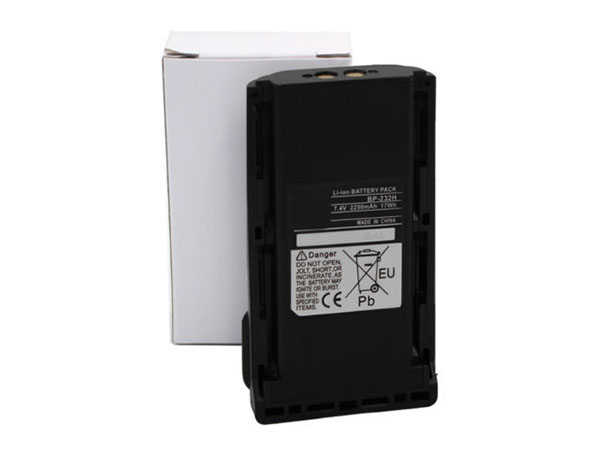
  • ICOM BP-232 Economic battery Replacement

    Jingle Bells! Jingle Bells!Merry Christmas!ICOM BP-232 batteries 2000MAH 7.4V Li-ion-battery.

    Strict quality control, safe and stable!↘

    Low price, affordable and reliable! 100% compatible with the original battery and perfectly used for the original power adapter. 1-year warranty and 30 days money back guarantee!

    ICOM BP-232 BP-231 BP-230 Economic battery

    ICOM BP-232 battery


    (product code: BP-232) 

    (Usually ships the same business day!)

      Product details:

    • Brand: ICOM BP-232 Economic batteries

    • Type: Li-ion battery

    • Voltage: 7.4V

    • Capacity: 2000MAH

    • SKU: ECN10631_Ca_Oth_1

    We ship to the Economic battery around Globe [USA, Canada, UK, NZ and Ireland, Australia]. View more Economic battery. Contact with us if any problem on selecting power Economic battery.

    ICOM BP-232 Features:
    All our high quality ICOM BP-232 replacement Economic battery have been tested and proven to match and / or match the performance of the original ICOM Economic battery and are 100% compatible with the original manufacturer's specifications. This ICOM BP-232 Economic battery comes with a 1-year limited warranty.
    Thank you for purchasing this high quality ICOM BP-232 replacement Economic battery. We have a rigorous testing process to ensure that your ordered products (like this Economic battery for ICOM BP-232) are functionally correct before being packaged and sent to you. And before placing an order, make sure that your old original part number of the ICOM BP-232 Economic battery is listed below and that the shape is identical to the images in our Economic battery.

    Wholesale and retail Economic battery in NZ. Replacement for Acer,Apple, Compaq,Dell, FUJITSU, IBM,Lenovo,Sony and so on.

    Extend Economic battery ICOM BP-232 Service life

    1. Charge the battery! Consider keeping it plugged in for 12 hours before you unplug.
    2. Switch on the optimized battery or power feature. You'll find this option — sometimes referred to as max battery mode — in your laptop system's built-in power management control panel. You can select the option to reduce the amount of time your inactive laptop stays on before powering itself down and going to sleep.
    3. Remove the battery and clean the metal contacts. Wipe them with alcohol, ideally every two months, to ensure that the power transfer between the laptop and its battery is as efficient as possible. Allow the battery to dry thoroughly before replacing it! 
    4. Unplug any laptop accessories you aren't using. Even if they're not in use, accessories drain power from the battery.

    ABOUT US

    www.notebookbattery.co.nz was established to serve the needs of laptop users, and today we are one of the top e-retailers. Get a great deal on electronics when you shop on www.notebookbattery.co.nz. Choose an iPad, TV or laptop, headphones, PS4, Xbox One and more. Offers on mobile phones and cameras.

    Warm reminder!

    Before using the ICOM BP-232 battery, be sure to read the instructions to avoid danger during use. Here, we provide you with some tips for using this product.

      Top tips for extending the DELL T2JX4 battery life of your laptop:

    • 1. Dim your screen

    • 2. Change power settings

    • 3. Switch off Wi-Fi

    • 4. Turn off peripherals

    • 5. Eject your disc drives

    • 6. Invest in some hardware

    • 7. Disable features

    • 8. Battery care

    http://www.notebookbattery.co.nz/laptop-batteies-icom/replace-battery-bp-232-b179897.htm 

    These may be you want to look for :

    L15L3PB0 battery replace for Lenovo Flex 4-1470

    HSTNN-IB1W battery replace for HP Mini 100e

    BL-5CT battery replace for NOKIA 5220XM 6730 C5-00 C6-01 C3-01 6303C

    NP12-2.3Ah battery replace for Yuasa NP2.3-12FR Fire Retardant SLA Battery

    AL15A32 battery replace for Acer Aspire E5-522 E5-522G E5-532 E5-532T E5-573

  • Long Lasting Icom BP-231 Replacement Economic battery

    Jingle Bells! Jingle Bells!Merry Christmas!Icom BP-231 batteries 2000MAH 7.4V Li-ion-battery.

    Strict quality control, safe and stable!↘

    Low price, affordable and reliable! 100% compatible with the original battery and perfectly used for the original power adapter. 1-year warranty and 30 days money back guarantee!

    ICOM BP-231 BP-232N Economic battery

    Icom BP-231 battery


    (product code: BP-231) 

    (Usually ships the same business day!)

      Product details:

    • Brand: Icom BP-231 Economic batteries

    • Type: Li-ion battery

    • Voltage: 7.4V

    • Capacity: 2000MAH

    • SKU: ECN10631_Ca_Oth_2

    We ship to the Economic battery around Globe [USA, Canada, UK, NZ and Ireland, Australia]. View more Economic battery. Contact with us if any problem on selecting power Economic battery.

    Icom BP-231 Features:
    All our high quality Icom BP-231 replacement Economic battery have been tested and proven to match and / or match the performance of the original Icom Economic battery and are 100% compatible with the original manufacturer's specifications. This Icom BP-231 Economic battery comes with a 1-year limited warranty.
    Thank you for purchasing this high quality Icom BP-231 replacement Economic battery. We have a rigorous testing process to ensure that your ordered products (like this Economic battery for Icom BP-231) are functionally correct before being packaged and sent to you. And before placing an order, make sure that your old original part number of the Icom BP-231 Economic battery is listed below and that the shape is identical to the images in our Economic battery.

    Wholesale and retail Economic battery in NZ. Replacement for Acer,Apple, Compaq,Dell, FUJITSU, IBM,Lenovo,Sony and so on.

    Extend Economic battery Icom BP-231 Service life

    1. Charge the battery! Consider keeping it plugged in for 12 hours before you unplug.
    2. Switch on the optimized battery or power feature. You'll find this option — sometimes referred to as max battery mode — in your laptop system's built-in power management control panel. You can select the option to reduce the amount of time your inactive laptop stays on before powering itself down and going to sleep.
    3. Remove the battery and clean the metal contacts. Wipe them with alcohol, ideally every two months, to ensure that the power transfer between the laptop and its battery is as efficient as possible. Allow the battery to dry thoroughly before replacing it! 
    4. Unplug any laptop accessories you aren't using. Even if they're not in use, accessories drain power from the battery.

    ABOUT US

    www.notebookbattery.co.nz was established to serve the needs of laptop users, and today we are one of the top e-retailers. Get a great deal on electronics when you shop on www.notebookbattery.co.nz. Choose an iPad, TV or laptop, headphones, PS4, Xbox One and more. Offers on mobile phones and cameras.

    Warm reminder!

    Before using the Icom BP-231 battery, be sure to read the instructions to avoid danger during use. Here, we provide you with some tips for using this product.

      Top tips for extending the DELL T2JX4 battery life of your laptop:

    • 1. Dim your screen

    • 2. Change power settings

    • 3. Switch off Wi-Fi

    • 4. Turn off peripherals

    • 5. Eject your disc drives

    • 6. Invest in some hardware

    • 7. Disable features

    • 8. Battery care

    http://www.notebookbattery.co.nz/laptop-batteies-icom/replace-battery-bp-231-b179898.htm 

    These may be you want to look for :

    6-87-WA5RS-4242 battery replace for Clevo WA50

    45N1120 battery replace for Lenovo ThinkPad T431s Series

    B41N1711 battery replace for Asus GL503VD GL703VD FX503VM FX63VD

    729892-001 battery replace for HP Pavilion TouchSmart 11 KP03

    A32-C17 battery replace for MEDION Akoya P7628 A32-C17 E7223 P7631

  • Replacement battery Icom BP224

    Jingle Bells! Jingle Bells!Merry Christmas!Icom BP224 batteries 750MAH 7.2V Li-ion-battery.

    Strict quality control, safe and stable!↘

    Low price, affordable and reliable! 100% compatible with the original battery and perfectly used for the original power adapter. 1-year warranty and 30 days money back guarantee!

    ICOM BP224 Economic battery
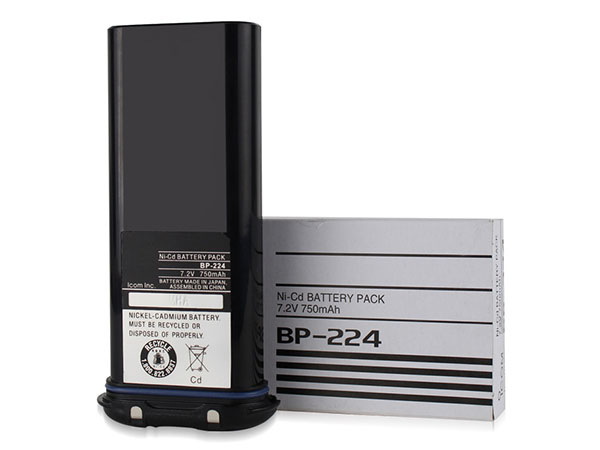
    Icom BP224 battery


    (product code: BP224) 

    (Usually ships the same business day!)

      Product details:

    • Brand: Icom BP224 Economic batteries

    • Type: Li-ion battery

    • Voltage: 7.2V

    • Capacity: 750MAH

    • SKU: ECN10630_Ca_Oth

    We ship to the Economic battery around Globe [USA, Canada, UK, NZ and Ireland, Australia]. View more Economic battery. Contact with us if any problem on selecting power Economic battery.

    Icom BP224 Features:
    All our high quality Icom BP224 replacement Economic battery have been tested and proven to match and / or match the performance of the original Icom Economic battery and are 100% compatible with the original manufacturer's specifications. This Icom BP224 Economic battery comes with a 1-year limited warranty.
    Thank you for purchasing this high quality Icom BP224 replacement Economic battery. We have a rigorous testing process to ensure that your ordered products (like this Economic battery for Icom BP224) are functionally correct before being packaged and sent to you. And before placing an order, make sure that your old original part number of the Icom BP224 Economic battery is listed below and that the shape is identical to the images in our Economic battery.

    Wholesale and retail Economic battery in NZ. Replacement for Acer,Apple, Compaq,Dell, FUJITSU, IBM,Lenovo,Sony and so on.

    Extend Economic battery Icom BP224 Service life

    1. Charge the battery! Consider keeping it plugged in for 12 hours before you unplug.
    2. Switch on the optimized battery or power feature. You'll find this option — sometimes referred to as max battery mode — in your laptop system's built-in power management control panel. You can select the option to reduce the amount of time your inactive laptop stays on before powering itself down and going to sleep.
    3. Remove the battery and clean the metal contacts. Wipe them with alcohol, ideally every two months, to ensure that the power transfer between the laptop and its battery is as efficient as possible. Allow the battery to dry thoroughly before replacing it! 
    4. Unplug any laptop accessories you aren't using. Even if they're not in use, accessories drain power from the battery.

    ABOUT US

    www.notebookbattery.co.nz was established to serve the needs of laptop users, and today we are one of the top e-retailers. Get a great deal on electronics when you shop on www.notebookbattery.co.nz. Choose an iPad, TV or laptop, headphones, PS4, Xbox One and more. Offers on mobile phones and cameras.

    Warm reminder!

    Before using the Icom BP224 battery, be sure to read the instructions to avoid danger during use. Here, we provide you with some tips for using this product.

      Top tips for extending the DELL T2JX4 battery life of your laptop:

    • 1. Dim your screen

    • 2. Change power settings

    • 3. Switch off Wi-Fi

    • 4. Turn off peripherals

    • 5. Eject your disc drives

    • 6. Invest in some hardware

    • 7. Disable features

    • 8. Battery care

    http://www.notebookbattery.co.nz/laptop-batteies-icom/replace-battery-bp224-b179899.htm 

    These may be you want to look for :

    LP-E8 battery replace for Canon EOS 550D 600D 700D Kiss X4, Rebel T3i,T2i

    82-71364-03 battery replace for Symbol MOTOROLA MC70 MC75 FR68 MC7090 MC7004

    BP3S1P2160-S battery replace for Getac F110

    C12N1406 battery replace for ASUS Pad Transformer Book T100TAL Tablet

    C21N1347 battery replace for ASUS X555 X555LA X555LD X555LN 2ICP4/63/134
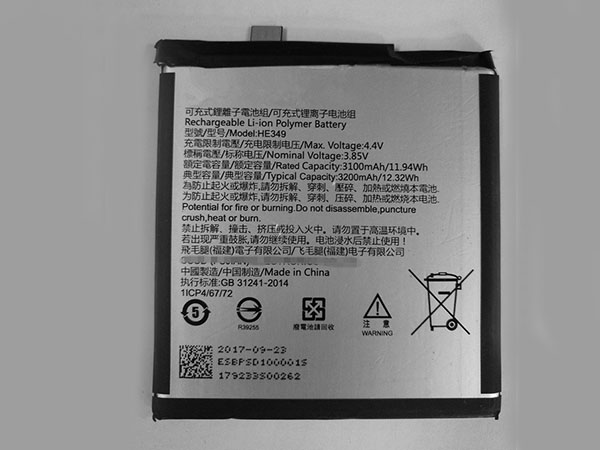
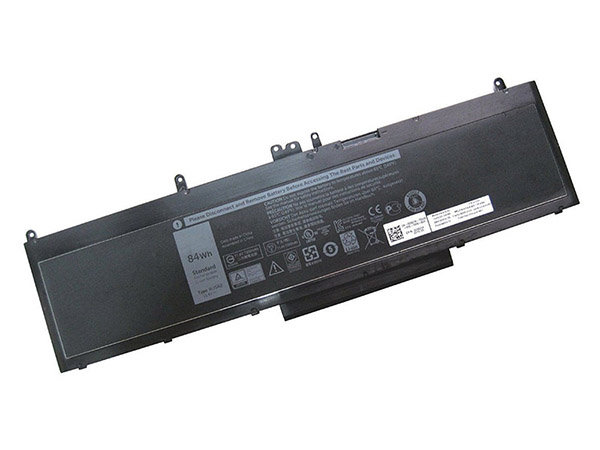
  • Selling hot Dell WJ5R2 Notebook Battery

    High Quality Dell WJ5R2 Notebook Battery, secure and stable! 100% Quality Assurance and Rigorous Testing! 100% Compatible with Original Model & Completely Chargered by Original adapter. Ordering and gettiing a 30% discount!“The shortest answer is doing”! 1year warranty and 30 days money back guarantee. 

    DELL WJ5R2 4F5YV Notebook Battery

    Dell WJ5R2 battery

    Current:7368MAH/84WH
    Voltage: 11.4V
    WJ5R2 4F5YV Notebook Battery
    battery Part Numbers:
    WJ5R2 4F5YV
    battery Fit Models:
    Dell Precision 3510

    Here,buy it now
    ES: Dell WJ5R2 Batería
    NL: Dell WJ5R2 ACCU
    IT: Dell WJ5R2 batteria
    DE: WJ5R2 Akku

    We ship to the Notebook Battery around Globe [USA, Canada, UK, NZ and Ireland, Australia]. View more Notebook Battery. Contact with us if any problem on selecting power Notebook Battery.

    Dell WJ5R2 Features:
    All our high quality Dell WJ5R2 replacement Notebook Battery have been tested and proven to match and / or match the performance of the original Dell Notebook Battery and are 100% compatible with the original manufacturer's specifications. This Dell WJ5R2 Notebook Battery comes with a 1-year limited warranty.
    Thank you for purchasing this high quality Dell WJ5R2 replacement Notebook Battery. We have a rigorous testing process to ensure that your ordered products (like this Notebook Battery for Dell WJ5R2) are functionally correct before being packaged and sent to you. And before placing an order, make sure that your old original part number of the Dell WJ5R2 Notebook Battery is listed below and that the shape is identical to the images in our Notebook Battery.

    Wholesale and retail Notebook Battery in NZ. Replacement for Acer,Apple, Compaq,Dell, FUJITSU, IBM,Lenovo,Sony and so on.

    Extend Notebook Battery Dell WJ5R2 Service life

    1. Charge the battery! Consider keeping it plugged in for 12 hours before you unplug.
    2. Switch on the optimized battery or power feature. You'll find this option — sometimes referred to as max battery mode — in your laptop system's built-in power management control panel. You can select the option to reduce the amount of time your inactive laptop stays on before powering itself down and going to sleep.
    3. Remove the battery and clean the metal contacts. Wipe them with alcohol, ideally every two months, to ensure that the power transfer between the laptop and its battery is as efficient as possible. Allow the battery to dry thoroughly before replacing it! 
    4. Unplug any laptop accessories you aren't using. Even if they're not in use, accessories drain power from the battery.

    http://www.notebookbattery.co.nz/laptop-batteies-dell/replace-battery-wj5r2-b179848.htm

    These may be you want to look for :

    LI202S-6600 battery replace for PHILIPS VS2/VM4/VM6/VM8/VM3,VS3,V24E

    FPCBP410 battery replace for Fujitsu LifeBook UH574

    XB1918 battery replace for Shark V1950 VX3 XB1918 V1917 Sweeper

    B0PJX100 battery replace for HTC Desire 728 728 Dual SIM 728 LTE D728t D728w A53

    A32-A24 battery replace for MSI CX480 CX480MX Medion Akoya E4212 Medion MD97823 MD98039

  • Selling hot Godox WB87 battery

    High Quality Godox WB87 battery, secure and stable! 100% Quality Assurance and Rigorous Testing! 100% Compatible with Original Model & Completely Chargered by Original adapter. Ordering and gettiing a 30% discount!“The shortest answer is doing”! 1year warranty and 30 days money back guarantee. 

    GODOX WB87 battery

    Godox WB87 battery

    Current:8700MAH
    Voltage: 11.1V
    WB87 battery
    battery Part Numbers:
    WB87
    battery Fit Models:
    Godox WB87 Studio Flashes AD600 AD600B AD600BM AD600M

    Here,buy it now
    ES: Godox WB87 Batería
    NL: Godox WB87 ACCU
    IT: Godox WB87 batteria
    DE: WB87 Akku

    We ship to the battery around Globe [USA, Canada, UK, NZ and Ireland, Australia]. View more battery. Contact with us if any problem on selecting power battery.

    Godox WB87 Features:
    All our high quality Godox WB87 replacement battery have been tested and proven to match and / or match the performance of the original Godox battery and are 100% compatible with the original manufacturer's specifications. This Godox WB87 battery comes with a 1-year limited warranty.
    Thank you for purchasing this high quality Godox WB87 replacement battery. We have a rigorous testing process to ensure that your ordered products (like this battery for Godox WB87) are functionally correct before being packaged and sent to you. And before placing an order, make sure that your old original part number of the Godox WB87 battery is listed below and that the shape is identical to the images in our battery.

    Wholesale and retail battery in NZ. Replacement for Acer,Apple, Compaq,Dell, FUJITSU, IBM,Lenovo,Sony and so on.

    Extend battery Godox WB87 Service life

    1. Charge the battery! Consider keeping it plugged in for 12 hours before you unplug.
    2. Switch on the optimized battery or power feature. You'll find this option — sometimes referred to as max battery mode — in your laptop system's built-in power management control panel. You can select the option to reduce the amount of time your inactive laptop stays on before powering itself down and going to sleep.
    3. Remove the battery and clean the metal contacts. Wipe them with alcohol, ideally every two months, to ensure that the power transfer between the laptop and its battery is as efficient as possible. Allow the battery to dry thoroughly before replacing it! 
    4. Unplug any laptop accessories you aren't using. Even if they're not in use, accessories drain power from the battery.

    http://www.notebookbattery.co.nz/laptop-batteies-godox/replace-battery-wb87-b179854.htm

    These may be you want to look for :

    PA5109U-1BRS battery replace for Toshiba Satellite C50 C50D C50t C55 C55D C55Dt C55t

    VGP-BPS39 battery replace for Sony Vaio Tap 11 SVT11 Tested

    TE03XL battery replace for Hp Pavilion 15 UHD

    C21N1313 battery replace for Asus TX201 Series

    ST03XL battery replace for HP EliteBook 720 820 G4 HSTNN-UB7D 854050-541 854109-850

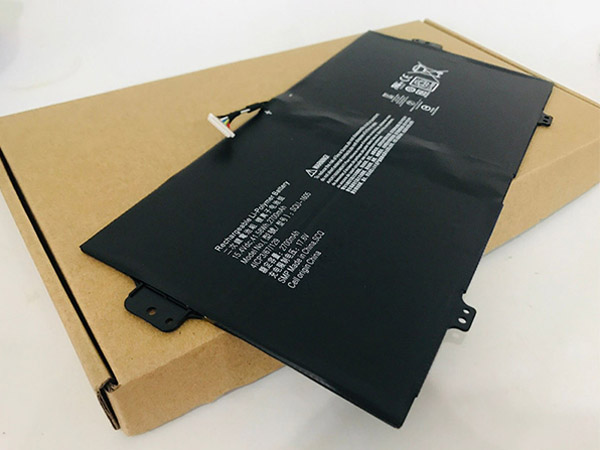
  • Long Lasting Acer SQU-1605 Replacement Notebook Battery

    High Quality Acer SQU-1605 Notebook Battery, secure and stable! 100% Quality Assurance and Rigorous Testing! 100% Compatible with Original Model & Completely Chargered by Original adapter. Ordering and gettiing a 30% discount!“The shortest answer is doing”! 1year warranty and 30 days money back guarantee. 

    ACER SQU-1605 Notebook Battery

    Acer SQU-1605 battery

    Current:2700MAH/41.58Wh
    Voltage: 17.6V/15.4V
    SQU-1605 Notebook Battery
    battery Part Numbers:
    SQU-1605
    battery Fit Models:
    Acer Spin 7 SP714-51 SP713-51 KT0040B001

    Here,buy it now
    ES: Acer SQU-1605 Batería
    NL: Acer SQU-1605 ACCU
    IT: Acer SQU-1605 batteria
    DE: SQU-1605 Akku

    We ship to the Notebook Battery around Globe [USA, Canada, UK, NZ and Ireland, Australia]. View more Notebook Battery. Contact with us if any problem on selecting power Notebook Battery.

    Acer SQU-1605 Features:
    All our high quality Acer SQU-1605 replacement Notebook Battery have been tested and proven to match and / or match the performance of the original Acer Notebook Battery and are 100% compatible with the original manufacturer's specifications. This Acer SQU-1605 Notebook Battery comes with a 1-year limited warranty.
    Thank you for purchasing this high quality Acer SQU-1605 replacement Notebook Battery. We have a rigorous testing process to ensure that your ordered products (like this Notebook Battery for Acer SQU-1605) are functionally correct before being packaged and sent to you. And before placing an order, make sure that your old original part number of the Acer SQU-1605 Notebook Battery is listed below and that the shape is identical to the images in our Notebook Battery.

    Wholesale and retail Notebook Battery in NZ. Replacement for Acer,Apple, Compaq,Dell, FUJITSU, IBM,Lenovo,Sony and so on.

    Extend Notebook Battery Acer SQU-1605 Service life

    1. Charge the battery! Consider keeping it plugged in for 12 hours before you unplug.
    2. Switch on the optimized battery or power feature. You'll find this option — sometimes referred to as max battery mode — in your laptop system's built-in power management control panel. You can select the option to reduce the amount of time your inactive laptop stays on before powering itself down and going to sleep.
    3. Remove the battery and clean the metal contacts. Wipe them with alcohol, ideally every two months, to ensure that the power transfer between the laptop and its battery is as efficient as possible. Allow the battery to dry thoroughly before replacing it! 
    4. Unplug any laptop accessories you aren't using. Even if they're not in use, accessories drain power from the battery.

    http://www.notebookbattery.co.nz/laptop-batteies-acer/replace-battery-squ-1605-b179855.htm

    These may be you want to look for :

    722237-2C1 battery replace for HP ENVY Rove AIO 20-K014US 50WH

    PC-VP-BP90 battery replace for Nec PC-VP-BP90 OP-570-77012 series

    PA5097U-1BRS battery replace for Toshiba P000571850

    161376- 0001 battery replace for Honeywell LXE MX8 MX8A380BATT Handheld Scanner

    TU131-TS63-74 battery replace for Haswell Y33 DELL XPS 13 8808 U13S881 ASUS U33X UX32K

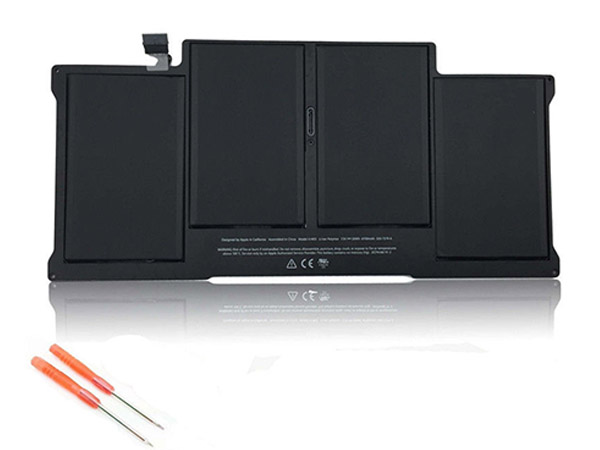
  • Replacement battery Apple A1405

    High Quality Apple A1405 Notebook Battery, secure and stable! 100% Quality Assurance and Rigorous Testing! 100% Compatible with Original Model & Completely Chargered by Original adapter. Ordering and gettiing a 30% discount!“The shortest answer is doing”! 1year warranty and 30 days money back guarantee. 

    APPLE A1405 Notebook Battery

    Apple A1405 battery

    Current:6700MAH/50WH
    Voltage: 7.3V
    A1405 Notebook Battery
    battery Part Numbers:
    A1405
    battery Fit Models:
    Apple Macbook Air 13inch A1369 2011 A1466 2012

    Here,buy it now
    ES: Apple A1405 Batería
    NL: Apple A1405 ACCU
    IT: Apple A1405 batteria
    DE: A1405 Akku

    We ship to the Notebook Battery around Globe [USA, Canada, UK, NZ and Ireland, Australia]. View more Notebook Battery. Contact with us if any problem on selecting power Notebook Battery.

    Apple A1405 Features:
    All our high quality Apple A1405 replacement Notebook Battery have been tested and proven to match and / or match the performance of the original Apple Notebook Battery and are 100% compatible with the original manufacturer's specifications. This Apple A1405 Notebook Battery comes with a 1-year limited warranty.
    Thank you for purchasing this high quality Apple A1405 replacement Notebook Battery. We have a rigorous testing process to ensure that your ordered products (like this Notebook Battery for Apple A1405) are functionally correct before being packaged and sent to you. And before placing an order, make sure that your old original part number of the Apple A1405 Notebook Battery is listed below and that the shape is identical to the images in our Notebook Battery.

    Wholesale and retail Notebook Battery in NZ. Replacement for Acer,Apple, Compaq,Dell, FUJITSU, IBM,Lenovo,Sony and so on.

    Extend Notebook Battery Apple A1405 Service life

    1. Charge the battery! Consider keeping it plugged in for 12 hours before you unplug.
    2. Switch on the optimized battery or power feature. You'll find this option — sometimes referred to as max battery mode — in your laptop system's built-in power management control panel. You can select the option to reduce the amount of time your inactive laptop stays on before powering itself down and going to sleep.
    3. Remove the battery and clean the metal contacts. Wipe them with alcohol, ideally every two months, to ensure that the power transfer between the laptop and its battery is as efficient as possible. Allow the battery to dry thoroughly before replacing it! 
    4. Unplug any laptop accessories you aren't using. Even if they're not in use, accessories drain power from the battery.

    http://www.notebookbattery.co.nz/laptop-batteies-apple/replace-battery-a1405-b179857.htm

    These may be you want to look for :

    BP-210 battery replace for Icom IC-F30GT IC-F40GT IC-F31GS IC-F3GS IC-F11

    BL268 battery replace for Lenovo ZUK Z2

    EB-BN910BBE battery replace for Samsung Galaxy Note 4

    AC15B7L battery replace for Acer Aspire V15 Nitro VN7-591 31CP7/64/80 Series

    L13M4P01 battery replace for Lenovo Erazer Y40-70AT-IFI