Replace Laptop battery in NZ

Category: Battery Tips

Useful laptop battery of common sense

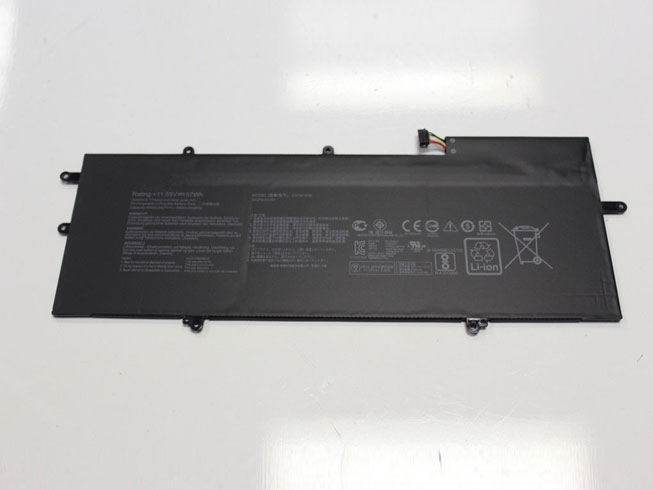
  • ASUS C31N1538 Notebook Battery Replacement

    High Quality ASUS C31N1538 Notebook Battery, secure and stable! 100% Quality Assurance and Rigorous Testing! 100% Compatible with Original Model & Completely Chargered by Original adapter. Ordering and gettiing a 30% discount!“The shortest answer is doing”! 1year warranty and 30 days money back guarantee. 

    ASUS C31N1538 Notebook Battery
    ASUS C31N1538 battery

    Current:57Wh
    Voltage: 11.55V
    C31N1538 Notebook Battery
    battery Part Numbers:
    C31N1538
    battery Fit Models:
    ASUS ZenBook Q324UA UX360UA Series

    Here,buy it now
    ES: ASUS C31N1538 Batería
    NL: ASUS C31N1538 ACCU
    IT: ASUS C31N1538 batteria
    DE: C31N1538 Akku

    We ship to the Notebook Battery around Globe [USA, Canada, UK, NZ and Ireland, Australia]. View more Notebook Battery. Contact with us if any problem on selecting power Notebook Battery.

    ASUS C31N1538 Features:
    All our high quality ASUS C31N1538 replacement Notebook Battery have been tested and proven to match and / or match the performance of the original ASUS Notebook Battery and are 100% compatible with the original manufacturer's specifications. This ASUS C31N1538 Notebook Battery comes with a 1-year limited warranty.
    Thank you for purchasing this high quality ASUS C31N1538 replacement Notebook Battery. We have a rigorous testing process to ensure that your ordered products (like this Notebook Battery for ASUS C31N1538) are functionally correct before being packaged and sent to you. And before placing an order, make sure that your old original part number of the ASUS C31N1538 Notebook Battery is listed below and that the shape is identical to the images in our Notebook Battery.

    Wholesale and retail Notebook Battery in NZ. Replacement for Acer,Apple, Compaq,Dell, FUJITSU, IBM,Lenovo,Sony and so on.

    Extend Notebook Battery ASUS C31N1538 Service life

    1. Charge the battery! Consider keeping it plugged in for 12 hours before you unplug.
    2. Switch on the optimized battery or power feature. You'll find this option — sometimes referred to as max battery mode — in your laptop system's built-in power management control panel. You can select the option to reduce the amount of time your inactive laptop stays on before powering itself down and going to sleep.
    3. Remove the battery and clean the metal contacts. Wipe them with alcohol, ideally every two months, to ensure that the power transfer between the laptop and its battery is as efficient as possible. Allow the battery to dry thoroughly before replacing it! 
    4. Unplug any laptop accessories you aren't using. Even if they're not in use, accessories drain power from the battery.

    http://www.notebookbattery.co.nz/laptop-batteies-asus/replace-battery-c31n1538-b179567.htm

    These may be you want to look for :

    MC-265360 battery replace for Amazon Kindle 4 4G 5 6 D01100

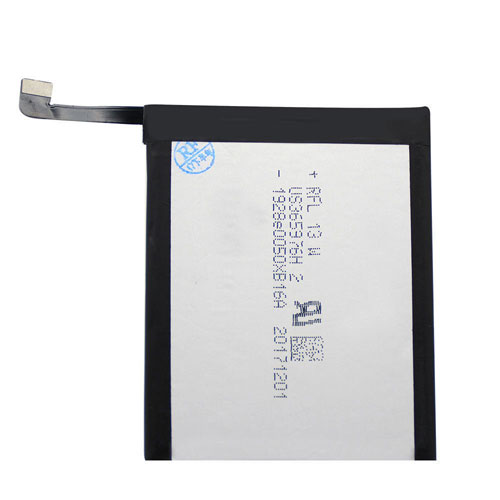
    HB356687ECW battery replace for Huawei Nova 2 Plus Dual SIM Nova2 Plus

    BO58100 battery replace for HTC One Mini M4

    C21-TX300P battery replace for Asus Transformer Book

    HB3447A9EBW battery replace for Huawei Ascend P8 GRA-L09 GRA-UL00 GRA-UL10
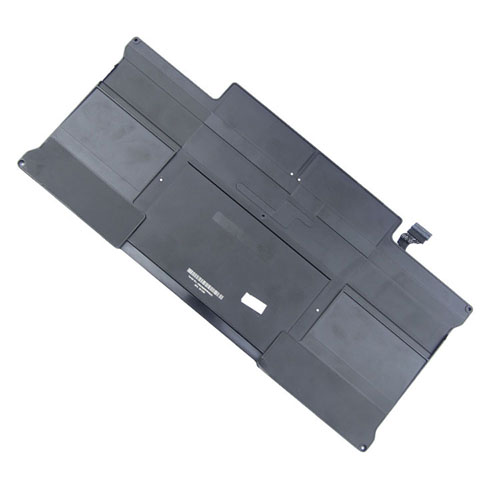
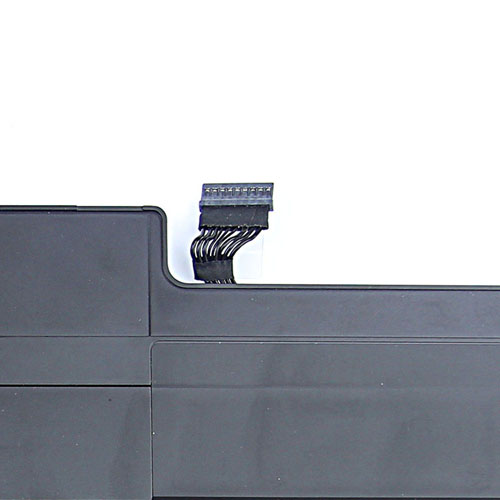
  • APPLE A1496 notebook battery for Apple MacBook Air 13 A1466(Mid 2013 / Early 2014)

    Discount apple A1496 battery NZ as a replacement battery for apple. This Li-ion battery replace A1496 for Apple MacBook Air 13 A1466(Mid 2013 / Early 2014) meet or exceed the original battery specifications.

    Apple A1496 battery Can Replace the Following Part Numbers:

    A1496

    020-8143-A

    Apple A1496 Replacement Battery Fits Models:

    APPLE:
    Macbook Air 13" A1466 Mid 2013
    Macbook Air 13" A1466 Early 2014

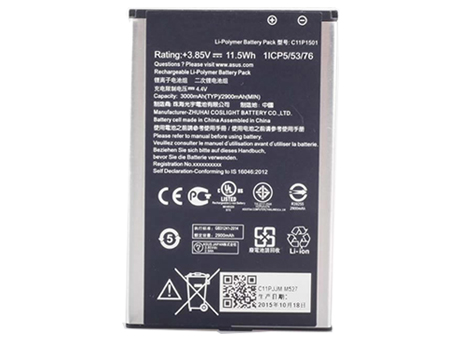
  • ASUS C11P1501 notebook battery for ASUS ZE500CL ZE551KL ZE601KL ZenFone 2

    Discount asus C11P1501 Mobile phone battery NZ as a replacement battery for asus. This Li-ion battery replace C11P1501 for ASUS ZE500CL ZE551KL ZE601KL ZenFone 2 meet or exceed the original battery specifications.

    asus

    Asus C11P1501 Mobile phone battery Can Replace the Following Part Numbers:

    C11P1501

    Asus C11P1501 Replacement Battery Fits Models:

    For ASUS ZE500CL, ZE551KL, ZE601KL, ZenFone 2, ZenFone 2 Dual SIM, ZenFone 2 Laser 6.0, ZenFone 2 Laser 6.0 Dual SIM LTE, ZenFone 2 Laser ZE551KL, Zenfone 2E

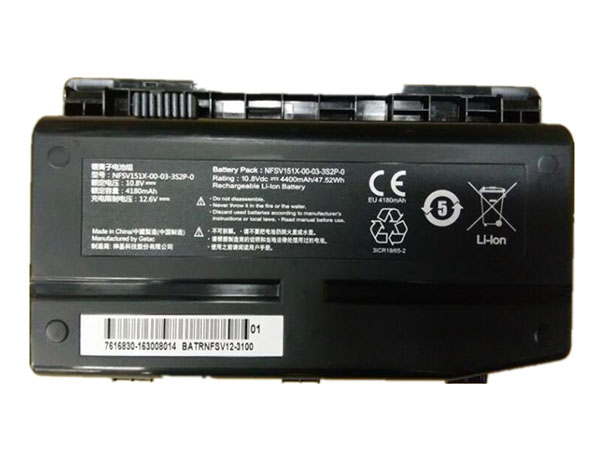
  • Long Lasting Machenike NFSV151X-00-03-3S2P-0 Replacement Notebook Battery

    high quality Machenike NFSV151X-00-03-3S2P-0 Notebook Battery, us is safe and secure!100% Guarantee Quality and Fully Test! Brand New , High quality,100% Q.C. of EVERY product. Extended run time. 
    Machenike NFSV151X-00-03-3S2P-0 battery

    MACHENIKE NFSV151X-00-03-3S2P-0 Notebook Battery

    Current:4180mAh
    Voltage: 10.8V
    NFSV151X-00-03-3S2P-0 Notebook Battery
    battery Part Numbers:
    NFSV151X-00-03-3S2P-0
    battery Fit Models:
    Machenike F117 F1 F2 F6 X6TI X6TI-M2
    Here,buy it now
    ES:Machenike NFSV151X-00-03-3S2P-0 Batería NL:Machenike NFSV151X-00-03-3S2P-0 ACCU IT:Machenike NFSV151X-00-03-3S2P-0 batteria
    DE:NFSV151X-00-03-3S2P-0 Akku.Das richtige MACHENIKE Akku finden. 
    We ship to the Notebook Battery around Globe [USA, Canada, UK, NZ and Ireland, Australia]. View more Notebook Battery. Contact with us if any problem on selecting power Notebook Battery. 
    Machenike NFSV151X-00-03-3S2P-0 Features:
    All our high quality Machenike NFSV151X-00-03-3S2P-0 replacement Notebook Battery have been tested and proven to match and / or match the performance of the original Machenike Notebook Battery and are 100% compatible with the original manufacturer's specifications. This Machenike NFSV151X-00-03-3S2P-0 Notebook Battery comes with a 1-year limited warranty.
    Thank you for purchasing this high quality Machenike NFSV151X-00-03-3S2P-0 replacement Notebook Battery. We have a rigorous testing process to ensure that your ordered products (like this Notebook Battery for Machenike NFSV151X-00-03-3S2P-0) are functionally correct before being packaged and sent to you. And before placing an order, make sure that your old original part number of the Machenike NFSV151X-00-03-3S2P-0 Notebook Battery is listed below and that the shape is identical to the images in our Notebook Battery.

    Extend Notebook Battery Machenike NFSV151X-00-03-3S2P-0 Service life

    1. Charge the battery! Consider keeping it plugged in for 12 hours before you unplug.
    2. Switch on the optimized battery or power feature. You'll find this option — sometimes referred to as max battery mode — in your laptop system's built-in power management control panel. You can select the option to reduce the amount of time your inactive laptop stays on before powering itself down and going to sleep.
    3. Remove the battery and clean the metal contacts. Wipe them with alcohol, ideally every two months, to ensure that the power transfer between the laptop and its battery is as efficient as possible. Allow the battery to dry thoroughly before replacing it! 
    4. Unplug any laptop accessories you aren't using. Even if they're not in use, accessories drain power from the battery.

    Wholesale and retail Notebook Battery in NZ. Replacement for Acer,Apple, Compaq,Dell, FUJITSU, IBM,Lenovo,Sony and so on.

    These may be you want to look for : EG04XL battery replace for HP Envy Sleekbook 6 Series Laptop 681881-1B1 , GB-S10-353235-0100 battery replace for Sony SmartWatch 3 SWR50 , BL-T12 battery replace for LG G Pad V400 V410 , BP290 battery replace for Fluke 123B/124B/125B 120B series , TBL-55A2550 battery replace for TP-LINK TL-TR961 M7350

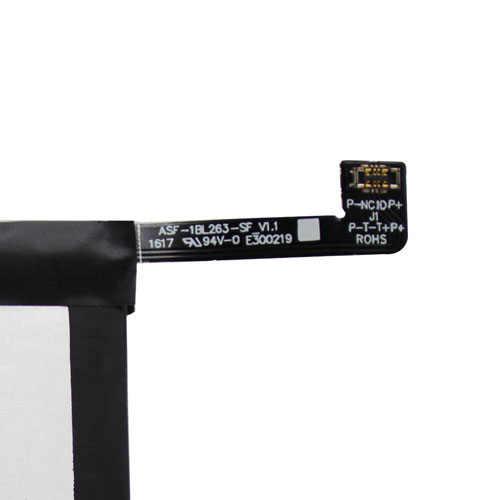
  • Lenovo BL263 notebook battery for Lenovo ZUK Z2pro Z2121

    Discount lenovo BL263 Mobile phone battery NZ as a replacement battery for lenovo. This Li-ion battery replace BL263 for Lenovo ZUK Z2pro Z2121 meet or exceed the original battery specifications.

    • Lenovo BL263 Mobile phone battery Can Replace the Following Part Numbers:

    • BL263

    • Lenovo BL263 Replacement Battery Fits Models:

    Lenovo ZUK Z2pro Z2121

    http://www.notebookbattery.co.nz/laptop-batteies-lenovo/replace-battery-bl263-b179651.htm

  • Selling hot MAXELL ER6C battery

    The MAXELL ER6C battery equivalent is guaranteed to meet or exceed original specifications. All MAXELL ER6C battery are brand new,1 year Warranty, 100% Guarantee Quality and Fully Test! 
    MAXELL ER6C battery

    MAXELL ER6C battery

    Current:1800mah
    Voltage: 3.6V
    ER6C battery
    battery Part Numbers:
    ER6C
    battery Fit Models:
    MAXELL ER6C AA Mitsubishi FX PLC F2-40BL
    Here,buy it now
    ES:MAXELL ER6C Batería NL:MAXELL ER6C ACCU IT:MAXELL ER6C batteria
    DE:ER6C Akku.Das richtige MAXELL Akku finden. 
    We ship to the battery around Globe [USA, Canada, UK, NZ and Ireland, Australia]. View more battery. Contact with us if any problem on selecting power battery. 
    MAXELL ER6C Features:
    All our high quality MAXELL ER6C replacement battery have been tested and proven to match and / or match the performance of the original MAXELL battery and are 100% compatible with the original manufacturer's specifications. This MAXELL ER6C battery comes with a 1-year limited warranty.
    Thank you for purchasing this high quality MAXELL ER6C replacement battery. We have a rigorous testing process to ensure that your ordered products (like this battery for MAXELL ER6C) are functionally correct before being packaged and sent to you. And before placing an order, make sure that your old original part number of the MAXELL ER6C battery is listed below and that the shape is identical to the images in our battery.

    Extend battery MAXELL ER6C Service life

    1. Charge the battery! Consider keeping it plugged in for 12 hours before you unplug.
    2. Switch on the optimized battery or power feature. You'll find this option — sometimes referred to as max battery mode — in your laptop system's built-in power management control panel. You can select the option to reduce the amount of time your inactive laptop stays on before powering itself down and going to sleep.
    3. Remove the battery and clean the metal contacts. Wipe them with alcohol, ideally every two months, to ensure that the power transfer between the laptop and its battery is as efficient as possible. Allow the battery to dry thoroughly before replacing it! 
    4. Unplug any laptop accessories you aren't using. Even if they're not in use, accessories drain power from the battery.

    Wholesale and retail battery in NZ. Replacement for Acer,Apple, Compaq,Dell, FUJITSU, IBM,Lenovo,Sony and so on.

    These may be you want to look for : 01AV411 battery replace for Lenovo Thinkpad E470 E470C E475 01AV412 SB10K97568 , FNB-80LI battery replace for Yaesu VX6R VX7R VXA700/710 FNB80L FNB80LI vertex , BAT-T10 battery replace for Acer Liquid X2 , HB386483ECW+ battery replace for HuaWei MaiMang 5 G9 Plus MLA-AL00 MLA-AL10 ,C11P1501 battery replace for ASUS ZE500CL ZE551KL ZE601KL ZenFone 2

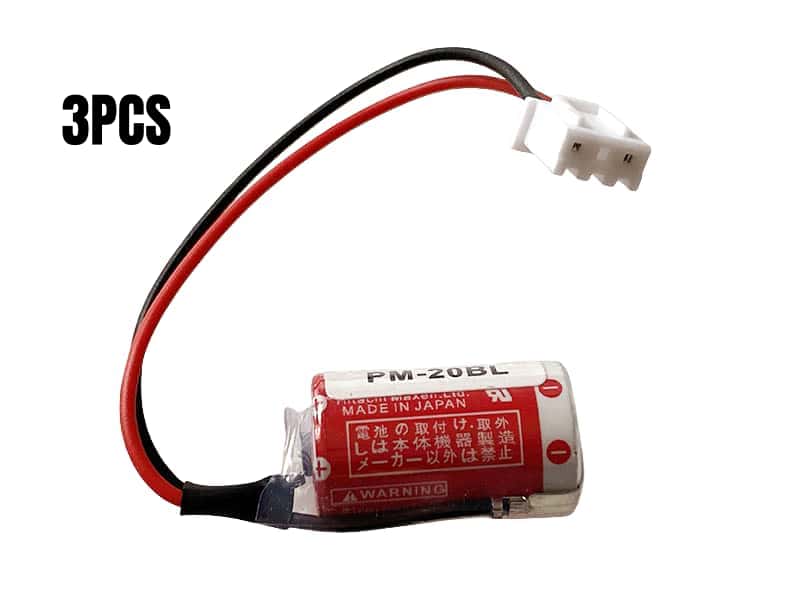
  • Replacement battery MAXELL PM-20BL(ER3)

    high quality MAXELL PM-20BL(ER3) battery, us is safe and secure!100% Guarantee Quality and Fully Test! Brand New , High quality,100% Q.C. of EVERY product. Extended run time. 
    MAXELL PM-20BL(ER3) battery

    MAXELL PM-20BL(ER3) battery

    Current:1100mah
    Voltage: 3.6V
    PM-20BL(ER3) battery
    battery Part Numbers:
    PM-20BL(ER3)
    battery Fit Models:
    MITSUBISHI PLC F940 3PCS
    Here,buy it now
    ES:MAXELL PM-20BL(ER3) Batería NL:MAXELL PM-20BL(ER3) ACCU IT:MAXELL PM-20BL(ER3) batteria
    DE:PM-20BL(ER3) Akku.Das richtige MAXELL Akku finden. 
    We ship to the battery around Globe [USA, Canada, UK, NZ and Ireland, Australia]. View more battery. Contact with us if any problem on selecting power battery. 
    MAXELL PM-20BL(ER3) Features:
    All our high quality MAXELL PM-20BL(ER3) replacement battery have been tested and proven to match and / or match the performance of the original MAXELL battery and are 100% compatible with the original manufacturer's specifications. This MAXELL PM-20BL(ER3) battery comes with a 1-year limited warranty.
    Thank you for purchasing this high quality MAXELL PM-20BL(ER3) replacement battery. We have a rigorous testing process to ensure that your ordered products (like this battery for MAXELL PM-20BL(ER3)) are functionally correct before being packaged and sent to you. And before placing an order, make sure that your old original part number of the MAXELL PM-20BL(ER3) battery is listed below and that the shape is identical to the images in our battery.

    Extend battery MAXELL PM-20BL(ER3) Service life

    1. Charge the battery! Consider keeping it plugged in for 12 hours before you unplug.
    2. Switch on the optimized battery or power feature. You'll find this option — sometimes referred to as max battery mode — in your laptop system's built-in power management control panel. You can select the option to reduce the amount of time your inactive laptop stays on before powering itself down and going to sleep.
    3. Remove the battery and clean the metal contacts. Wipe them with alcohol, ideally every two months, to ensure that the power transfer between the laptop and its battery is as efficient as possible. Allow the battery to dry thoroughly before replacing it! 
    4. Unplug any laptop accessories you aren't using. Even if they're not in use, accessories drain power from the battery.

    Wholesale and retail battery in NZ. Replacement for Acer,Apple, Compaq,Dell, FUJITSU, IBM,Lenovo,Sony and so on.

    These may be you want to look for : L15L3A02 battery replace for Lenovo L15C3A01 L15S3A01 L15L4A02 L15S4A02 ,HJS100 battery replace for Mercedes Benz Becker Navigation Map Pilot , P42G battery replace for Dell Inspiron 14-7437 Series , TLp025A2 battery replace for Alcatel One Touch Scribe HD OT-8008 8008A 8008D , LIS1474APPC battery replacefor Apple iPhone 4GS 4S

  • How do I convert battery power to AC power?

      DC power from batteries can be converted to AC power by using suitably sized power inverters. Inverters are solid-state electronic devices with transistors or IGBTs using fast switching patterns to convert the DC voltage from the batteries into AC power. Large solar panel arrays and large Uninterruptible Power Supplies (UPS) also use invertes using high-power semiconductors like IGBTs to convert DC into AC powers.

       You need a circuit to change the DC battery power to PDC (pulsating direct current) which usually involves thyristors; once established it can be stepped up or down to the desired voltage. Frequency plays a part here, but for this example we can assume we’re talking about standard line frequency, 60 HZ. The ensuing “wave “ may not exactly emulate the classic 60 hz sine wave because of inductive reactance inherent in the transformer but for utile purposes it SHOULD work in most devices designed for use in 60 hz devices.

  • If a laptop battery is 100% charged, should I run it on battery power or AC mains supply?

    You need not to run it on AC mains supply unless you're planning to go somewhere after charging that you need to conserve battery.

    If you really aren't going somewhere else, then remove the charger and use your laptop on battery power. When it'll reach something like 8%-15%, then reconnect the charger and charge till it's 90&+.

    Overcharging: In general, many of us charge our phones, laptops and other electronics till they reach their 100%. This is actually not necessary. Anything like 90%+ is enough. When you charge your electronic beyond 100%, it'll get into overcharging state. Due to flow of electric currents in battery, the battery's health tends to get weaker and weaker the more number of time and duration you overcharge it. This seriously damages battery either it be normal or even the one with overcharging protection.

    Overcharging protection does help in protecting battery getting overcharged to some extent but your laziness will even destroy that layer of protection!

    Here are the few tips from my side to help you protect your battery:

    1. Never charge your battery to 100%. Even 99% is enough. As I mentioned earlier, anything between 90& to 99% is good.

    2. Charge your laptop only when the battery percentage decreases to 20%. I charge when I get a warning of 6% battery.

    3. Never put your laptop always charging. Let it take some rest. Even full drained battery is essential once a month.

    4. Always restart your laptop once a week. I didn't believed this until I tried myself. This helps in resetting RAM.

    5. Always use original charger for your laptop. Don't use any cheap charger to save few bucks. Don't charge if you don't want to buy original charger.

    6. Always use stabilized electricity for your laptop. High or unstable voltage tend to harm display and battery.

    7. If you have a Lenovo or Dell brand laptop, then enable the 'charge till' option in your laptop. In Lenovo, you can use 'Optimized Battery Health' in pre-installed power management software. Don't know about other brands. Maybe try installing some software if it really helps.

    8. Use Windows Power Options according to your need to save power. Let it put your Laptop on standby after some duration of laptop being unused.

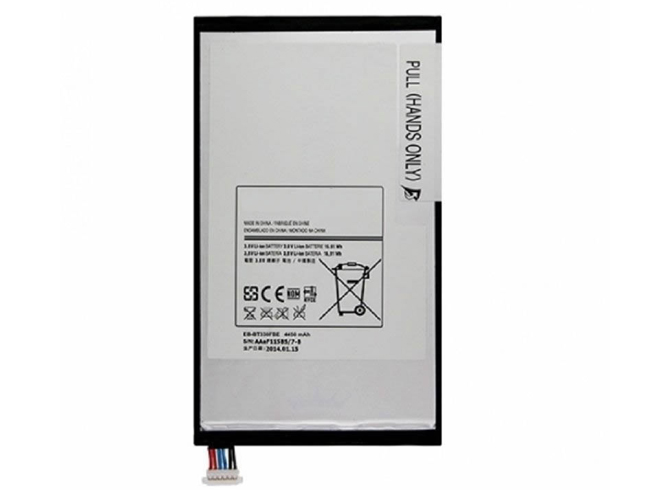
  • Samsung EB-BT330FBE notebook battery for Samsung Galaxy Tab 4 8.0 T330 SM-T330 T331 T335 T331 T337

    The high quality of this 4450mAh 3.8V samsung EB-BT330FBE batteries are fast ship to New Zealand, UK/Europe and other country. Saving your money and time to select suitable brand new samsung battery here for your Samsung Galaxy Tab 4 8.0 T330 SM-T330 T331 T335 T331 T337.

    We guarantee this replacement battery samsung EB-BT330FBE with a full one-year warranty from the date of purchase, 30-days money back, fast shopping! Any question or suggestion about this ? please Contact us so we can offer you the most convenient service.

    samsung

    Samsung EB-BT330FBE battery Can Replace the Following Part Numbers:

    EB-BT330FBE

    Samsung EB-BT330FBE Replacement Battery Fits Models:

    Samsung Galaxy Tab 4 8.0 SM-T330 SM-T331 SM-T335 SM-T337A SM-T337T SM-T337V

    http://www.notebookbattery.co.nz/laptop-batteies-samsung/replace-battery-eb-bt330fbe-b178802.htm