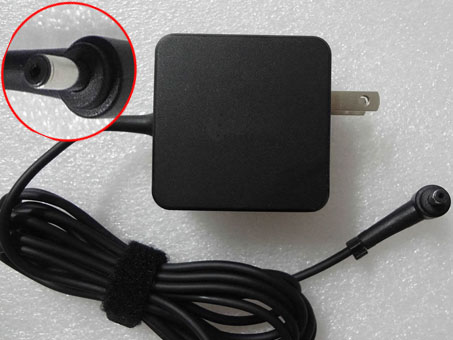
ASUS AD82030 Power Adapter
AD82030 Universal Laptop Power Adapter. 100% Compatible with US Plug AC/DC Asus Eee PC 1001HA 1001P 1001PX 1005HA 1201HAG FR ASUS Eee Pad.
ASUS AD82030 Power Adapter - Product information
NZ laptop Ac Adapter shop, buy cheap ASUS AD82030 replacement laptop Ac Adapter, AD82030 AC Adapter with low price and high quality! Brand New Adapters for US Plug AC/DC Asus Eee PC 1001HA 1001P 1001PX 1005HA 1201HAG FR ASUS Eee Pad.
AC Input:100-240v / 50-60hz
DC Output: 19V 1.58A-2.1A 30W- 40W
AD82030 Power Adapter
Adapter Part Numbers:
Out power: 30W- 40w
Connector: 2.5*0.7mm
AD820M0,EXA1004EH,EXA1004UH,AD6630,EXA0901XH,
90-XB02OAPW00010Q,90-XB020APW00050Q,
90-XB02OAPW00110Q,90-XB02OAPW00100Q,90-XB02OAPW00000Q
Adapter Fit Models:
Asus Eee PC 1001P
ASUS Eee PC 1005 Series:
Asus Eee PC 1005H
Asus Eee PC 1005HE
Asus Eee PC 1005HR
Asus Eee PC 1005P
Asus Eee PC 1005PE
Asus Eee PC 1001P
ASUS Eee PC 1005 Series:
Asus Eee PC 1005H
Asus Eee PC 1005HE
Asus Eee PC 1005HR
Asus Eee PC 1005P
Asus Eee PC 1005PE
ASUS Eee PC 1005HA Series:
Asus Eee PC 1005HA
Asus Eee PC 1005HAB
Asus Eee PC 1005HA-B
Asus Eee PC 1005HA-E
Asus Eee PC 1005HA-P
Asus Eee PC 1005HA-V
Asus Eee PC 1005HA-A
Asus Eee PC 1005HA-E
Asus Eee PC 1005HA-P
Asus Eee PC 1005HA-V
Asus Eee PC 1005HA_GG
Asus Eee PC 1005HA-EU1X
Asus Eee PC 1005HA-EU1X-BK
Asus Eee PC 1005HA-PU1X
Asus Eee PC 1005HA-PU1X-BK
Asus Eee PC 1005HA-PU1X-BU
Asus Eee PC 1005HA-VU1X
Asus Eee PC 1005HA-VU1X-BK
Asus Eee PC 1005HA-VU1X-WT
Asus Eee PC 1005HA-VU1X-BU
Asus Eee PC 1005HA-VU1X-PI
ASUS Eee PC 1008HA Series:
Asus Eee PC 1008HA
Asus Eee PC 1008HAG
Asus Eee PC 1008P
ASUS Eee PC 1101HA Series:
Asus Eee PC 1101HA
Asus Eee PC 1101HA_GG
Asus Eee PC 1101HAG
Asus Eee PC 1101HAB
Asus Eee PC 1101HGO
Asus Eee PC 101HA-MU1X
Asus Eee PC 101HA-MU1X-BK
ASUS Eee PC 1104HA Series
ASUS Eee PC 1106HA Series
ASUS Eee PC 1201 Series:
Asus Eee PC 1201N
Asus Eee PC 1201NL
Asus Eee PC 1201T
Asus Eee PC 1201HA
Asus Eee PC 1201HAG

JP:ASUS AD82030
DE:AD82030 Notebook-Netzteile.Das richtige ASUS Laptop Netzteil finden.
The ASUS AD82030 AC adapter is used to recharge the battery in a notebook and to provide dependable power for operating the notebook for long periods of time. If an AC adapter fails it will not recharge the battery and it will not provide power to operate the notebook without a battery.
Test the ASUS AD82030 AC Adapter
Connect the output cord from the AC adapter to the notebook and plug the power cord into a working electrical outlet. Perform one or more of the following tasks to check the operation of the AC power adapter.
Check the power icon in the system tray.
If the icon resembles a power cord, and if moving the cursor over the icon displays the On AC Power message, the AC adapter is operating properly.
If the icon resembles a battery when the AC adapter is connected, the adapter is defective.
Check if the AC power adapter can operate the notebook when the battery is removed.
Do a normal shutdown of the PC.
Remove the battery from the Notebook.
Connect the ASUS power adapter and press the Power button to start the notebook.
If the PC does not start and operate normally, the AC adapter is defective and must be replaced.
If the PC does start and operate normally, the AC adapter is working properly
Determine the AC Adapter Part Number
Different notebook models require different AC adapters. You will need to know the Product Number of your notebook to determine the Part Number of the replacement part.
Perform one of the following tasks to find the Product Number of your notebook.
Click Start, then click Help & Support. The product name, product number, and serial number of the notebook are displayed in the upper left hand corner of the Help and Support home page.
If the Notebook computer is not powered on, turn it over and locate the ASUS Service Tag fastened to the back of the notebook. The Product Number (P/N) is printed on this tag. On some Notebook computers, the ASUS Service Tag is located inside the battery compartment. Remove the battery from the Notebook to view the ASUS Service Tag information.
Power Adapter Fast Shipping
Why buy laptop batteries & AC adapters from us?
www.notebookbattery.co.nz is quite a big site for selling laptop batteries,laptop AC adapters and electronic products online.
Low Prices Guarantee - Your best source for batteries and adapters. We are a new lithium battery manufacturer,Wholesaler and distributor of notebook computer batteries & AC adapter. Factory-direct price!
High Quality Guarantee - The batteries and adapters are rigorously tested for voltage, capacity, compatibility and safety to exceed original equipment manufacturer's specifications . The cheap batteries meet or exceed the original batteries.
Secure Shopping Guarantee- Shopping is easy and 100% secure. We value your privacy and keep your order and personal information safe. We never share or rent our customer's data. Click the "Add to cart" button to order what you need easily.
Wholesale and retail laptop adapter in NZ. Replacement for Acer,Apple, Compaq,Dell, FUJITSU, IBM,Lenovo,Sony and so on.
How to select laptop Adapter? Make sure the volt and currect of adapter is same as your origial. carefully check the size of tip of adapter is correct. check and confirm with the photo of power adapter is the one you are looking for. We ship to the Laptop adapter around Globe [USA, Canada, UK, NZ and Ireland, Australia]. View more laptop adapter. Contact with us if any problem on selecting power adapter.
These may be you want to look for : HP 504965-001 power supply, Lenovo HKF2002-32 power supply, hp ENP-2320 power supply, Dell 0T122K power supply, dell K340R power supply,
New Replacement asus A31-K56 for ASUS A56CM A56CA A56C A56 serie
-
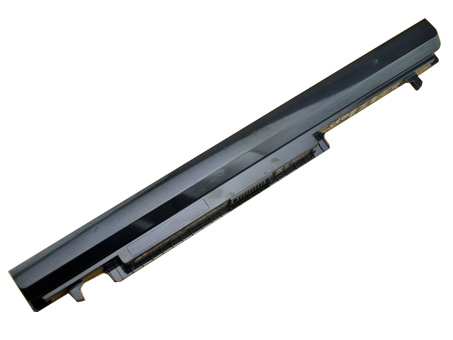
Brand New Battery For asus A31-K56, laptop battery specifications(Li-ion, 2200mAh ,15V), lowest price and 30 days money back, 1-year warranty. 100% compatible with ASUS A56CM A56CA A56C A56 serie.ASUS A31-K56 A32-K56 A41-K56 A42-K56 Replacement laptop Battery [2200mAh, 15V]
Replace the following part numbers:
A42-K56,A41-K56,A32-K56,A31-K56
Fits the Following Models:
ASUS A46 Ultrabook
ASUS A46C Series ASUS A46CA Series ASUS A46CM Series
ASUS A56 Ultrabook
ASUS A56C Series ASUS A56CA Series ASUS A56CM Series
ASUS K46 Ultrabook
ASUS K46C Series ASUS K46CA Series ASUS K46CM Series
ASUS K56 Ultrabook
ASUS K56C Series ASUS K56CA Series ASUS K56CM Series
ASUS S40 Ultrabook
ASUS S40C Series ASUS S40CA Series ASUS S40CM Series
ASUS S405 Ultrabook
ASUS S405C Series ASUS S405CA Series ASUS S405CM Series
ASUS S46 Ultrabook
ASUS S46C Series ASUS S46CA Series ASUS S46CM Series
ASUS S505 Ultrabook
ASUS S505C Series ASUS S505CA Series ASUS S505CM Series
ASUS S56 Ultrabook
ASUS S56C Series ASUS S56CA Series ASUS S56CM SeriesQ:How do I extend the life of my laptop battery?
- + New asus A31-K56 Battery Pack must be fully charged before use.If you don't use your laptop for a period of time,you must fully discharge then recharge the asus A31-K56 battery.
- + Always use a laptop on a hard surface. Don’t put it on your lap (despite its name) or on thermal insulating materials such as cushions. If you like to work in bed with your laptop, I recommend using a laptop table. I have this one, and I am quite content with it.
- + Try to avoid charging the battery while you are working with the laptop. Charging the asus A31-K56 batteries increases your laptop’s temperature. The problem is that the CPU, the graphics card and the hard disk also heat up your laptop, which adds to the temperature increase experienced when charging the asus A31-K56 battery. Many vendors deliver their laptops with software that allows you to disable charging. You also can remove the asus A31-K56 battery while you are working on AC current.
- + Make sure the laptop’s ventilation can always work properly. Don’t place objects before the ventilation systems opening. Don’t run or charge the laptop while it is in its case.
- + Don’t leave the laptop in the car or under the sun in summer. Use a bike. It keeps your 2200mAh 15V ASUS A31-K56 A32-K56 A41-K56 A42-K56 laptop battery cool and your own battery healthy. And too much sun exposure causes only skin cancer anyway.
You are in the biggest replacement laptop battery and laptop ac adapters online store, We offer more than 18000 types laptop battery, compatable more than 2000000 laptop models, related 180 top laptop brand. We specialize in replacement laptop batteries and Laptop adapter for most top brand laptop on the market, Such as Acer, Apple, Asus, Dell, HP, IBM, Sony, Toshiba, Samsung and so on.
Sony LIS1485ERPC Cell Phone Battery replacement for Sony 4 Xperia Ion LT28i LT28 LT28at LT28h Aoba
Samsung EB-BA700ABE Cell Phone Battery replacement for Samsung Galaxy A7 A700 A700FD A700S A700L
THL BL-06 Cell Phone Battery replacement for THL T6S THL T6 PRO
Intermec 1001AB01 Cell Phone Battery replacement for Intermec CK70 CK71
Nokia BP-3L Cell Phone Battery replacement for Nokia Lumia 710 BP3L
HTC BL83100 Cell Phone Battery replacement for HTC Droid DNA ADR643
NOKIA BL-L4A Cell Phone Battery replacement for Lumia 535 RM-1090 RM1089 NOKIA
Sony LIS1499ERPC Cell Phone Battery replacement for SONY LT30 LT30p Xperia T Xperia TL BDRG
Teach you how to do here:
1. When first time using asus A31-K56 battery, Please carefully read the user manual about Battery maintain parts.
2. Please fully charge at most 12 hours in first asus A31-K56 battery charge time. Bcause it is need three/four times for charge/discharge cycles to get the maximum capacity of battery.
3. If without using notebook long time(more than 3 weeks) or found that your asus A31-K56 battery charge/discharge time become shorter and shorter, you have to fully discharge the battery before next time charge again.
4. It is better to keep the laptop power off during charge the asus A31-K56 battery pack. And don't unplugged power or using your notebook during the battery half-way charge. The best time using is 30 minutes fully charge later.
5. Keep your asus A31-K56 battery far away from damp,exposure,and erosion some chemical liquids and others to avoid making battery short-circuit.Batterijen Sales Nederland / België asus A31-K56 ACCU >> ASUS ACCU
Laptop power adaptors and chargers are necessary accessories that enable the charging of such portable devices. Adaptors and charges aren’t created equal, which is why you should always be looking for premium quality. Each of the Laptop Battery Express adaptors has been chosen because of its quality and affordability. You can rest assured that you’re getting access to some of the best replacement items on the market. We have laptop power adaptors for a vast range of brands and models.Discover laptop power adaptors that will be just right for you.
Replacement Li-ion Battery Power Pack for ASUS A31-B43
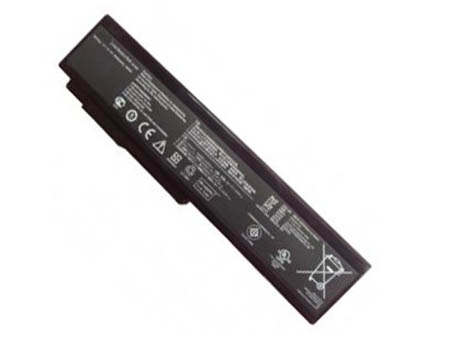
ASUS A31-B43 4400mAh ,11.1V Li-ion laptop battery is made from the highest quality cells and parts. The ASUS A31-B43 is designed to meet or exceed original equipment specifications. Shopping with us is safe and secure! 100% Guarantee Quality and Fully Test! ASUS A31-B43 laptop battery pack for Asus B43 serie
ASUS A31-B43 A32-B43 Replacement laptop Battery [4400mAh, 11.1V]
Replace the following part numbers:
A31-B43,A32-B43
Fits the Following Models:
For Asus
B43 Series(All) B43E B43EI
B43F B43J B43JC
B43JE B43JF B43JH
B43JN B43JR B43S
B43SJ B43J-B1B
Q:How do I extend the life of my laptop battery?
- + New ASUS A31-B43 Battery Pack must be fully charged before use.If you don't use your laptop for a period of time,you must fully discharge then recharge the ASUS A31-B43 battery.
- + Always use a laptop on a hard surface. Don’t put it on your lap (despite its name) or on thermal insulating materials such as cushions. If you like to work in bed with your laptop, I recommend using a laptop table. I have this one, and I am quite content with it.
- + Try to avoid charging the battery while you are working with the laptop. Charging the ASUS A31-B43 batteries increases your laptop’s temperature. The problem is that the CPU, the graphics card and the hard disk also heat up your laptop, which adds to the temperature increase experienced when charging the ASUS A31-B43 battery. Many vendors deliver their laptops with software that allows you to disable charging. You also can remove the ASUS A31-B43 battery while you are working on AC current.
- + Make sure the laptop’s ventilation can always work properly. Don’t place objects before the ventilation systems opening. Don’t run or charge the laptop while it is in its case.
- + Don’t leave the laptop in the car or under the sun in summer. Use a bike. It keeps your 4400mAh 11.1V ASUS A31-B43 A32-B43 laptop battery cool and your own battery healthy. And too much sun exposure causes only skin cancer anyway.
You are in the biggest replacement laptop battery and laptop ac adapters online store, We offer more than 18000 types laptop battery, compatable more than 2000000 laptop models, related 180 top laptop brand. We specialize in replacement laptop batteries and Laptop adapter for most top brand laptop on the market, Such as Acer, Apple, Asus, Dell, HP, IBM, Sony, Toshiba, Samsung and so on.
MobiWire 178092716 Cell Phone Battery replacement for MobiWire 178092716 Phone panels
Sony LIS1485ERPC Cell Phone Battery replacement for Sony 4 Xperia Ion LT28i LT28 LT28at LT28h Aoba
SANYO DB-L80 Cell Phone Battery replacement for SANYO DB-L80 VPC-CS1 CG20 CG88 CG100 CA100 GH1 GH3
Lenovo BL243 Cell Phone Battery replacement for lenovo a7000 lenovo k50 k50t
Motorola 21-65587-03 Cell Phone Battery replacement for Symbol MOTOROLA MC9000 MC9090 MC9090-G
HTC BL01100 Cell Phone Battery replacement for HTC A320 Desire C Golf One V a320e
THL BL-06 Cell Phone Battery replacement for THL T6S THL T6 PRO
LG BL-T8 Cell Phone Battery replacement for LG G Flex D950 D955 D958 D959 F340 LS995 +Tools
Teach you how to do here:
1. When first time using ASUS A31-B43 battery, Please carefully read the user manual about Battery maintain parts.
2. Please fully charge at most 12 hours in first ASUS A31-B43 battery charge time. Bcause it is need three/four times for charge/discharge cycles to get the maximum capacity of battery.
3. If without using notebook long time(more than 3 weeks) or found that your ASUS A31-B43 battery charge/discharge time become shorter and shorter, you have to fully discharge the battery before next time charge again.
4. It is better to keep the laptop power off during charge the ASUS A31-B43 battery pack. And don't unplugged power or using your notebook during the battery half-way charge. The best time using is 30 minutes fully charge later.
5. Keep your ASUS A31-B43 battery far away from damp,exposure,and erosion some chemical liquids and others to avoid making battery short-circuit.
Batterijen Sales Nederland / België ASUS A31-B43 ACCU >> ASUS ACCU
Laptop power adaptors and chargers are necessary accessories that enable the charging of such portable devices. Adaptors and charges aren’t created equal, which is why you should always be looking for premium quality. Each of the Laptop Battery Express adaptors has been chosen because of its quality and affordability. You can rest assured that you’re getting access to some of the best replacement items on the market. We have laptop power adaptors for a vast range of brands and models.Discover laptop power adaptors that will be just right for you.
ASUS C22-1018 Laptop Battery in UK Europe
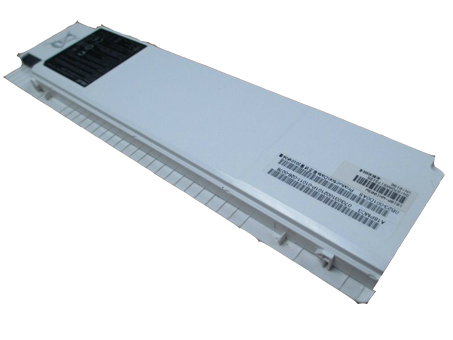
ASUS C22-1018 replacement laptop battery for Asus Eee PC 1018P serie, UK laptop battery shop, buy cheap ASUS C22-1018 laptop batteries, ASUS C22-1018 notebook battery with low price and high quality!This Li-ion ASUS C22-1018 meet or exceed the original laptop battery specifications.
ASUS C22-1018 70-OA282B1000 Replacement laptop Battery [6000mah, 7.4V]
Replace the following part numbers:
70-OA282B1000,70-OA282B1200,C22-1018
Fits the Following Models:
Asus Eee PC 1018
Asus Eee PC 1018P
Asus Eee PC 1018PB
Asus Eee PC 1018PD
Asus Eee PC 1018PE
Asus Eee PC 1018PEB
Asus Eee PC 1018PED
Asus Eee PC 1018PEM
Asus Eee PC 1018PG
Asus Eee PC 1018PN
Q:How do I extend the life of my laptop battery?
- + New ASUS C22-1018 Battery Pack must be fully charged before use.If you don't use your laptop for a period of time,you must fully discharge then recharge the ASUS C22-1018 battery.
- + Always use a laptop on a hard surface. Don’t put it on your lap (despite its name) or on thermal insulating materials such as cushions. If you like to work in bed with your laptop, I recommend using a laptop table. I have this one, and I am quite content with it.
- + Try to avoid charging the battery while you are working with the laptop. Charging the ASUS C22-1018 batteries increases your laptop’s temperature. The problem is that the CPU, the graphics card and the hard disk also heat up your laptop, which adds to the temperature increase experienced when charging the ASUS C22-1018 battery. Many vendors deliver their laptops with software that allows you to disable charging. You also can remove the ASUS C22-1018 battery while you are working on AC current.
- + Make sure the laptop’s ventilation can always work properly. Don’t place objects before the ventilation systems opening. Don’t run or charge the laptop while it is in its case.
- + Don’t leave the laptop in the car or under the sun in summer. Use a bike. It keeps your 6000mah 7.4V ASUS C22-1018 70-OA282B1000 laptop battery cool and your own battery healthy. And too much sun exposure causes only skin cancer anyway.
You are in the biggest replacement laptop battery and laptop ac adapters online store, We offer more than 18000 types laptop battery, compatable more than 2000000 laptop models, related 180 top laptop brand. We specialize in replacement laptop batteries and Laptop adapter for most top brand laptop on the market, Such as Acer, Apple, Asus, Dell, HP, IBM, Sony, Toshiba, Samsung and so on.
Motorola EG30 Cell Phone Battery replacement for DROID SNN5916A XT907 RAZR I XT890
Lenovo BL204 Cell Phone Battery replacement for Lenovo A670T A586 A630T A765E A696
HTC BL83100 Cell Phone Battery replacement for HTC Droid DNA ADR643
MOTOROLA 82-71364-03 Cell Phone Battery replacement for Symbol MOTOROLA MC70 MC75 FR68 MC7090 MC7004
HTC BL01100 Cell Phone Battery replacement for HTC A320 Desire C Golf One V a320e
MobiWire 178092716 Cell Phone Battery replacement for MobiWire 178092716 Phone panels
SONY LIS1529ERPC Cell Phone Battery replacement for Sony Xperia Z1 Compact D5503 M51W/mini
Motorola EV40 Cell Phone Battery replacement for Motorola XT926 Droid Razr Maxx HD
Lenovo BL253 Cell Phone Battery replacement for Lenovo A2010 A2800-D A3600d a2580 a2860 A3800d
Nokia BV-T4B Cell Phone Battery replacement for Nokia Lumia 640 XL RM-1096 1062 1063(AT&T Microsoft)
Teach you how to do here:
1. When first time using ASUS C22-1018 battery, Please carefully read the user manual about Battery maintain parts.
2. Please fully charge at most 12 hours in first ASUS C22-1018 battery charge time. Bcause it is need three/four times for charge/discharge cycles to get the maximum capacity of battery.
3. If without using notebook long time(more than 3 weeks) or found that your ASUS C22-1018 battery charge/discharge time become shorter and shorter, you have to fully discharge the battery before next time charge again.
4. It is better to keep the laptop power off during charge the ASUS C22-1018 battery pack. And don't unplugged power or using your notebook during the battery half-way charge. The best time using is 30 minutes fully charge later.
5. Keep your ASUS C22-1018 battery far away from damp,exposure,and erosion some chemical liquids and others to avoid making battery short-circuit.
Batterijen Sales Nederland / België ASUS C22-1018 ACCU >> ASUS ACCU
Laptop power adaptors and chargers are necessary accessories that enable the charging of such portable devices. Adaptors and charges aren’t created equal, which is why you should always be looking for premium quality. Each of the Laptop Battery Express adaptors has been chosen because of its quality and affordability. You can rest assured that you’re getting access to some of the best replacement items on the market. We have laptop power adaptors for a vast range of brands and models.Discover laptop power adaptors that will be just right for you.
New Replacement asus A41-U36 for Asus U36 U36J U36JC U36S U36SD serie
-
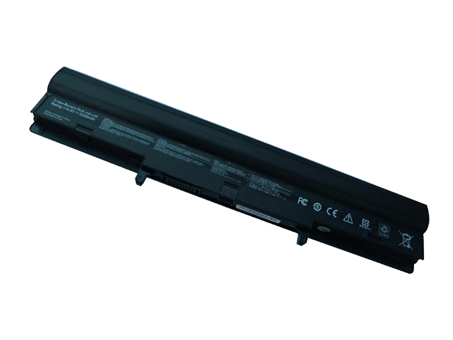
Fast Shipping ! Cheap asus A41-U36 Laptop Batteries in UK. Deals for high quality asus A41-U36 Laptop Batteries. All batteries asus A41-U36 for Asus U36 U36J U36JC U36S U36SD serie on sale now.ASUS A41-U36 A42-U36 Replacement laptop Battery [5200mAh, 14.8V]
Replace the following part numbers:
4INR18/65,4INR18/65-2,A41-U36,A42-U36
Fits the Following Models:ASUS U36 Series(All)
ASUS U36J Series(All)
ASUS U36JC Series(All)
ASUS U36S Series(All)
ASUS U36SD Series(All)
Q:How do I extend the life of my laptop battery?
- + New asus A41-U36 Battery Pack must be fully charged before use.If you don't use your laptop for a period of time,you must fully discharge then recharge the asus A41-U36 battery.
- + Always use a laptop on a hard surface. Don’t put it on your lap (despite its name) or on thermal insulating materials such as cushions. If you like to work in bed with your laptop, I recommend using a laptop table. I have this one, and I am quite content with it.
- + Try to avoid charging the battery while you are working with the laptop. Charging the asus A41-U36 batteries increases your laptop’s temperature. The problem is that the CPU, the graphics card and the hard disk also heat up your laptop, which adds to the temperature increase experienced when charging the asus A41-U36 battery. Many vendors deliver their laptops with software that allows you to disable charging. You also can remove the asus A41-U36 battery while you are working on AC current.
- + Make sure the laptop’s ventilation can always work properly. Don’t place objects before the ventilation systems opening. Don’t run or charge the laptop while it is in its case.
- + Don’t leave the laptop in the car or under the sun in summer. Use a bike. It keeps your 5200mAh 14.8V ASUS A41-U36 A42-U36 laptop battery cool and your own battery healthy. And too much sun exposure causes only skin cancer anyway.
You are in the biggest replacement laptop battery and laptop ac adapters online store, We offer more than 18000 types laptop battery, compatable more than 2000000 laptop models, related 180 top laptop brand. We specialize in replacement laptop batteries and Laptop adapter for most top brand laptop on the market, Such as Acer, Apple, Asus, Dell, HP, IBM, Sony, Toshiba, Samsung and so on.
LG BL-T19 Cell Phone Battery replacement for LG H791 H798 H790 Google Nexus 5X L-T19 BLT19
Motorola EG30 Cell Phone Battery replacement for DROID SNN5916A XT907 RAZR I XT890
Sony LIS1525ERPC Cell Phone Battery replacement for Sony Xperia Z1 C6902 C6903 C6906 L39h
Asus C11- A80 Cell Phone Battery replacement for 1*bp-Replace 3.8DVC 2400mah
MobiWire 178088746 Cell Phone Battery replacement for MobiWire 3.7V 1400MAh 5.18Wh Phone panels
LG BL-T7 Cell Phone Battery replacement for LG Optimus G2 D800 D801 D802 D803 VS980 LS980 with tools
Lenovo BL204 Cell Phone Battery replacement for Lenovo A670T A586 A630T A765E A696
LG BL-51YF Cell Phone Battery replacement for LG G4 F500 H810 H815 LS991 VS986
MOTOROLA 82-71364-03 Cell Phone Battery replacement for Symbol MOTOROLA MC70 MC75 FR68 MC7090 MC7004
Teach you how to do here:
1. When first time using asus A41-U36 battery, Please carefully read the user manual about Battery maintain parts.
2. Please fully charge at most 12 hours in first asus A41-U36 battery charge time. Bcause it is need three/four times for charge/discharge cycles to get the maximum capacity of battery.
3. If without using notebook long time(more than 3 weeks) or found that your asus A41-U36 battery charge/discharge time become shorter and shorter, you have to fully discharge the battery before next time charge again.
4. It is better to keep the laptop power off during charge the asus A41-U36 battery pack. And don't unplugged power or using your notebook during the battery half-way charge. The best time using is 30 minutes fully charge later.
5. Keep your asus A41-U36 battery far away from damp,exposure,and erosion some chemical liquids and others to avoid making battery short-circuit.Batterijen Sales Nederland / België asus A41-U36 ACCU >> ASUS ACCU
Laptop power adaptors and chargers are necessary accessories that enable the charging of such portable devices. Adaptors and charges aren’t created equal, which is why you should always be looking for premium quality. Each of the Laptop Battery Express adaptors has been chosen because of its quality and affordability. You can rest assured that you’re getting access to some of the best replacement items on the market. We have laptop power adaptors for a vast range of brands and models.Discover laptop power adaptors that will be just right for you.
Battery asus A32-K93 – Low Prices + Fast Shipping
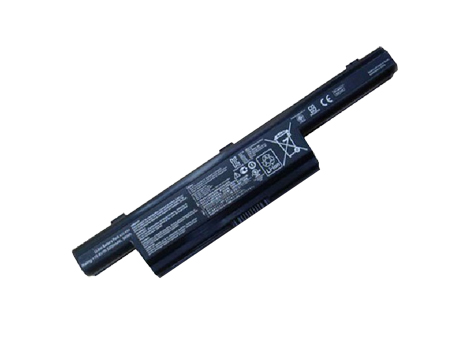
Brand New Battery For asus A32-K93, laptop battery specifications(Li-ion, 5200mAh ,10.8V), lowest price and 30 days money back, 1-year warranty. 100% compatible with ASUS K93 K93S K93SV serie.
ASUS A32-K93 A42-K93 Replacement laptop Battery [5200mAh, 10.8V]
Replace the following part numbers:
A32-K93,A42-K93
Fits the Following Models:
ASUS K93 K93S K93SV Series
Q:How do I extend the life of my laptop battery?
- + New asus A32-K93 Battery Pack must be fully charged before use.If you don't use your laptop for a period of time,you must fully discharge then recharge the asus A32-K93 battery.
- + Always use a laptop on a hard surface. Don’t put it on your lap (despite its name) or on thermal insulating materials such as cushions. If you like to work in bed with your laptop, I recommend using a laptop table. I have this one, and I am quite content with it.
- + Try to avoid charging the battery while you are working with the laptop. Charging the asus A32-K93 batteries increases your laptop’s temperature. The problem is that the CPU, the graphics card and the hard disk also heat up your laptop, which adds to the temperature increase experienced when charging the asus A32-K93 battery. Many vendors deliver their laptops with software that allows you to disable charging. You also can remove the asus A32-K93 battery while you are working on AC current.
- + Make sure the laptop’s ventilation can always work properly. Don’t place objects before the ventilation systems opening. Don’t run or charge the laptop while it is in its case.
- + Don’t leave the laptop in the car or under the sun in summer. Use a bike. It keeps your 5200mAh 10.8V ASUS A32-K93 A42-K93 laptop battery cool and your own battery healthy. And too much sun exposure causes only skin cancer anyway.
You are in the biggest replacement laptop battery and laptop ac adapters online store, We offer more than 18000 types laptop battery, compatable more than 2000000 laptop models, related 180 top laptop brand. We specialize in replacement laptop batteries and Laptop adapter for most top brand laptop on the market, Such as Acer, Apple, Asus, Dell, HP, IBM, Sony, Toshiba, Samsung and so on.
Samsung EB-BA800ABE Cell Phone Battery replacement for Samsung Galaxy A8 SM-A8000 EB- BA800ABE
Motorola GK40 Cell Phone Battery replacement for motorola GK40 Motorola Moto G4 Play (XT1607)
LG BL-T10 Cell Phone Battery replacement for LG GPAD G PAD 8.3 BL-T10 VK810 V500
MOTOROLA 82-71364-03 Cell Phone Battery replacement for Symbol MOTOROLA MC70 MC75 FR68 MC7090 MC7004
LG BL-T5 Cell Phone Battery replacement for LG F180L/S/K Optimus G (LG Gee)
Motorola FX30 Cell Phone Battery replacement for Motorola XT1575 Moto X Pure Edition / Moto X Style
Samsung EB-BN910BBE Cell Phone Battery replacement for Samsung Galaxy Note 4
iPhone 616-0772 Cell Phone Battery replacement for iPhone 6 Plus +Tool
Teach you how to do here:
1. When first time using asus A32-K93 battery, Please carefully read the user manual about Battery maintain parts.
2. Please fully charge at most 12 hours in first asus A32-K93 battery charge time. Bcause it is need three/four times for charge/discharge cycles to get the maximum capacity of battery.
3. If without using notebook long time(more than 3 weeks) or found that your asus A32-K93 battery charge/discharge time become shorter and shorter, you have to fully discharge the battery before next time charge again.
4. It is better to keep the laptop power off during charge the asus A32-K93 battery pack. And don't unplugged power or using your notebook during the battery half-way charge. The best time using is 30 minutes fully charge later.
5. Keep your asus A32-K93 battery far away from damp,exposure,and erosion some chemical liquids and others to avoid making battery short-circuit.
Batterijen Sales Nederland / België asus A32-K93 ACCU >> ASUS ACCU
Laptop power adaptors and chargers are necessary accessories that enable the charging of such portable devices. Adaptors and charges aren’t created equal, which is why you should always be looking for premium quality. Each of the Laptop Battery Express adaptors has been chosen because of its quality and affordability. You can rest assured that you’re getting access to some of the best replacement items on the market. We have laptop power adaptors for a vast range of brands and models.Discover laptop power adaptors that will be just right for you.
New Replacement ASUS A41N1308 for Asus X551C serie
-
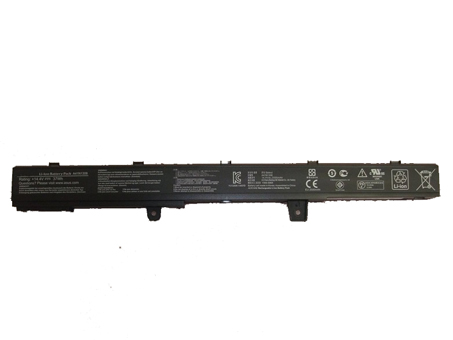
Brand New Battery For ASUS A41N1308, laptop battery specifications(Li-ion, 2500mah/37Wh ,14.4V), lowest price and 30 days money back, 1-year warranty. 100% compatible with Asus X551C serie.ASUS A41N1308 YU12008-13007D X45Li9C Replacement laptop Battery [2500mah/37Wh, 14.4V]
Replace the following part numbers:
A41N1308,YU12008-13007D,X45Li9C,0B110-00250100M-A1A1A-327-03D3
Fits the Following Models:
Asus X551C SeriesQ:How do I extend the life of my laptop battery?
- + New ASUS A41N1308 Battery Pack must be fully charged before use.If you don't use your laptop for a period of time,you must fully discharge then recharge the ASUS A41N1308 battery.
- + Always use a laptop on a hard surface. Don’t put it on your lap (despite its name) or on thermal insulating materials such as cushions. If you like to work in bed with your laptop, I recommend using a laptop table. I have this one, and I am quite content with it.
- + Try to avoid charging the battery while you are working with the laptop. Charging the ASUS A41N1308 batteries increases your laptop’s temperature. The problem is that the CPU, the graphics card and the hard disk also heat up your laptop, which adds to the temperature increase experienced when charging the ASUS A41N1308 battery. Many vendors deliver their laptops with software that allows you to disable charging. You also can remove the ASUS A41N1308 battery while you are working on AC current.
- + Make sure the laptop’s ventilation can always work properly. Don’t place objects before the ventilation systems opening. Don’t run or charge the laptop while it is in its case.
- + Don’t leave the laptop in the car or under the sun in summer. Use a bike. It keeps your 2500mah/37Wh 14.4V ASUS A41N1308 YU12008-13007D X45Li9C laptop battery cool and your own battery healthy. And too much sun exposure causes only skin cancer anyway.
You are in the biggest replacement laptop battery and laptop ac adapters online store, We offer more than 18000 types laptop battery, compatable more than 2000000 laptop models, related 180 top laptop brand. We specialize in replacement laptop batteries and Laptop adapter for most top brand laptop on the market, Such as Acer, Apple, Asus, Dell, HP, IBM, Sony, Toshiba, Samsung and so on.
Sony LIS1576ERPC Cell Phone Battery replacement for Sony Xperia M4 Aqua E2303 E2333 E2353
Samsung EB-BE700ABE Cell Phone Battery replacement for Samsung Galaxy E7 E7000 E700F
Asus B11P1421 Cell Phone Battery replacement for ASUS ZENFONE C Z007 ZC451CG
Motorola EG30 Cell Phone Battery replacement for DROID SNN5916A XT907 RAZR I XT890
Lenovo BL212 Cell Phone Battery replacement for Lenovo Golden Warrior S8 S898T+ A708T A628T A620T
LG BL-53YH Cell Phone Battery replacement for LG G3 D850 D855 VS985 F400
ASUS C11P1404 Cell Phone Battery replacement for ASUS Zenfone 4 A400CG
HTC BO58100 Cell Phone Battery replacement for HTC One Mini M4 601e 603E 1800mAh
NOKIA BV-T3G Cell Phone Battery replacement for NOKIA Microsoft Lumia 650
Teach you how to do here:
1. When first time using ASUS A41N1308 battery, Please carefully read the user manual about Battery maintain parts.
2. Please fully charge at most 12 hours in first ASUS A41N1308 battery charge time. Bcause it is need three/four times for charge/discharge cycles to get the maximum capacity of battery.
3. If without using notebook long time(more than 3 weeks) or found that your ASUS A41N1308 battery charge/discharge time become shorter and shorter, you have to fully discharge the battery before next time charge again.
4. It is better to keep the laptop power off during charge the ASUS A41N1308 battery pack. And don't unplugged power or using your notebook during the battery half-way charge. The best time using is 30 minutes fully charge later.
5. Keep your ASUS A41N1308 battery far away from damp,exposure,and erosion some chemical liquids and others to avoid making battery short-circuit.Batterijen Sales Nederland / België ASUS A41N1308 ACCU >> ASUS ACCU
Laptop power adaptors and chargers are necessary accessories that enable the charging of such portable devices. Adaptors and charges aren’t created equal, which is why you should always be looking for premium quality. Each of the Laptop Battery Express adaptors has been chosen because of its quality and affordability. You can rest assured that you’re getting access to some of the best replacement items on the market. We have laptop power adaptors for a vast range of brands and models.Discover laptop power adaptors that will be just right for you.
Brand New Battery For Asus C21-TX300P
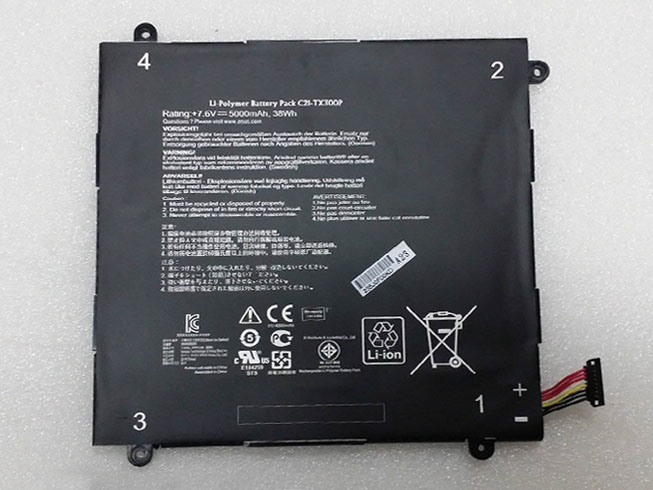
Brand New Battery For Asus C21-TX300P, laptop battery specifications(Li-ion, 5000mah/38wh ,7.6v), lowest price and 30 days money back, 1-year warranty. 100% compatible with Asus Transformer Book.
ASUS C21-TX300P Replacement laptop Battery [5000mah/38wh, 7.6v]
Replace the following part numbers:
C21-TX300P
Fits the Following Models:
Asus C21-TX300P Series
Q:How do I extend the life of my laptop battery?
- + New Asus C21-TX300P Battery Pack must be fully charged before use.If you don't use your laptop for a period of time,you must fully discharge then recharge the Asus C21-TX300P battery.
- + Always use a laptop on a hard surface. Don’t put it on your lap (despite its name) or on thermal insulating materials such as cushions. If you like to work in bed with your laptop, I recommend using a laptop table. I have this one, and I am quite content with it.
- + Try to avoid charging the battery while you are working with the laptop. Charging the Asus C21-TX300P batteries increases your laptop’s temperature. The problem is that the CPU, the graphics card and the hard disk also heat up your laptop, which adds to the temperature increase experienced when charging the Asus C21-TX300P battery. Many vendors deliver their laptops with software that allows you to disable charging. You also can remove the Asus C21-TX300P battery while you are working on AC current.
- + Make sure the laptop’s ventilation can always work properly. Don’t place objects before the ventilation systems opening. Don’t run or charge the laptop while it is in its case.
- + Don’t leave the laptop in the car or under the sun in summer. Use a bike. It keeps your 5000mah/38wh 7.6v ASUS C21-TX300P laptop battery cool and your own battery healthy. And too much sun exposure causes only skin cancer anyway.
You are in the biggest replacement laptop battery and laptop ac adapters online store, We offer more than 18000 types laptop battery, compatable more than 2000000 laptop models, related 180 top laptop brand. We specialize in replacement laptop batteries and Laptop adapter for most top brand laptop on the market, Such as Acer, Apple, Asus, Dell, HP, IBM, Sony, Toshiba, Samsung and so on.
Motorola EG30 Cell Phone Battery replacement for DROID SNN5916A XT907 RAZR I XT890
Sony LIS1499ERPC Cell Phone Battery replacement for SONY LT30 LT30p Xperia T Xperia TL BDRG
Nokia BV-5JW Cell Phone Battery replacement for NOKIA Lumia 800 N9
NOKIA BV-T3G Cell Phone Battery replacement for NOKIA Microsoft Lumia 650
NOKIA BL-L4A Cell Phone Battery replacement for Lumia 535 RM-1090 RM1089 NOKIA
LG BL-54SH Cell Phone Battery replacement for LG OPTIMUS L90 D410 D415 OPTIMUS F7 LG870
Lenovo BL203 Cell Phone Battery replacement for Lenovo A308T A318T A365E A369 A66
LG BL-51YF Cell Phone Battery replacement for LG G4 F500 H810 H815 LS991 VS986
NEC BAT909B Cell Phone Battery replacement for NEC NEC909E CASIO G'zOne IS11CA
Teach you how to do here:
1. When first time using Asus C21-TX300P battery, Please carefully read the user manual about Battery maintain parts.
2. Please fully charge at most 12 hours in first Asus C21-TX300P battery charge time. Bcause it is need three/four times for charge/discharge cycles to get the maximum capacity of battery.
3. If without using notebook long time(more than 3 weeks) or found that your Asus C21-TX300P battery charge/discharge time become shorter and shorter, you have to fully discharge the battery before next time charge again.
4. It is better to keep the laptop power off during charge the Asus C21-TX300P battery pack. And don't unplugged power or using your notebook during the battery half-way charge. The best time using is 30 minutes fully charge later.
5. Keep your Asus C21-TX300P battery far away from damp,exposure,and erosion some chemical liquids and others to avoid making battery short-circuit.
Batterijen Sales Nederland / België Asus C21-TX300P ACCU >> ASUS ACCU
Laptop power adaptors and chargers are necessary accessories that enable the charging of such portable devices. Adaptors and charges aren’t created equal, which is why you should always be looking for premium quality. Each of the Laptop Battery Express adaptors has been chosen because of its quality and affordability. You can rest assured that you’re getting access to some of the best replacement items on the market. We have laptop power adaptors for a vast range of brands and models.Discover laptop power adaptors that will be just right for you.
Brand New Battery For ASUS C32-TAICHI21
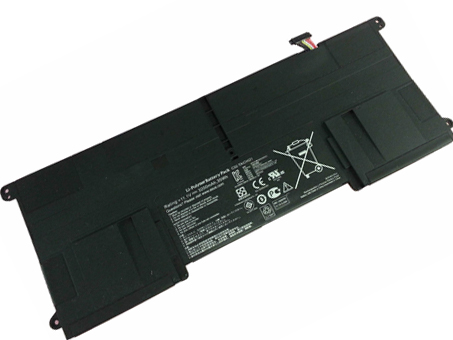
Brand New Battery For ASUS C32-TAICHI21 Buit-in , laptop battery specifications(Li-ion, 3200mAh/35Wh ,11.1V), lowest price and 30 days money back, 1-year warranty. 100% compatible with Asus Ultrabook Taichi 21.
Battery » C32-TAICHI21 Buit-in
ASUS C32-TAICHI21 Buit-in Battery Pack [3200mAh/35Wh, 11.1V]
Teach you how to do here:
1. When first time using ASUS C32-TAICHI21 battery, Please carefully read the user manual about Battery maintain parts.
2. Please fully charge at most 12 hours in first ASUS C32-TAICHI21 battery charge time. Bcause it is need three/four times for charge/discharge cycles to get the maximum capacity of battery.
3. If without using notebook long time(more than 3 weeks) or found that your ASUS C32-TAICHI21 battery charge/discharge time become shorter and shorter, you have to fully discharge the battery before next time charge again.
4. It is better to keep the laptop power off during charge the ASUS C32-TAICHI21 battery pack. And don't unplugged power or using your notebook during the battery half-way charge. The best time using is 30 minutes fully charge later.
5. Keep your ASUS C32-TAICHI21 battery far away from damp,exposure,an
Best 3300mAh 7.4V ASUS C21-EP101 replacement Battery for ASUS Eee Pad Transformer TF101 TR101
ASUS C21-EP101 is the Battery replace for ASUS Eee Pad Transformer TF101 TR101 Series TF101 Mobile Docking Series,3300mAh, 7.4V
Welcome to NZ battery shop. You are in the biggest online replacement laptop battery store, which have more than 18000 types laptop battery , compatable more than 2000000 laptop models, related 180 top laptop brand. We specialize in replacement laptop batteries for most top brand laptop on the market, Such as Acer laptop battery, Apple laptop battery, Asus laptop battery, Dell laptop battery, HP compaq laptop battery, IBM laptop battery, Sony laptop battery, Toshiba laptop battery, Samsung laptop battery and so on.
Our Warranty: 100% brand new + 1 Year Warranty + 30 Days Money Back + 100% Secure Shopping Guarantee + Fast Shipping
Replacement ASUS C21-EP101 Laptop Battery.
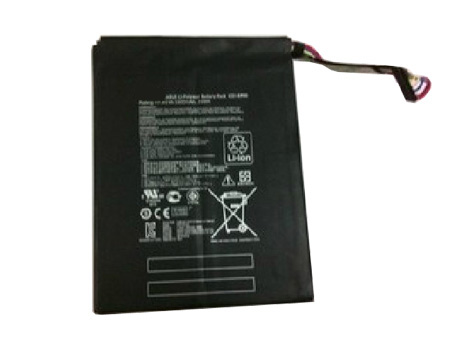
NZ:ASUS C21-EP101 Battery
JP:C21-EP101バッテリーASUS新品互換用パソコン バッテリー、ACアダプタ、ご安心購入!
DE:C21-EP101 Akku Billiger Ersatzakku ASUS Eee Pad Transformer TF101 TR101 Series TF101 Mobile Docking Series
Fit Models :
ASUS Eee Pad Transformer TF101 Series
ASUS Eee Pad Transformer TF101 Mobile Docking Series
ASUS Eee Pad Transformer TR101 Series
ASUS Eee Transformer TF101 Series
ASUS Eee Transformer TR101 Series
Products Fast Shipping
Laptop power adaptors and chargers are necessary accessories that enable the charging of such portable devices. Adaptors and charges aren’t created equal, which is why you should always be looking for premium quality. Each of the Laptop Battery Express adaptors has been chosen because of its quality and affordability. You can rest assured that you’re getting access to some of the best replacement items on the market.
We have laptop power adaptors for a vast range of brands and models.Discover laptop power adaptors that will be just right for you.
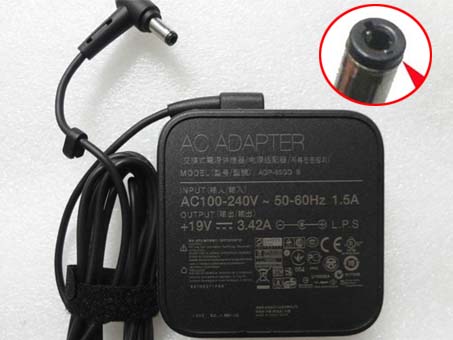
Adapter for ASUS X52F 19v 3.42A A52j x5dc k50c series
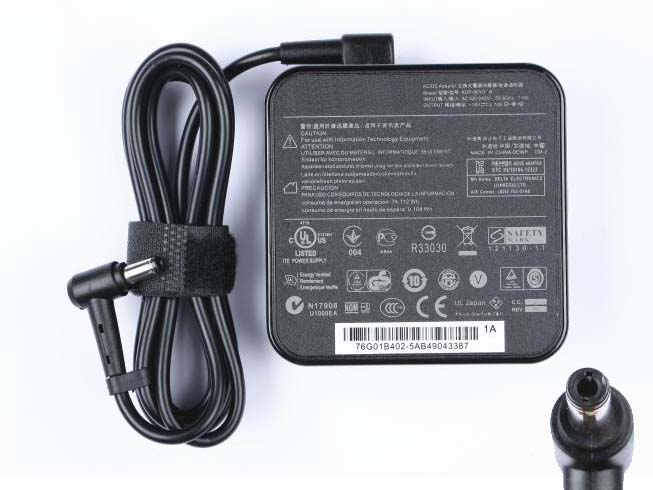
Adapter for Asus EXA0904YH R32379 N53S,N55S Notebook PC
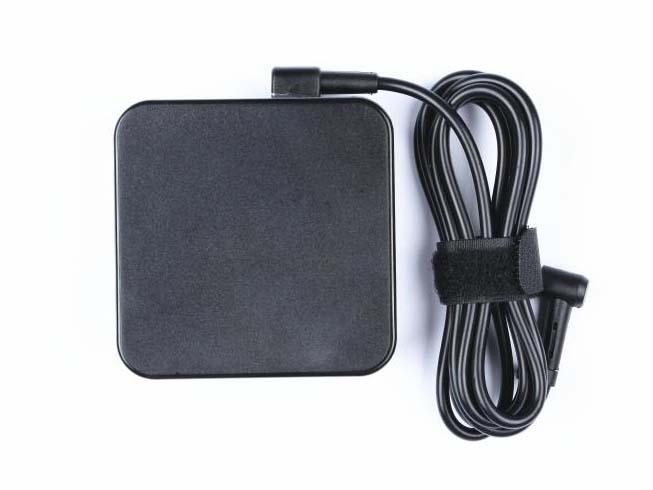
Adapter for ASUS X750JA-TY029H X750JA-DB71 A55VD-AB71 Y5RG
Adapter for ASUS Vivobook S200E
X201E X202E
Adapter for Asus X502C X550C EXA0703YH
Why order battery from us
No registration required.
We accept Visa, MasterCard, JCB Credit Card and Paypal.
Placing order is easy: Add To Cart---> Fill Shipping information----> Check out---->Finished.
You are in Professional Laptop Battery (Replacements) online store.
Battery will be checked and tested for 2 times before sent out.
Contact us is easy.
Your item will be tested 2 times before sent out.
12 months warranty and 30 days money back.
Same Day / The Next Day Fast Shipping.
You can write a review for our item and service.
http://www.notebookbattery.co.nz/laptop-batteies-asus/replace-battery-c21-ep101-b2577.htm
Tips To Extend Your asus C21-EP101 Battery Life
Unplug the charger or remove the battery when not charging.
Keep device and battery in a cool dry place (heat destroys a battery).
Disable unnecessary programs that draw energy from your computer.
Shut down or use hibernate mode to minimize battery drain.
Categories
- AC Adapter
- acer
- adapter
- Amazon
- apple
- apple
- asus
- Avell
- battery
- Battery Tips
- Beats
- Bose
- Business
- Camera
- Car Accessories
- Car Heater
- Chicony
- Clevo
- Computing Technology News
- dell
- Electronic
- electronics
- FSP
- fujitsu
- funny things nz
- gateway
- Gigabyte
- Google News
- hp
- HTC
- Huawei
- IBM
- Kitchen Tools
- laptop
- Laptop Battery
- laptop computer
- LCD Screen
- LED Light
- lenovo
- LENOVO
- LG
- Medion
- Miscrosoft
- Mobile phone Battery
- Motorola
- Motorola Phone Batteries
- MSI
- nec
- Netgear
- New Product
- News
- Nokia
- Notebook Battery
- Panasonic
- Philips
- Power Supply
- Razer
- REMS
- ResMed
- Rugby World Cup NZ
- samsung
- Scale
- sony
- spy camera
- Talking
- toshiba
- Uncategorized
- Vizio
Pages
- 12V Portable Car Heaters – Why so popular?
- ACER
- How to Replace a Cell Phone Battery (For example SONY Xperia Z1) ?
- How to replace your iPhone battery?
- HP
- Top 7 Ways to Conserve Your Phone’s Battery Life
- USB cables are commonly included in the package for most electronic gadgets
- Waking Up on time in the Morning
- What Is An LED Grow Light?
 Replace laptop batteries IN New Zealand